
Manage all your Meta ad campaigns from one place in Ad Manager
If you run ads on Meta, you've probably been living in two places at once. You build and tweak campaigns in Meta, then try to keep track of the numbers somewhere else. It's a lot of jumping back and forth.
That just got a lot simpler. Connect your Meta ad account to Ad Manager and all your existing Meta campaigns come straight in, ready to manage. Edit them here or over in Meta, and both sides stay in sync on their own.
What you get
Once your Meta account is linked, every campaign you've already built shows up in Ad Manager. You can edit, manage and report on all of them from one screen - including the ones you created directly in Meta.
A few things worth knowing:
- Your campaigns, ready instantly. Connect your account and choose which campaigns to pull in by status and time period. They sync in the background while you keep working.
- Edit anywhere, stay in sync. Changes you make in Ad Manager go to Meta, and changes you make in Meta come back to Ad Manager, automatically.
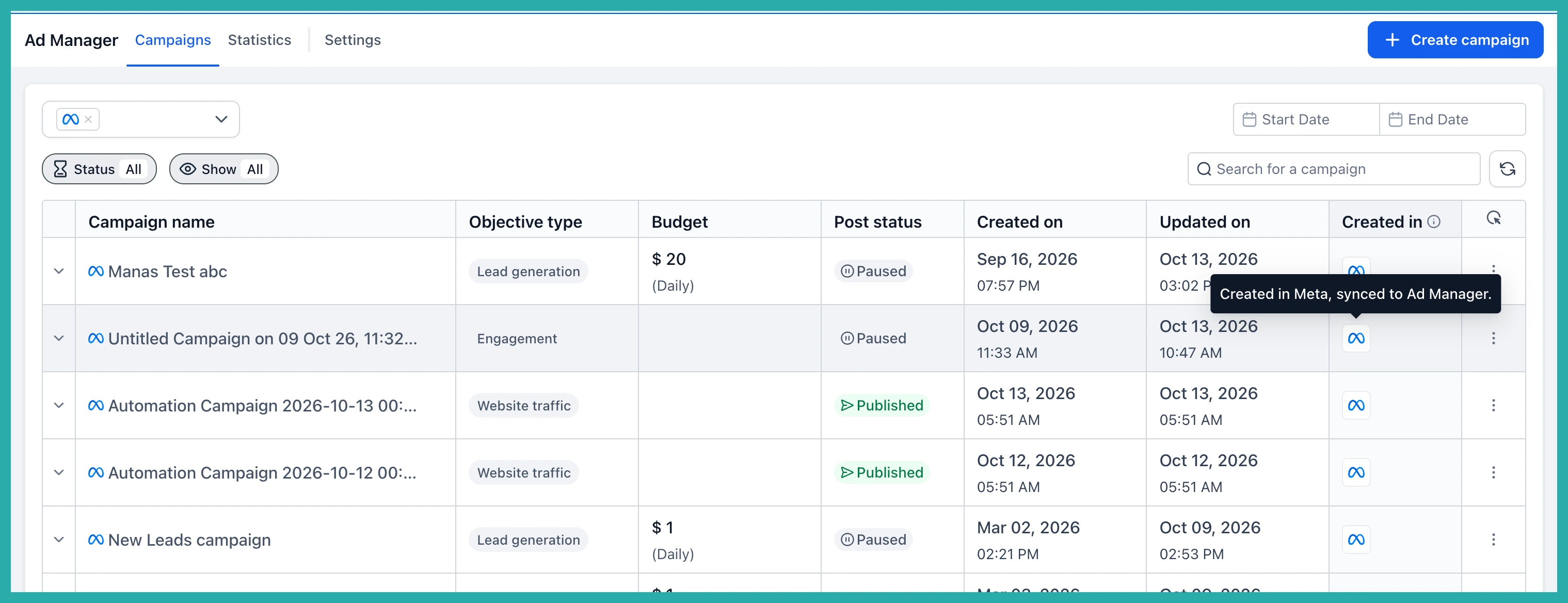
- See where each campaign came from. Your Campaigns page splits into Created in Ad Manager and Synced from Meta, with an All Campaigns view too. A badge on each one shows where it was built.
- The same builder you already use. Synced campaigns open in the full-screen Ad Manager builder, and your advanced Meta settings stay exactly as they were.
- One report for everything. Impressions, Clicks, Spend, Conversions, Leads, CTR, CPC, CPL and more are reported the same way for every campaign, wherever it came from.
New to Ad Manager? Connect your Meta account
Go to Ad Manager and click Link Meta Ad account. You'll be asked whether to import all your existing campaigns or pick specific ones by status and time period.
Once you've made your choice, click Connect account. Your campaigns start syncing in the background straight away, so there's no waiting around.
Already connected to Meta? Turn on sync
If your Meta account is already linked, you just need to switch sync on. Go to Ad Manager, then Settings, then Meta Ad Account, and turn on the Sync toggle.
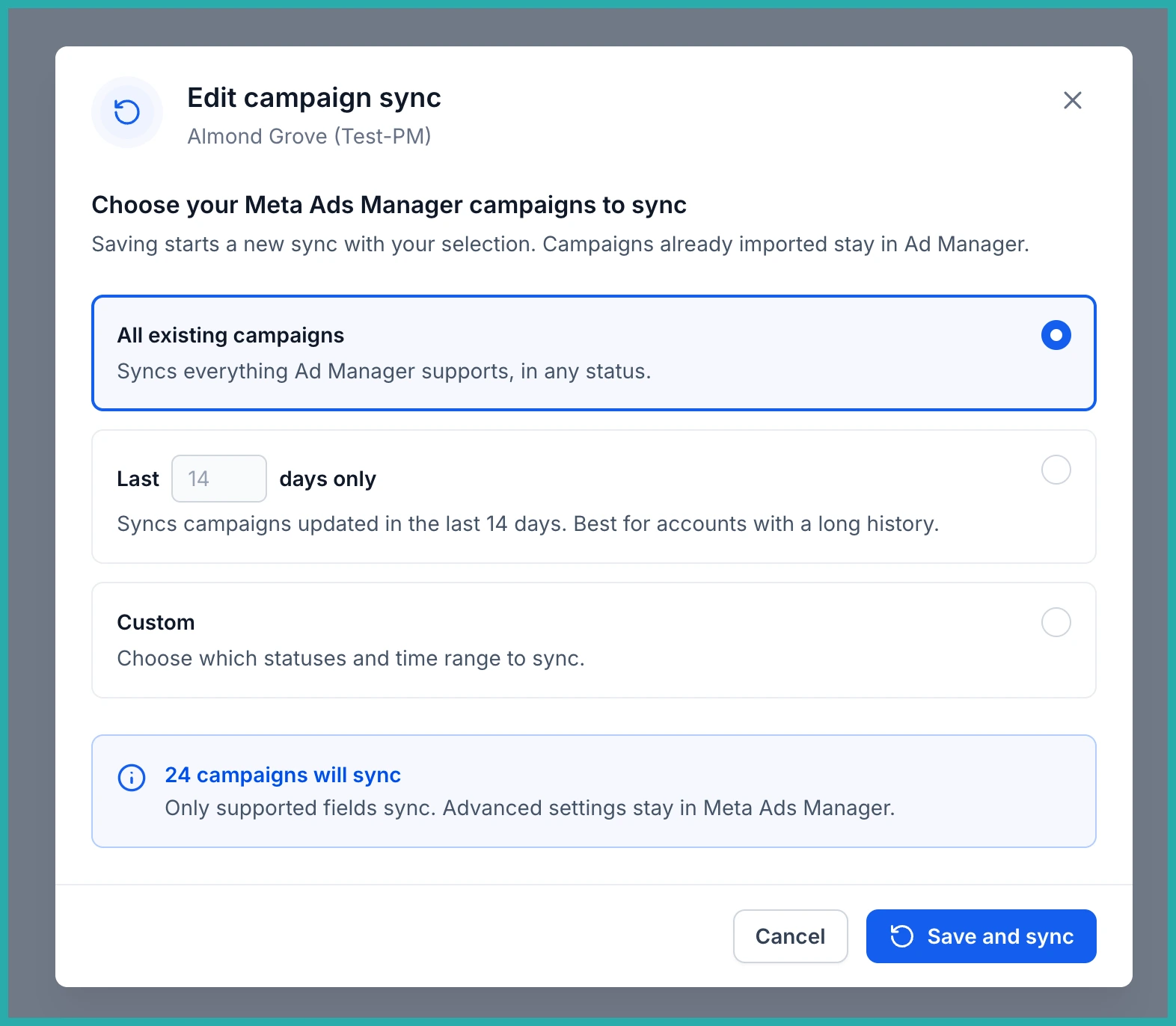
Choose which campaigns you want to sync by status and time period, then click Save. Your existing campaigns will start appearing in Ad Manager.
Managing your synced campaigns
Head to Ad Manager, then Campaigns, and open the Synced from Meta section. Click any campaign to open it in the builder, or expand it to see its ad sets and ads.
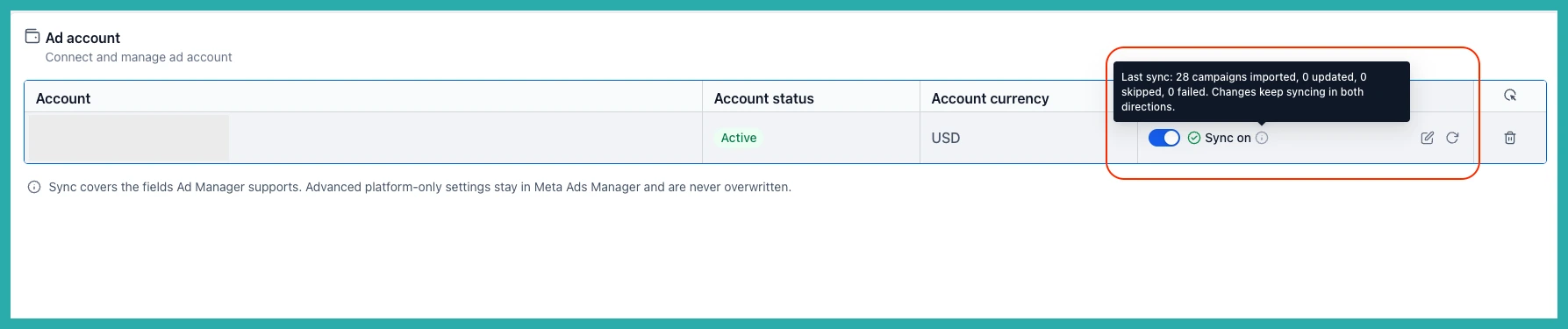
Make your changes and save. They're sent to Meta automatically, usually within moments. If you want the very latest from Meta on demand, click Refresh under Meta Account Settings, and you can change which campaigns you sync any time you like.
No more flicking between two screens to keep things straight. Link your account, pick what to bring in, and manage the lot from one place.
