
Run TikTok Lead Ads Straight From Your Ad Manager
If you've been running ads in other channels but keeping TikTok in a separate tab, this one's for you. TikTok Ads is now part of your Ad Manager, right next to Meta, Google and LinkedIn.
That means you can build, publish, manage and measure TikTok lead campaigns without leaving ESC Hub. Your ads collect leads through Instant Forms or TikTok Direct Messages, and the results land in the same Statistics view you already use.
What you can now do
Everything for TikTok lives in the same campaign builder you already know:
- Build TikTok Lead Generation campaigns alongside your other channels, no new tool to learn.
- Collect leads your way - use an existing TikTok Instant Form, or let people message your account through Direct Messages with a template or automated chat that gathers their details.
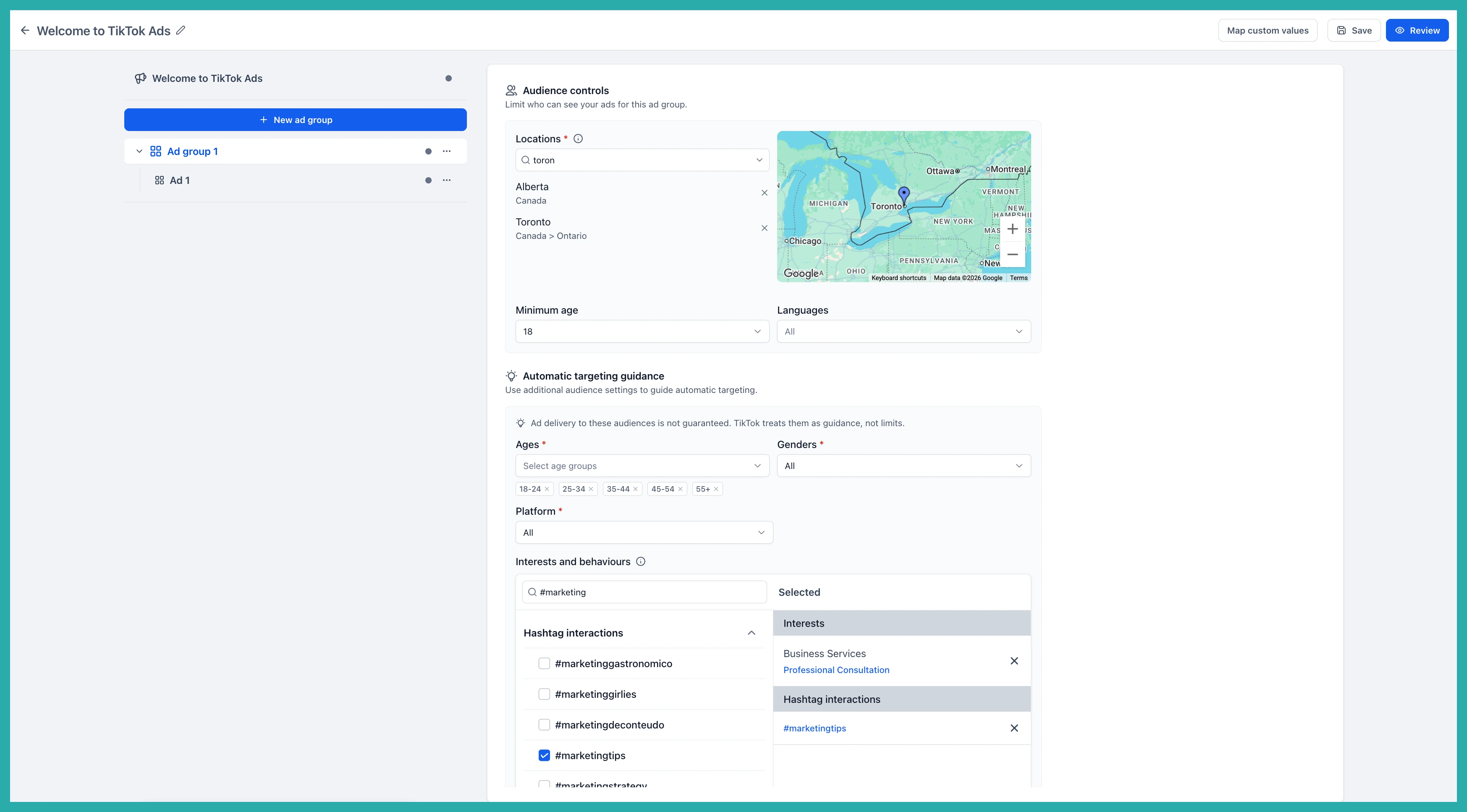
- Control your ad groups - set budget, schedule, bidding and targeting based on detailed interests and behaviours.
- Run carousel or video ads with a live preview before you publish.
- Track performance in one place, with TikTok results showing next to your other channels.
- Manage campaigns easily from the Campaigns table you already use - edit, pause, resume or duplicate in a click.
First, connect your TikTok account
Before you launch anything, you need to link your TikTok Business Center and ad account.
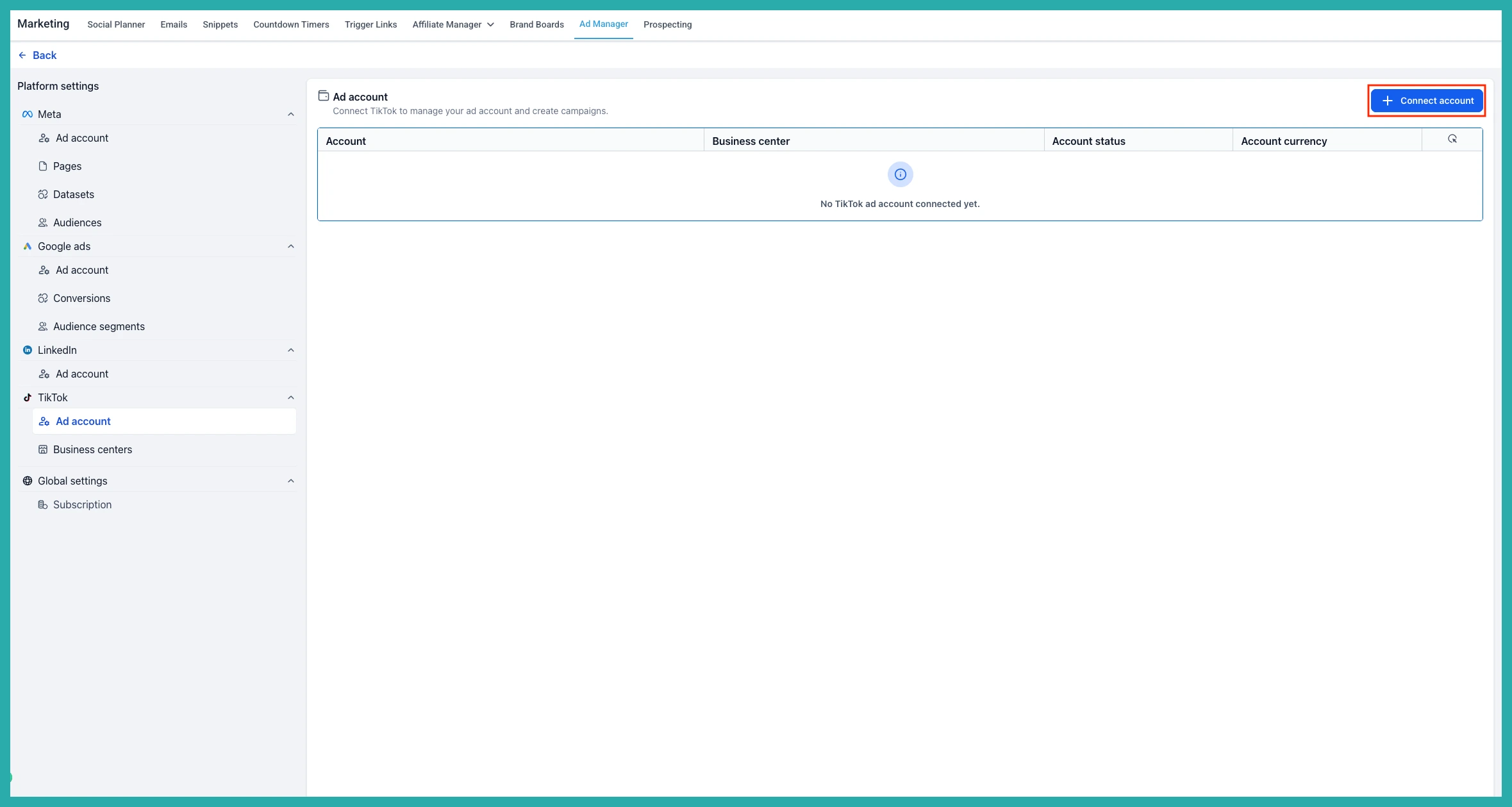
Go to Ad Manager, then Settings, then TikTok, then Ad accounts, and click Connect account. If you're new to Ad Manager, you'll see a Connect TikTok button right on the main screen instead.
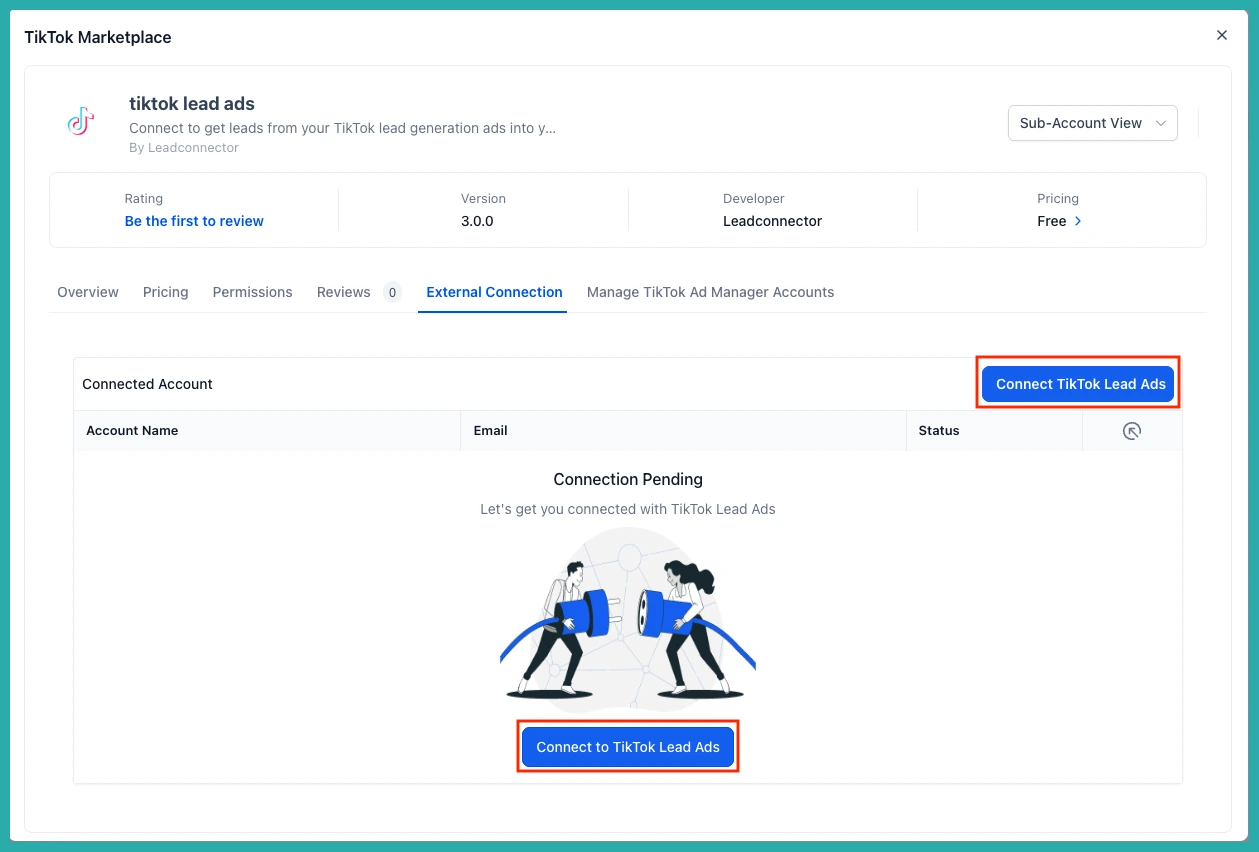
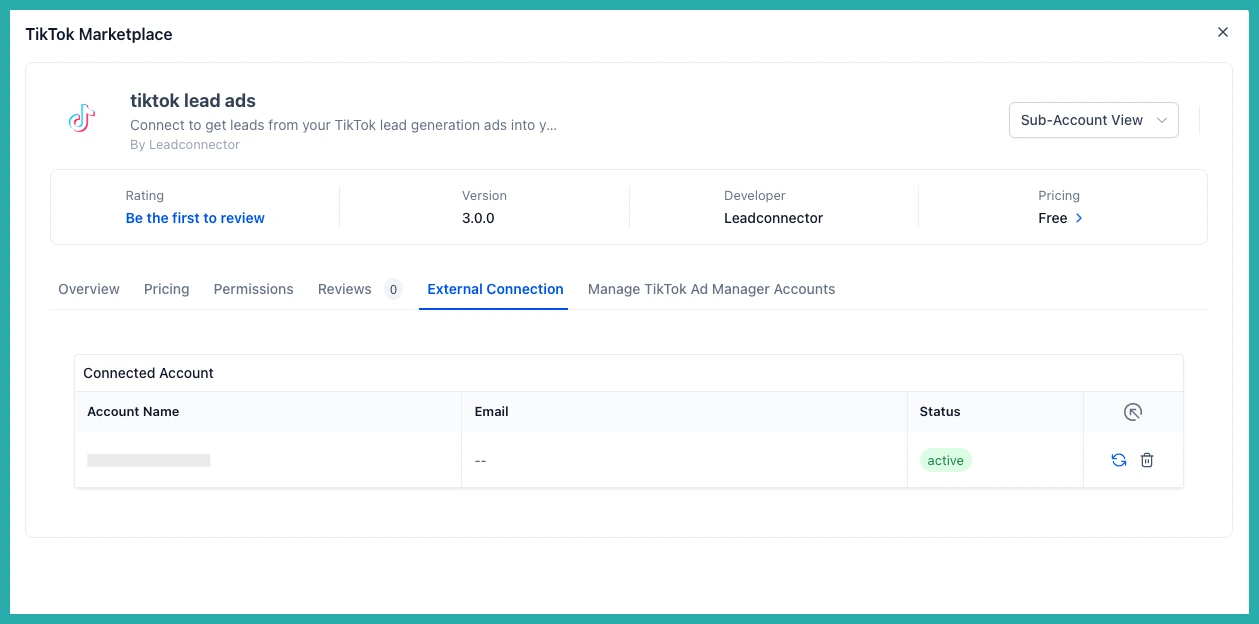
Click Connect TikTok Lead Ads, sign in with your TikTok account and approve the access it asks for.
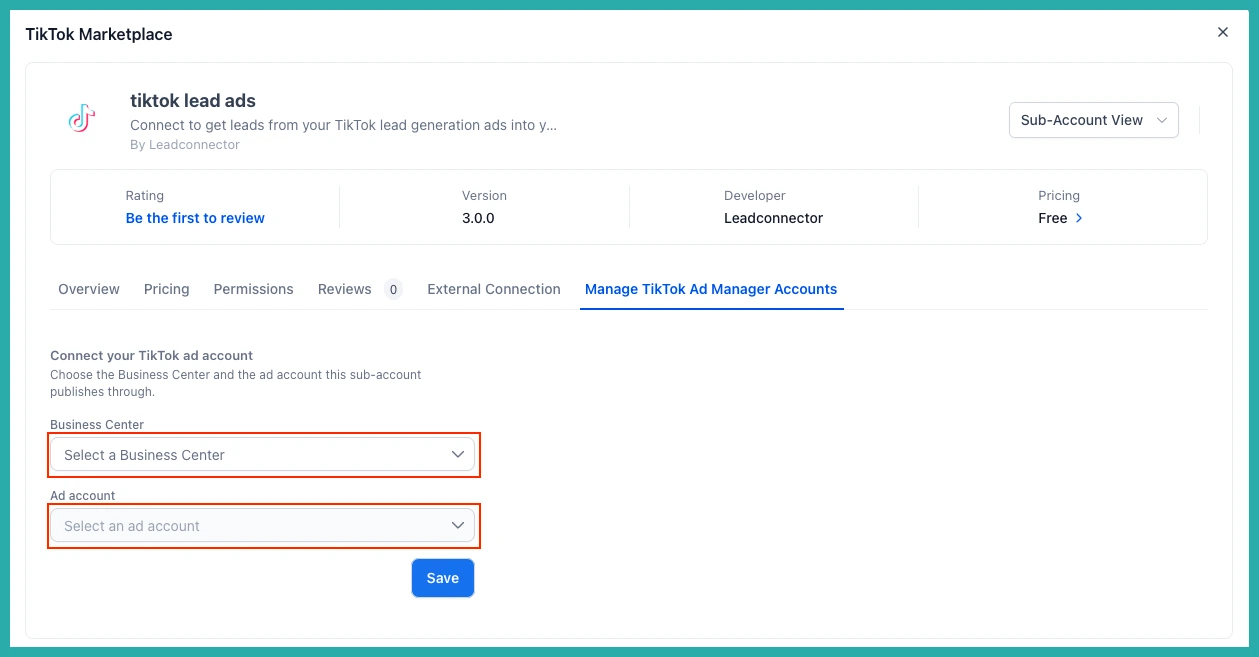
Then pick your Business Center and ad account, and click Save. You're connected.
Launch your first campaign
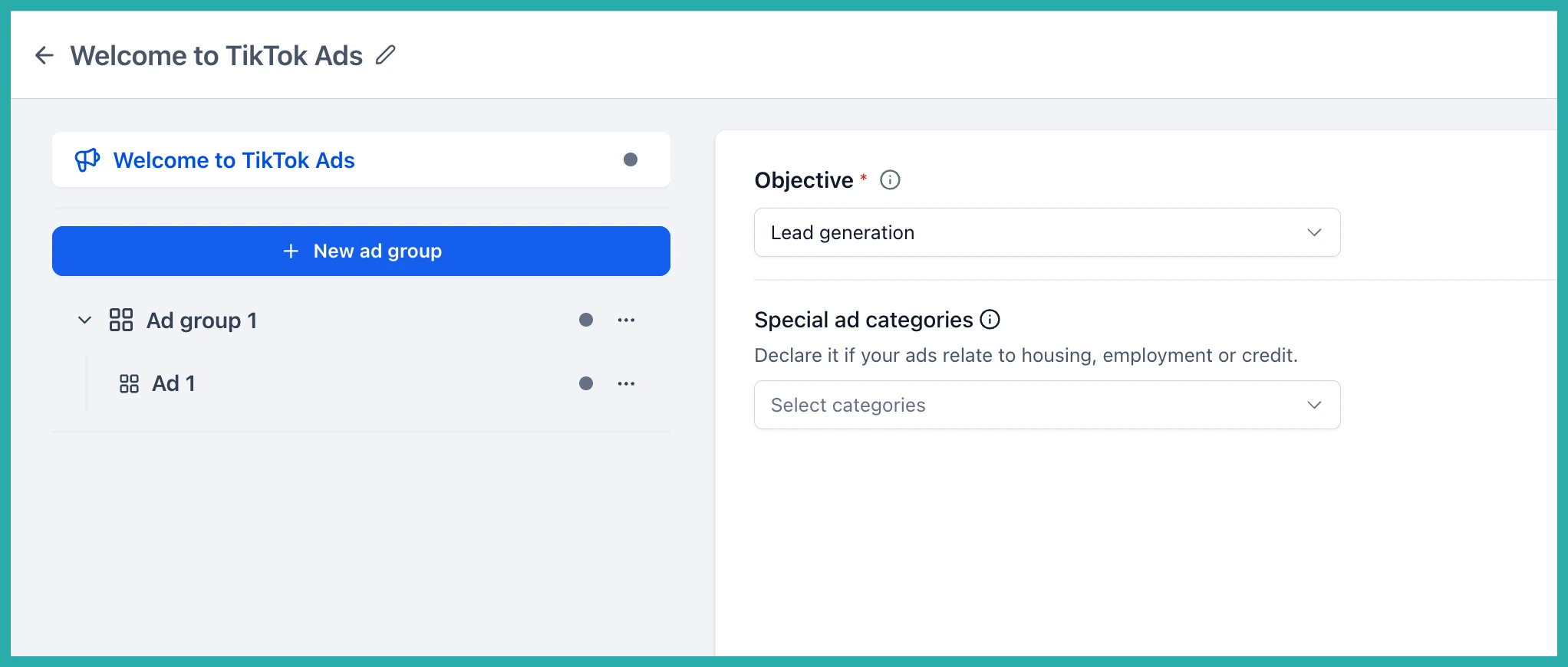
Go to Ad Manager, then Campaigns, click Create Campaign, choose TikTok, and select Start from scratch.
In the Ad Group, choose your conversion location - Instant Form or Direct Messages - then set your budget, schedule and audience.
In the Ad, pick your destination (your Instant Form or a Direct Message template), select your TikTok account, upload your creative, and add your ad text and call to action. You'll get a live preview as you go.
When it looks right, click Review, then Publish. Built-in checks will flag any missing details, unmapped forms or accounts that aren't ready before your ad goes live.
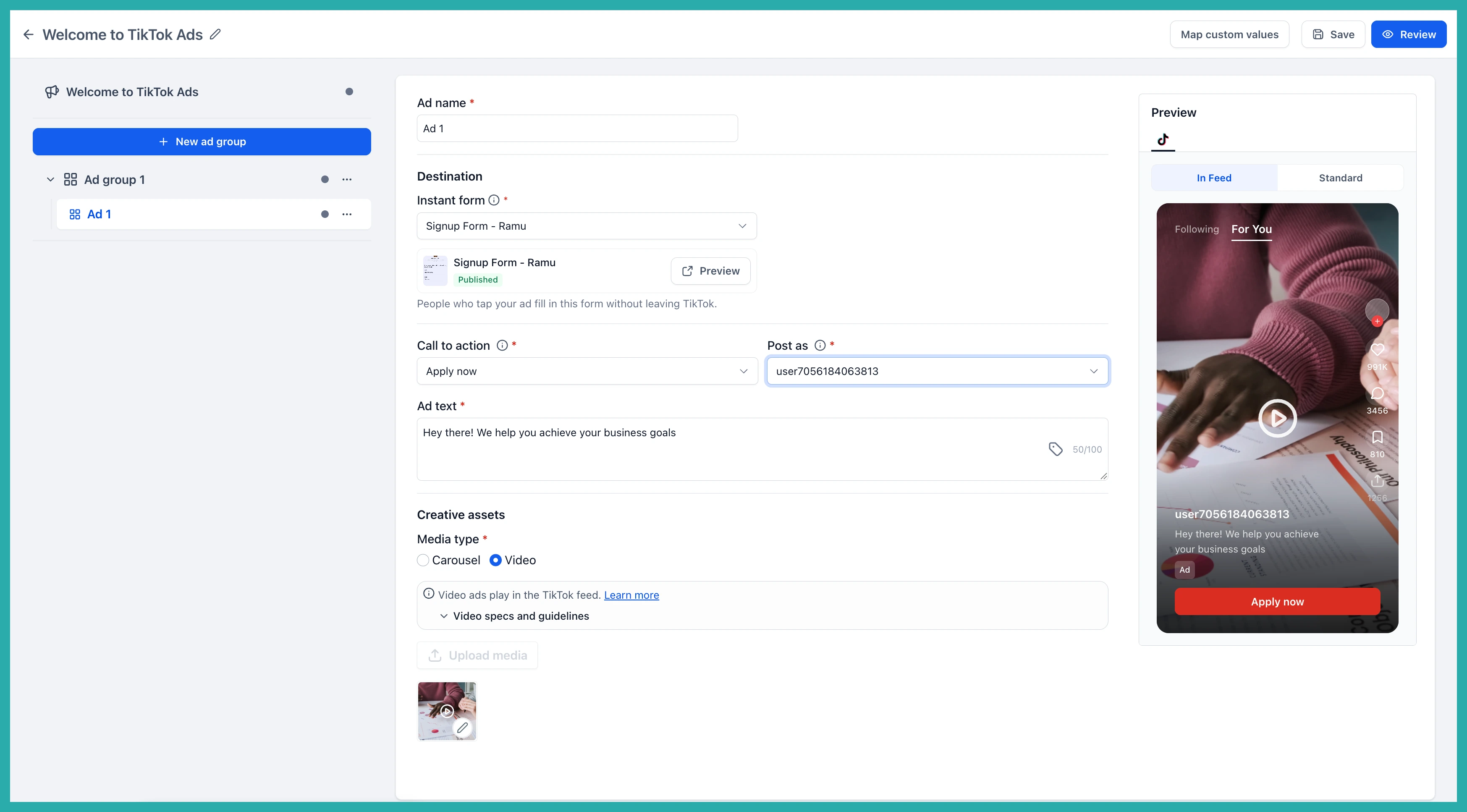
One thing to note: if you want to use Instant Forms, you'll need to create them inside TikTok Ads Manager first so they're ready to pick here.
All your ad spend in one place
TikTok has been one of the most requested channels, and now it sits right alongside the rest. You can plan, launch and report on every paid campaign from the same spot, with no separate tool to juggle.
If TikTok is where your people are, go connect your account and give it a try. The hardest part is picking your first audience.
