
Bring In Only the HubSpot Records You Actually Want
Moving your data across from HubSpot is a big moment, and the last thing you want is years of dead contacts and stale deals landing in your clean new account.
Now you don't have to take all of it. When you import from HubSpot, you can filter each type of record by date first, so only the data you actually want comes through.
What you can do now
On the Preview and import step, you can filter Contacts, Deals, Companies, and Tasks separately. For each one you can choose:
- Filter by HubSpot Created Date or HubSpot Last Modified Date
- Relative ranges like In the last 6 months or This quarter, or exact dates using On, Before, After, and Between
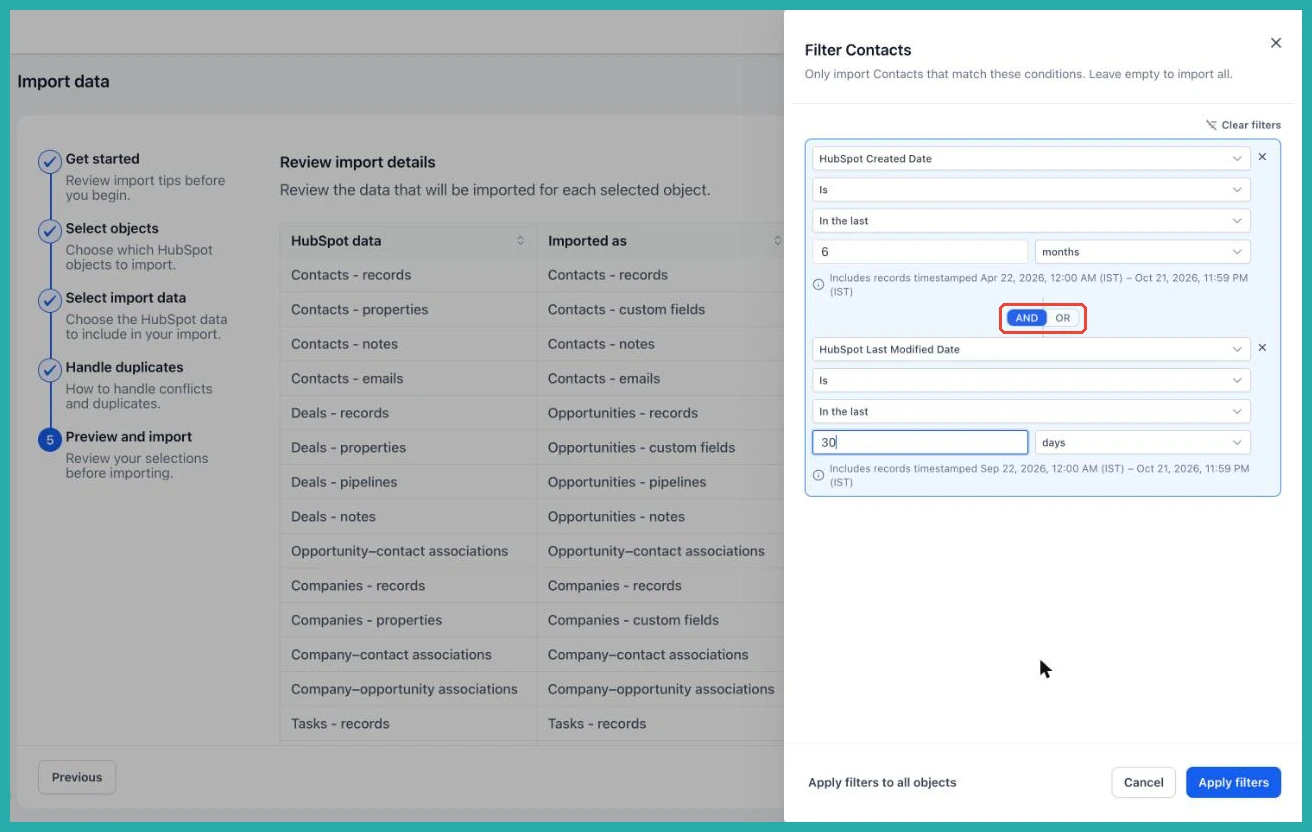
- Combine conditions with AND / OR
- Apply the same filter to every selected record type in one click
As you set it up, the record counts update straight away, so you can see how many records were found and how many will actually come in before you commit to anything.
How to use it
Go to Contacts, Companies, or Opportunities, click Import, and choose Import from HubSpot. Work through the wizard until you reach the Preview and import step.
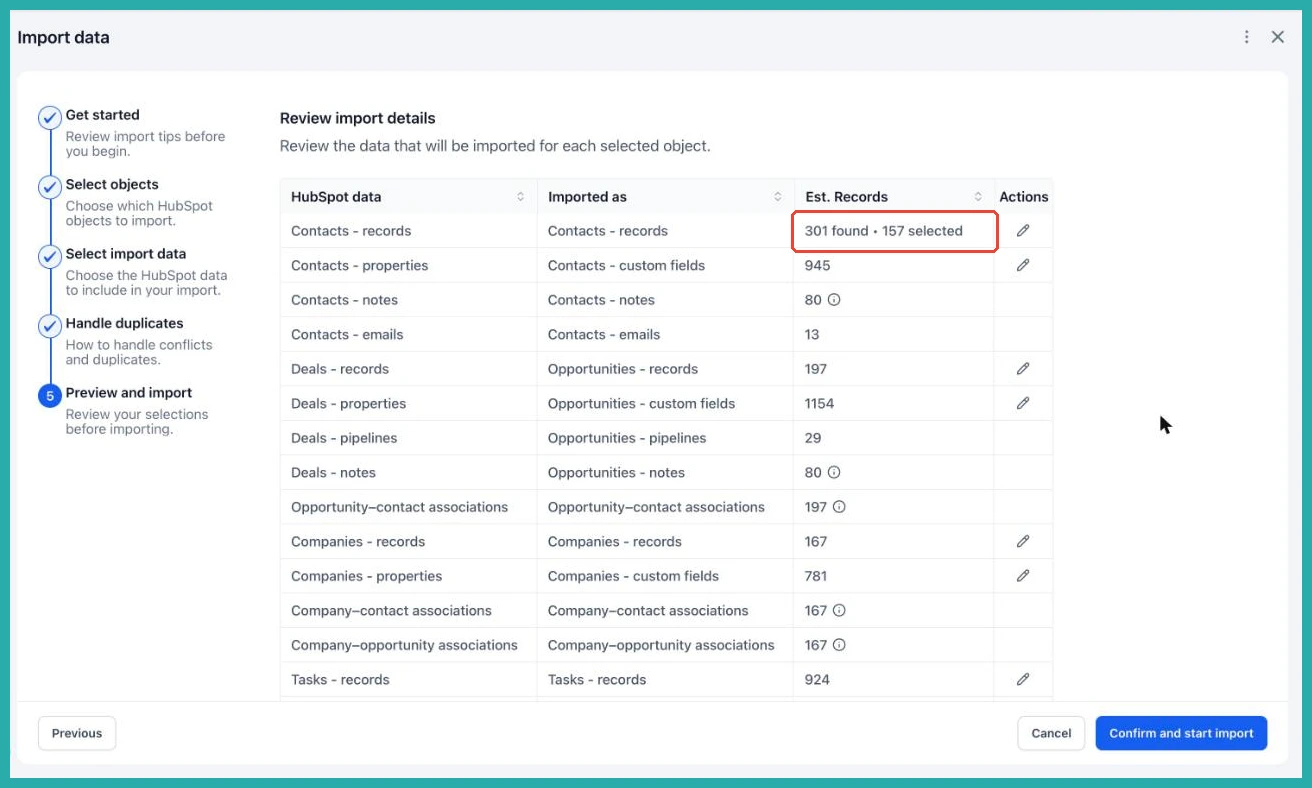
Find the row for the records you want to filter, such as Contacts, and click the edit pencil icon on that row.
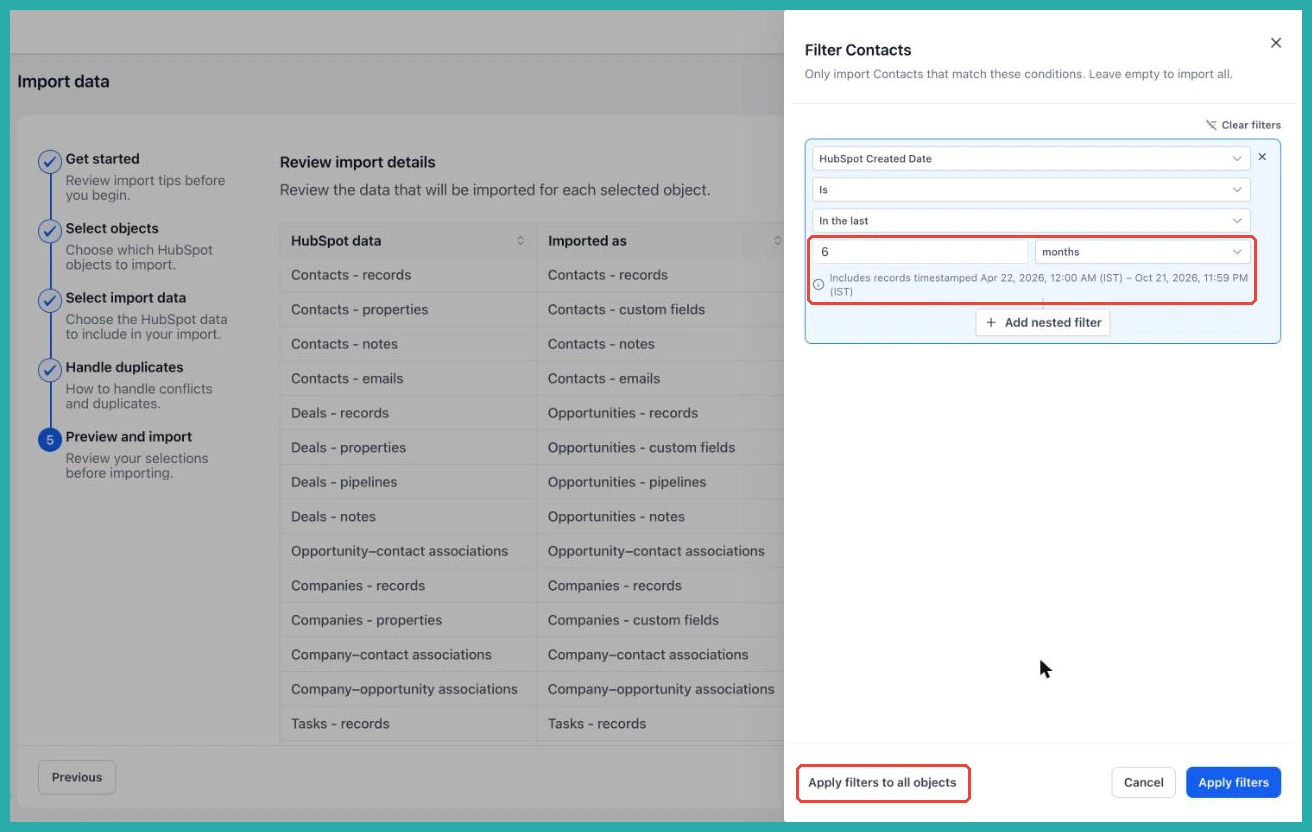
Pick a field, a condition, and a value. For example, HubSpot Last Modified Date, In the last, 6 months. You'll see the exact date range that filter covers right there, so there's no guessing. Want to layer in another rule? Use Add nested filter to combine conditions with AND or OR.
Click Apply filters to set it for that record type, or Apply filters to all objects to reuse the same conditions everywhere in one go.
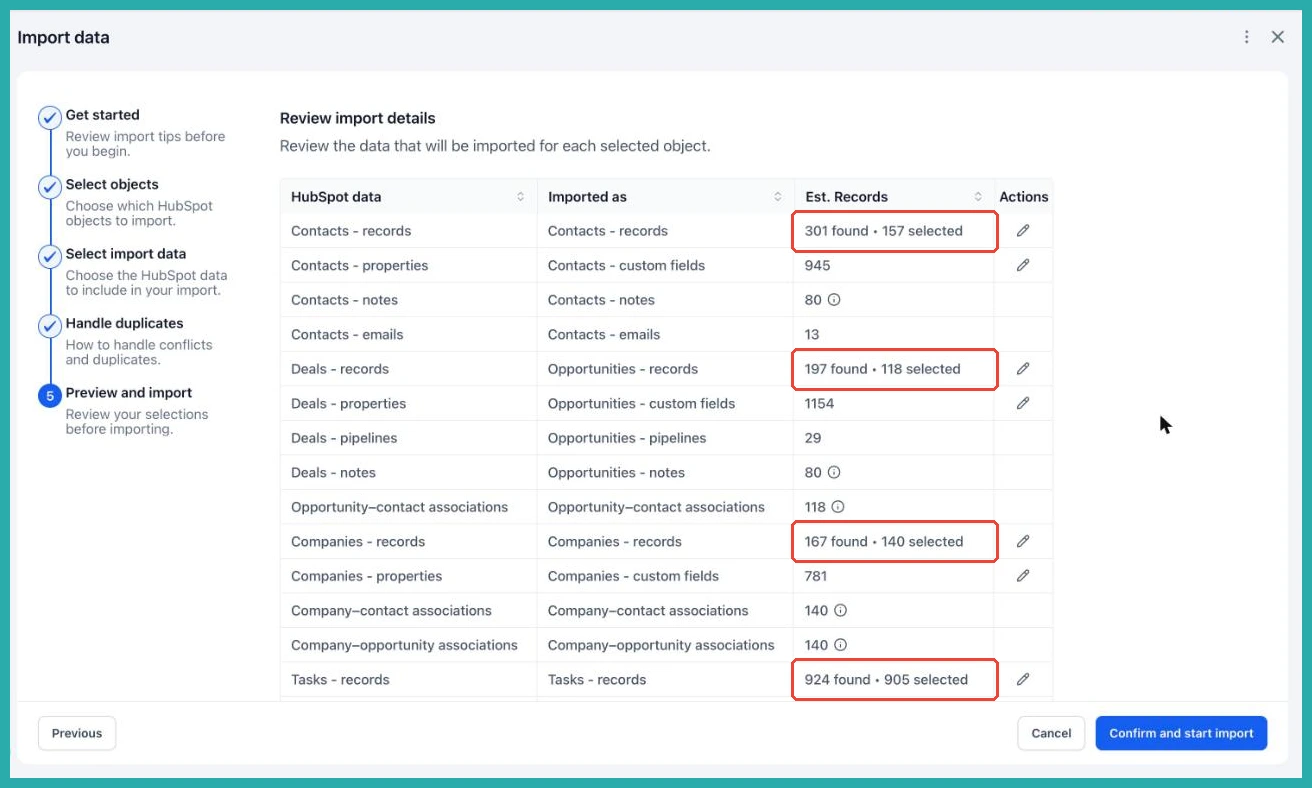
Check the updated counts, and when the numbers look right, click Confirm and start import.
A couple of notes
Filters are completely optional. Leave them empty and everything comes across, same as before. One small thing to know: "In the last" doesn't include today. And for now the filters work on HubSpot Created Date and Last Modified Date.
If you've been putting off your HubSpot move because of the mess it would bring, this is your way in. Pull over just the recent, active records, start tidy, and skip the cleanup later.
