
Send Review Requests From Your Own Number and Email
When you ask a happy customer for a review, the last thing you want is for it to land from some random number or address they don't recognise. That's the fastest way to get ignored.
Now you can decide exactly who your review requests come from - your number, your email - so every ask looks like it's from you.
What you get
You can set a default phone number for SMS and WhatsApp, and a default email address, for all your review requests at the account level.
Once you've set it, that sender is used automatically everywhere review requests go out:
- Manual review requests you send yourself
- Campaigns
- Workflows
No more guessing which number or address the system picked. It's the one you chose, every time.
The payoff is trust. A request from a familiar number or email feels like a real person reaching out, not an automated blast. That consistency makes your business look more professional and gets you more replies.
How to set it up
Go to Reputation, then Settings. From there you'll find the options for your Email review requests and your Phone and WhatsApp review requests.
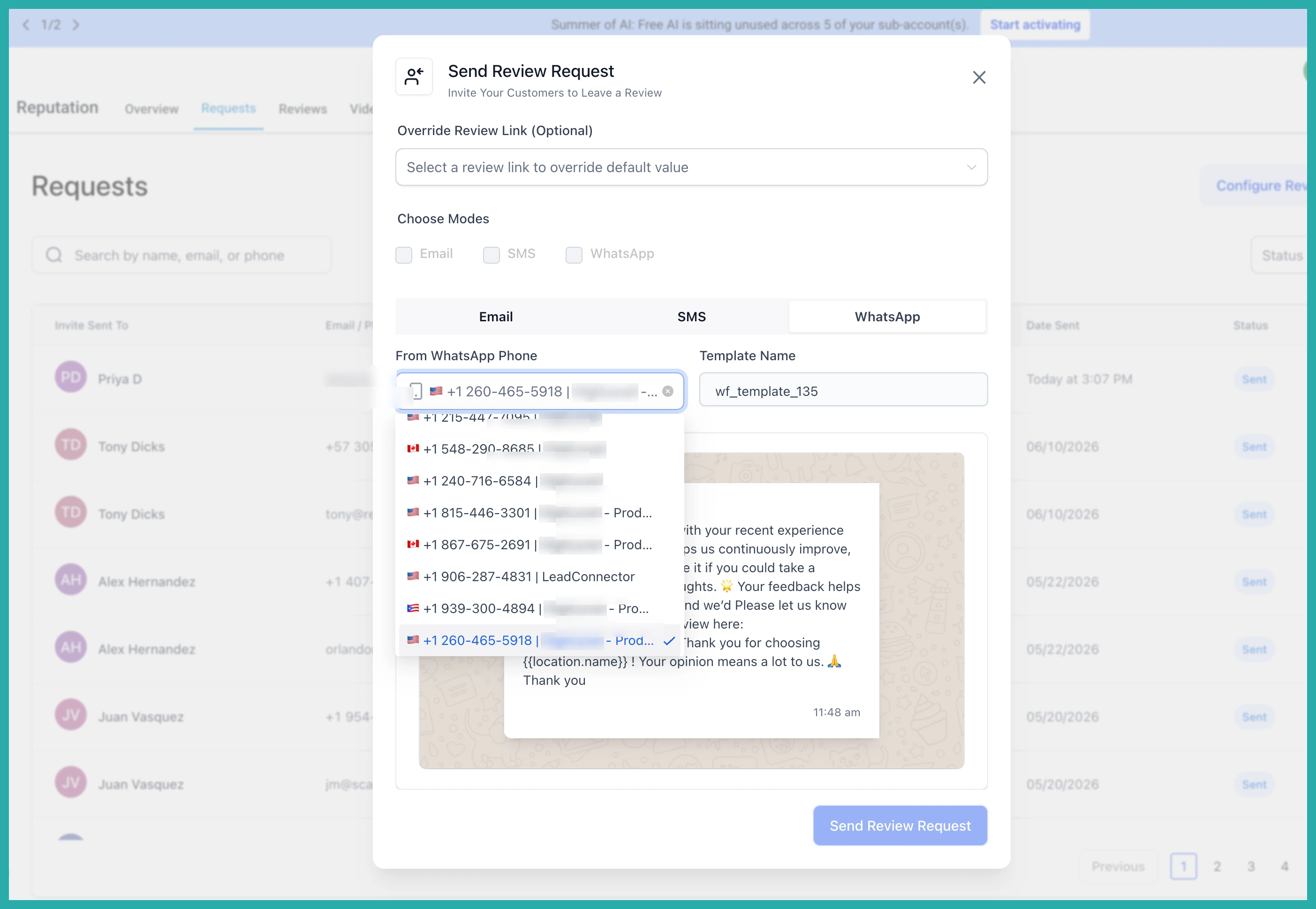
Pick the phone number you want SMS and WhatsApp requests to send from, and choose the email address for your email requests. In the screenshot below you'll see where each default sender is selected.
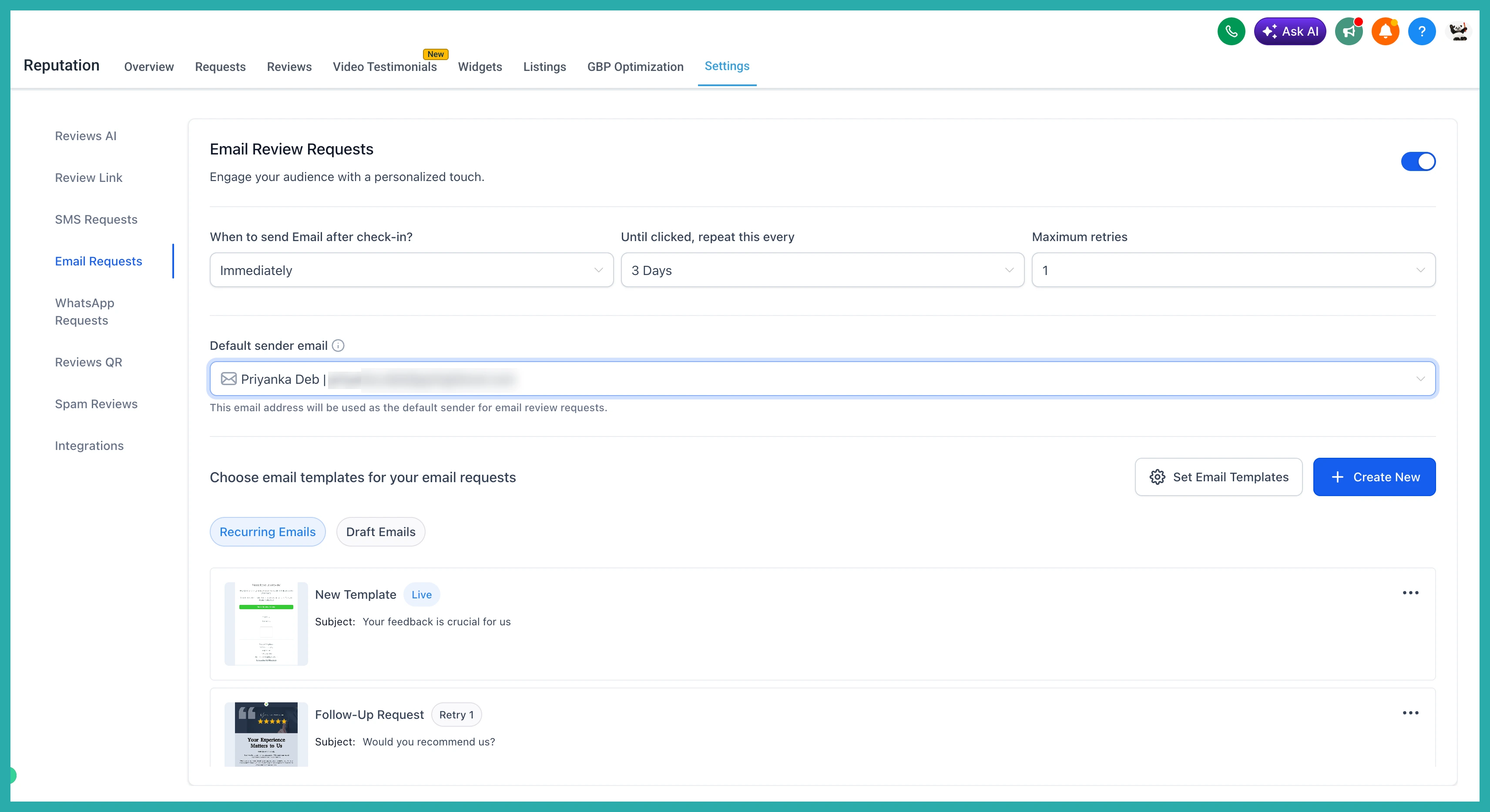
Save your choices and you're done. Every review request from now on goes out under the sender you picked.
Takes about a minute to set, and then it just works in the background across everything. Go choose your sender now so your next review request lands looking like you.
