
Split Your Live Meetings Into Small Groups With Breakout Rooms
If you run live sessions - training, coaching, a workshop, a team call - you've probably hit the moment where you want to split everyone into smaller groups. Peer discussions, a quick activity, a focused brainstorm.
Until now that meant juggling separate links or another tool entirely. Not anymore. Breakout Rooms are built right into your Meeting Room.
What you get
You can take one live meeting and break it into smaller groups for a while, then pull everyone back to the main room when you're done. No one has to leave or log in anywhere else.
A few things worth knowing:
- Create up to 100 breakout rooms in a single meeting.
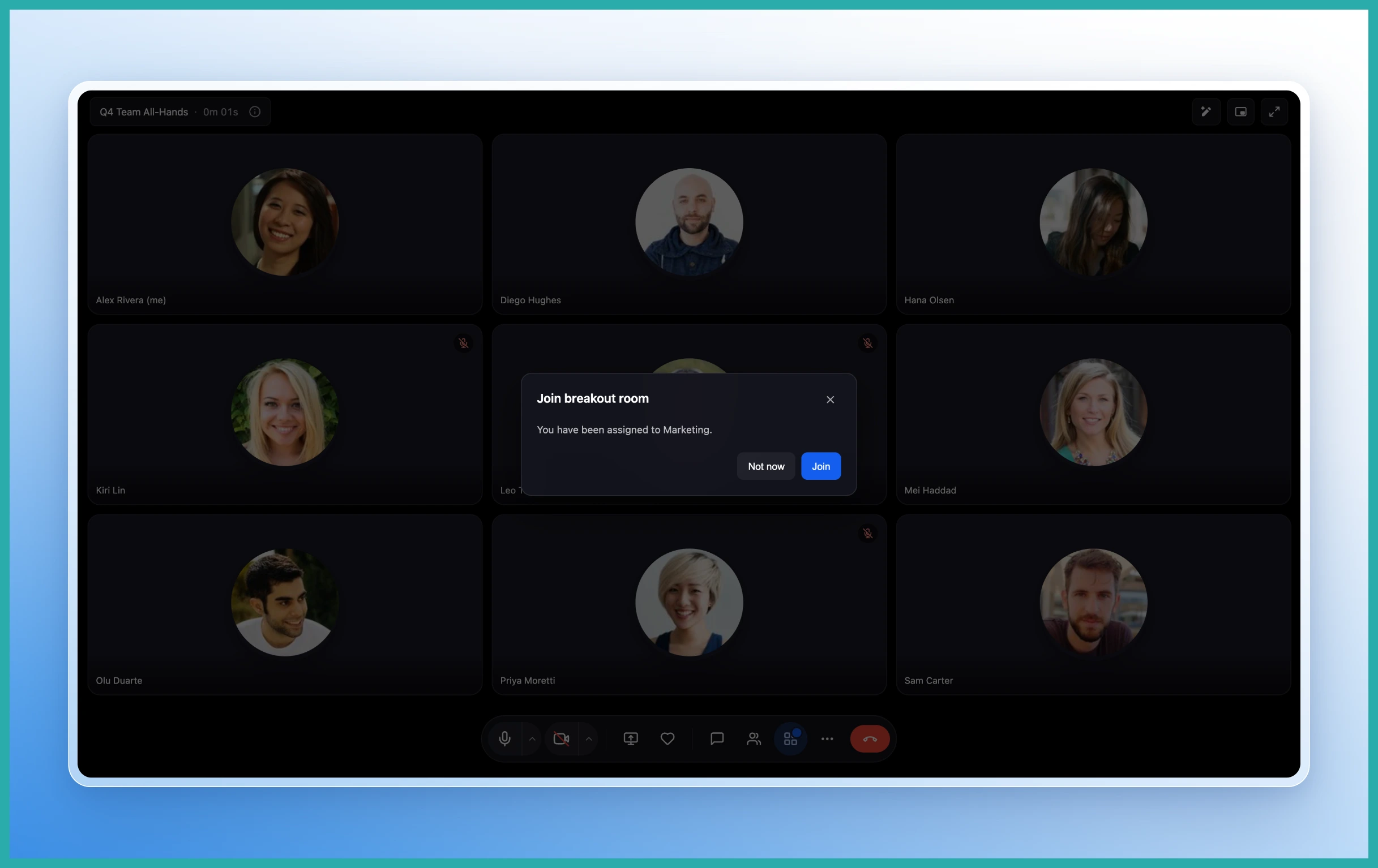
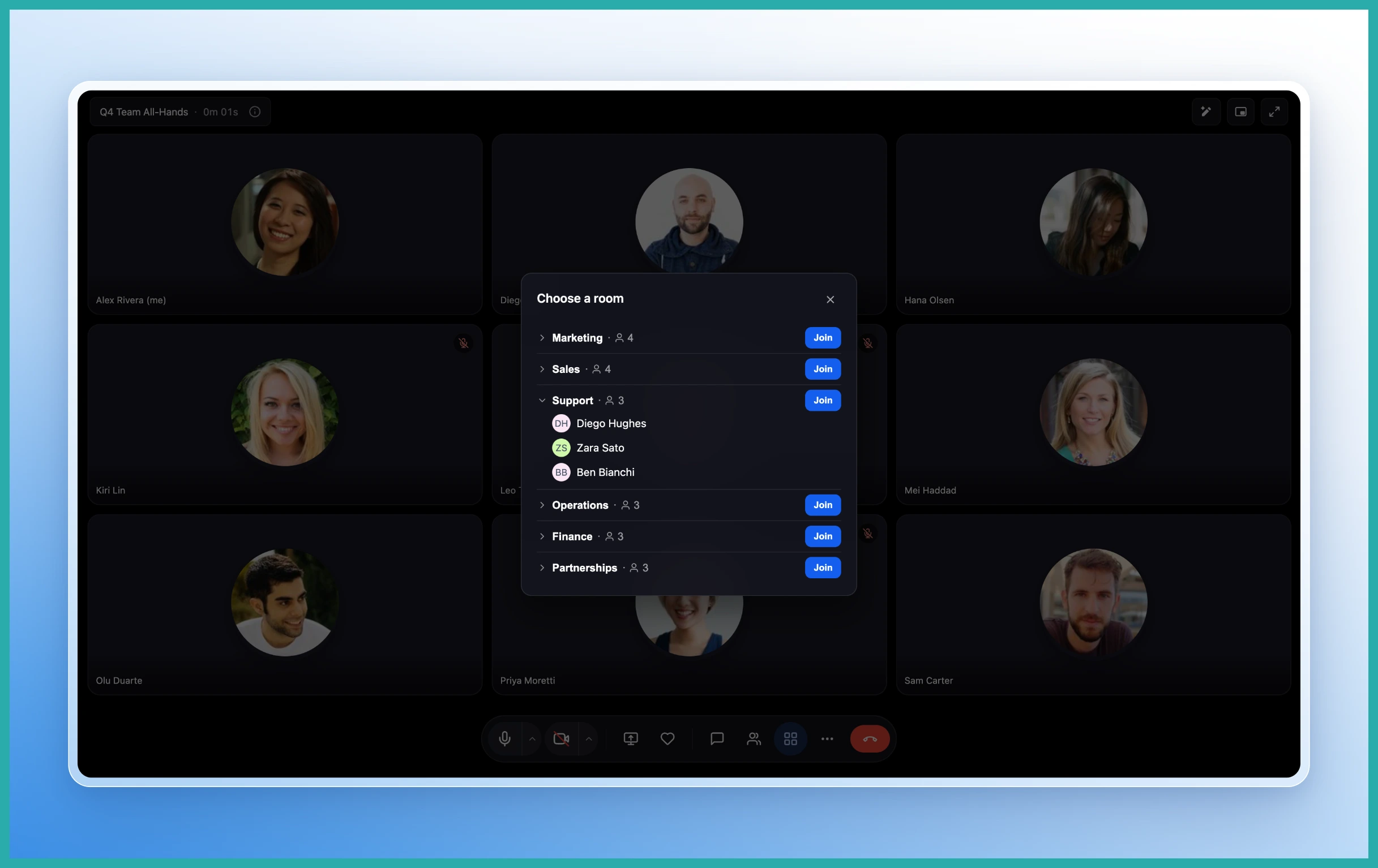
- Assign people automatically, do it manually, or let participants pick their own room.
- Rename rooms and tweak who goes where before you start.
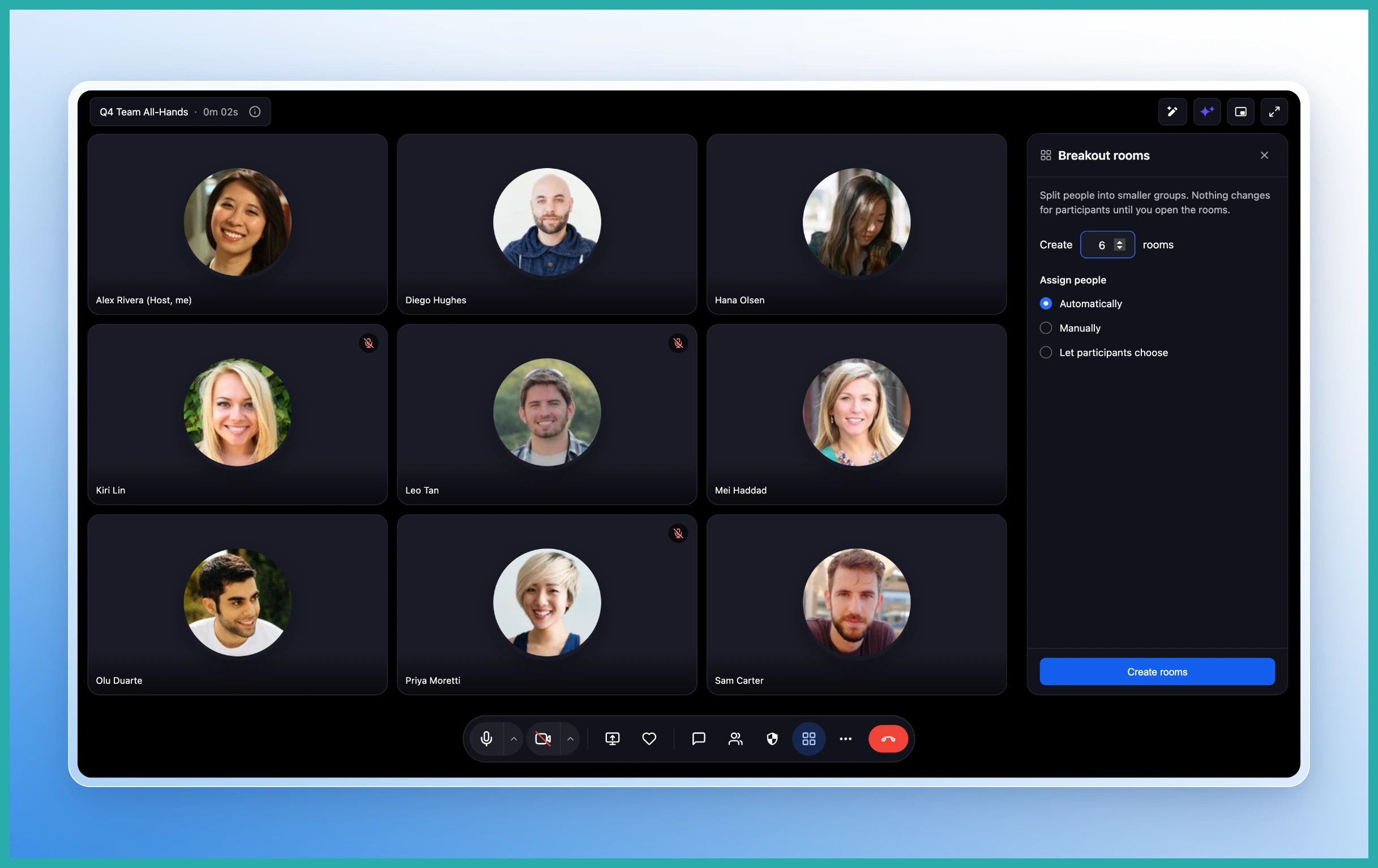
In the screenshot below, you'll see where it all begins - the Breakout Rooms option sitting in your meeting toolbar.
Setting up your rooms
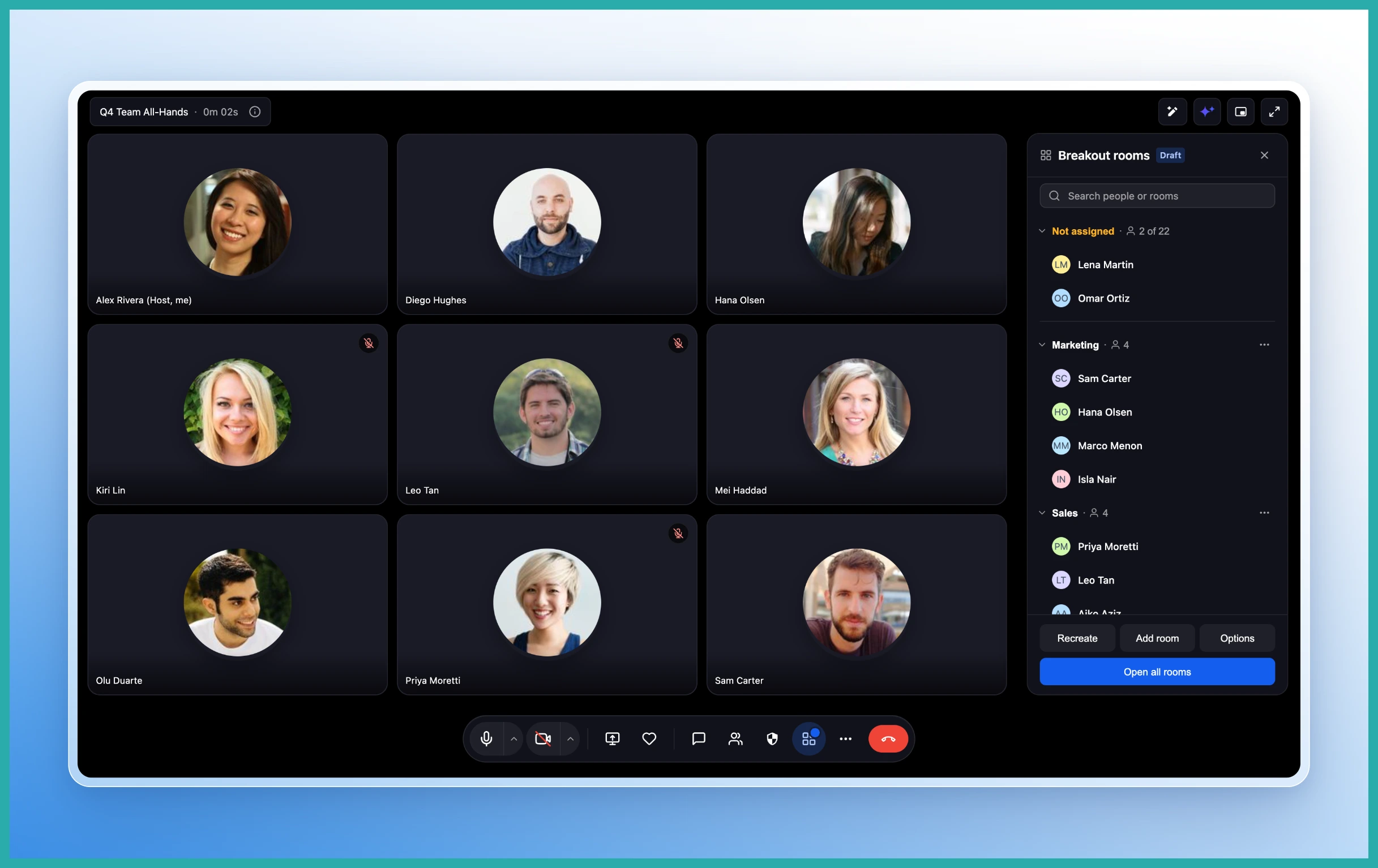
Once you open Breakout Rooms, you decide how many groups you want and how people land in them. Let the system spread everyone out evenly, drag names where you want them, or hand the choice to your participants.
You can also rename each room so it means something - "Group A" is fine, but "Pricing Discussion" or "Case Study Team" tells people exactly where they are.
Running the session
While a breakout is live, you stay in control. As the host you can:
- Move people between rooms whenever you need to.
- Drop into any room to check in.
- Broadcast one message to every room at once - handy for a five-minute warning or a change of task.
- Set a timer, and extend it if the conversation's flowing.
- Have everyone returned to the main meeting automatically when time runs out.
Participants get a countdown before the session ends, so nobody is yanked out mid-sentence. When time's up, they slide straight back to the main room.
Recording and transcripts, room by room
Each breakout room is handled separately. You can start or stop recording in one room without touching the others, turn live transcription on or off per room, and see at a glance which rooms are currently being recorded or transcribed.
That's useful when one group is doing something you want captured and another is just having an informal chat.
How to get started
While you're hosting a Meeting Room, select Breakout Rooms from the toolbar, create your rooms, choose how people get assigned, and start the session. That's the whole thing.
Next time you've got a group that would do better in smaller circles, give it a try. It's a far smoother way to run interactive sessions than herding everyone through separate links.
