
Your AI Agent Can Now Use a Computer - Browse the Web, Build Files, and Run Tasks for You
Up to now, your AI agents worked inside your account. Useful, but limited. That just changed.
Your Managed Agents can now use their own computer. They can browse real websites, create and edit files, run code, and work through long multi-step tasks - all from a single conversation with you.
What your agent can now do
Think of it as handing a capable assistant a laptop and a to-do list. Here's what's on offer.
- Browse the web. Your agent can open websites, research, click buttons, fill out forms, and work through multi-step tasks. You can watch it work in real time and take the wheel yourself whenever you want.
- Create and manage files. It can build documents, spreadsheets, and reports, analyse data, and export the results. Files stick around in a workspace, so you can carry on with them across different conversations.
- Run code and commands. For the more technical jobs, it can run Python scripts to process data, do calculations, and automate heavier operations.
And it's quick. Every Managed Agent gets its own dedicated computer, and can run up to 8 to 10 browser chats at once, each in its own tab.
A few real examples
To make it concrete, here's the kind of thing you can now hand off:
- Research competitor pricing across their websites and build you a comparison spreadsheet.
- Pull potential leads from business directories and add them to your contacts.
- Generate reports, presentations, and business documents from a brief.
- Fill out forms and work through repetitive website tasks.
It stays safe and in your control
Nothing sensitive happens behind your back. Website logins are stored securely in the Keychain, and your agent asks for approval before doing anything that matters - payments, sending messages, submitting forms, or deleting files.
Anything waiting on your say-so shows up in the Waiting on You section, so you can review and approve it in one place. Payments and file deletions always need your approval, no exceptions.
How to turn it on
Setting it up takes a minute.
- Go to AI Agents, then Agent Studio, then Managed Agents.
- Open an existing agent or create a new one.
- Go to Capabilities and switch on Computer.
- Set your Ask Before approval preferences so you decide what needs your sign-off.
- Open the agent's chat and describe the task you want done.
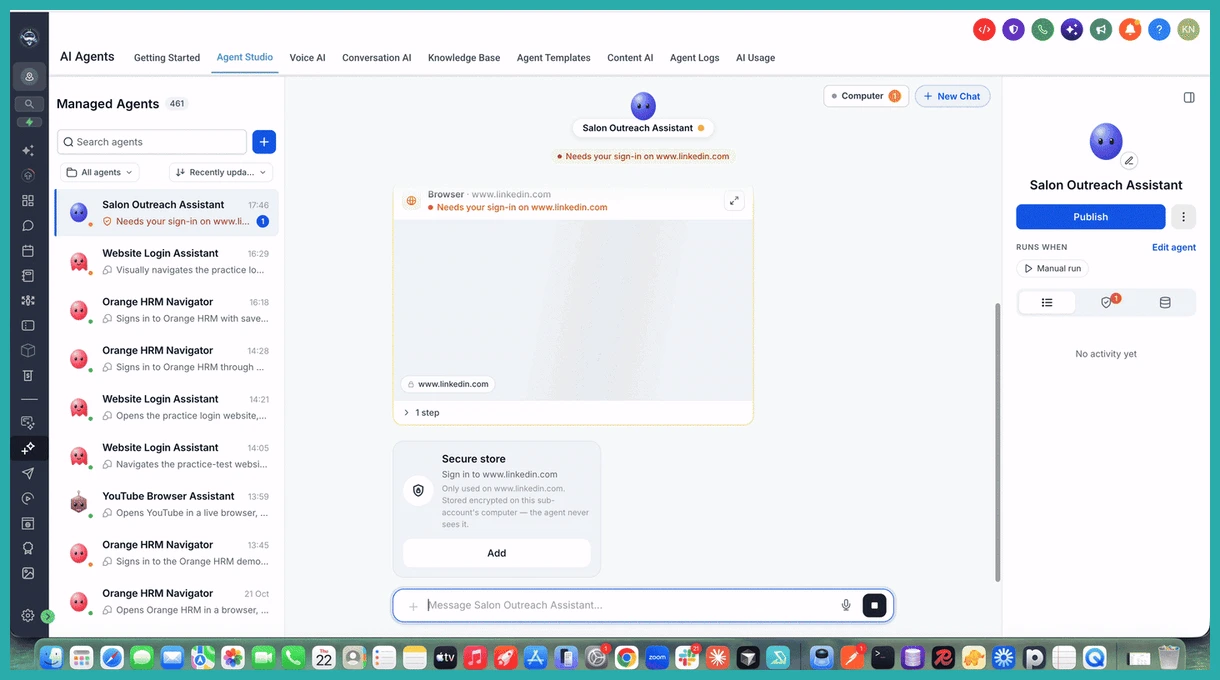
Then just tell it what you need, in plain words. Something like: "Research competitor pricing from their websites, compare their offerings, and create a spreadsheet with the results." Your agent browses, collects the information, analyses it, and builds the spreadsheet for you.
One honest note: for now, Computer works with chat-based and manual tasks, not automation-triggered runs. So it's something you ask it to do, rather than something that fires on its own.
Pick one job you've been putting off and hand it over. Watching your agent actually do it is the best way to see what it can take off your plate.
