
Greet New Members Automatically With Welcome DMs and a Get Started Checklist
Someone joins your community, has a look around, and then... nothing. They don't know where to start, so they drift off before they ever post a word.
You can now fix that the moment they walk in. Two new tools in your Communities settings let you greet every new member with a personal message and hand them a simple checklist of first steps to take.
You can switch on one, the other, or both.
Where to find it
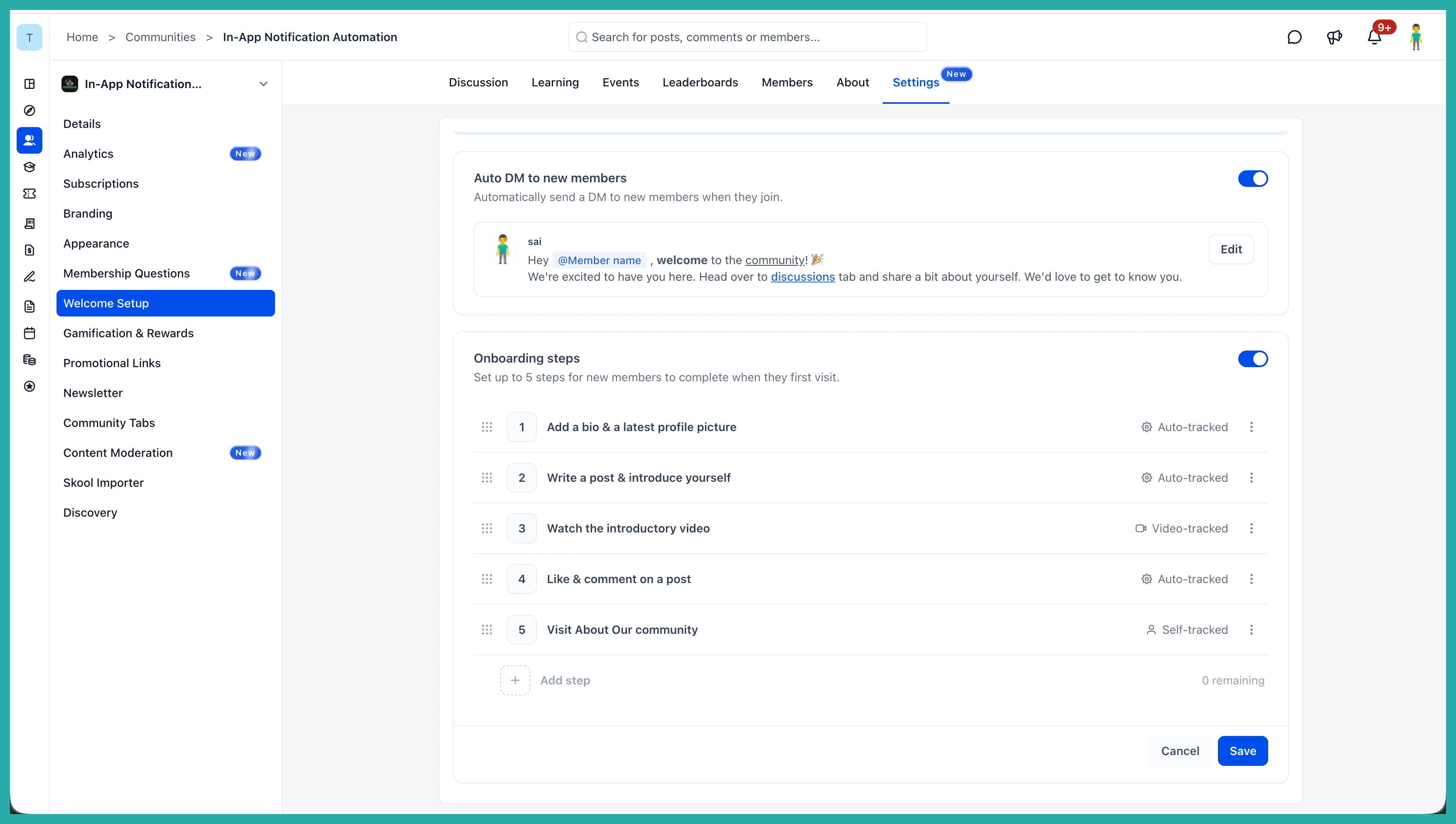
Open your community, go to Settings, then Welcome Setup. Everything lives on this one page.
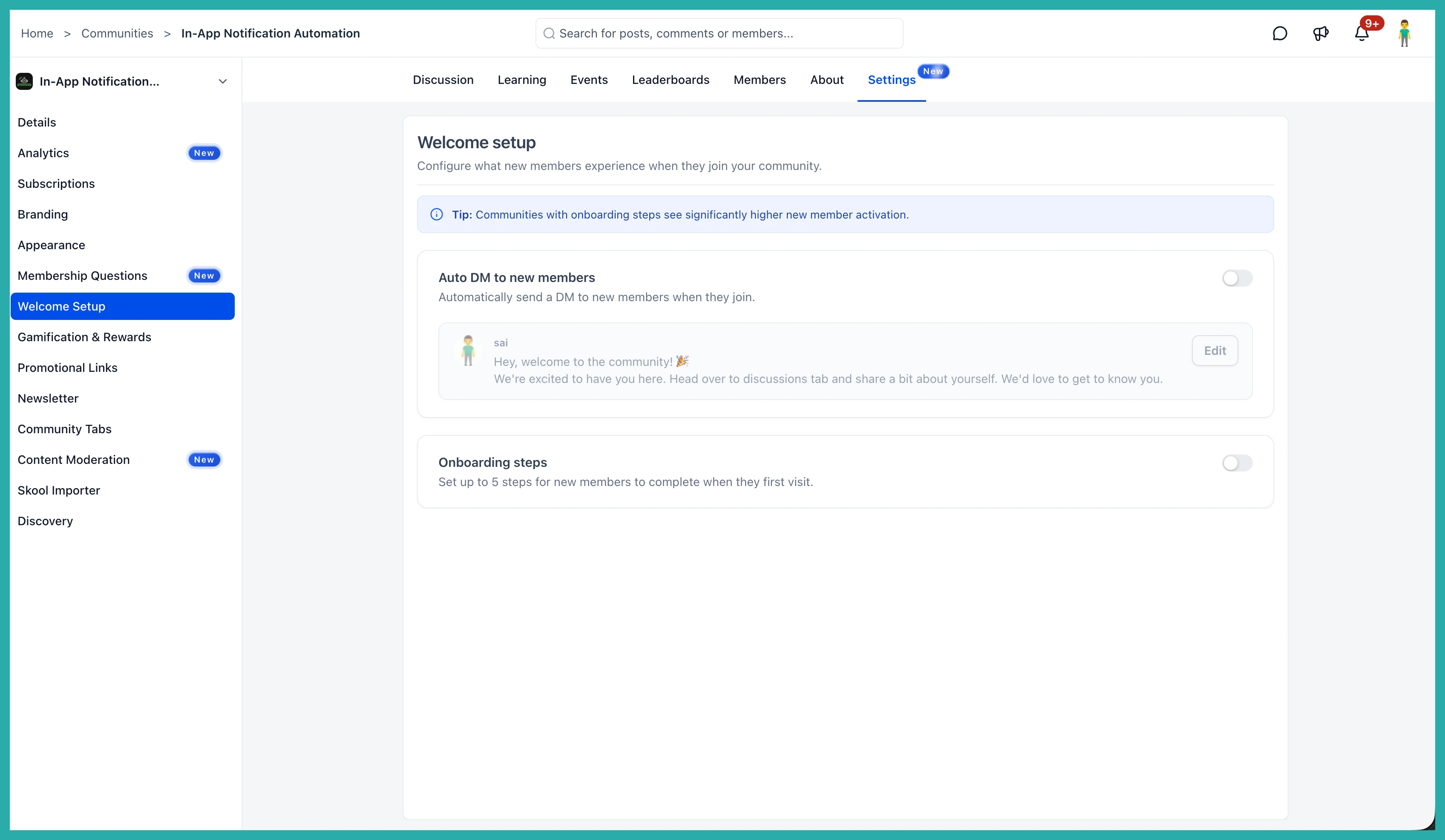
Set up an automatic welcome DM
This sends a friendly message to every new member the second they join, so nobody lands to silence.
- Toggle on Auto DM to new members.
- Choose which admin or owner the message comes from. It's nicer coming from a real person, so pick whoever your members would expect to hear from.
- Write your message in the editor. You get proper formatting here - bold, italic, underline, links, even attachments.
- Type @ to drop in the member's name automatically, so each person gets greeted by name without you lifting a finger.
- Click Save.
In the screenshot below, you'll see the message editor with the sender selected and the name mention in place.
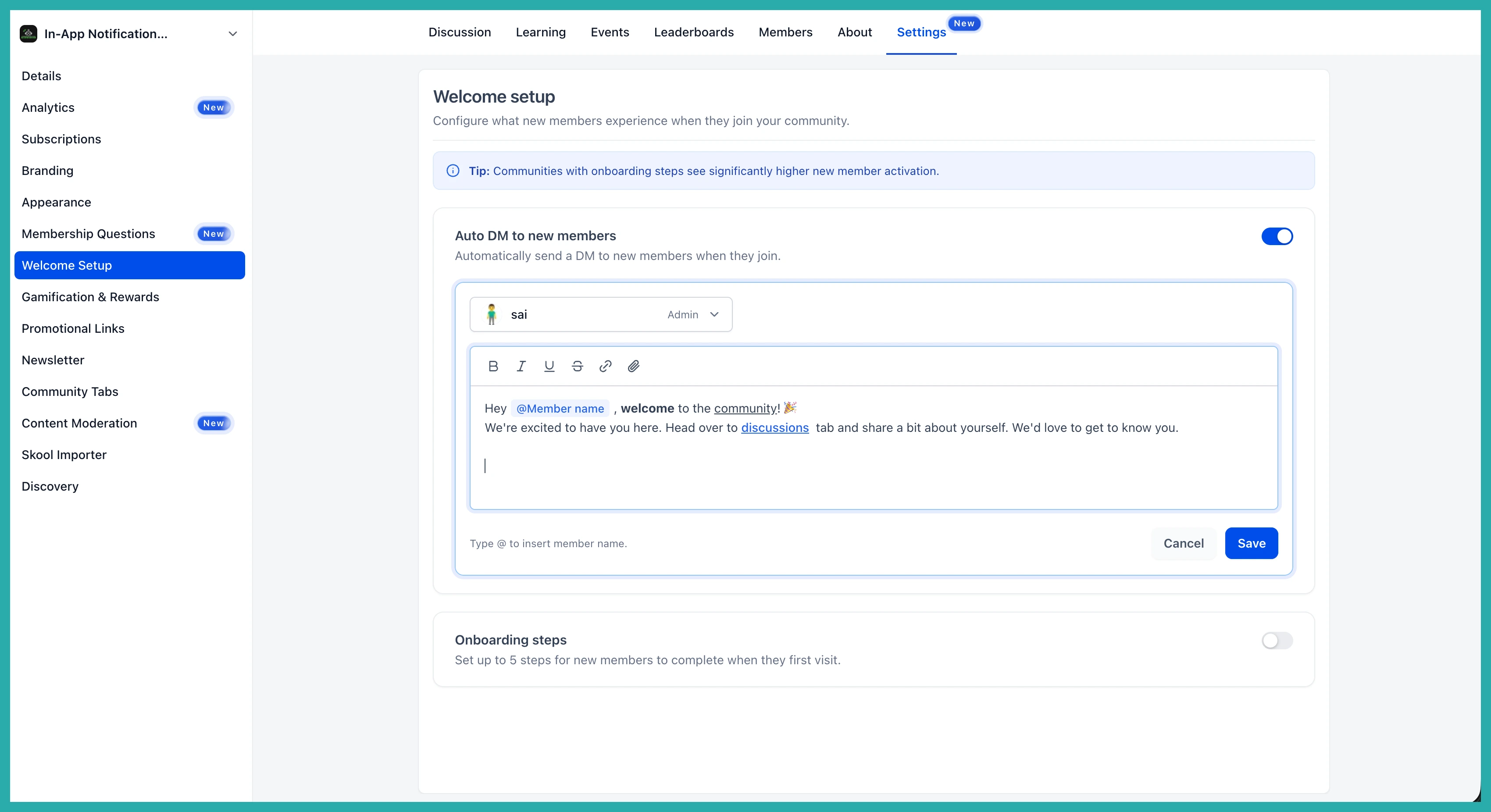
Write it once and it goes out to everyone who joins from now on. You can turn it off or tweak the wording any time.
Add onboarding steps (up to five)
This is the part that keeps people around. When it's on, new members see a Get Started checklist right on the community home feed, so they know exactly what to do first.
On the same Welcome Setup page, toggle on Onboarding steps, then click + Add your first step.
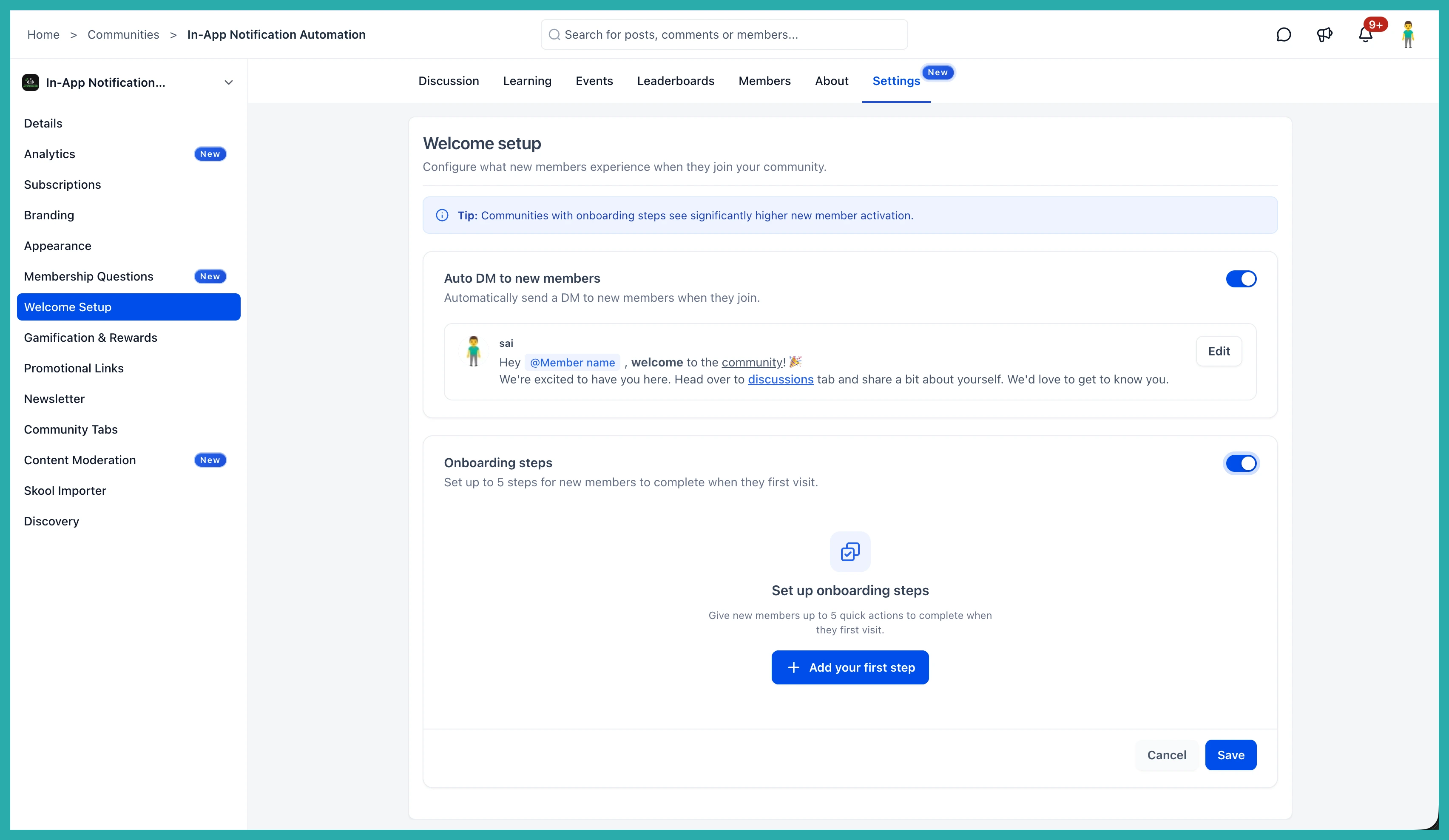
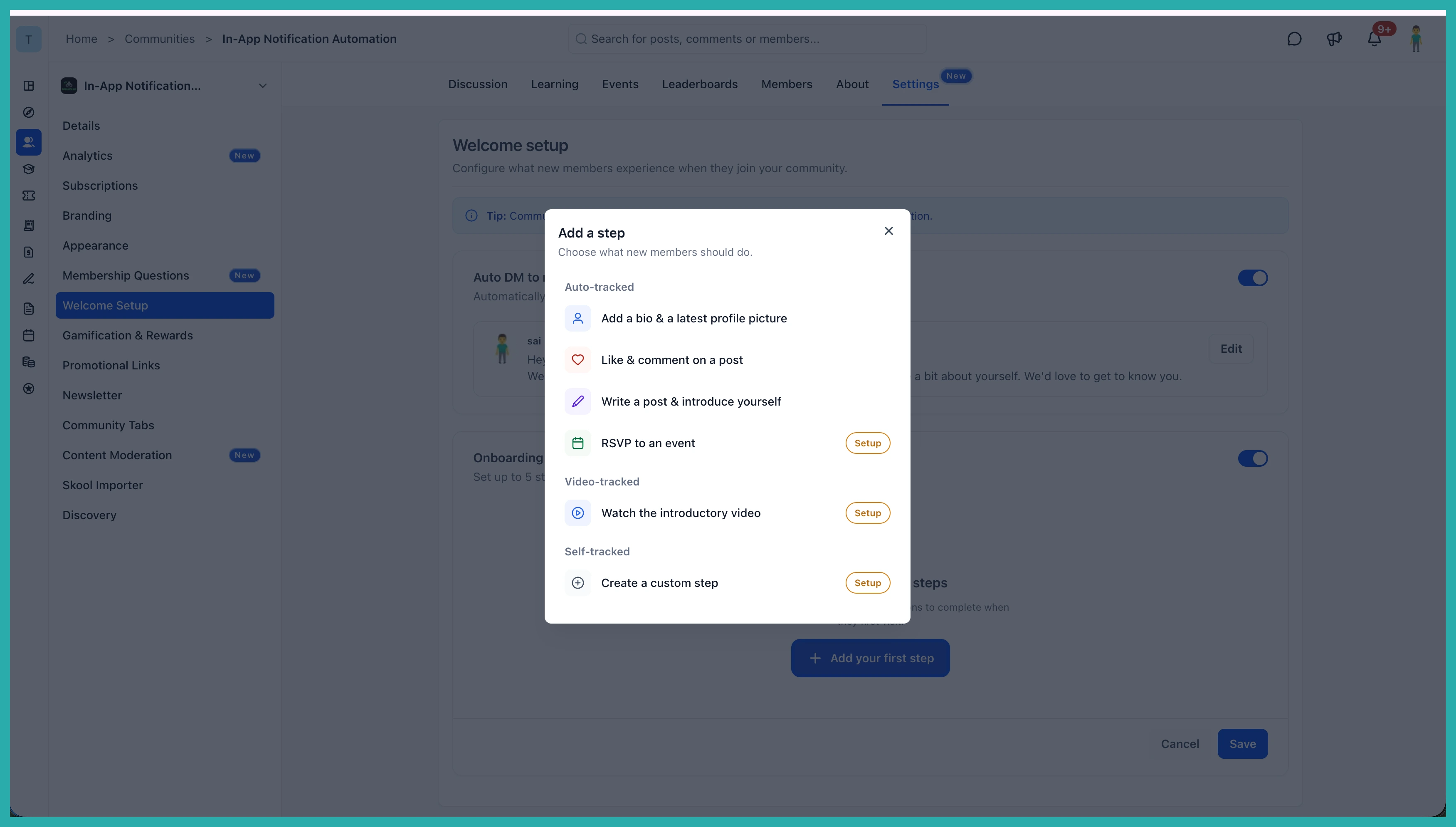
You can add up to five steps, and choose what each one asks them to do:
- Update their profile
- Engage with a post
- RSVP to an event
- Watch an intro video
- A custom step with an optional link, for anything else you want them to see
Drag the steps into the order you want, then click Save.
What your members see
New members get the checklist on their feed and can tick off each step as they go. They can track their progress and dismiss the list once they're done, so it never nags at people who've already settled in.
Between a warm hello and a clear next step, new members have somewhere to start instead of guessing. Pop into your Welcome Setup and get both switched on - it takes a few minutes and your next new member will feel the difference.
