
Send Review Requests to an Exact Date Range, and See Who's Eligible Before You Launch
If you use drip campaigns to work through your reviews, you've had one blunt tool up to now - target by review age. Older than 30 days, that sort of thing.
That's fine until you want to reach a specific stretch of time, or you launch a campaign and it turns out nothing actually matched.
This update fixes both.
What landed
When you build a drip campaign, you can now set an exact Review Date Range instead of a rough age. Pick a start and end date and the campaign only touches reviews from that window.
Before you launch, the system also shows you the total number of eligible reviews and whether anything matches your filters at all. If nothing qualifies, it won't let you create an empty campaign that just spins its wheels.
Already running age-based campaigns? They keep working exactly as they are. Nothing to redo.
How to set it up
Go to Reputation, then Settings, then Reviews AI, and open Drip Campaign.
In the screenshot below, you'll see where you set your Review Date Range. Choose your start and end dates to define the exact batch of reviews you want the campaign to work through.
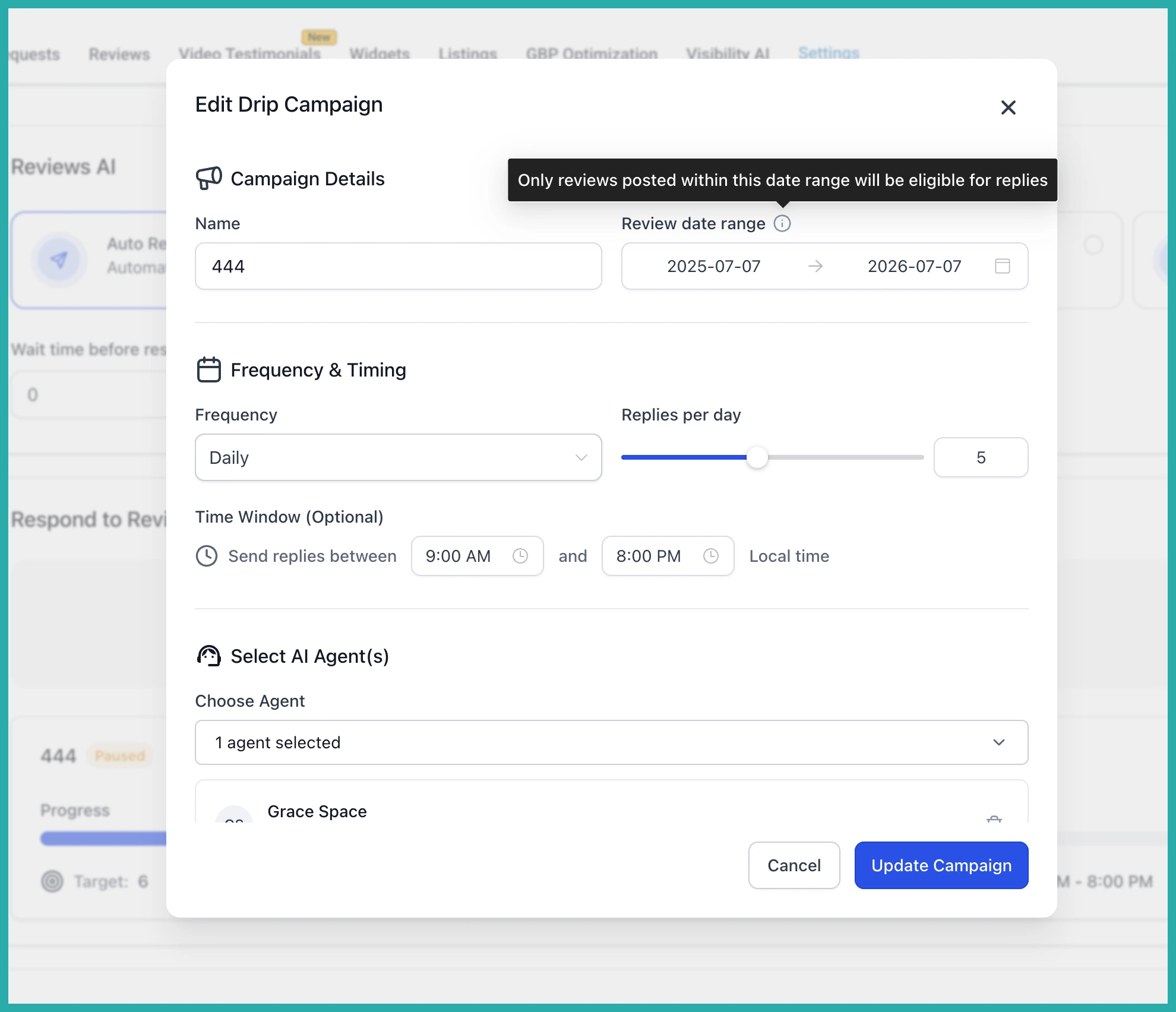
Once your dates and filters are in, the system tells you how many reviews are eligible before you commit. In the next screenshot you can see that count, so you know your campaign has something to act on rather than guessing.
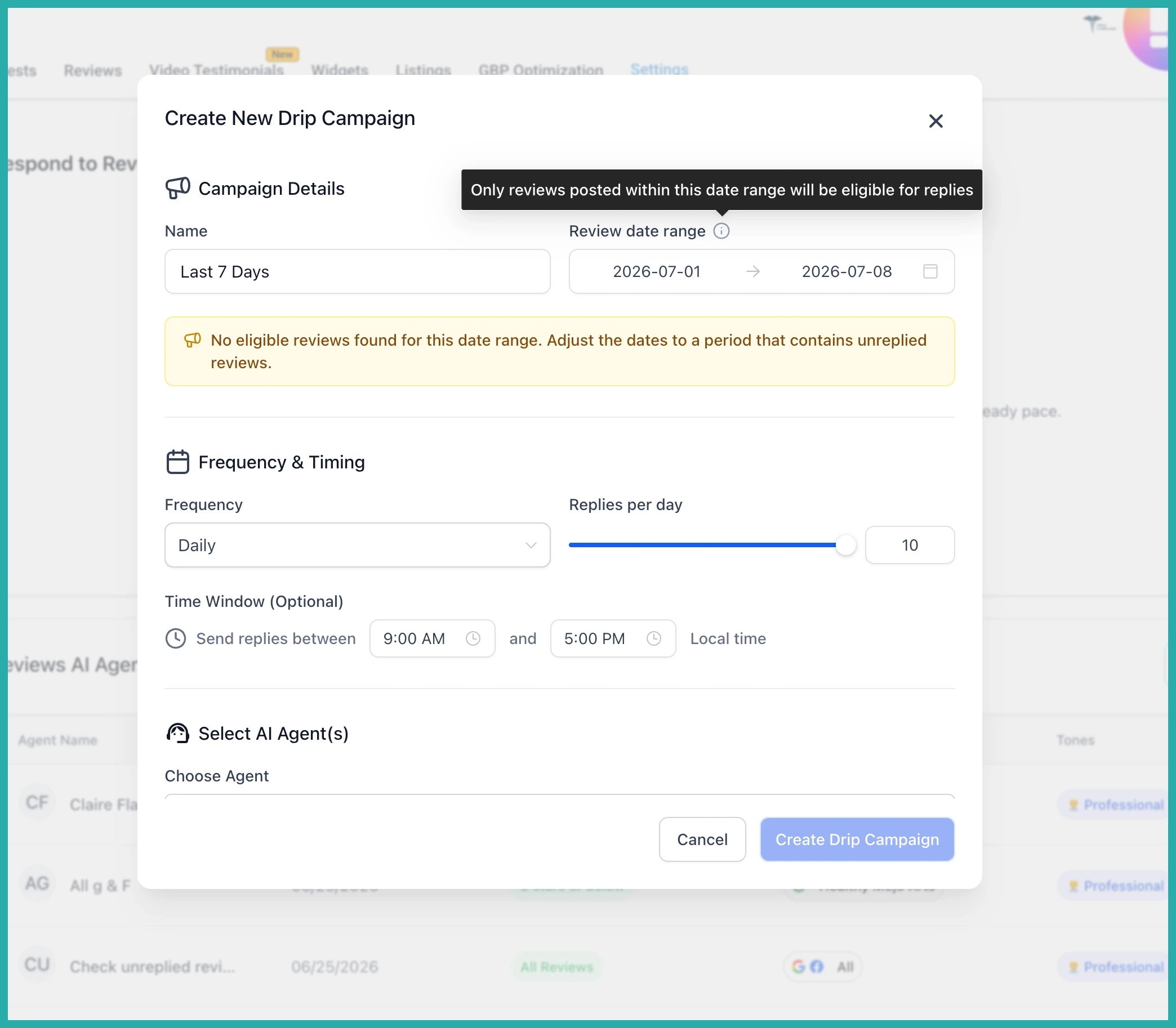
If the number looks right, launch it. If it comes back empty, adjust your dates until you've got a batch worth sending to.
Where this helps most
- Working through a backlog of older reviews in manageable chunks
- Targeting one specific period, like a busy season or a product launch
- Knowing your campaign will actually reach people before you press go
It's a small change that saves you the frustration of a campaign that does nothing. Go set your first date range and see how many reviews are waiting - it takes about a minute.
