
Pull Your Google Business Profile Posts Into Social Planner Automatically
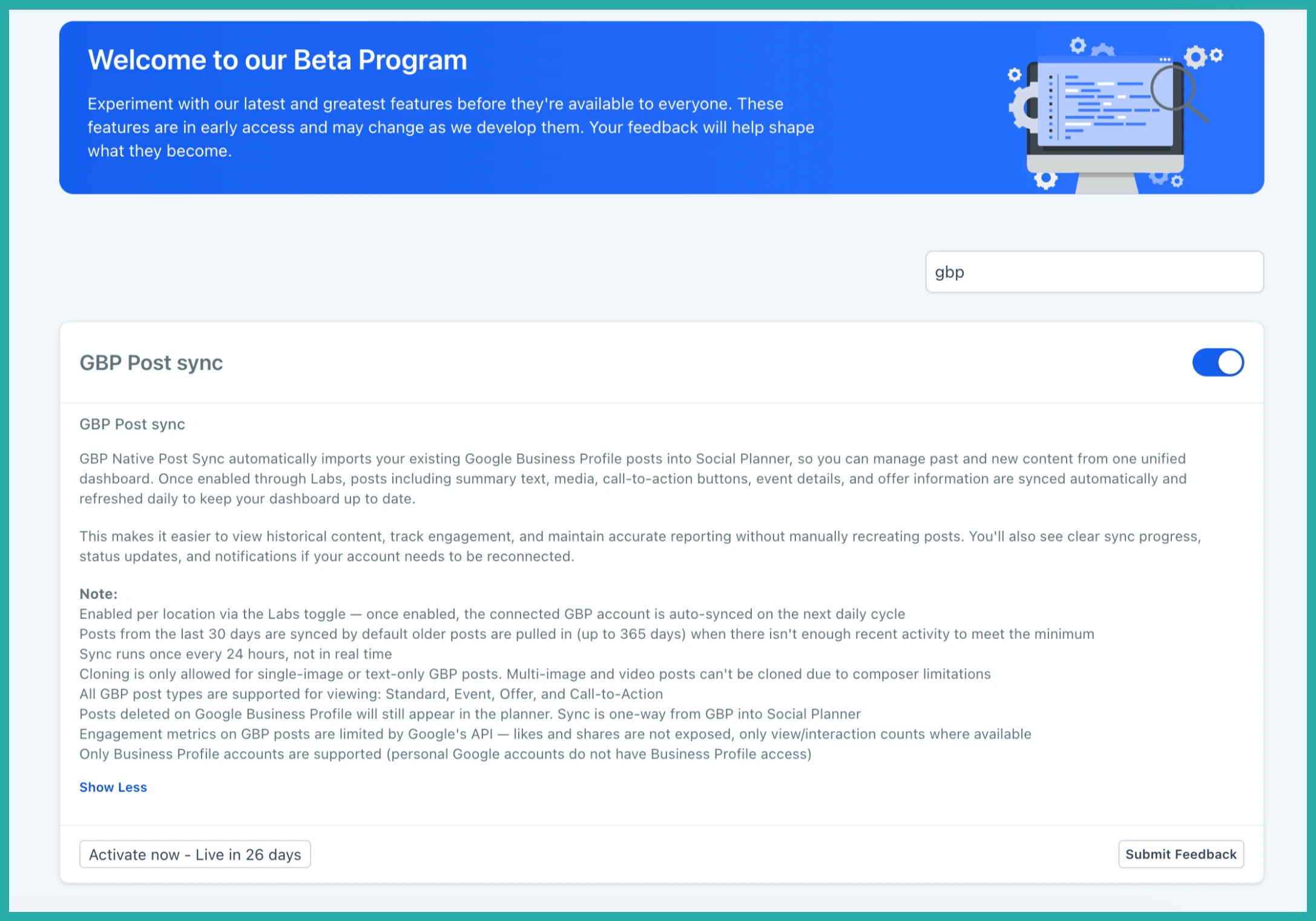
A quick heads-up: this one's in Labs
It's an early feature you turn on yourself in Settings > Labs inside your account. It works, but it's still in development - the documentation and support is limited and not everything will behave perfectly yet.
If you like getting your hands on new things early, switch it on and have a play. If you'd rather wait for the finished, fully-supported version, leave it off and we'll let you know when it lands.
If you post to your Google Business Profile, you've probably been juggling it separately from everything else. One dashboard for your social channels, another window for Google.
That splits your view of your own content, and it makes reporting a headache. This update pulls your Google Business Profile posts straight into Social Planner, so you can see and manage them right alongside the rest.
What you get
Your published Google Business Profile posts get imported into Social Planner automatically. That includes standard posts, event posts, offer posts, and call-to-action posts.
They come across with the details that matter too - the summary text, images and media, call-to-action buttons, event information, and offer details. So it's not just a title in a list, it's the actual post.
Once they're in, you view them next to your scheduled and published content from your other channels. One content calendar, everything in it, no more flipping between tabs.
The sync refreshes every 24 hours to keep your history current, and you'll get clear status updates - plus a reconnect prompt if your Google account needs attention.
How to turn it on
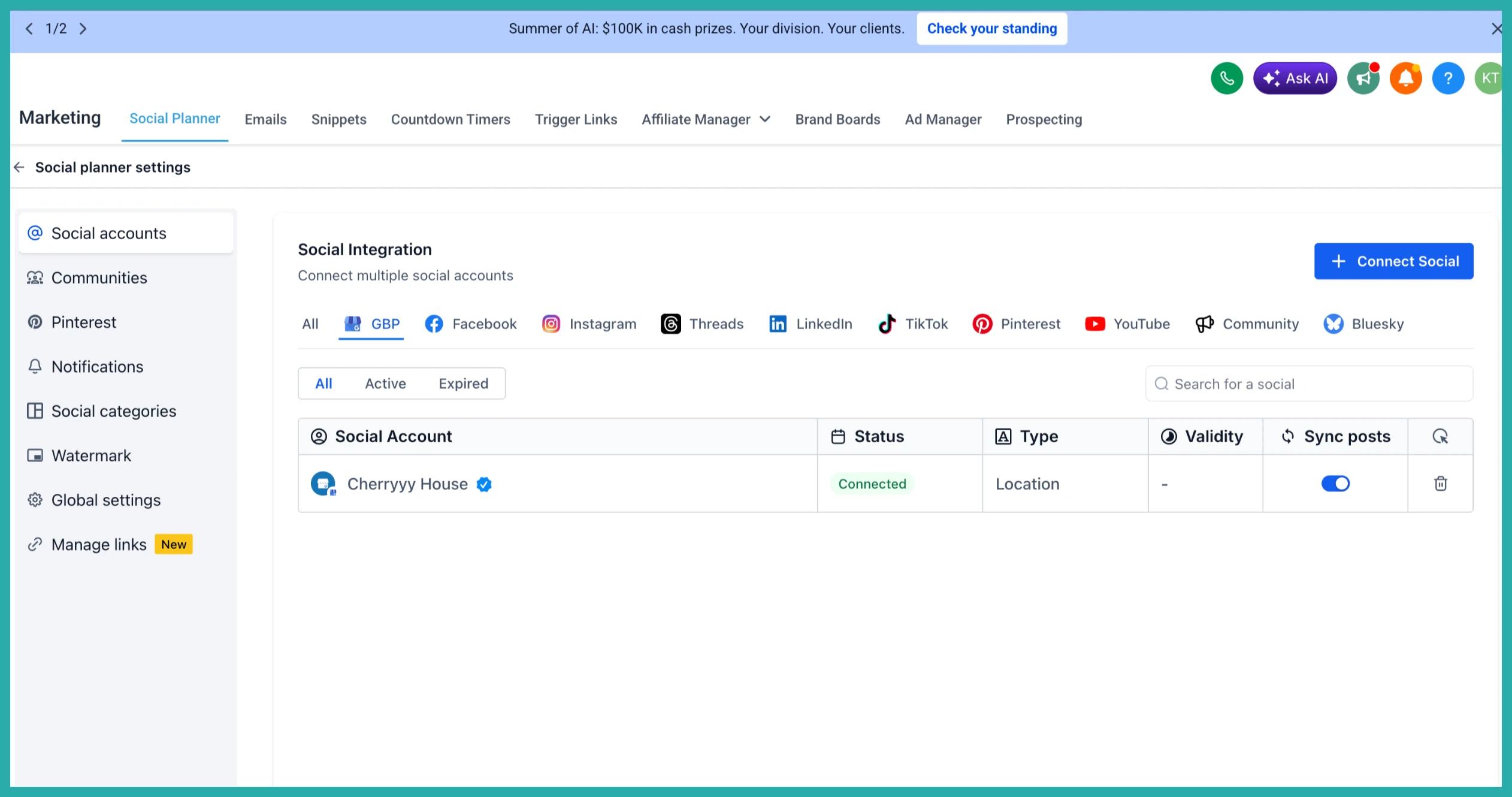
Go to Marketing, then Social Planner, and open Settings. Enable Google Business Profile Post Sync from there.
Give the first sync a moment to finish. Once it's done, your imported posts show up inside Social Planner, sitting alongside everything else on your calendar.
By default it brings in your posts from the last 30 days. If you've posted less than that, it reaches back further - up to a year - so you get a proper history to work with.
A few honest notes
- You enable it for each location separately.
- The sync runs every 24 hours, so it's not instant - give it a day to catch new posts.
- Cloning works for text-only and single-image posts. Multi-image and video posts can't be cloned yet.
- Engagement numbers are limited to what Google makes available.
- Sync only runs one way, from Google into Social Planner. If you delete a post in Google, it'll still show up here.
If you manage more than one location, this one will save you real time. Switch it on for a location, let it sync, and enjoy having everything in one place.
