
Spot Duplicate Companies Before You Create One
A quick heads-up: this one's in Labs
It's an early feature you turn on yourself in Settings > Labs inside your account. It works, but it's still in development - the documentation and support is limited and not everything will behave perfectly yet.
If you like getting your hands on new things early, switch it on and have a play. If you'd rather wait for the finished, fully-supported version, leave it off and we'll let you know when it lands.
You go to add a company, type the name, save, and move on. A week later you notice there are two records for the same business - one called Tesla, Inc. and one called Tesla Inc. Now your contacts, deals and history are split across both, and nobody's sure which one to work from.
This update catches that moment before it happens.
What you get
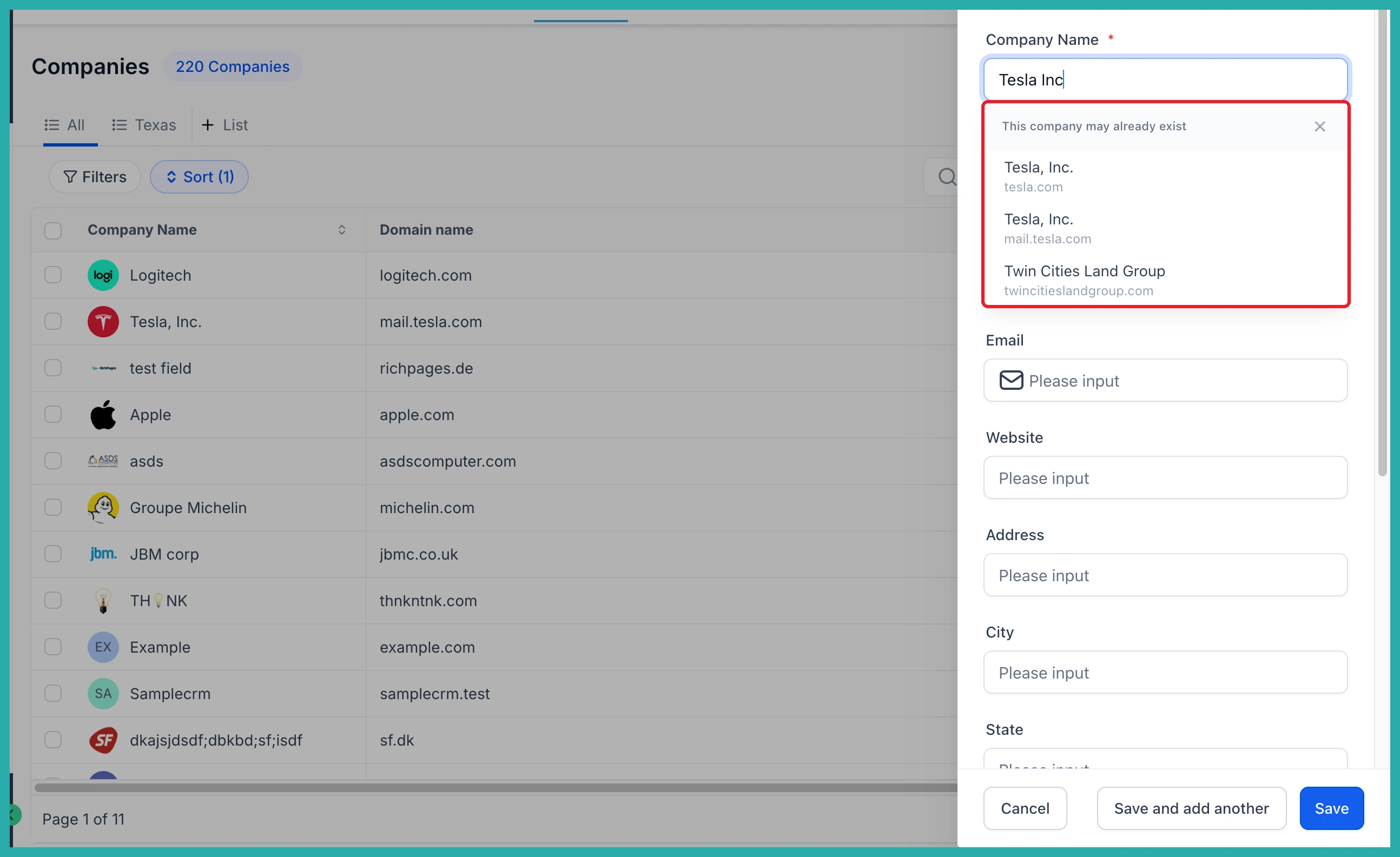
When you add a new company, the system now checks the name and domain as you type and shows you companies that may already exist in your account. So before you create a fresh record, you can see whether it's already there.
A few things worth knowing:
- Suggestions as you type. Start entering a company name or domain and possible matches appear right away.
- It catches the near-misses. Partial names, punctuation differences and common typos still find the real record. Type "Tesla Inc" and it suggests Tesla, Inc.
- You can open the existing one. Click a suggestion to review the record you already have, instead of making a second one.
- You stay in control. If it really is a different business, dismiss the suggestions and save your new company. Nothing gets merged and nothing stops you saving.
How to use it
- Go to Contacts, then Companies, and click Add Company.
- Start typing the company name or domain.
- Look at the suggestions that appear underneath.
- Open a matching company to work from the record you already have, or keep typing and save your new, distinct company.
In the screenshot below, you'll see the suggestions showing up as the name is being entered, with the existing company ready to open.
A couple of pointers
Check the details before you assume it's a duplicate. Similar names or a shared domain can still belong to genuinely different businesses.
If the record you expected doesn't show up, try typing more of the name or the full domain - a fuller query tends to surface the right match.
And remember, this works during entry. It helps you avoid creating new duplicates as you type, it doesn't go back and tidy up ones already sitting in your account.
It's a small check at exactly the right moment, and it saves you the headache of untangling two records later. Have a play with it next time you add a company.
