
Send Text Confirmations and Reminders for Your Rental Bookings
Email is fine, but let's be honest about where people actually look. Their phone. And for a rental booking - a party room, a kit, an add-on - a text confirmation or reminder lands where it gets seen.
Now you can send SMS notifications for your rental bookings, alongside the emails you already send.
What you get
Text messages now cover every rental booking event: unconfirmed, booked, canceled, rescheduled, reminder, and follow-up. So whichever stage a booking is at, you can reach people by text.
A few things worth knowing:
- You choose who gets each message - the contact, the business, or both.
- You can set different templates for contacts and for your business, so each side gets a message that makes sense for them.
- Every notification type comes with a default template, and you can tweak it, pick an existing one from your account, or write a new one.
- You can send yourself a test text before you switch it on, so you see exactly what your customers will get.
How to set it up
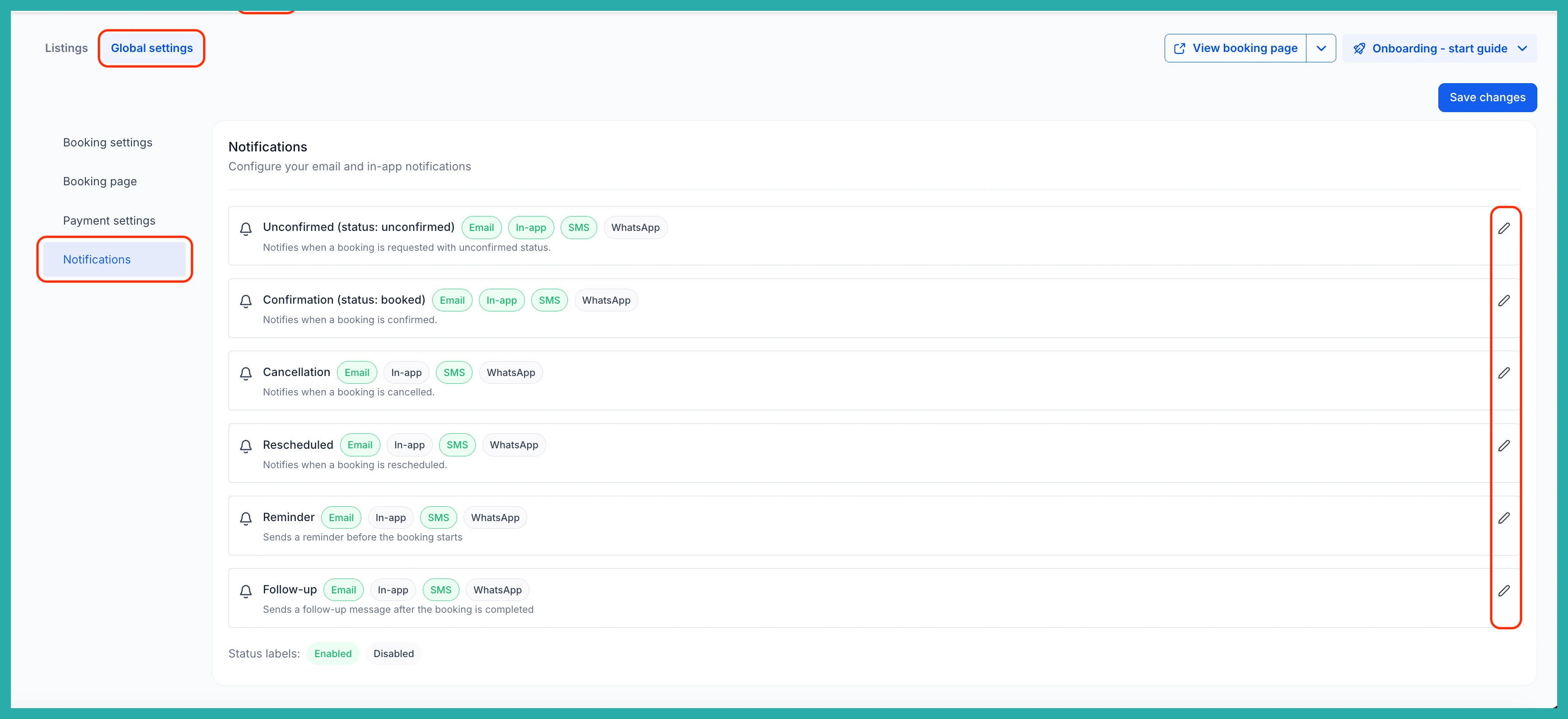
Head to Calendar Settings, then open Rentals, then Global Settings, and go to Notifications.
Pick the notification you want to add a text to and open it. Switch to the SMS tab and flip the enable toggle on.
From there, choose your recipients - contact, business, or both - and select the SMS template you want to use for each. If the default isn't quite right, edit it or point it at one of your own.
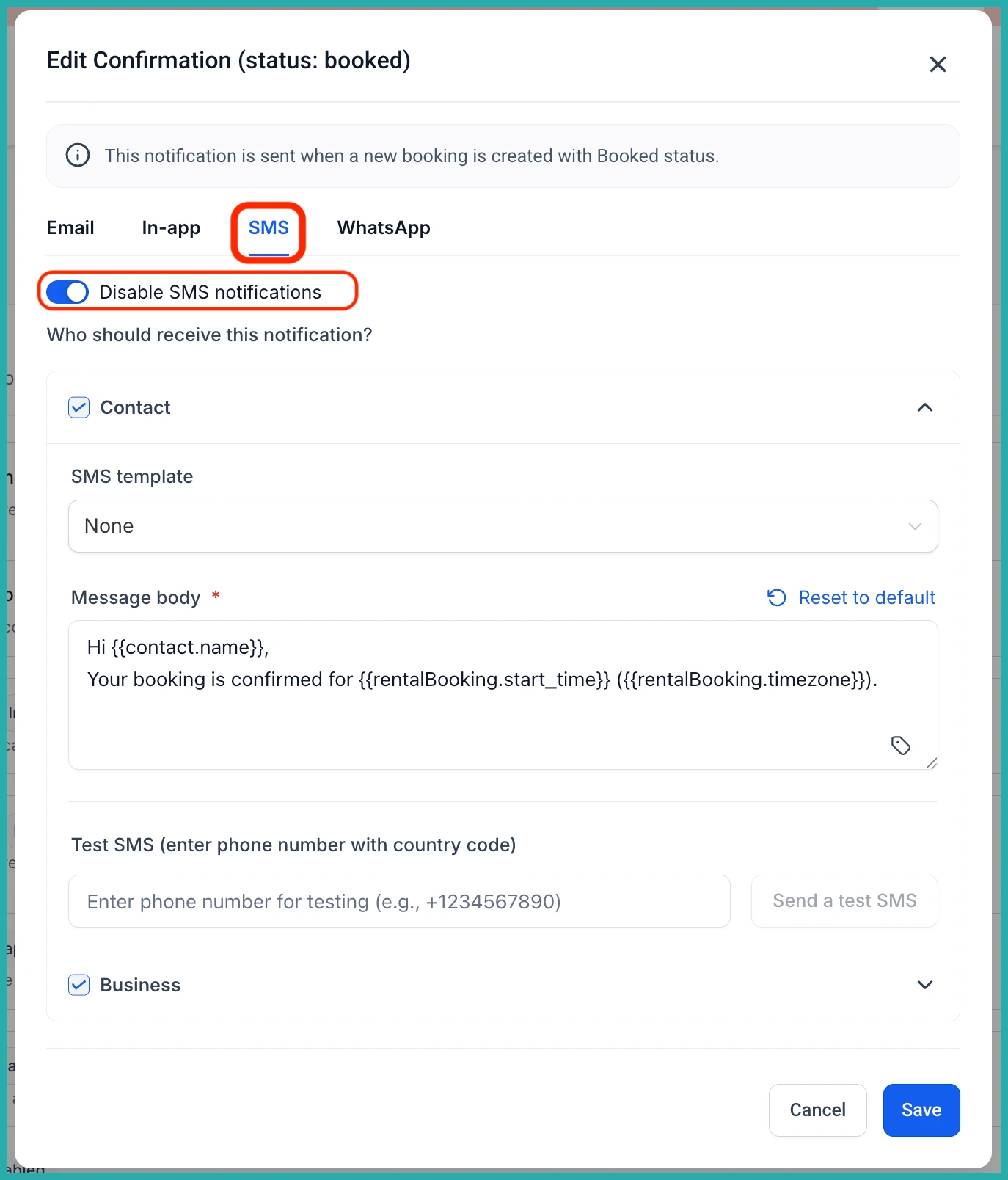
Before you save, use Send Test SMS to fire yourself a copy and check it reads the way you want. Once it looks right, save your settings. From then on, that text goes out automatically whenever the notification is triggered.
A quick win
The reminder text is the one I'd turn on first. A short message the day before a rental cuts no-shows more than almost anything else, and it saves you chasing people by hand.
Set it up once and it runs on its own. Go add a reminder text to your rentals - it'll take you a couple of minutes.
