
Set Your Own Levels and Points in Communities
If you run a community inside ESC Hub, you already know the hard part isn't setting it up. It's keeping people showing up, posting, and taking part once the novelty wears off.
The gamification tools just got a proper upgrade. You can now set your own levels, decide exactly how members earn points, and reward the behaviour you actually want more of - all from one settings page.
What landed
Two things. You can build your own level ladder, and you can control the points behind every action a member takes. Members move up automatically as their points change, so once you set it, it runs itself.
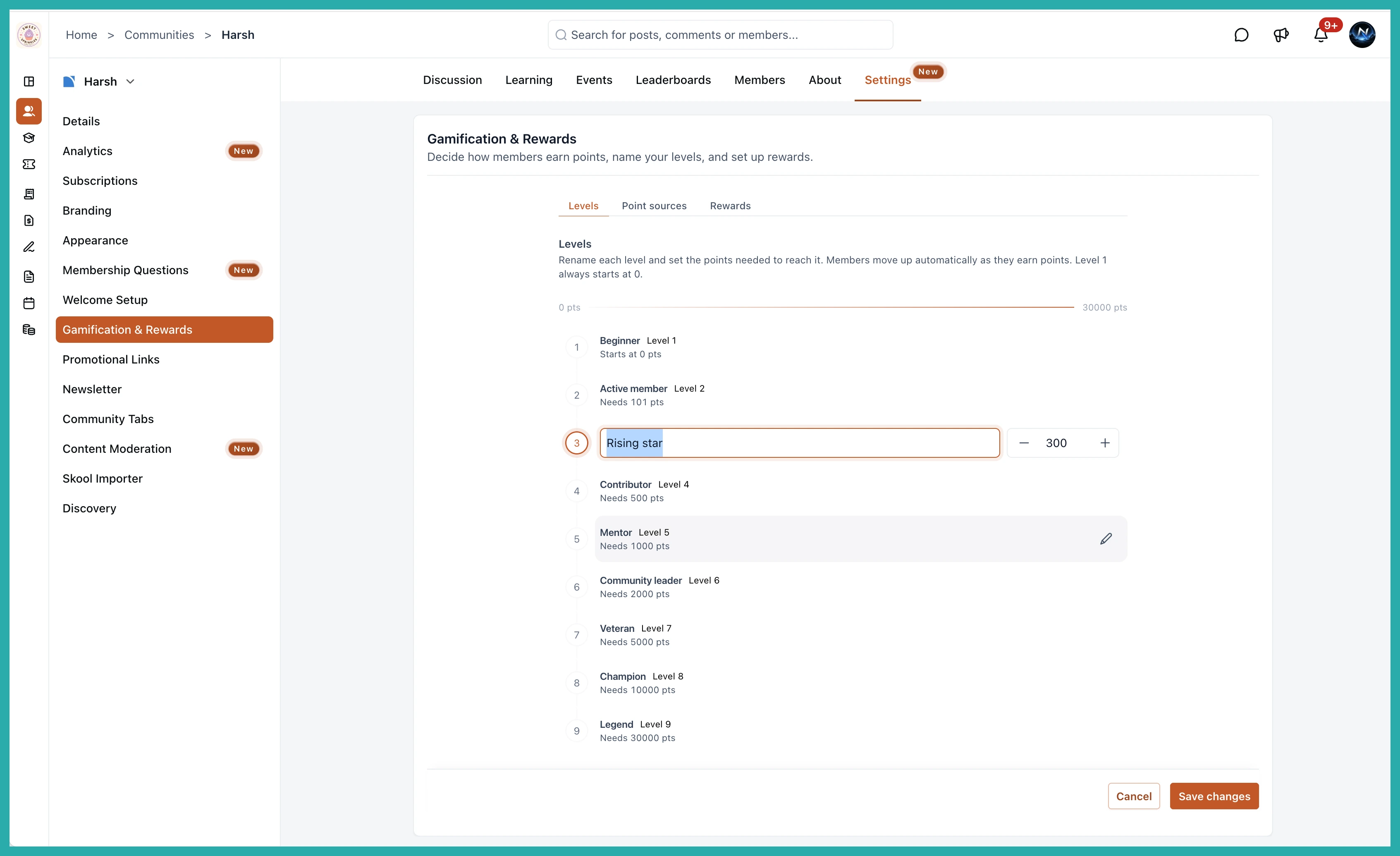
Custom levels
You get up to nine levels, each with its own name and point threshold. Out of the box they run from Beginner at 0 points up to Legend at 30,000, but every name and number is yours to change.
So if your community has its own language, use it. Rename the levels to match your culture and set the thresholds wherever feels right for how active your people are.
Deciding how points are earned
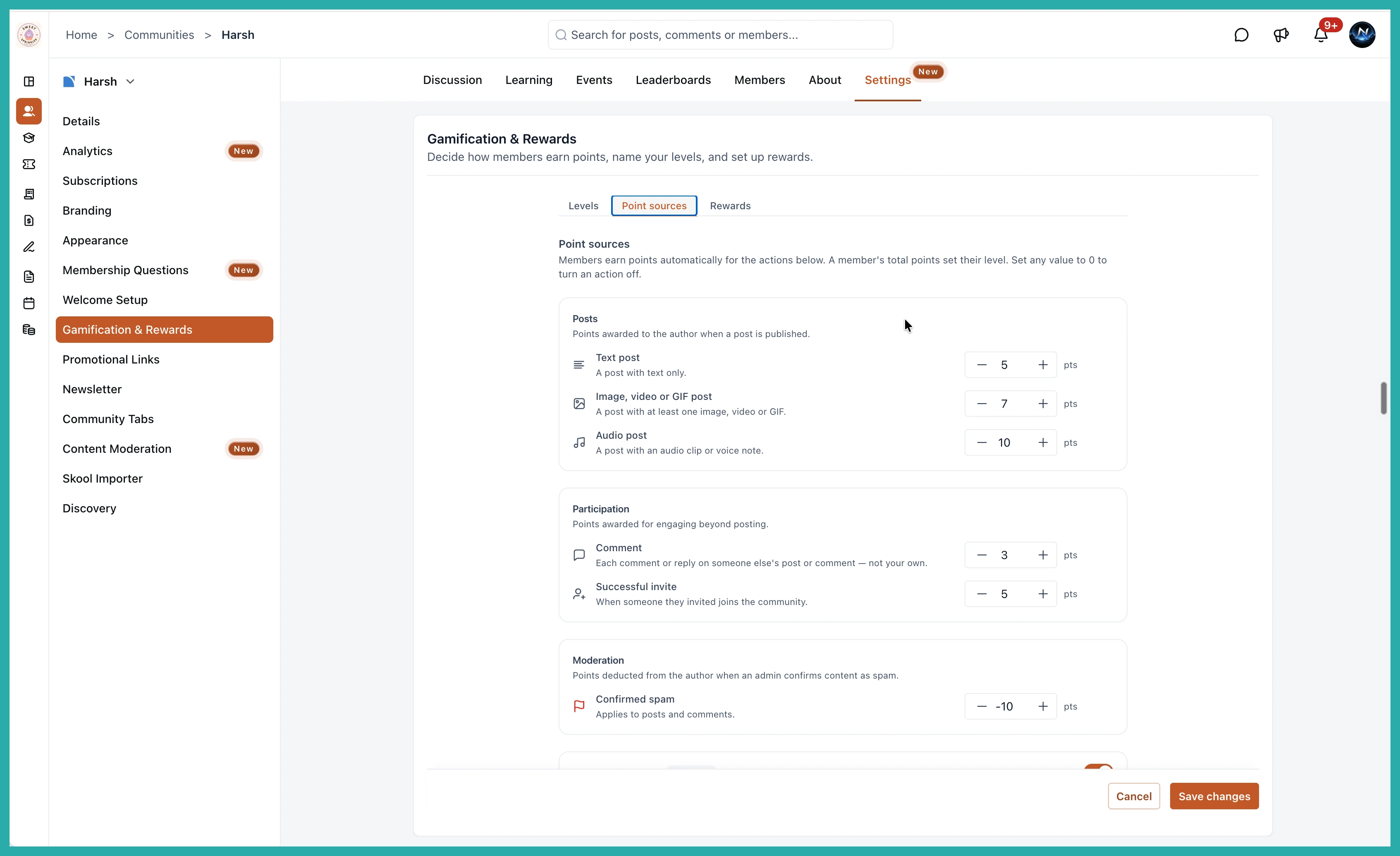
This is the part that gives you real control. The Point Sources tab lets you set point values across five areas:
- Posts - reward members for publishing, with separate values for text, media and audio posts.
- Participation - award points for commenting and for successful referral invites.
- Moderation - deduct points when an admin confirms a post as spam.
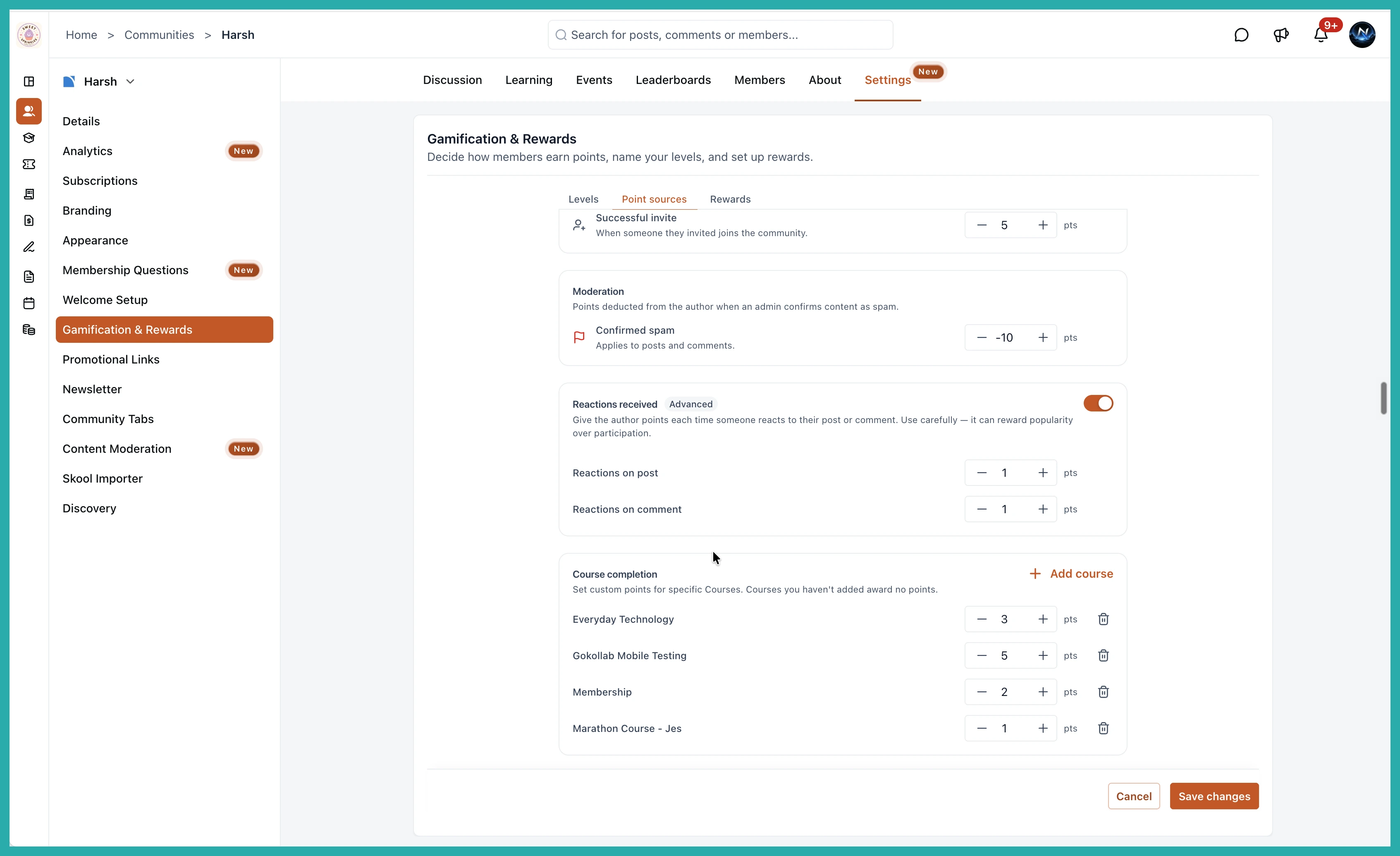
- Reactions Received - an optional, toggleable setting that awards points when someone reacts to a member's post or comment. Use it with care, it can reward popularity over actual contribution.
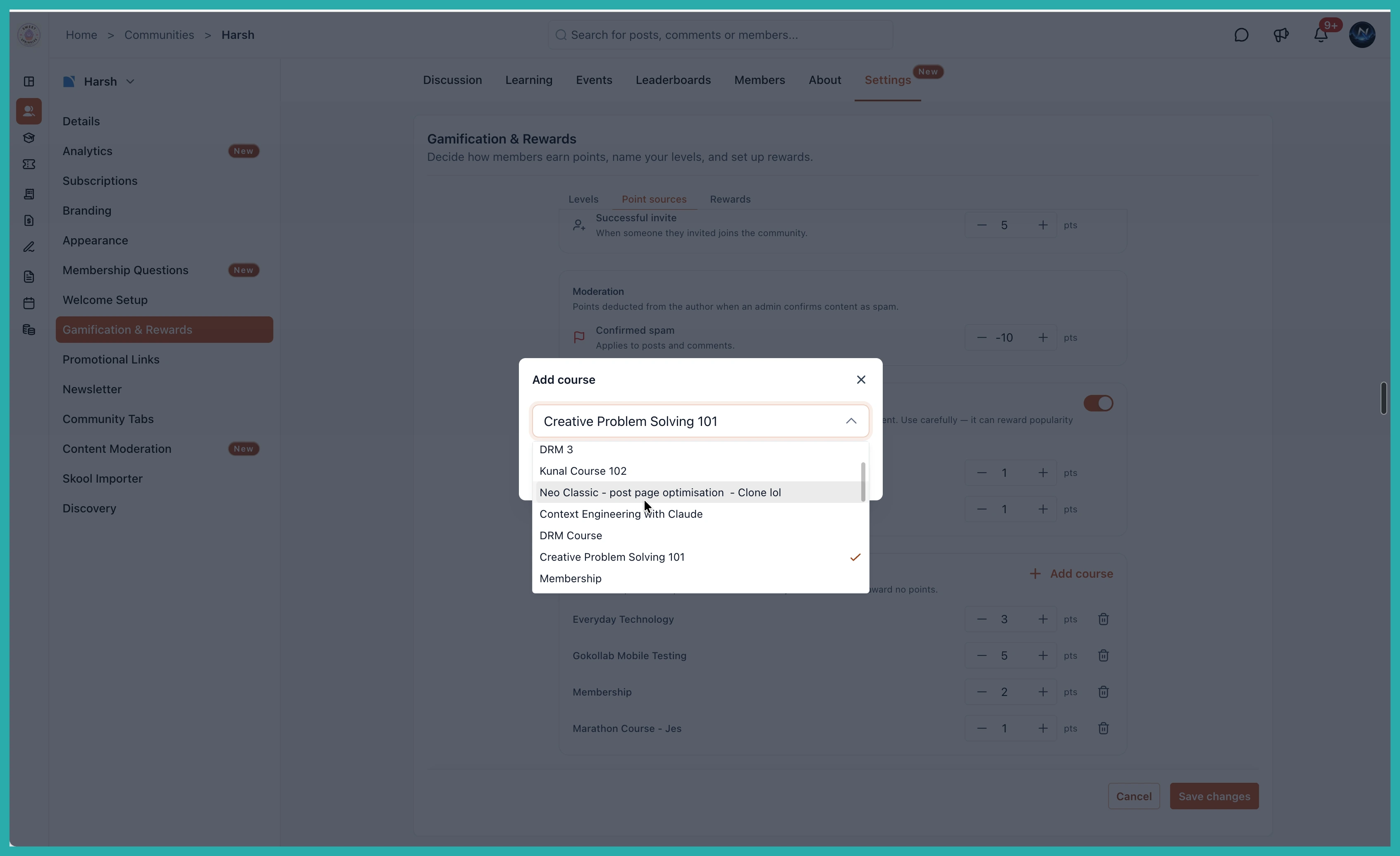
- Course Completion - set your own point value per course using Add course.
Want to switch an action off entirely? Set its value to 0. Simple as that.
Adding points for finishing a course
Course points are set per course, so you choose which ones count and how much they're worth. Use the Add course button to pick a course and give it a value. Anything you don't add simply awards no points.
How to set it up
- Go to Settings, then Gamification & Rewards.
- Open the Levels tab and rename your levels and adjust the point thresholds to suit your community.
- Open the Point Sources tab and set the point value for each action. Set any to 0 to turn it off.
- Optionally toggle on Reactions Received, and add any courses you want to reward.
- Click Save changes.
One note for now: the Rewards tab is still coming, so this update is all about levels and points. That's plenty to get your community moving in the right direction.
Have a think about the one or two behaviours you most want to see more of, point your rewards at those, and let your members start climbing. It takes about ten minutes to set and runs on its own after that.
