
Set Usage Limits for Your SaaS Clients - and Get Paid When They Need More
A quick heads-up: this one's in Labs
It's an early feature you turn on yourself in Settings > Labs inside your account. It works, but it's still in development - the documentation and support is limited and not everything will behave perfectly yet.
If you like getting your hands on new things early, switch it on and have a play. If you'd rather wait for the finished, fully-supported version, leave it off and we'll let you know when it lands.
If you resell the platform to your own clients, heavy usage used to mean one of two headaches - a surprise cost you swallow, or an awkward conversation after something stops working.
Now you can set a usage limit for each client, decide what happens when they hit it, and turn a request for more into a clear yes you can charge for. It starts with Voice AI and Conversation AI.
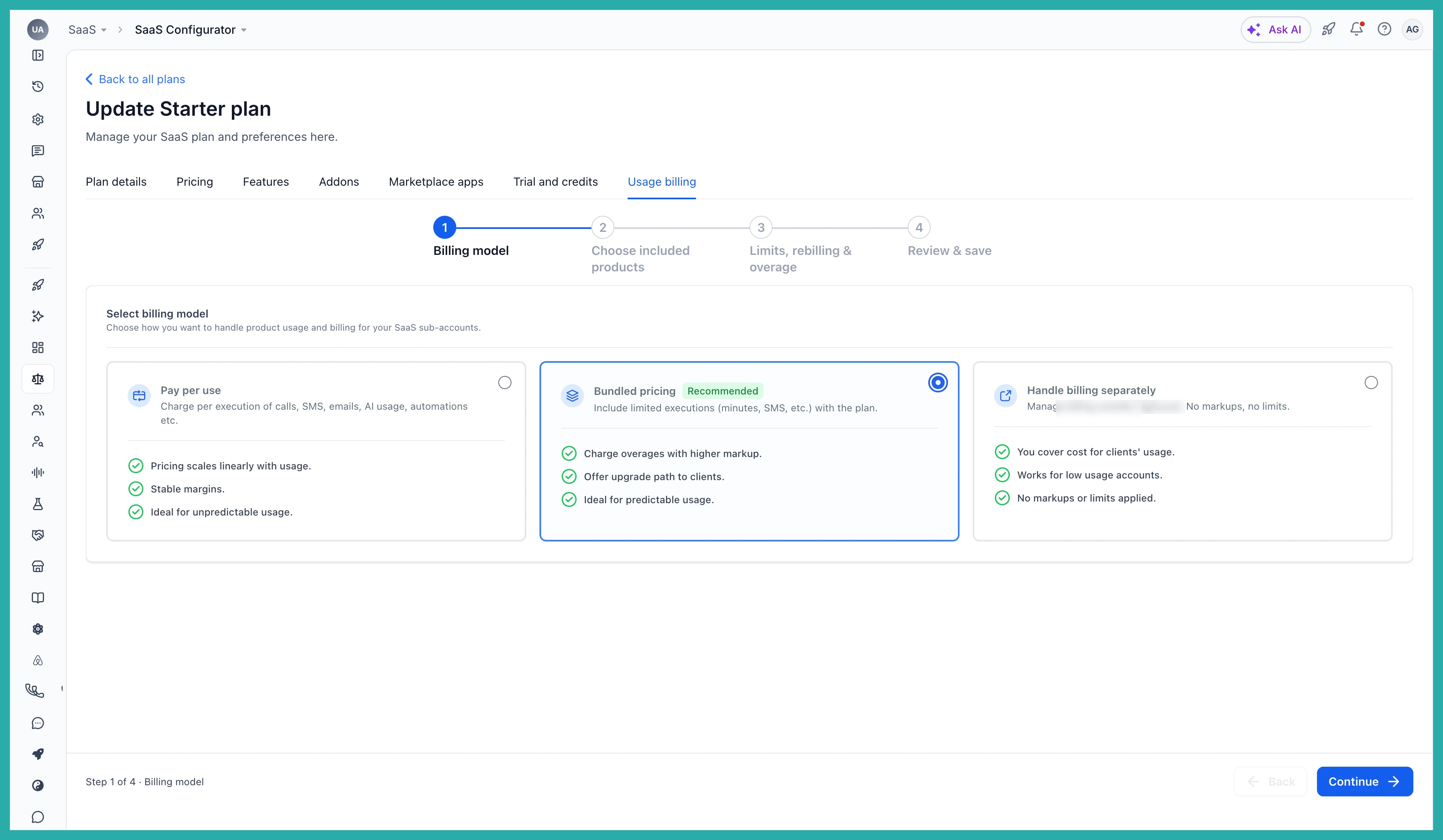
Set a limit for each client
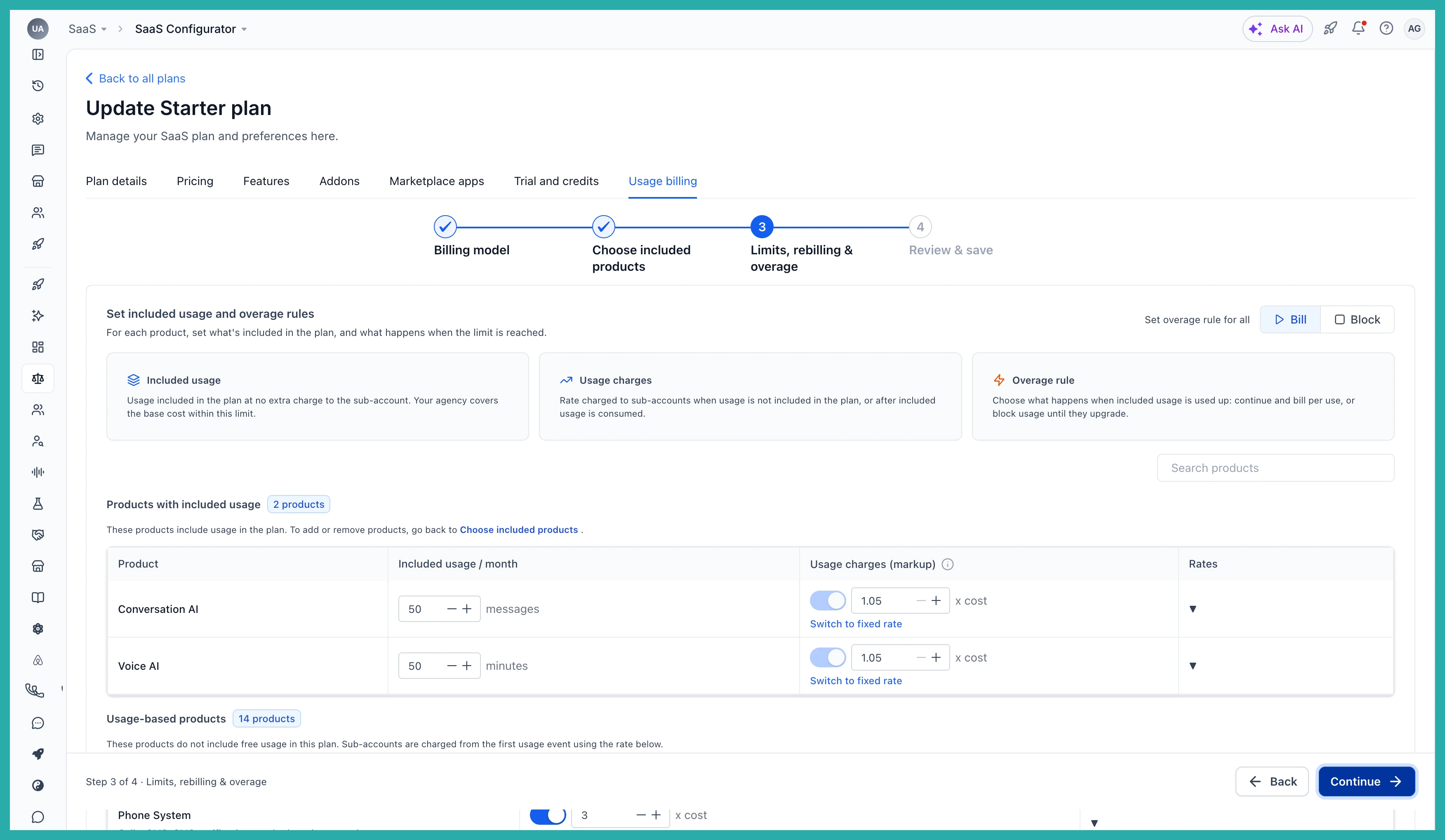
Decide how much Voice AI and Conversation AI a client gets, and what happens when they reach it - bill them for the extra, or stop the action. You can add these limits as an optional step while onboarding a new client with rebilling, so they're in place from day one.
Your clients always know where they stand
Each client's billing page shows how much they've used against their limit, with colour cues as they get close, plus the dates their usage resets. No guessing, no nasty surprises.
In the screenshot below, you'll see the usage bar and reset dates as the client sees them.
See who's getting close - all in one place
Head into Manage Client and you can view every client with a limit in one list, then filter by product or by how much of their limit they've used. That way you can spot the heavy users before they hit the wall.
When a client needs more, it becomes a simple request
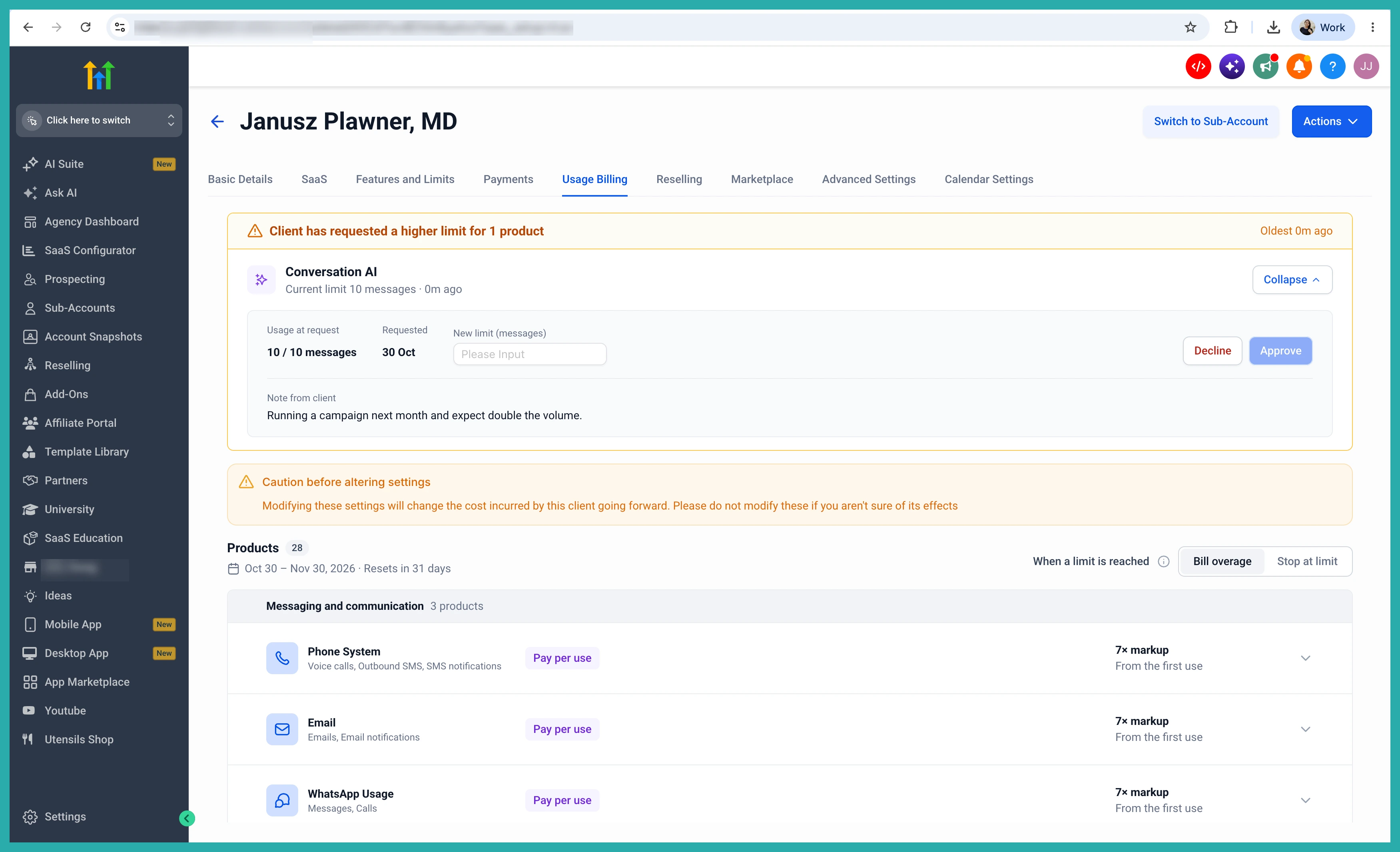
If a client reaches a limit and can't upgrade their plan, they can request a higher limit from their billing page or straight from the prompt they see when they hit the cap.
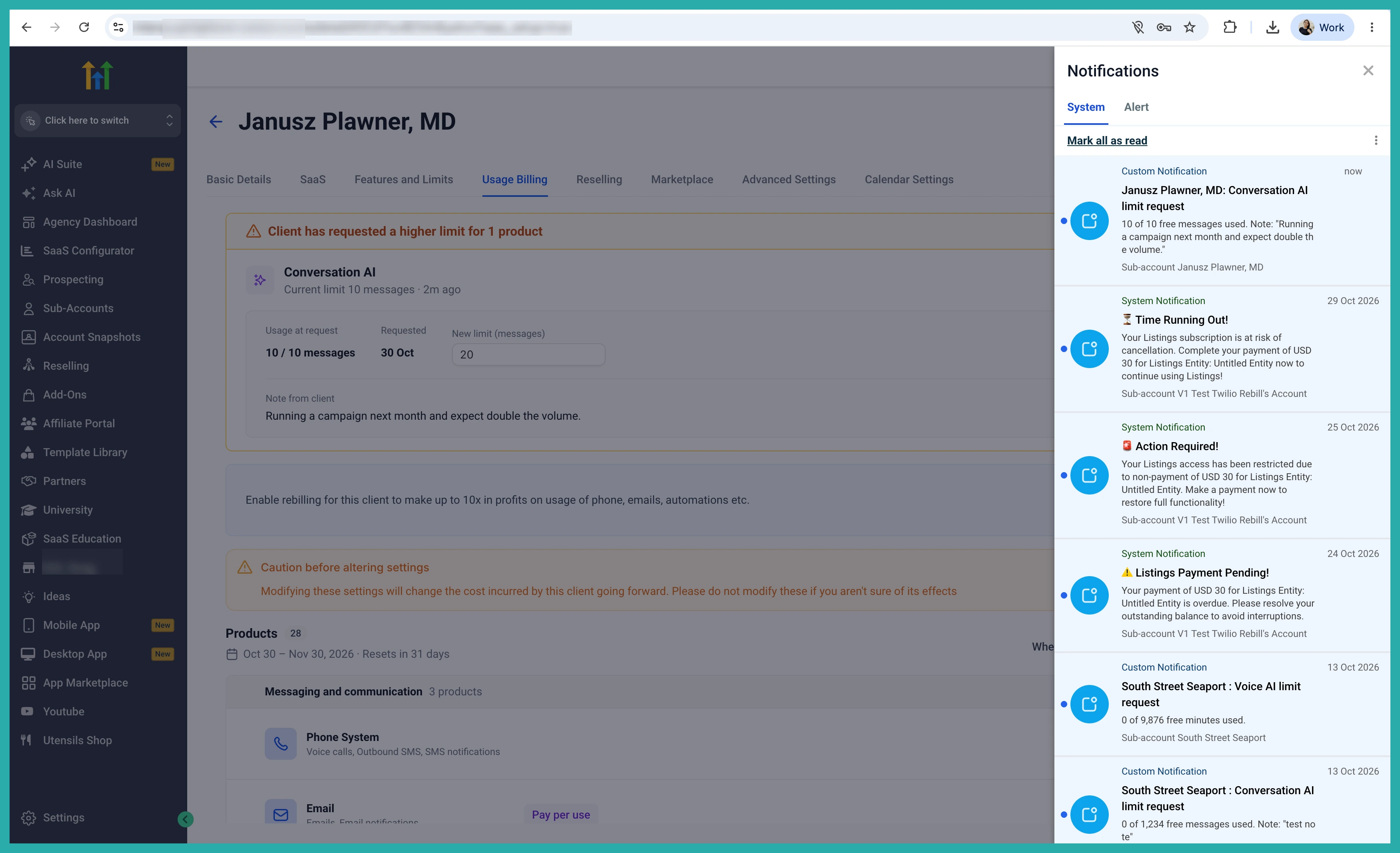
You get the request in Manage Client, on your dashboard and in the SaaS Configurator, plus an in-app and email notification. Set the new limit you're comfortable with and approve it, or reject it with a reason - all without leaving the page.
Your client is kept in the loop too. They're told when their limit changes, and if you reject a request, they see the reason you gave.
A few honest notes
- Usage limits cover Voice AI and Conversation AI for now. The phone system, email, automations and more are on the way.
- Only account admins can view usage on the billing page and request a higher limit.
- The "request higher limit" option only shows for clients who can't upgrade their plan. Those who can upgrade see the upgrade option instead.
- Approving a request changes the client's limit only. It doesn't change what happens when the limit is reached.
- The Enable Rebilling flow and the bulk action don't support usage limits yet.
You stay in control of what each client can use, they always know where they stand, and when someone needs more, it's a clear request you can say yes to and get paid for. Go set a limit on a couple of clients and see how it feels.
