
Set Exactly How Many Options Guests Can Pick on Your Menu Items
If you sell build-your-own dishes - thalis, bowls, combos, meal deals - you know the pain. A guest picks three sides when you meant for them to pick one, or they skip a choice you actually needed, and the order lands incomplete.
Now you set the rule, and the menu enforces it for you.
What you get
Inside any modifier group, you decide exactly how many options a guest can choose. Pick one, or allow more than one with a minimum and a maximum you control.
- One or more than one: Choose One for a single pick, or More than one and set a minimum and maximum.
- Required stays in sync: Turn on Required and the minimum automatically becomes 1.
- Option descriptions: Add a short line under any option, like "Lentil and vegetable stew," so guests know what they're choosing.
- Clear for guests: Each group shows its rule right on the item, like "Choose 1" or "Choose up to 2," with a Required or Optional tag.
- Limits are checked for you: Extra options grey out once the maximum is reached, and the item can't be added to the cart until every required group is filled.
In other words, the menu behaves exactly the way you set it up, without you policing every order.
How to set it up
Go to Restaurants, then Menu, then Modifier groups. Open an existing group or click Add modifier group.
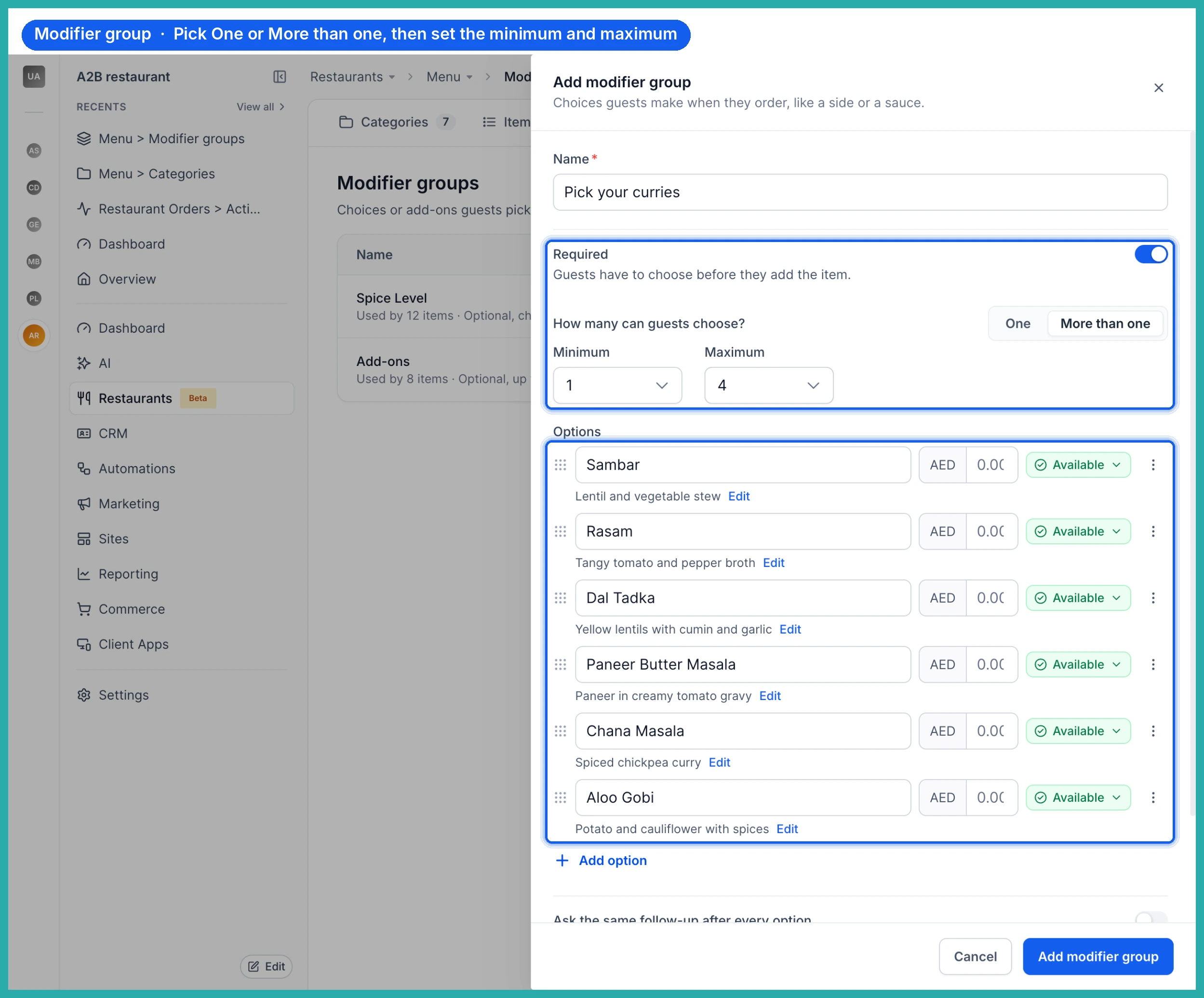
Under How many can guests choose?, pick One for a single selection, or More than one and set your minimum and maximum. If the choice is required, switch on Required and the minimum becomes 1 for you.
To help guests along, click + Add description on any option and type a short line explaining what it is.
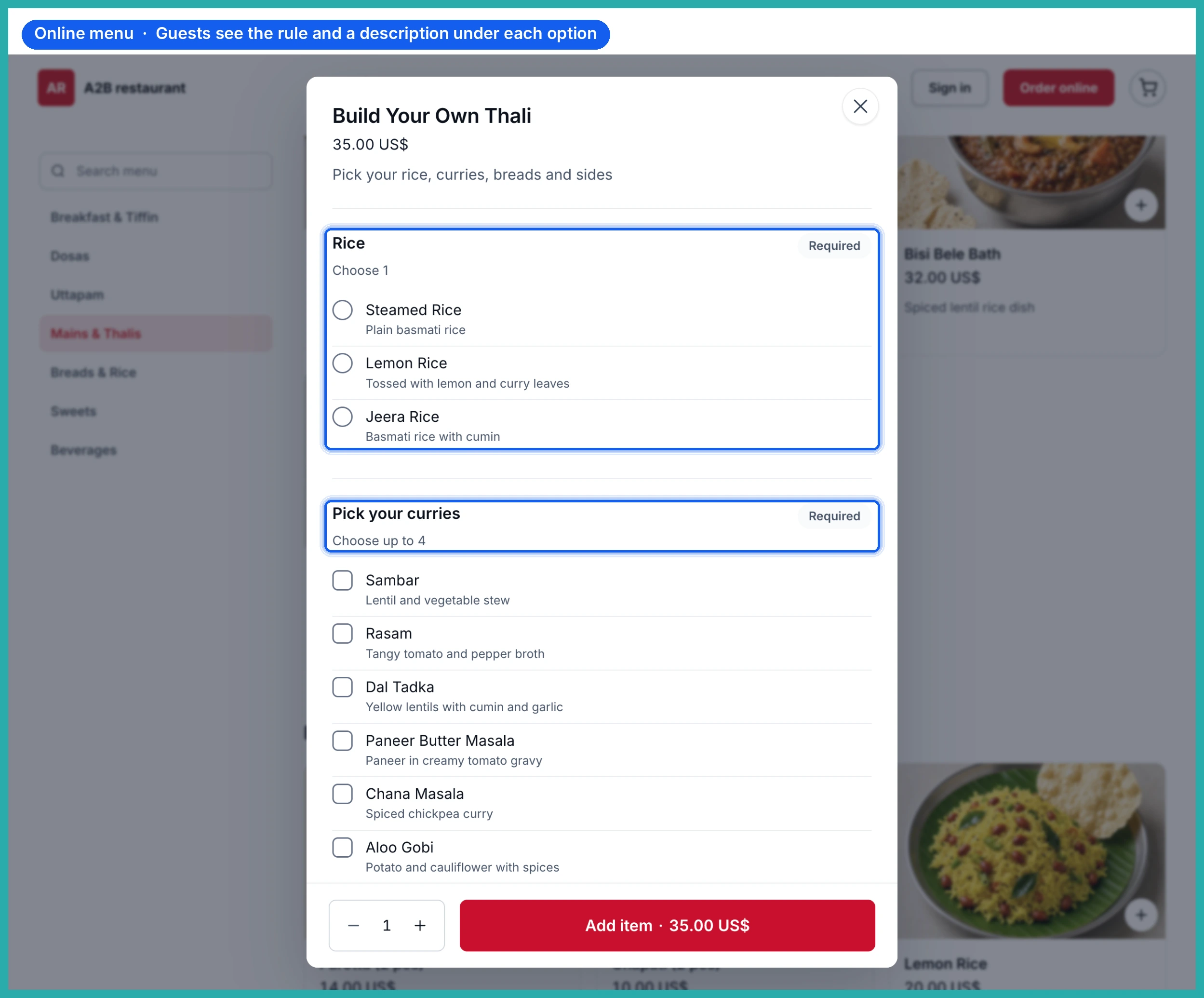
Save the group, then add it to the menu items it belongs to. From there, the rule shows up on the item and the system handles the rest.
Who this is for
This one is available to accounts using Restaurants on the Founder's plan. If that's you, open one of your build-your-own items and set the choice limits the way you actually want guests to order. It takes a couple of minutes and saves you a lot of back-and-forth later.
