
Set When Your Certificates Expire - and Remind People Before They Do
If you hand out certificates for your courses, you've probably had that awkward moment where someone's credential has expired and nobody noticed until it was too late.
Now you get to decide the rules up front, and the system handles the rest.
What landed
You can set exactly how long a certificate stays valid. Choose Never, a fixed calendar date, or a relative period counted from the day it was issued.
The relative options cover 3, 6, 9, 12, 24 and 36 months, so whether you're issuing something that lasts a year or three, it's a couple of clicks.
You can also set reminder offsets, which means recipients get a heads-up before their credential lapses. No manual chasing on your end.
One nice touch: expiry is calculated with timezones in mind, so the dates land where they should no matter where your people are. And the expiry settings show clearly in your credential and template lists, so you can see at a glance what's set.
How to set it up
- Open a certificate or credential template.
- Set the expiration - Never, a fixed date, or a number of months from the date of issue.
- If you'd like, add reminder offsets so recipients are notified before expiry.
In the screenshot below, you'll see where these options live inside the template.
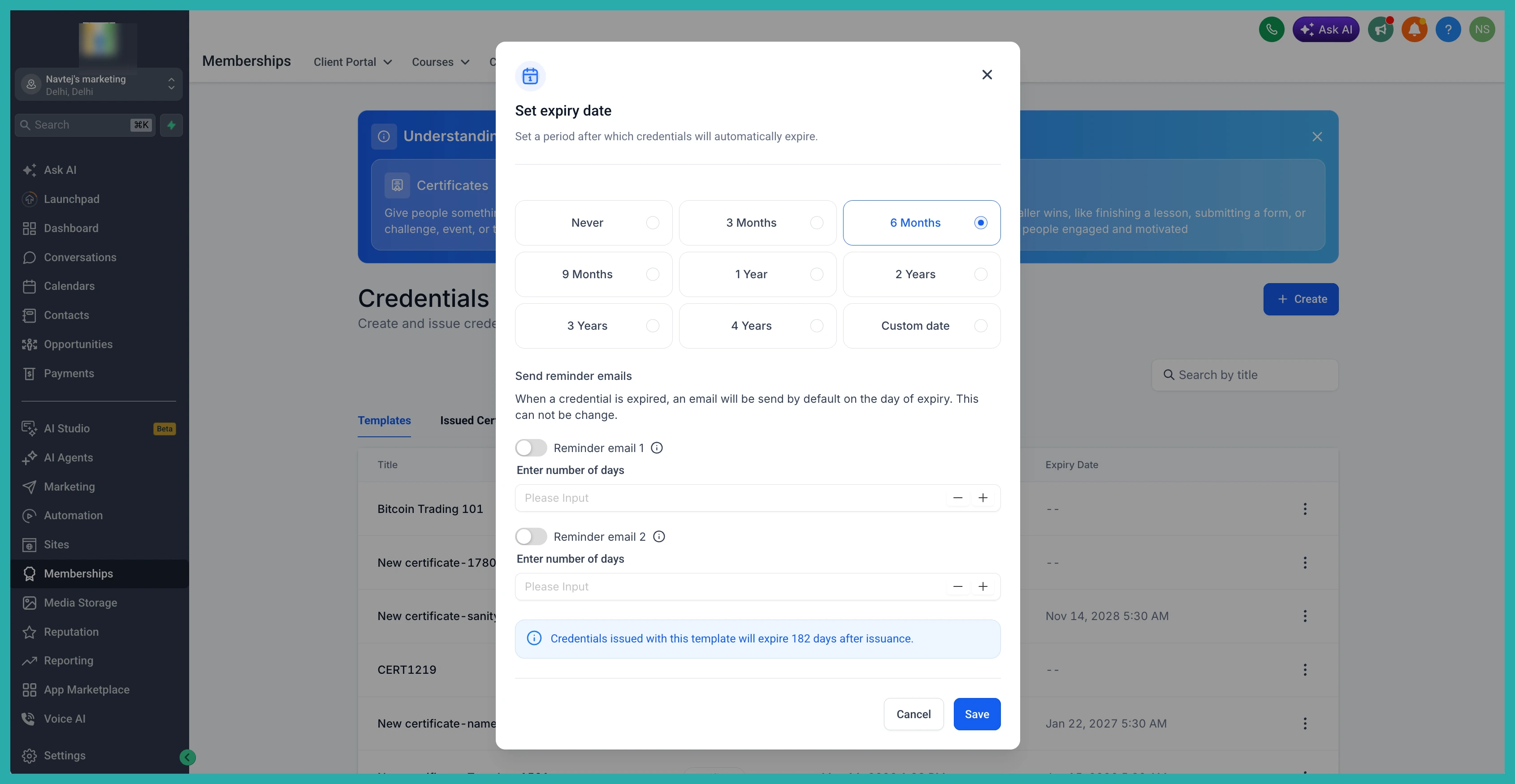
From then on, every newly issued credential calculates and stores its own expiry based on what you chose. No spreadsheets, no follow-up notes to yourself.
If you've got certificates going out already, it's worth taking two minutes to open the template and set the rule that fits. Future you will be glad it's handled.
