
Charge a Simple Flat Rate for Your AI Products, Not Confusing Usage Fees
If you resell AI features to the accounts you manage, you've probably hit the same wall I did. AI usage is billed in tokens, and trying to explain tokens to a customer is a fast way to lose them.
Now there's a cleaner option. You can set a fixed price for your AI products instead of only charging a markup on usage.
What you get
Instead of passing on a markup that shifts with every message, you can charge one flat rate. For example, 50 cents for every message sent through Conversation AI - the same amount every time, no matter what that message actually costs to process behind the scenes.
You pick the billing model for each product and each account on its own. So you can run a fixed rate for Conversation AI on one account, keep markup pricing on another, and switch between the two whenever you like. Markup billing hasn't gone anywhere if you prefer it.
The real win is the conversation you get to have with your customers. One simple, consistent price is easy to say out loud and easy for them to say yes to. No surprises, no math, no glazed-over looks.
How to set it up
Head into your SaaS settings and open the AI product you want to price - Conversation AI or Voice AI. You'll see the option to choose your billing model.
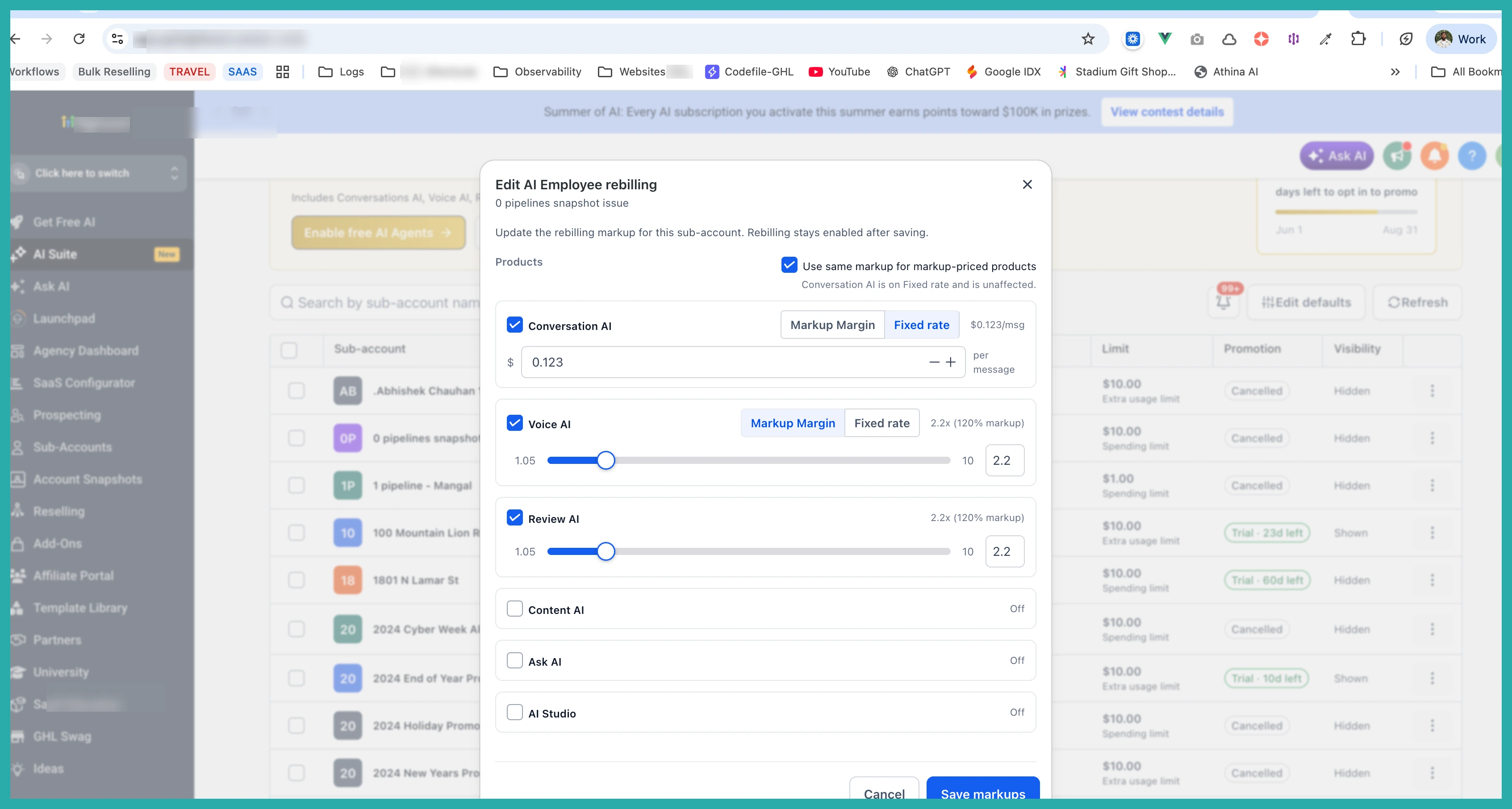
Pick Fixed Rate, then enter the amount you want to charge per message or per minute. In the screenshot below, you'll see where you set that number and confirm it for the account.
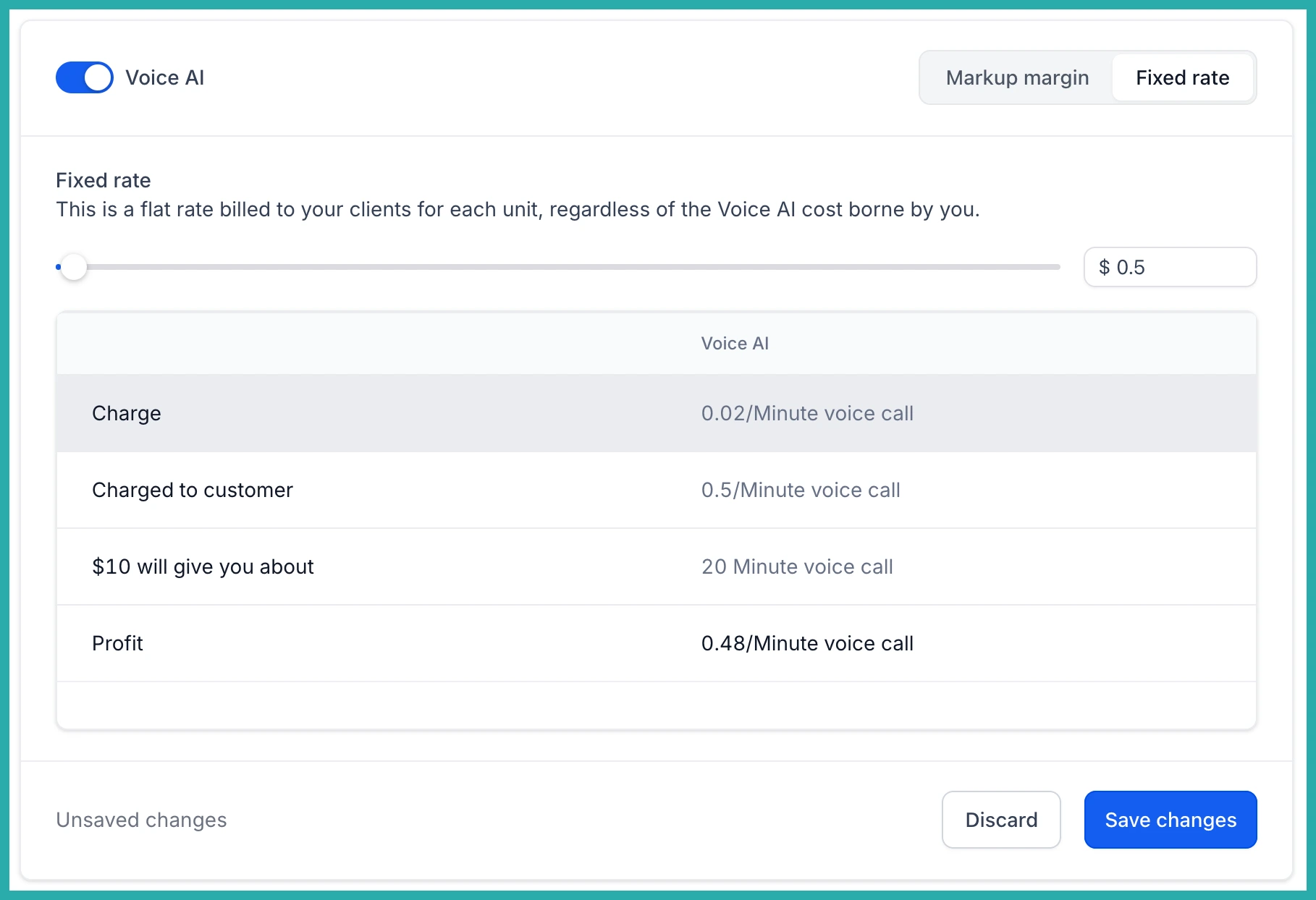
Save it, and that account is now billed at your flat rate from then on.
One thing to check first
Remember you're still billed based on your actual usage on your end. So before you set a fixed rate, take a quick look at your own numbers and pick a price that comfortably covers your costs and leaves you a margin you're happy with.
Have a fixed rate in mind already? Go set it now and give your customers a price they can actually understand.
