
Send Voice Notes in Your Community Posts and Comments
Sometimes typing out a long reply just doesn't cut it. You want to explain something properly, add a bit of warmth, or answer a question without thumbing out three paragraphs.
Now your community members can do exactly that. Voice notes have landed in Communities, so people can record and send audio directly in posts and comments.
What you get
There's a new mic button sitting right in the post and comment composer. Tap it, and your members can record a voice note on the spot - no separate app, no switching tools.
They can record, pause, resume, or cancel before sending, all without leaving the editor.
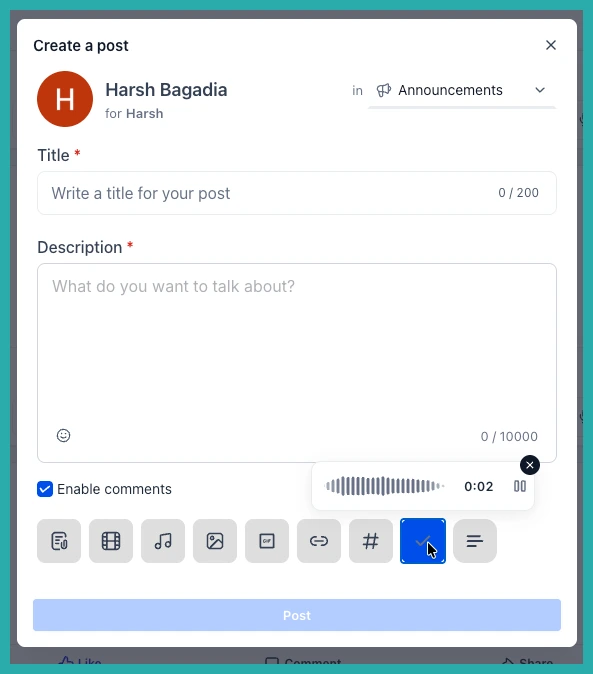
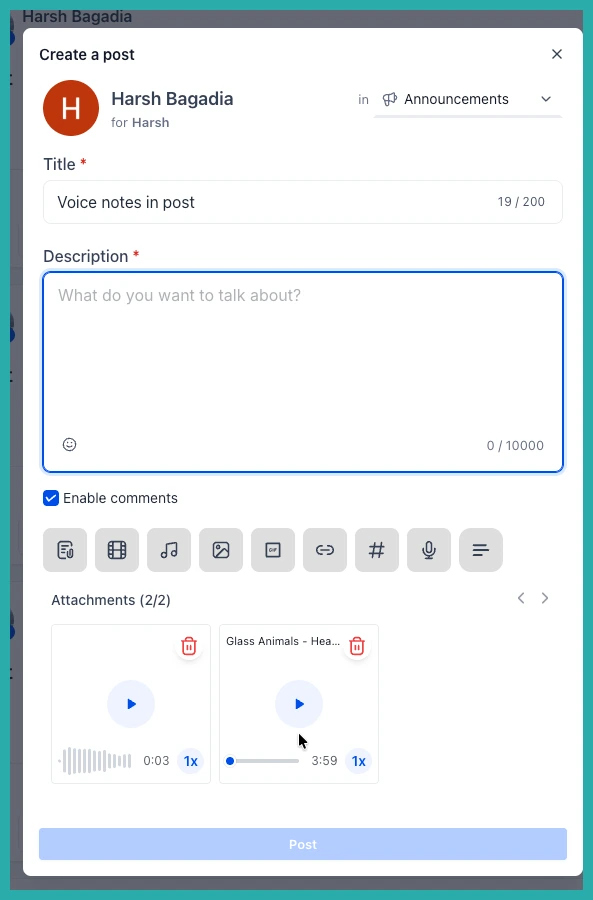
Prefer to upload something already recorded? That works too. Members can attach audio files alongside images, videos, and other attachments, and add several audio files to a single post.
Playback happens right in the feed
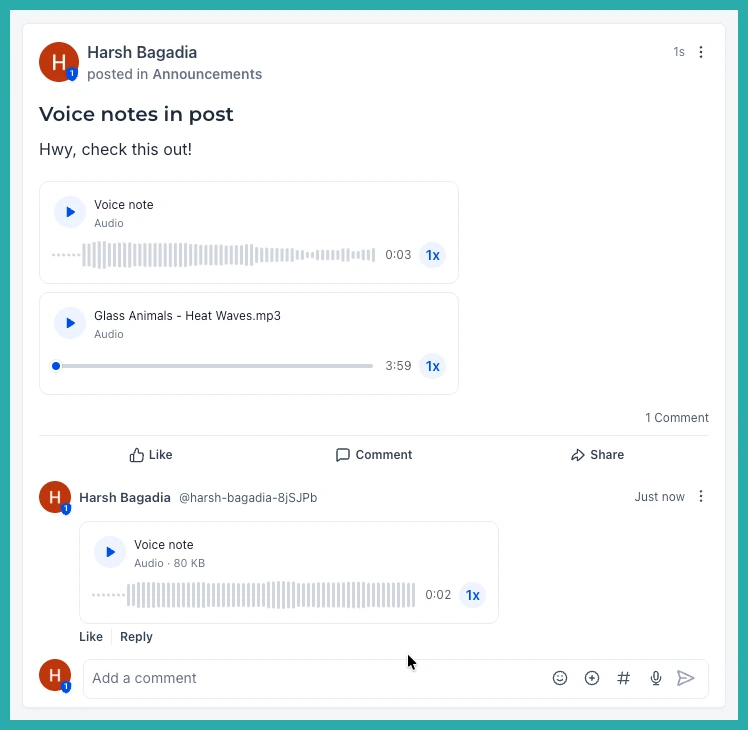
Voice notes and audio files play directly in the feed, in both posts and comments. Nobody has to download anything to listen.
Recorded notes show a waveform view, while uploaded audio shows a timeline view. Listeners can toggle the playback speed between 1x, 1.5x, and 2x, and audio autoplays into the next track for continuous listening.
How to use it
- Open your community and start a new post or comment.
- Click the mic button in the composer to record, or attach an audio file the same way you'd add an image.
- Record, pause, resume, or cancel as needed, then send.
- To listen, just press play on the note in the feed and adjust the speed if you like.
A couple of notes
- Voice notes work in both posts and comments.
- You can add multiple audio attachments to a single post.
- Playback speeds are 1x, 1.5x, and 2x.
- This is on web for now, with mobile app support coming soon.
Give it a go on your next post. Sometimes hearing your voice says far more than the text ever could.
