
Sell Products in Forms and Surveys From One Simple Payment Panel
If you've ever tried to sell something straight from a form or survey, you'll know the setup used to feel scattered. Connect a payment provider over here, pick your products over there, and hope it all lined up.
That's been tidied up. The Sell Products element now has one unified payment panel where you do everything in one place, plus you can offer different price levels and product variants right on the form.
What you get
When you add Sell Products to a form or survey, the payment settings open in a single panel on the right. From there you can:
- Connect your payment provider without leaving the builder
- Choose your products and set them up in one spot
- Offer multiple price levels for a product
- Let customers pick from available variants
Whatever your customer chooses shows clearly in the payment summary, and it carries all the way through to checkout, invoicing, and payment processing. Required choices are checked before the form can be submitted, so nothing slips through half-finished.
How to set it up
Start by adding a Sell Products element to your form or survey, then open the payment panel on the right.
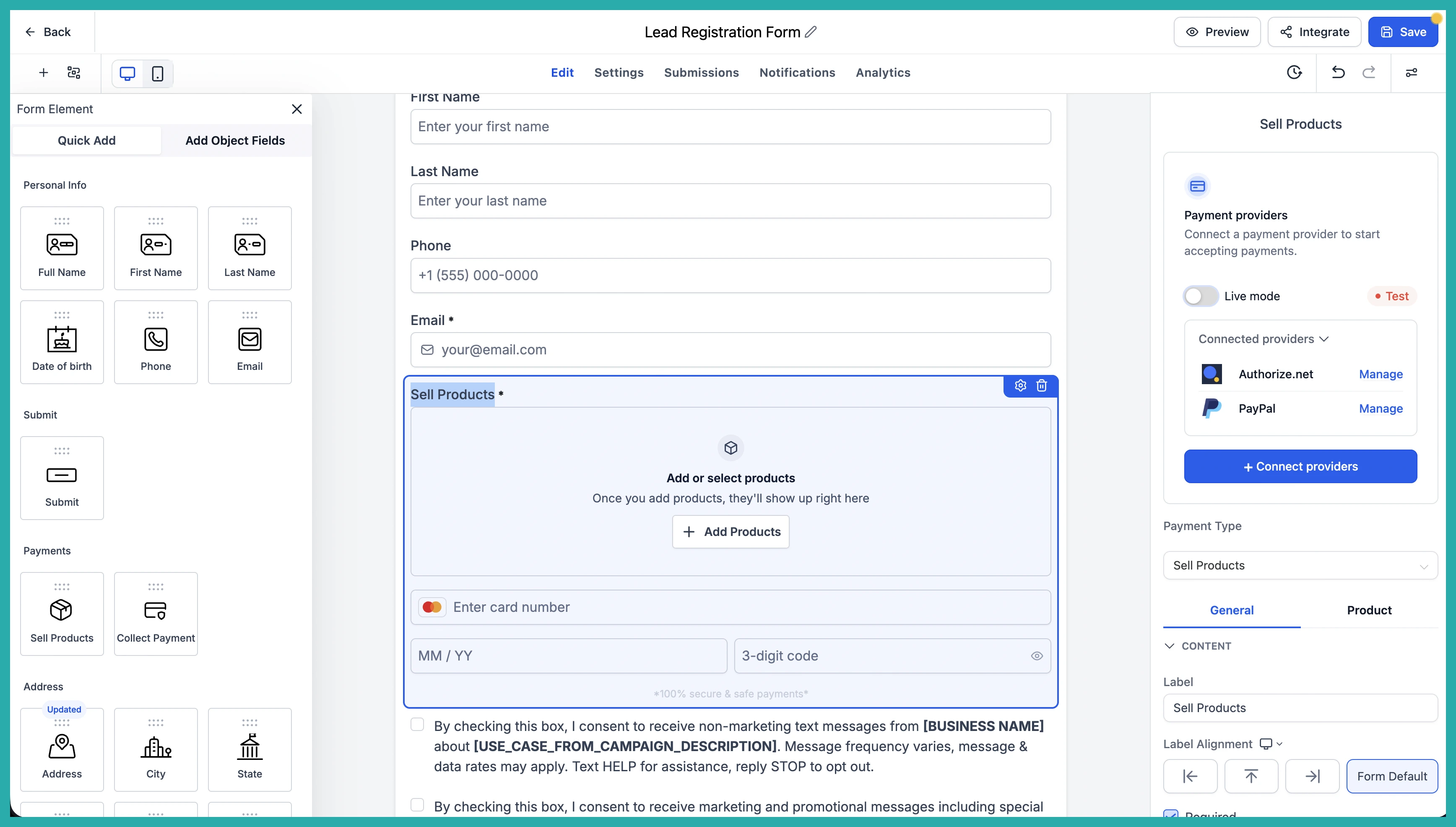
If you haven't connected a payment provider yet, you can do it here without going anywhere else. In the screenshot below, you'll see the option to connect right from the panel.
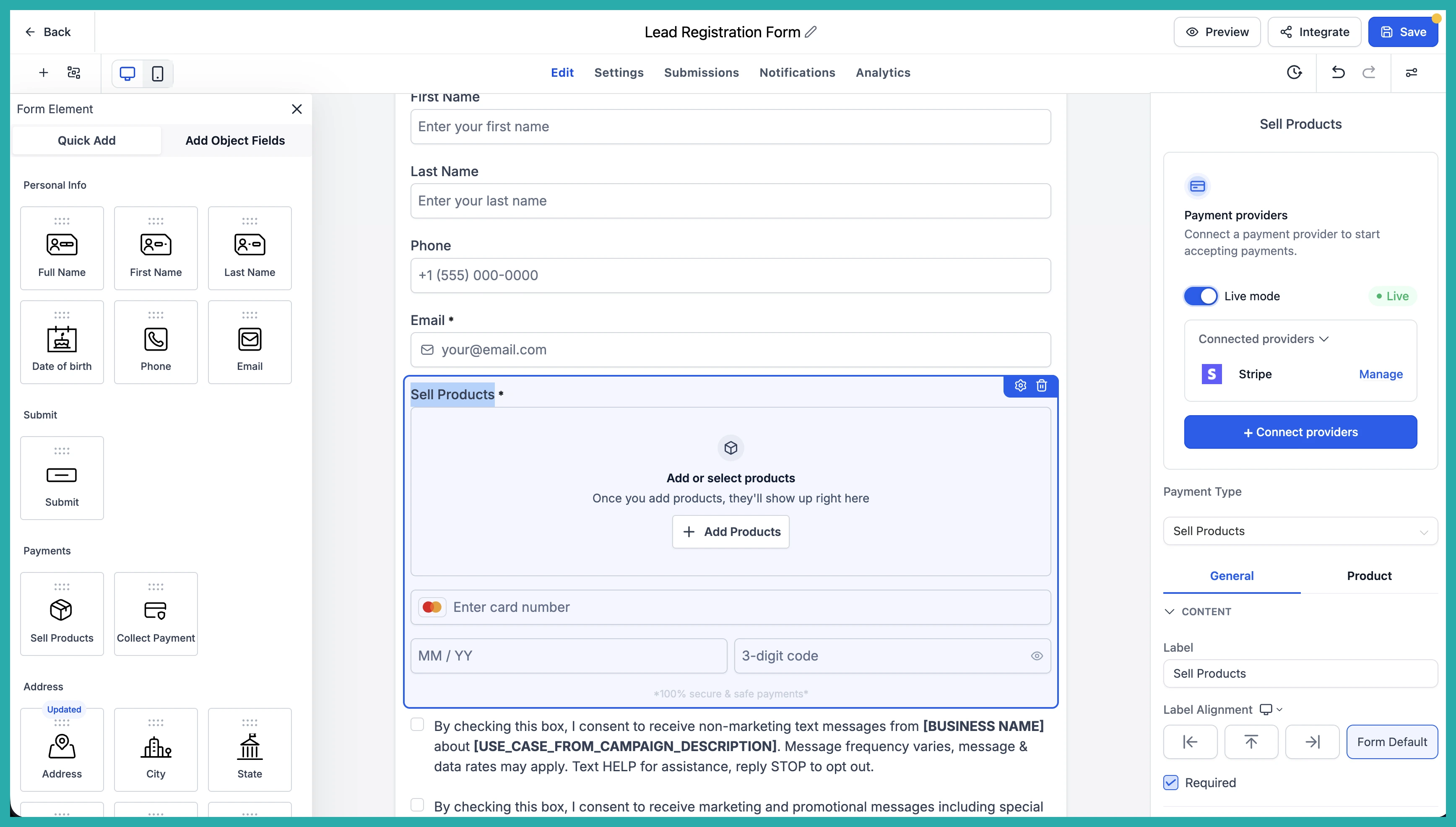
Next, select the products you want to sell. This is where you choose which items appear on the form.
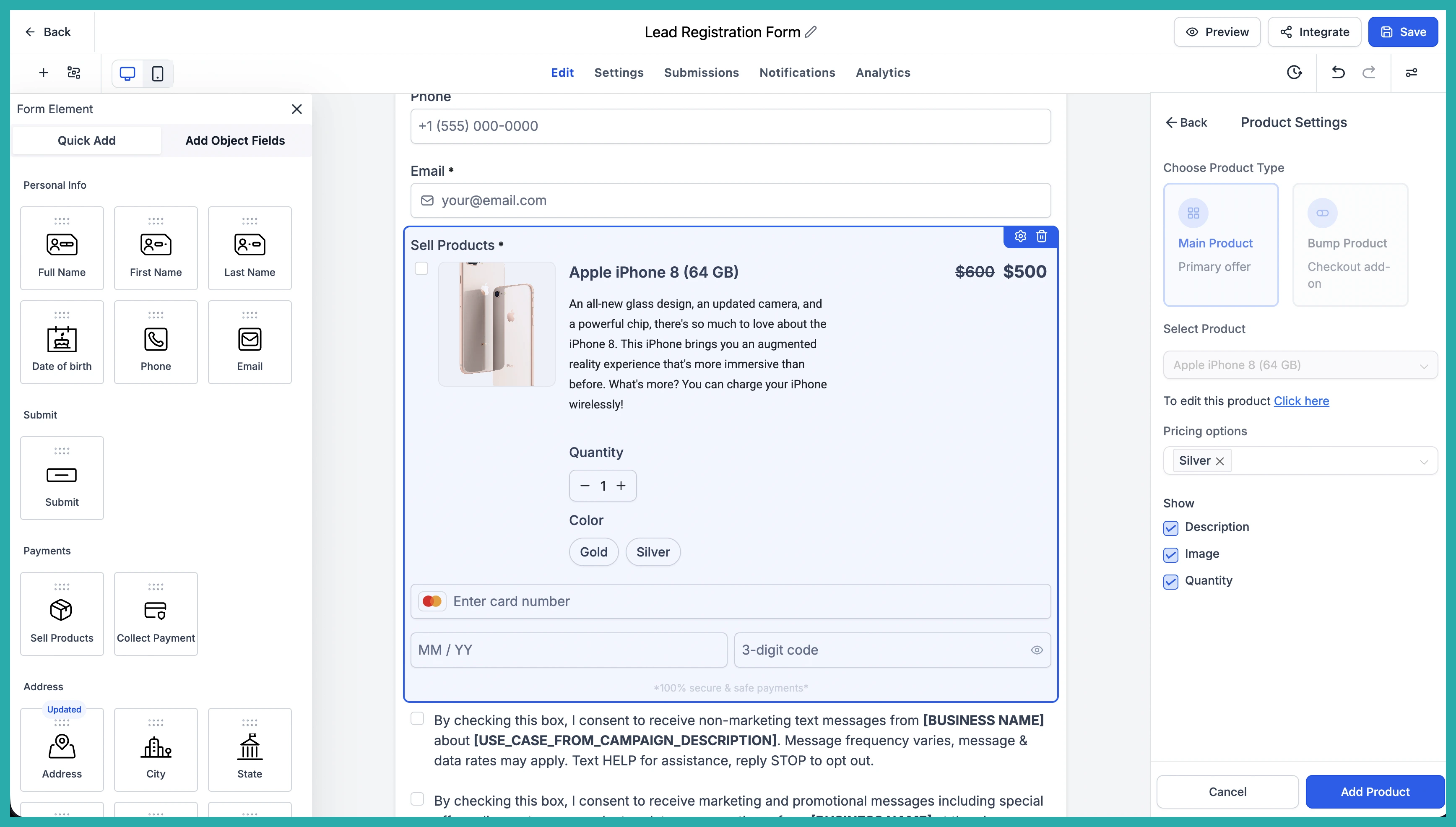
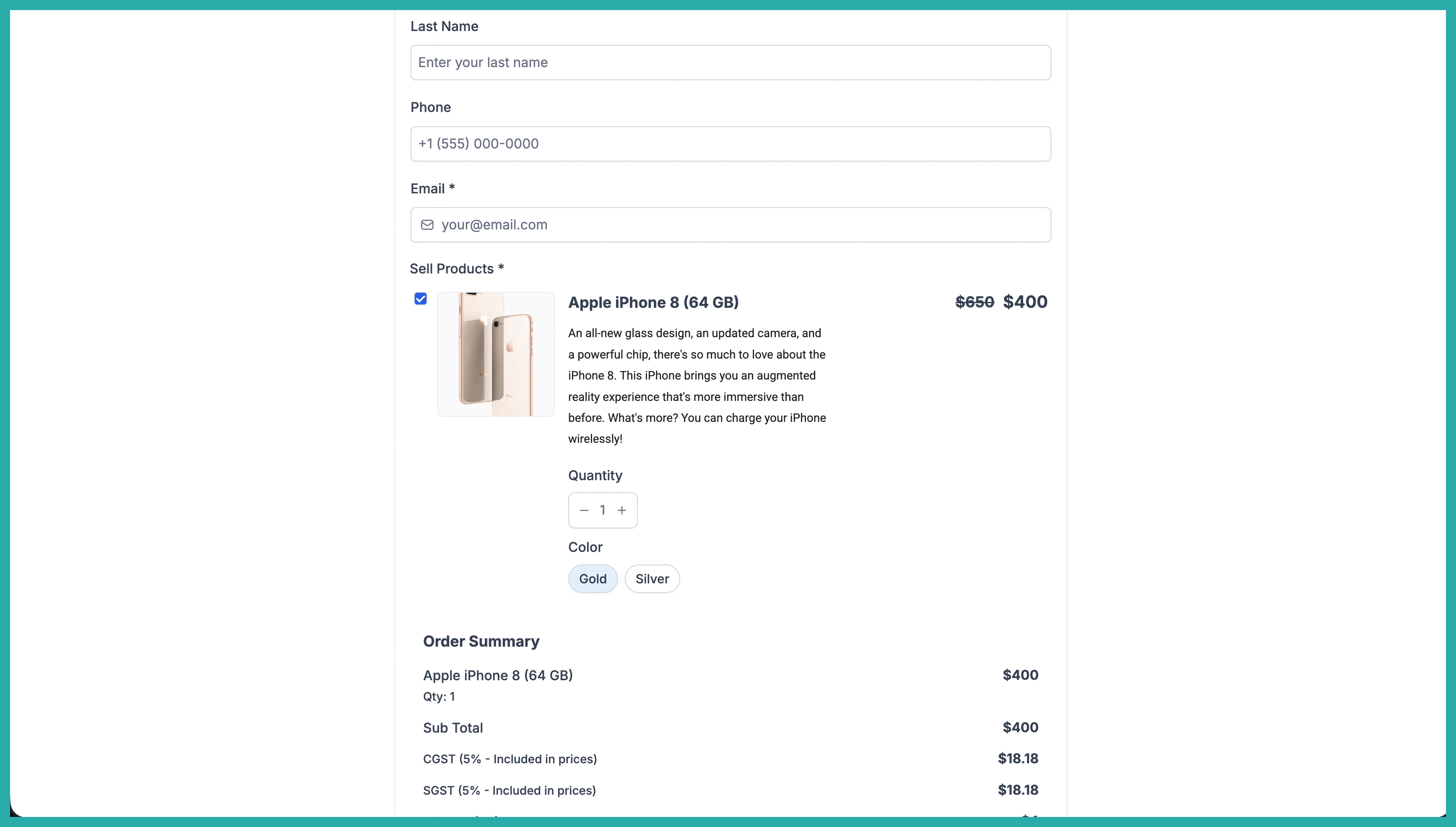
For products that have more than one price or a few variants, you can turn on those options so customers pick what suits them. Below you'll see the price level and variant selections available to set up.
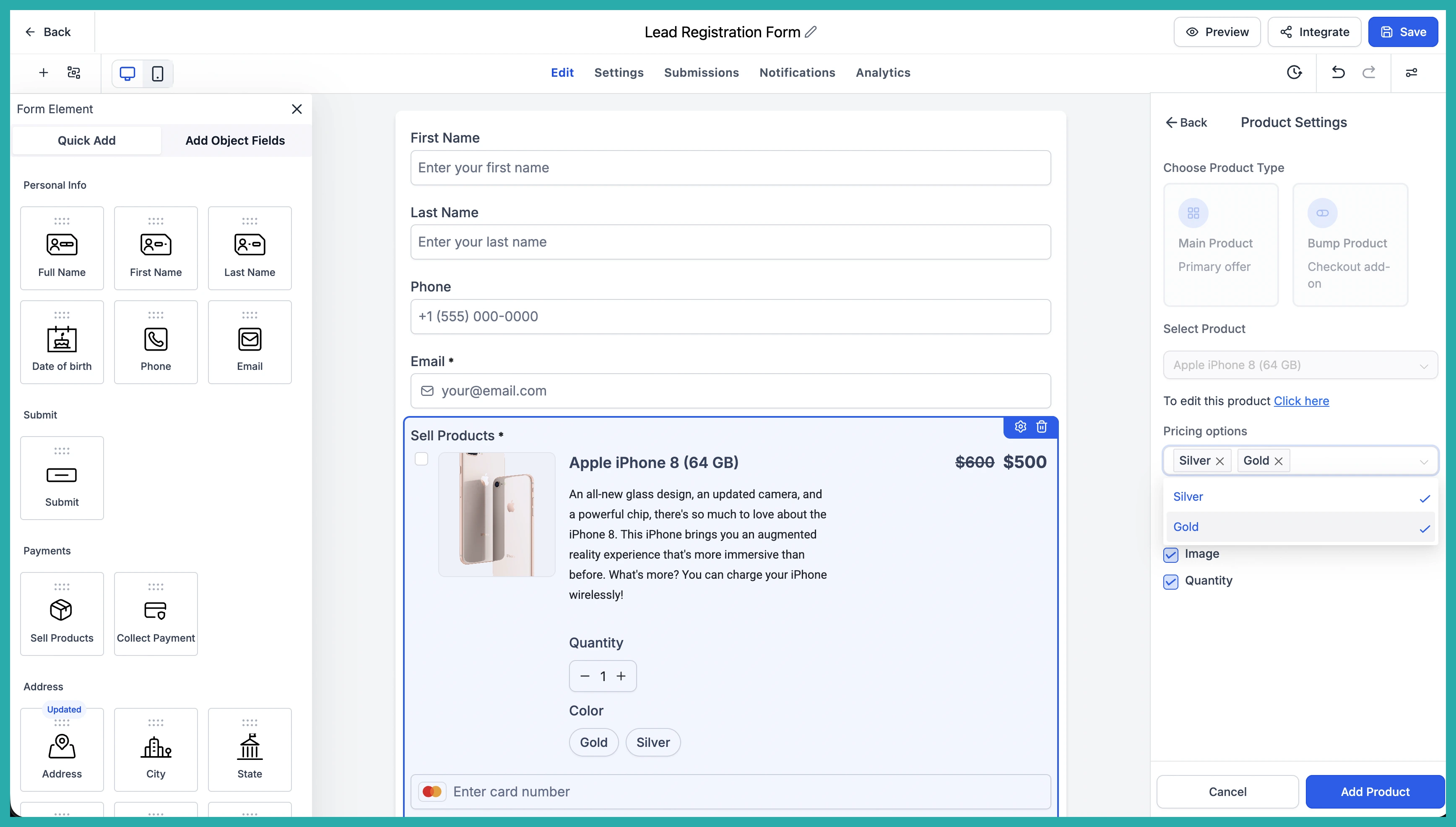
When someone fills in your form, they choose their preferred price and product options before submitting, and their choices show up clearly in the payment summary.
A few things worth knowing
Your existing forms and surveys keep working exactly as they are. Nothing changes unless you go in and update the payment settings yourself.
Price levels and variants only show for products that actually have multiple prices or variants set up, and the whole thing works on both desktop and mobile.
If you've been meaning to sell something directly from a form, now's a good time to open one up and give the new panel a look. It's a much calmer setup than it used to be.
