
Let Rental Customers Cancel Their Own Bookings, Without Phoning You
A customer needs to cancel a booking. So they email you. Or call. And now it's on your list to sort out, on top of everything else.
Those routine, well-in-advance cancellations can now handle themselves. Your rental customers can cancel their own booking straight from a link, no message to you required.
What you get
Every Rentals booking confirmation and reminder can carry a cancellation link. When a customer opens it and cancels, the booking is released right away. No approval step, no back-and-forth.
This is offered any time before the booking actually starts. Once a booking is active or already completed, self-service cancellation is no longer available, which keeps things sensible.
The good part for you: nothing financial happens on its own. Security deposits and payments stay untouched, and any refund amount stays a manual decision. So a cancellation never moves money without you looking at it.
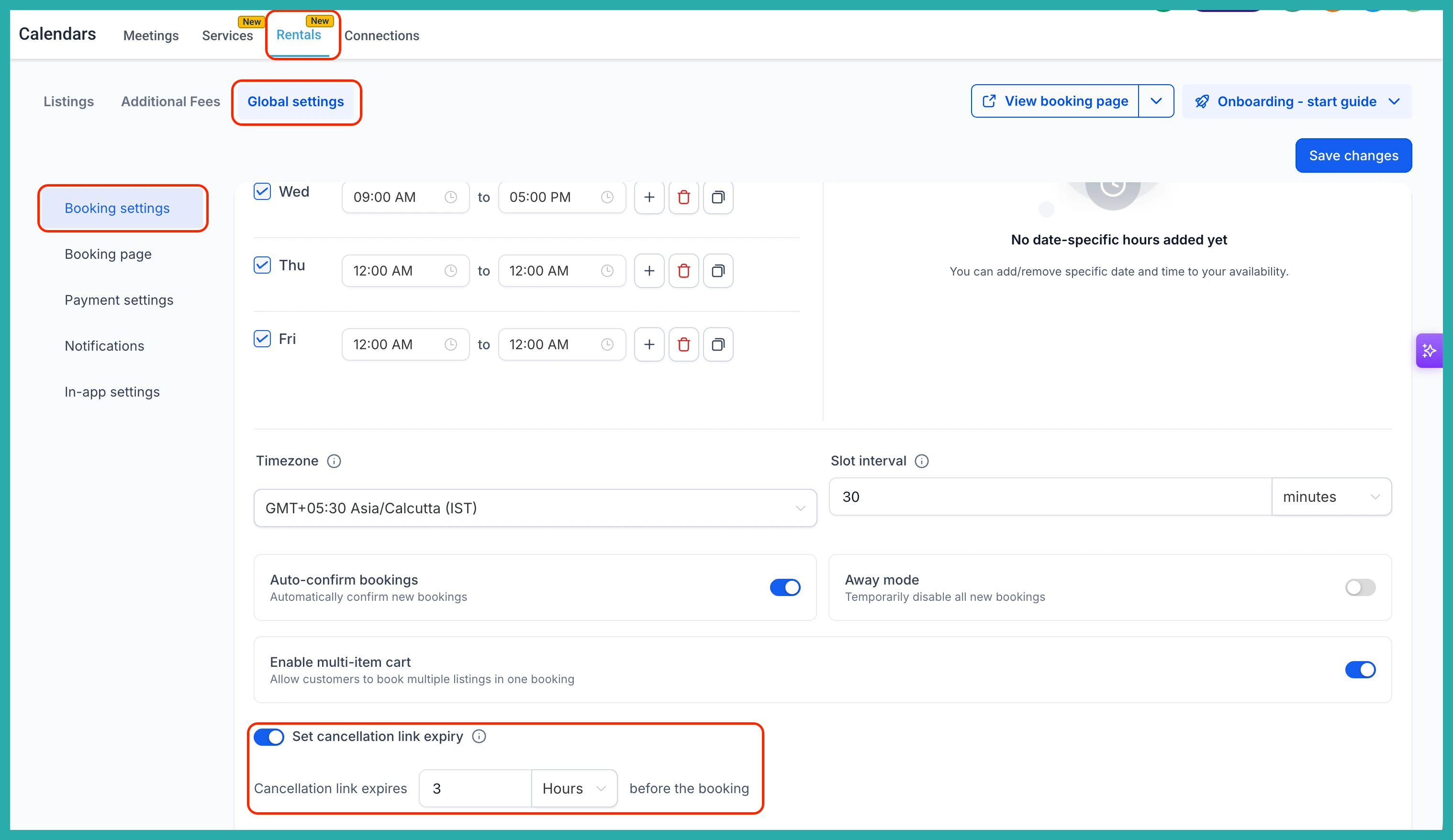
In the screenshot below, you'll see the cancellation flow from the customer's side.
A reason, if they want to give one
There's an optional Cancellation Reason field where customers can say why they're cancelling in their own words. It's never required, and whatever they write saves straight onto the booking. So you get the context without having to chase them for it.
Set a cutoff window if you want one
By default, customers can self-cancel any time right up until the booking begins. If you'd rather close that window a bit earlier, you can.
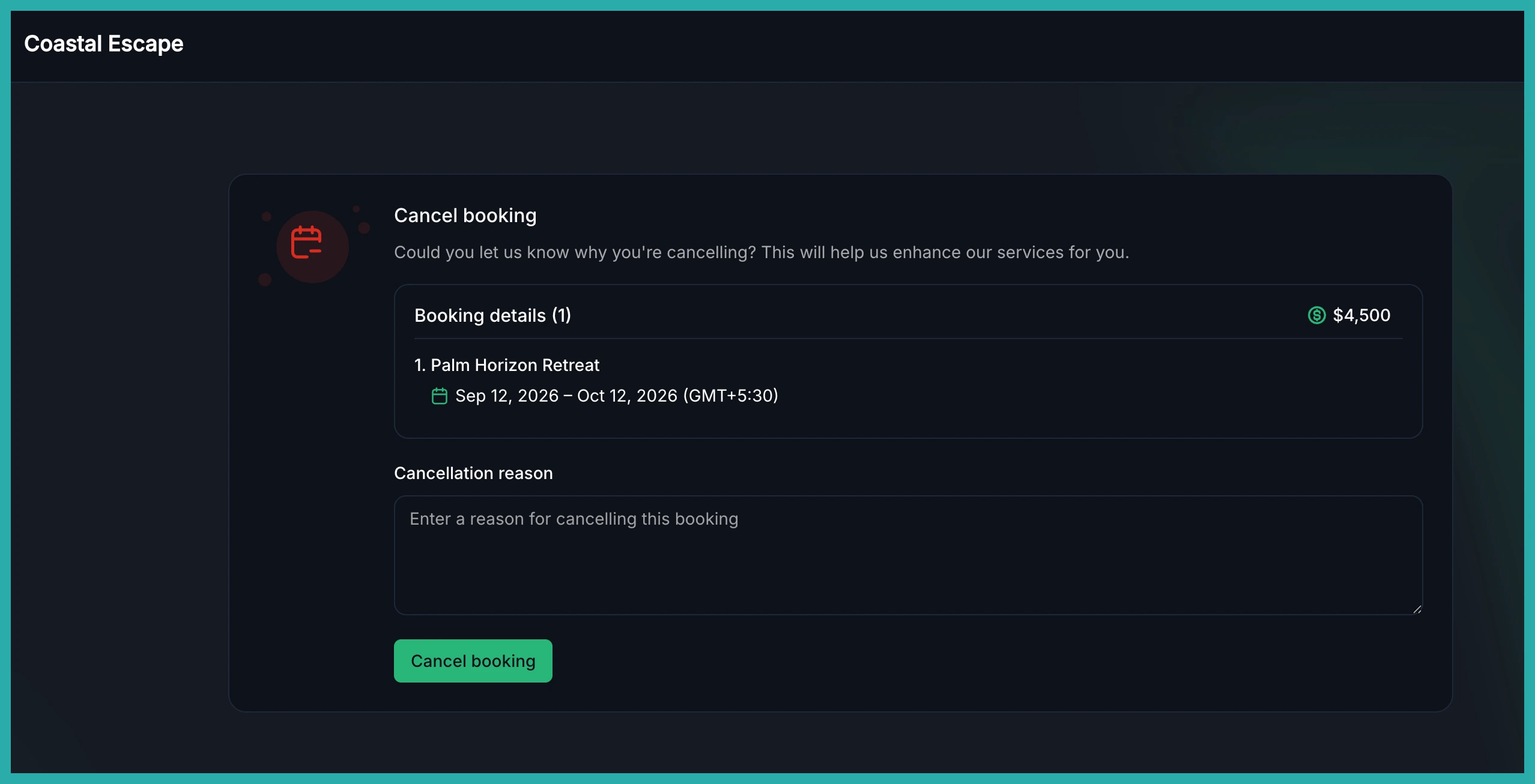
Go to Rentals, then Global settings, then Booking settings, and turn on Set cancellation link expiry. You choose the cutoff in minutes, hours, or days before the booking starts. This step is completely optional - leave it off and the link stays open until the booking begins.
Bookings with more than one listing
If a booking bundles several listings together, the Booking details panel lists each one with its own dates. Cancelling applies to the whole booking as a set, so there's no confusion about what's being released.
Friendly messages, not error pages
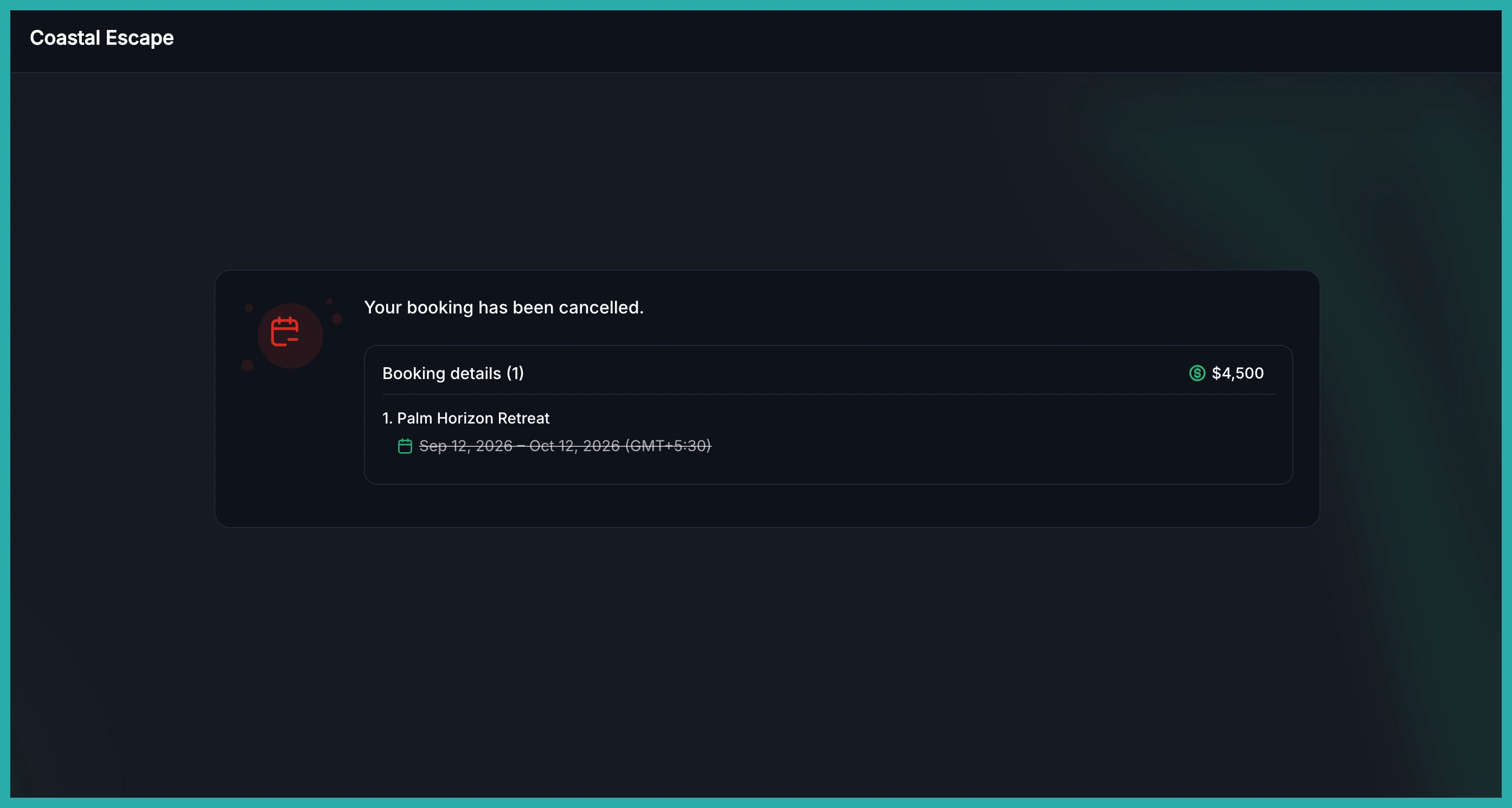
If someone opens a cancellation link that's already been used, or one that's no longer valid, they now see a clear, plain message explaining what happened and where to get help. No technical error screen that leaves them stuck.
How to turn it on
The core cancellation flow is live automatically on every Rentals booking. There's nothing to switch on for it to work.
To put the link where customers can find it, add the {{rentalBooking.cancellation_link}} custom value into any notification template or confirmation page, wherever you want the link to appear.
Then, if you'd like a cutoff, set the expiry window under Booking settings. That's the whole job.
This takes a small, repeat task off your plate and hands customers something they can safely do themselves. Add the link once and let those routine cancellations look after themselves.
