
Set Your Forms, Surveys and Quizzes to Open and Close on Their Own
You build a registration form for a webinar, or a quiz for a contest, and it does its job. Then the event passes, the deadline goes by, and entries keep trickling in because nobody switched the thing off.
Now you don't have to. Your forms, surveys and quizzes can open and close on a schedule you set once, and you decide exactly what people see before and after.
What you get
There's a new Schedule visibility setting inside Forms, Surveys and Quizzes. Turn it on and you can set:
- When it opens - right away, or a date you pick
- When it closes - never, or a date you pick
- The time zone the schedule follows
- What visitors see before it opens
- What visitors see after it closes
You can show a custom message for both, or send people off to another link entirely. So a "Registration opens soon" page before launch, and a "You just missed it, join the waitlist" page after.
If you leave scheduling off, everything keeps working exactly as it does now. Nothing changes unless you want it to.
How to turn it on
Open the form, survey or quiz you want to schedule and go into its settings. You'll find the Schedule visibility toggle there.
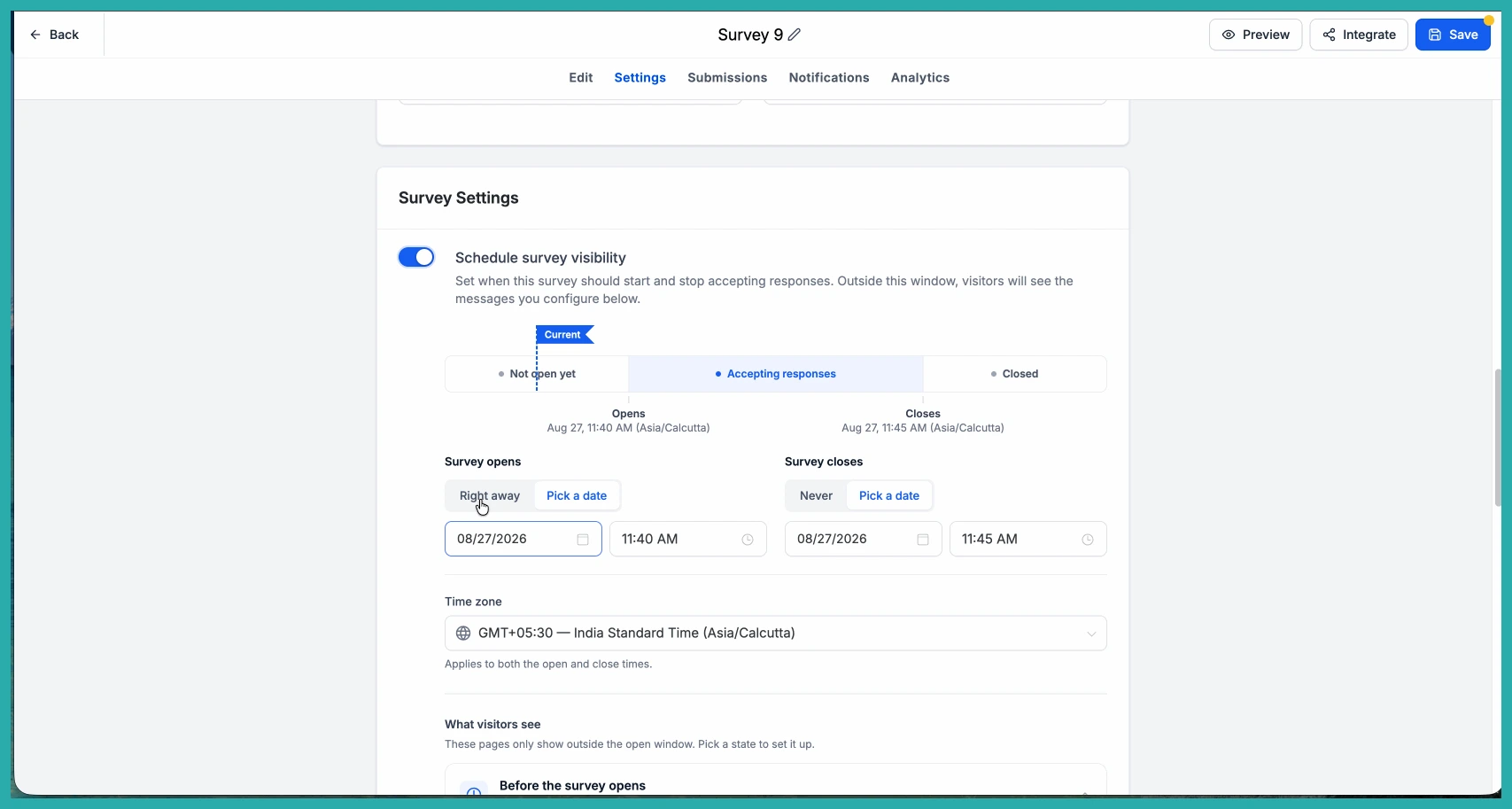
Once it's on, set your opening time. Choose Right away if you want it live now, or Pick a date to publish it ahead of a launch. Then set the closing time - Never if you want it open-ended, or Pick a date to stop new submissions automatically. Don't forget to set the time zone so it opens and closes when you actually mean.
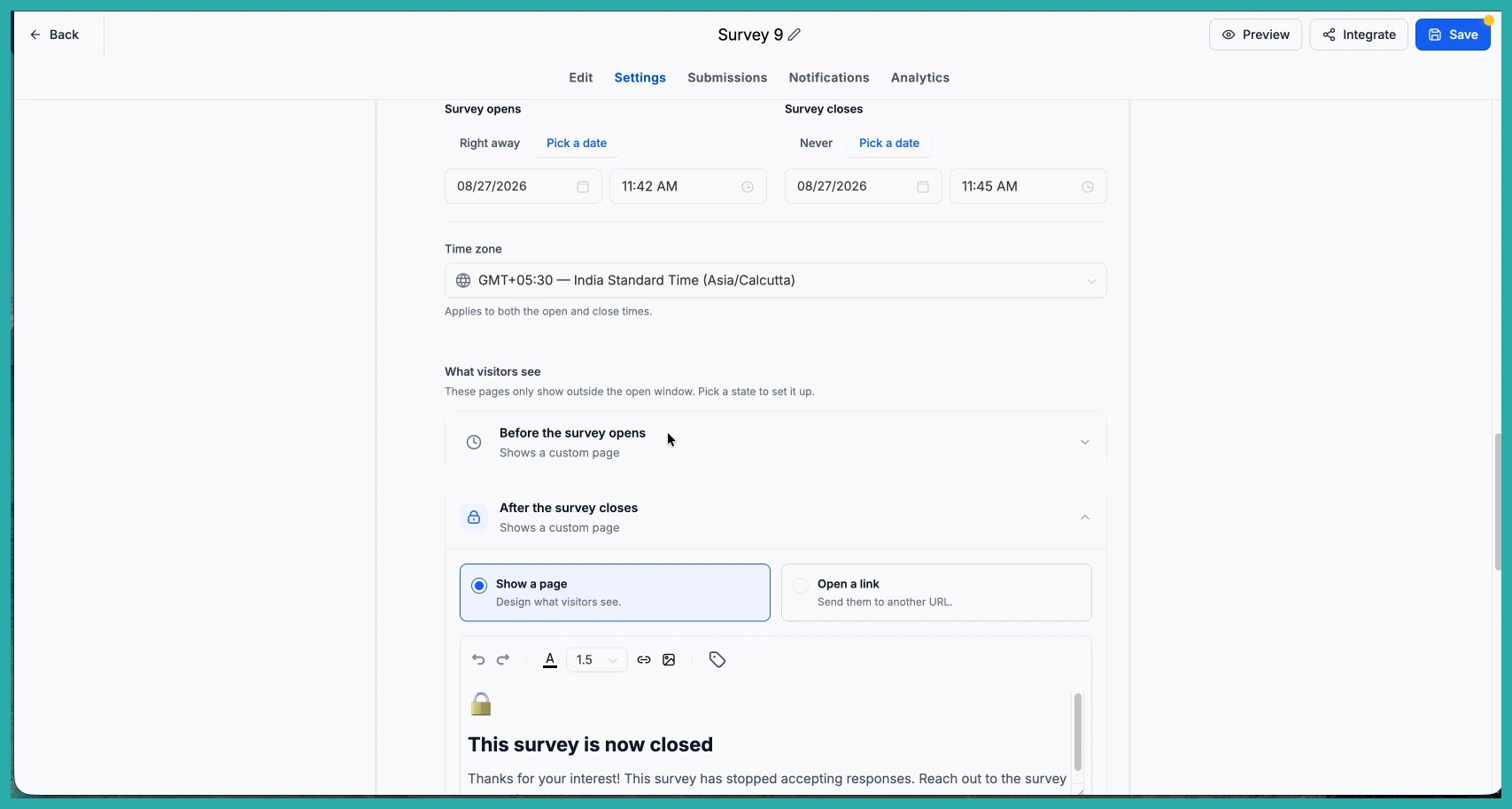
Next, decide what people see outside that active window. You can Show a page with your own message, or Open a link to redirect them somewhere else. Design the message however you like, then preview it to check how it'll look to a visitor.
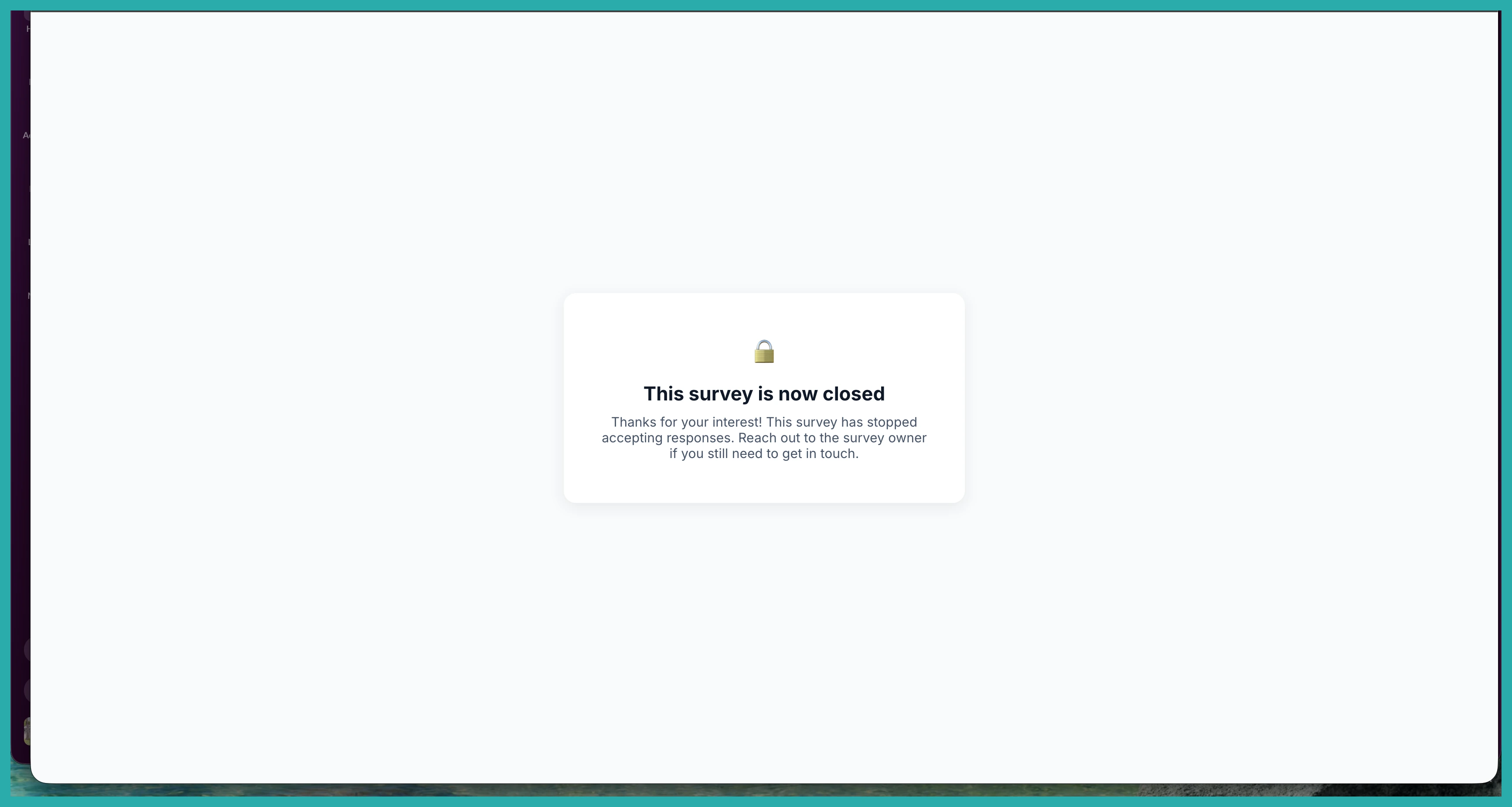
That's the whole thing. At your opening time it starts taking responses, and at your closing time new submissions are blocked and visitors see whatever you set up.
Where this earns its keep
- Event and webinar registrations that close themselves once the deadline hits
- Flash sales and limited offers that only run during the promotion window
- Quizzes and contests with a fixed entry period
- Coupon campaigns that stop the moment the promotion ends
- Sending post-campaign traffic to a waitlist or your next offer
No more diary reminders to go and switch something off. Set it once and let your campaigns run on their own schedule. Go add a closing date to one you've already got live - it'll take a minute.
