
Links and Events Now Show Rich Previews Inside Your Community Feed
You share a helpful video or mention an upcoming event in your community, and up until now it landed as a plain blue link. Members had to click away, lose their place, and hope they'd find their way back to the conversation.
That changes now. Links and events show up as rich, interactive previews right inside the feed.
What you get
When you or a member pastes a supported link, or mentions an event, the system builds a preview automatically. No settings to flip, no extra steps. You paste, and the preview appears.
There are two kinds worth knowing about.
Rich link and video previews
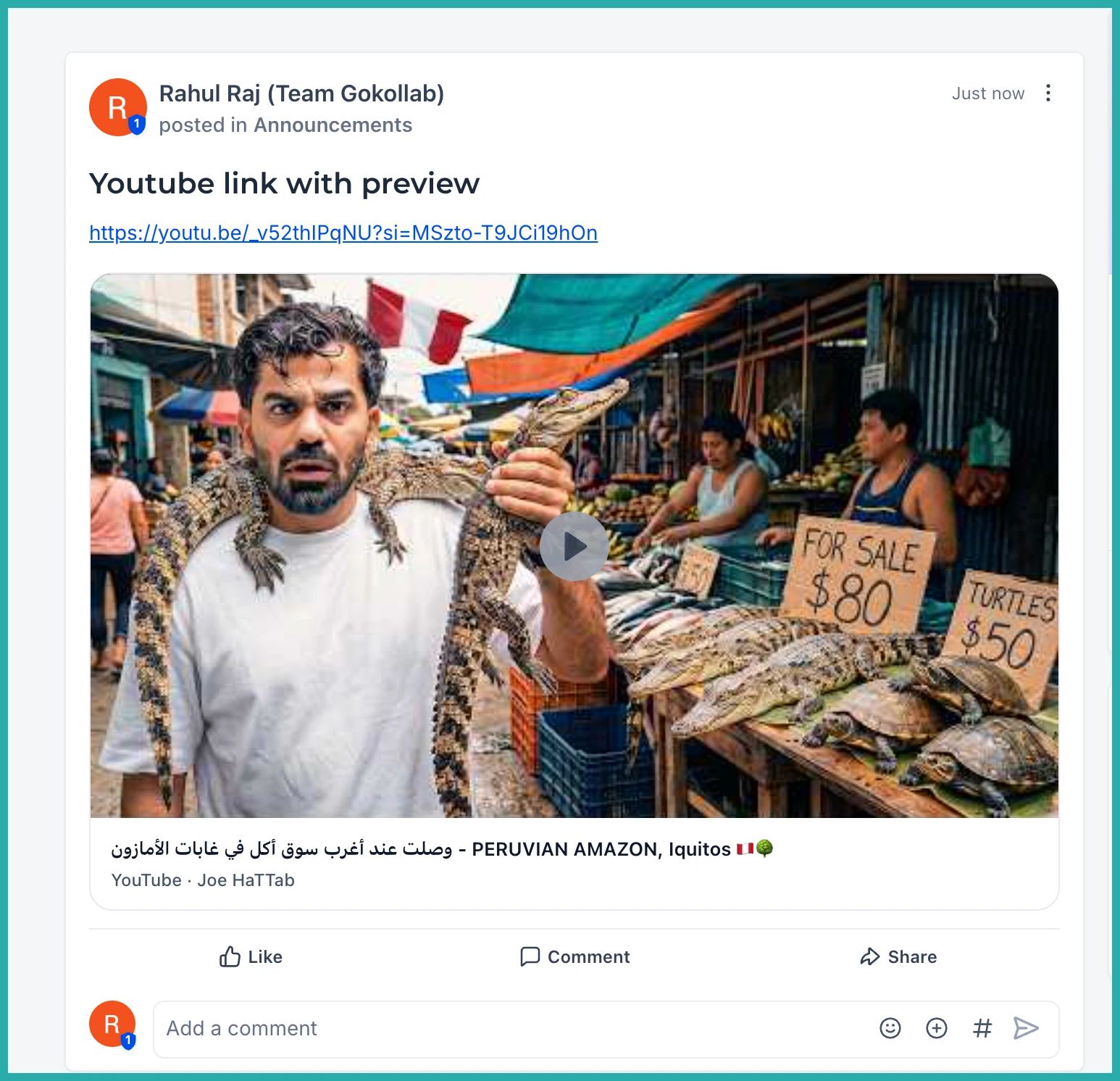
Paste a supported link, like a YouTube or Loom URL, into a post or a comment, and a proper preview is generated for you. For supported videos, members can press play and watch it right there in the feed - no new tab, no leaving the conversation.
In the screenshot below, you'll see how a pasted video link turns into a playable preview instead of a stretch of plain text.
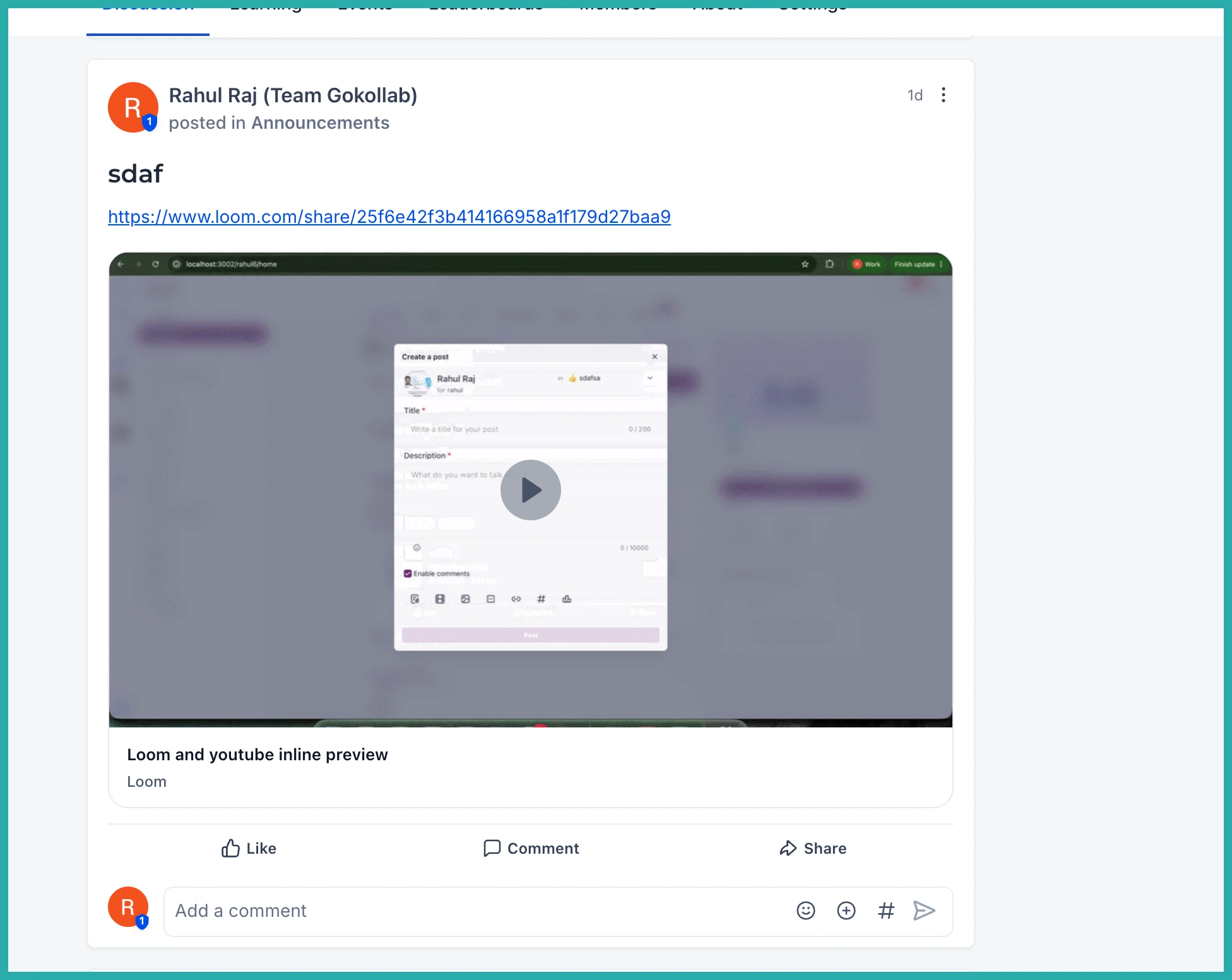
This works in both posts and comments, so a quick answer in the comments can carry a watchable video with it.
Interactive event previews
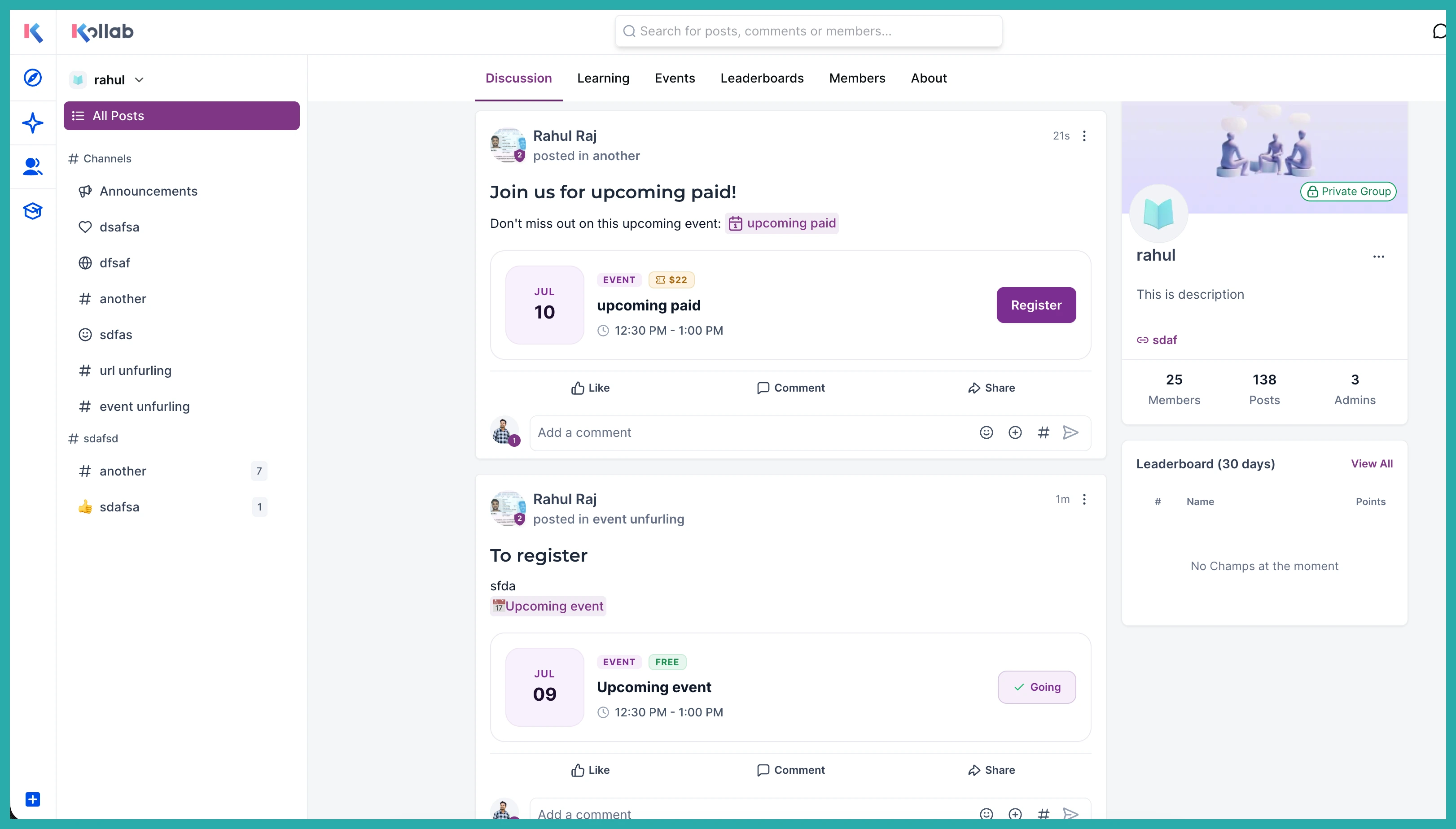
Mention one of your events in a post and the system builds an event preview card automatically. The card shows the important bits at a glance - event name, date, time, price if there is one, and the current registration status.
In the screenshot below, you can see the event card sitting inside the feed with all those details laid out.
The best part is that members can register or RSVP straight from the card. No hopping over to the Events page and back. The event becomes part of the conversation instead of living off in its own corner.
How to use it
There's genuinely nothing to turn on. Head into your community, start a post or comment, and paste a supported video link or mention one of your events. The preview builds itself.
- Paste a YouTube or Loom link to get a playable video preview.
- Mention an event to get a card with date, time, price and status.
- Let members register or watch without leaving the feed.
Next time you've got a video to share or an event to fill, drop it straight into a post and let the preview do the work. Your members stay in the conversation, and that's exactly where you want them.
