
Reward Your Community Members Automatically with Badges
Keeping a community active is part art, part persistence. People show up more when they feel seen, but you can't be in there every day handing out gold stars by name.
Now you don't have to. Your community can award badges automatically when members reach a milestone or stay active - and those badges show up right next to their name for everyone to see.
What you get
Badges give your members something to work toward, and they give you a simple way to recognise the people showing up for your community.
Here's what's now possible:
- Badges awarded automatically for milestones and engagement.
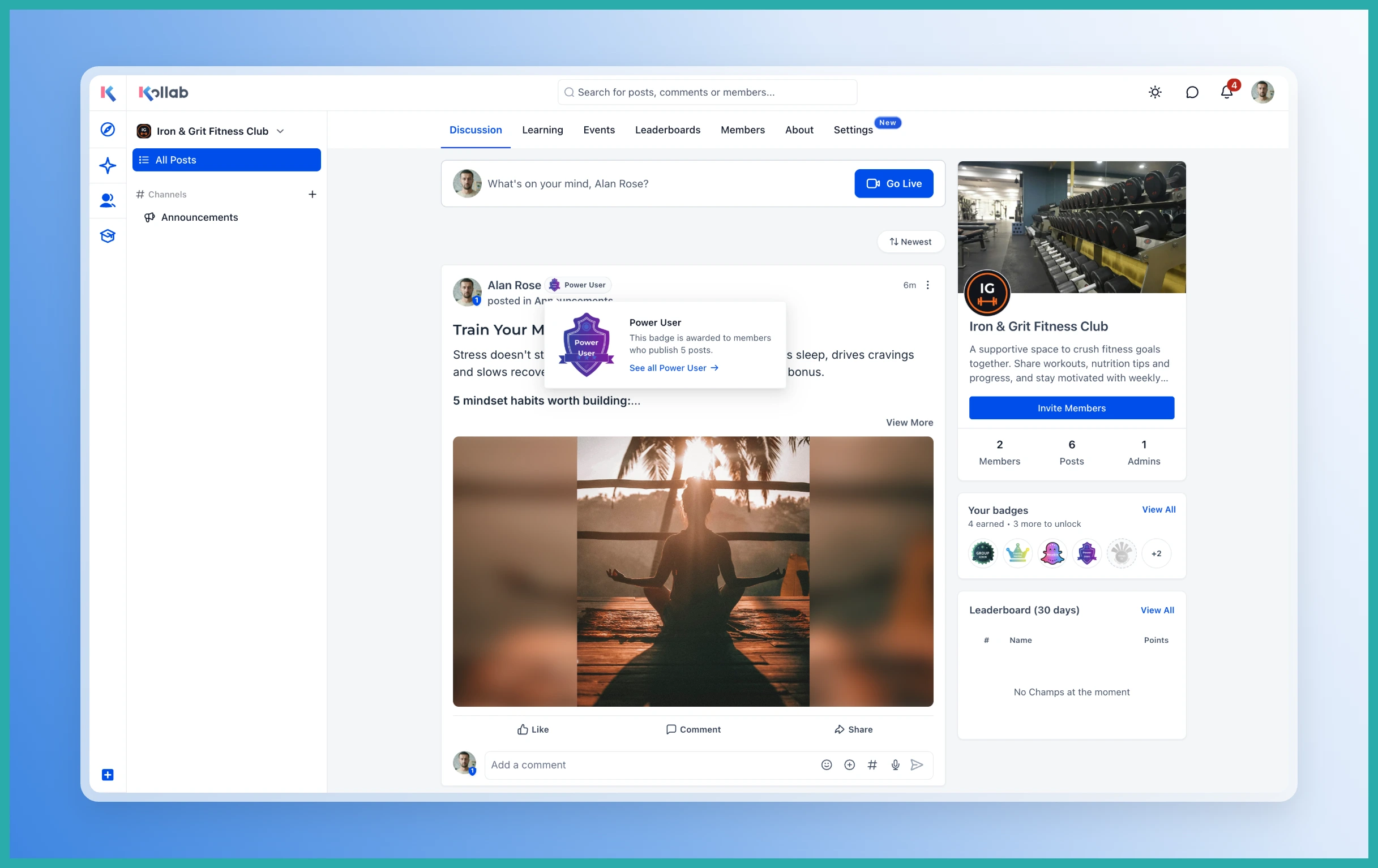
- One chosen badge displayed beside a member's name in the feed, comments, and member list.
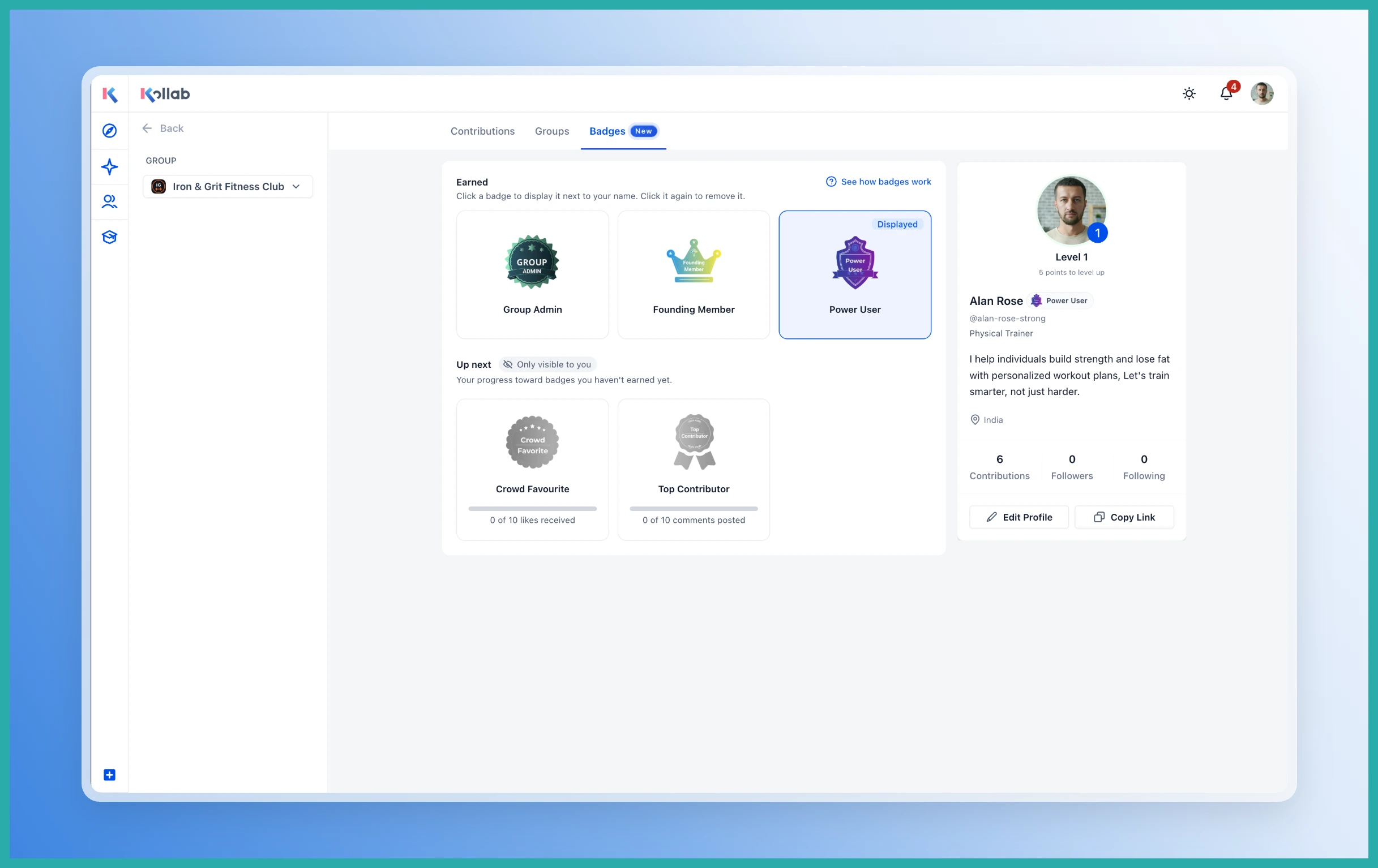
- A new Badges tab on each profile showing earned badges and progress toward the next one.
- Members notified when they earn a badge - and an "almost there" nudge when they hit 80% of a requirement.
- The ability to filter your member list by badge and see how many active holders you have.
- Engagement badges that refresh each quarter, so recognition stays current.
The badge types
There are two kinds. One-time badges are earned once and kept:
- Newbie - awarded when someone joins.
- Group Admin - awarded when a member becomes an admin.
- Founding Member - awarded to your qualifying early members.
Engagement badges refresh every quarter based on activity:
- Always On - posting, commenting, or reacting for a set run of consecutive days.
- Top Contributor - a set number of comments.
- Power User - a set number of posts.
- Crowd Favourite - a set number of likes across their posts.
Setting it up
Head to Community, then Settings, then Badges. This is where you decide which triggers are switched on and what it takes to earn each one.
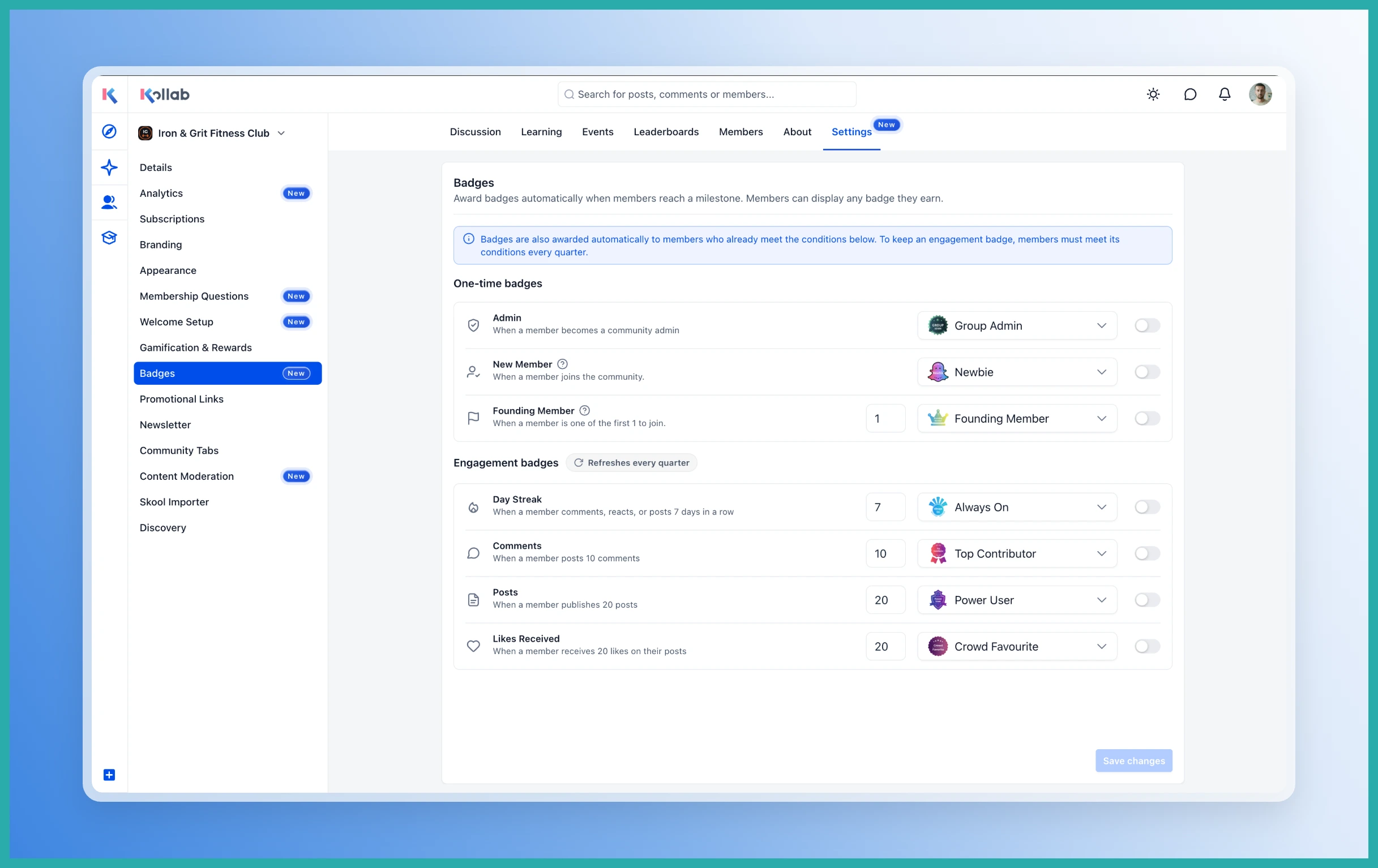
For each trigger you can:
- Turn automatic awarding on or off.
- Set the milestone or threshold members need to reach.
- Choose which badge they'll receive.
One nice touch: when you enable a trigger, any existing members who already meet the requirement will get the badge straight away. So the people who've been loyal all along get recognised, not just newcomers.
Designing the badges
The badges themselves live under Memberships, then Credentials. That's where you create or customise the look of each one, so they match your brand rather than feeling generic.
What members see
From their side, members see badges beside other people's names as they move through the community, track their own progress toward the next achievement, and get a notification when they're close or when they've earned one.
They also get to choose which earned badge appears next to their name - a small bit of control that makes it feel more personal.
If you've been wanting an easy way to keep your community engaged without being the one doing all the cheering, this is it. Set your triggers once, and the recognition takes care of itself.
