
Let Restaurant Guests Order Online and Pay Cash in Person
Some guests just prefer to pay with cash. Until now, that meant they picked up the phone instead of ordering through your site, and you lost the easy online order.
Now they can order online and pay in person. You switch on Cash on Delivery, and guests choose it at checkout to pay at the counter or at the door.
What you get
Cash on Delivery now sits right alongside Online Payment at checkout. You decide where it's offered - pickup, delivery or both - and you can add your own instructions underneath so guests know exactly how it works.
A couple of nice touches:
- Cash orders don't run through a card processor, so there are no card fees on them.
- Guests who like cash can order online instead of calling, which means fewer missed orders.
- It stays in sync with your Payments settings. Turn a method on or off in Restaurants or in Payments, and the other one matches automatically.
How to set it up
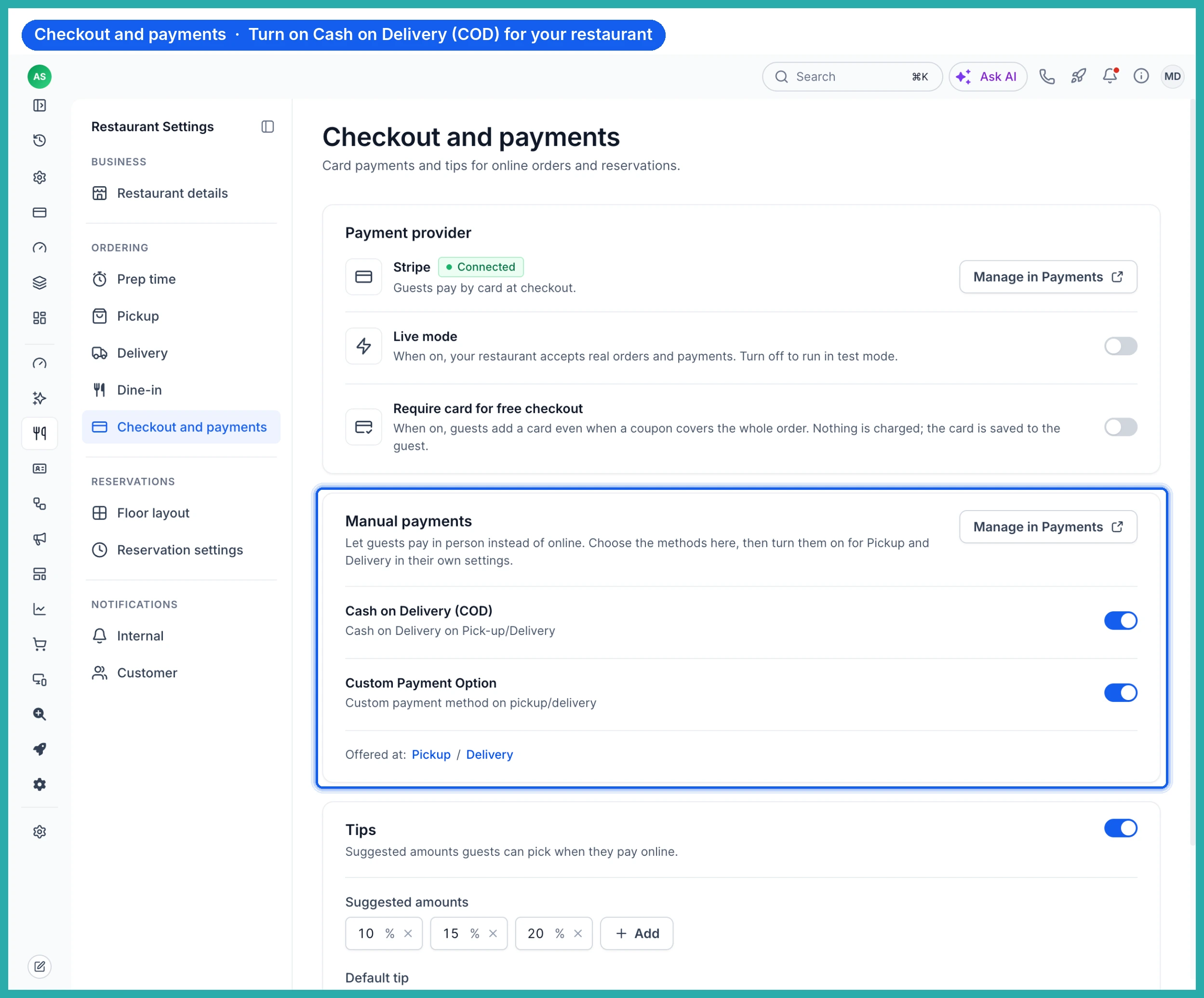
Head to Restaurants, then Settings, then Checkout and payments.
Under Manual payments, click Set up in Payments. Set up Cash on Delivery, tick Restaurants under Enable for, and save.
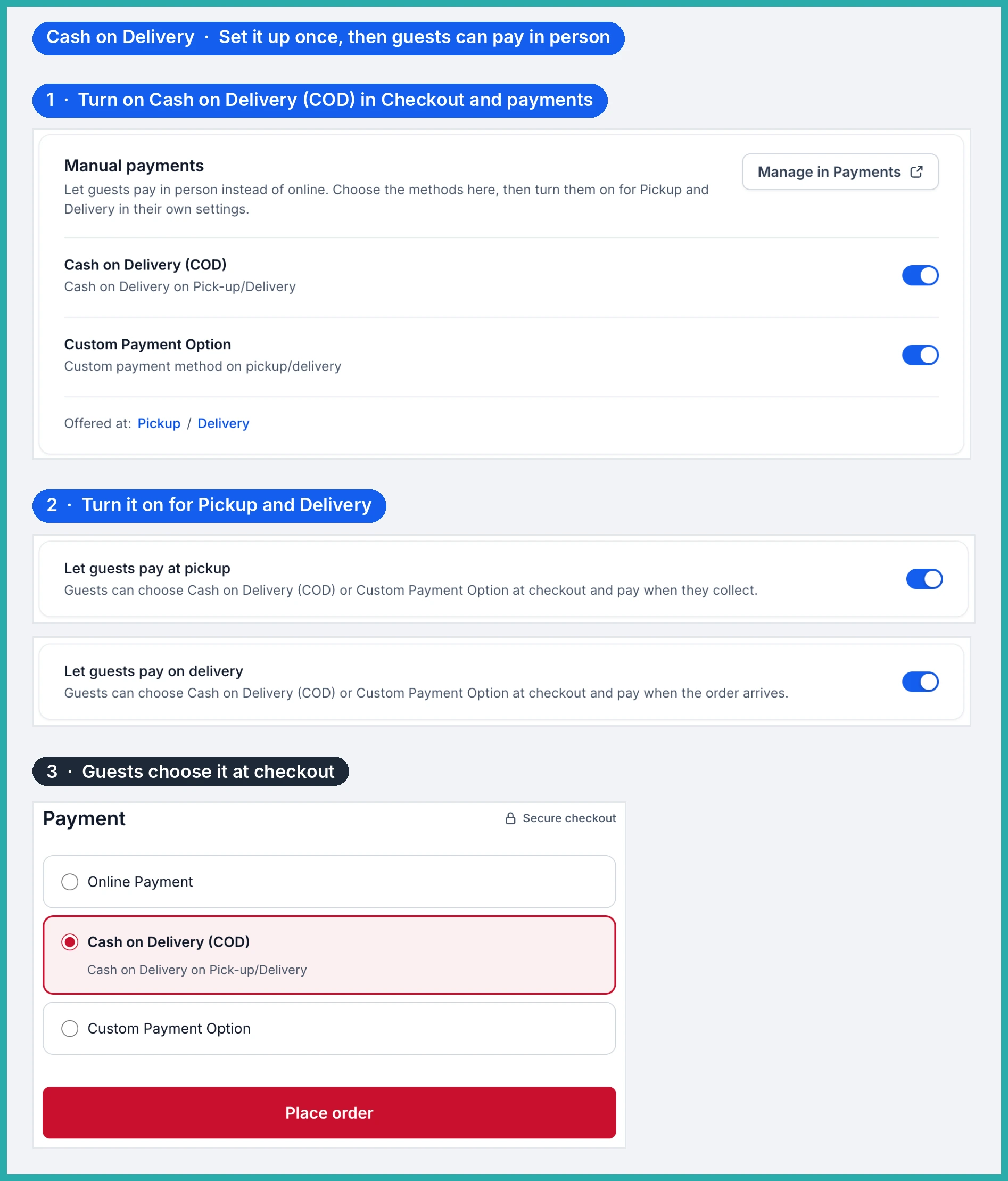
Back in Checkout and payments, make sure Cash on Delivery (COD) is switched on.
Then, under Pickup and Delivery, turn on Let guests pay at pickup and Let guests pay on delivery, depending on where you want to offer it.
That's the whole setup. From here, guests simply pick Cash on Delivery next to Online Payment when they check out, read your instructions, and pay in person when they arrive.
One thing to note
This one is available to accounts using Restaurants on the Founder's plan. If that's you, it's worth switching on today. Order online, pay in person, no card needed.
