
Run One Coupon Code Online and at the Table in Your Restaurant
If you run a restaurant through your account, here's a good one. You can now create a single coupon code that works everywhere - a guest can apply it at online checkout, and your staff can apply the exact same code when they take payment at the table.
No separate systems. No workarounds. One code, every channel.
What you can do with it
This opens up the kind of promotions that actually bring guests back:
- First-order offers to win new diners
- Win-back codes for guests you haven't seen in a while
- Comped meals with a 100% coupon, no fiddly manual adjustments
And because the same code works online and in person, you can drop it into an email or SMS campaign and let guests redeem it on your website or when they come in.
Setting up your coupon
Everything starts in one place. Go to Commerce, then Coupons, and click Create Coupon. Set your code and choose your discount. That's the whole setup.
One code now covers both online orders and dine-in bills, so you only ever build it once.
How guests use it online
At online checkout, guests click Have a coupon code?, enter it and apply. The new total updates straight away, so they see exactly what they're paying before they confirm.
In the screenshot below, you'll see the coupon field at checkout and the total adjusting the moment it's applied.
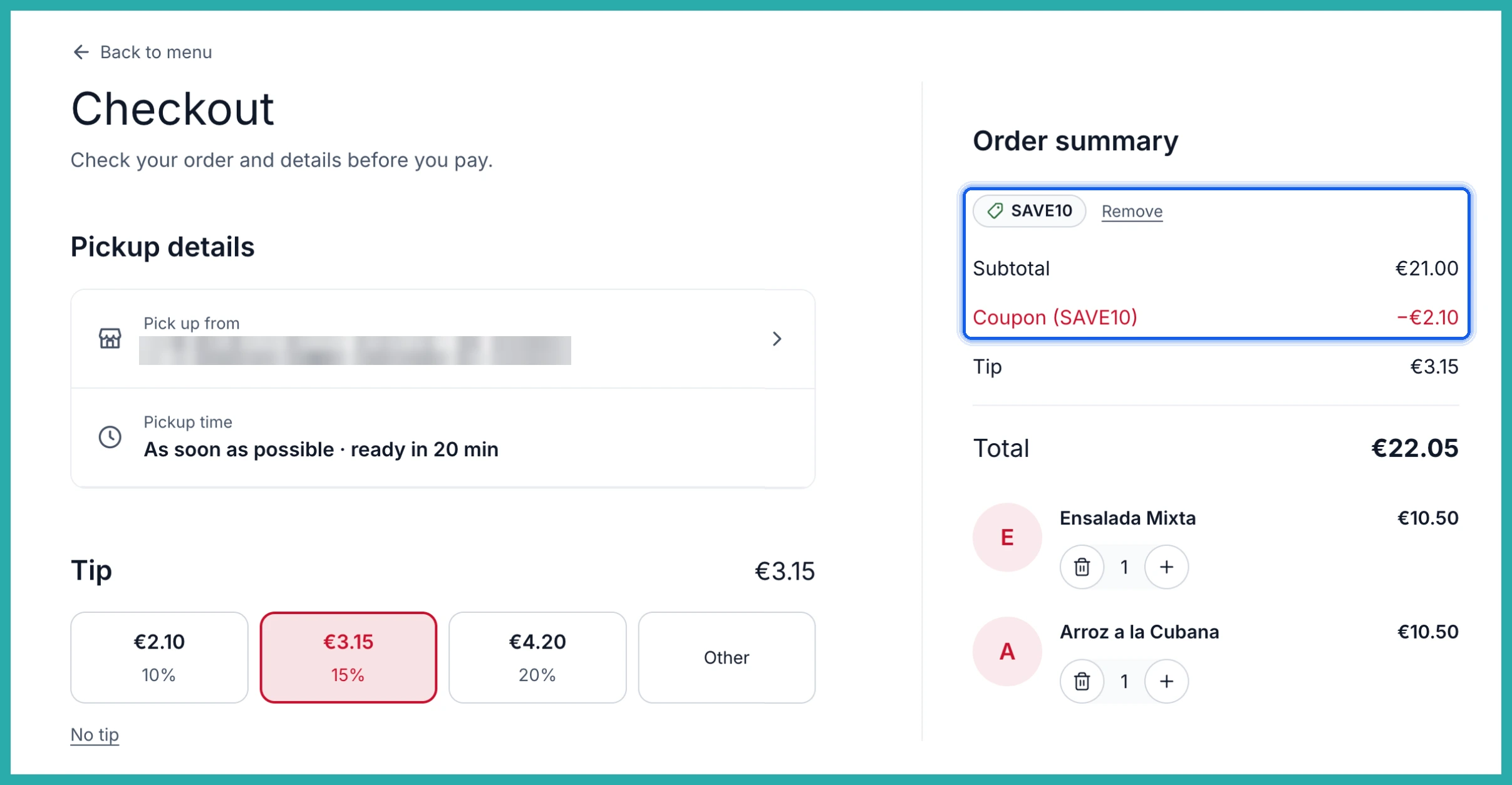
If your coupon is for 100% off, the total simply drops to zero and the guest places the order with no payment step at all. Handy for comped meals and giveaways.
Want a card saved even on a free order? Turn on Require card for free checkout and the guest's card is saved. Nothing is charged to it.
How staff use it at the table
At the table it's just as quick. Open the table or its order, click Take payment, then Add coupon. The amount due drops right away.
In the screenshot below, you'll see the Add coupon option inside Take payment and the updated amount due.
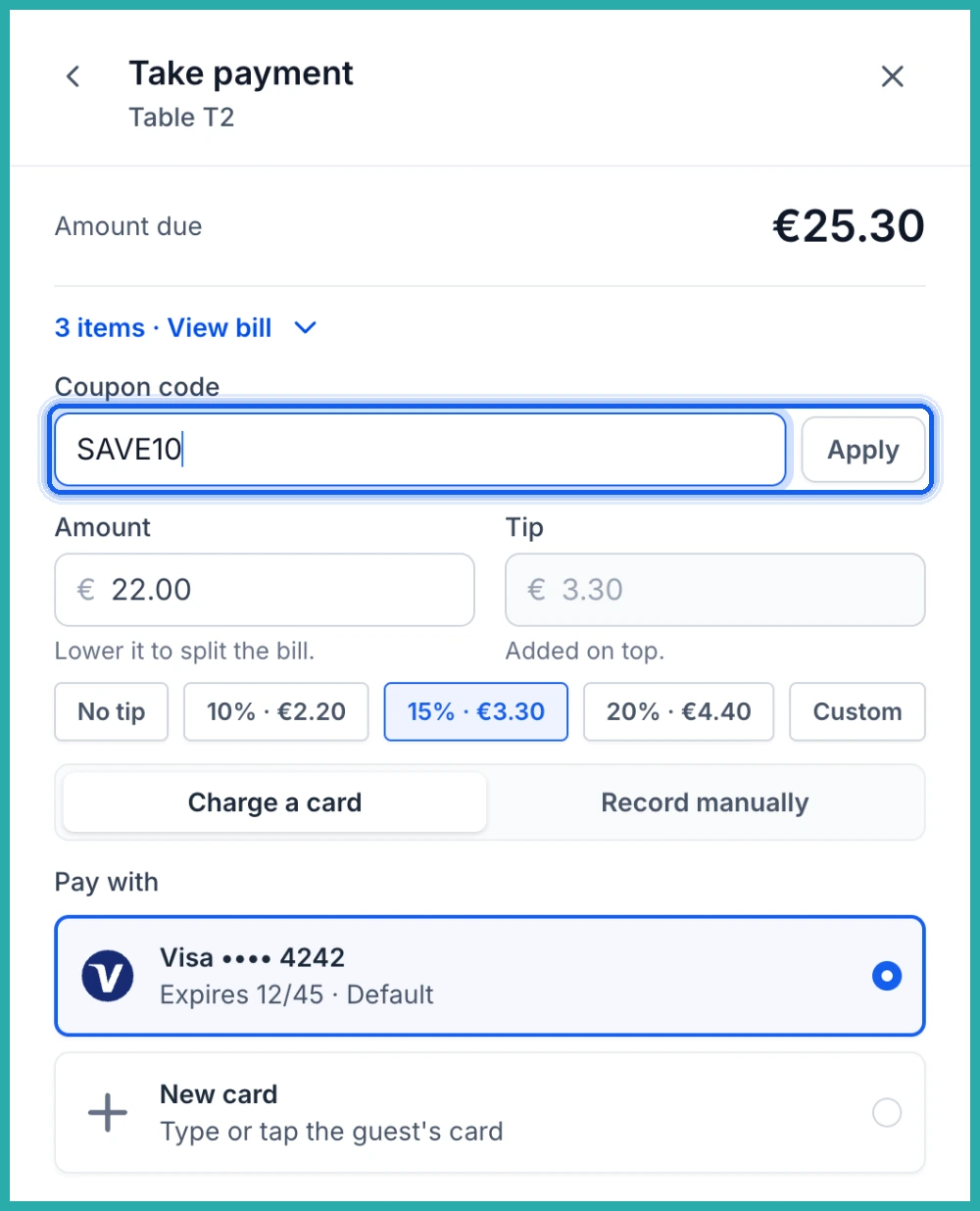
Your staff type in the same code a guest would use online, so there's nothing new for them to learn.
One honest note
This one is for restaurants on the Founder's plan. If that's you, head into Commerce and set up your first code - a simple first-order offer is a great place to start.
