
Hit a Google Ads Policy Block? You Can Now Request an Exemption Without Leaving Ad Manager
You build a Google Ads campaign, go to publish, and Google throws up a policy violation. Until now, that was the end of the road inside your account - you were blocked, and you had to go sort it out elsewhere before you could try again.
That's changed. If the violation is one Google considers eligible for an exemption, you can now request that exemption and retry publishing without leaving Ad Manager.
What you get
When Google flags a policy violation while you're publishing, Ad Manager checks whether it's eligible for an exemption. If it is, you get an actionable option to request one, right there next to the error. No hunting around, no separate logins, no abandoning the campaign you just built.
How it works
When you try to publish and Google flags an eligible violation, you'll see a Request Exemption option sitting alongside the error in your campaign's error section.
In the screenshot below, you'll see the policy error with that Request Exemption option ready to click.
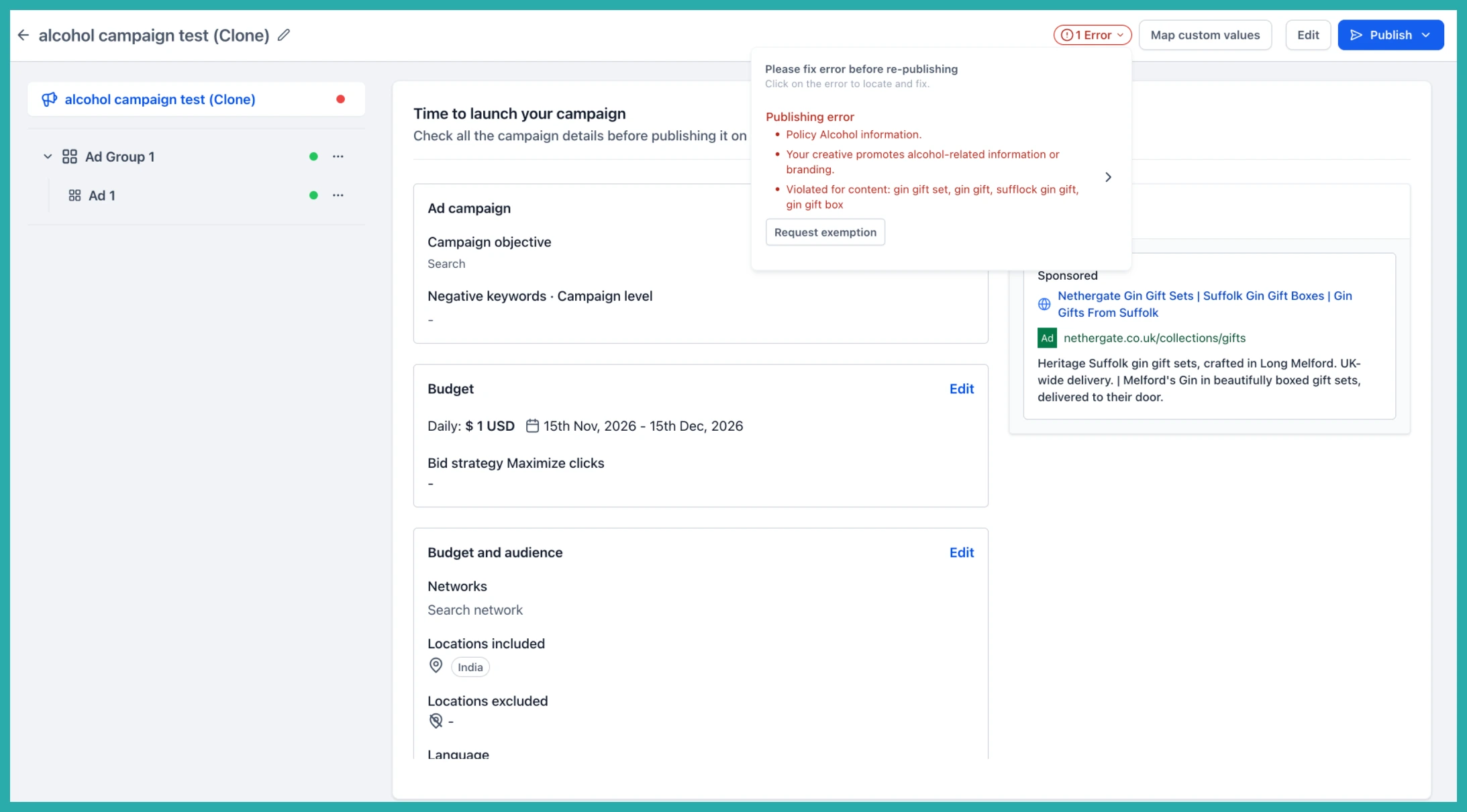
Click it and a window opens showing the details of the policy violation, so you can see exactly what Google flagged. There's a confirmation checkbox to acknowledge Google's advertising policies before you go ahead.
In the next screenshot, you'll see that confirmation window with the violation details and the checkbox.
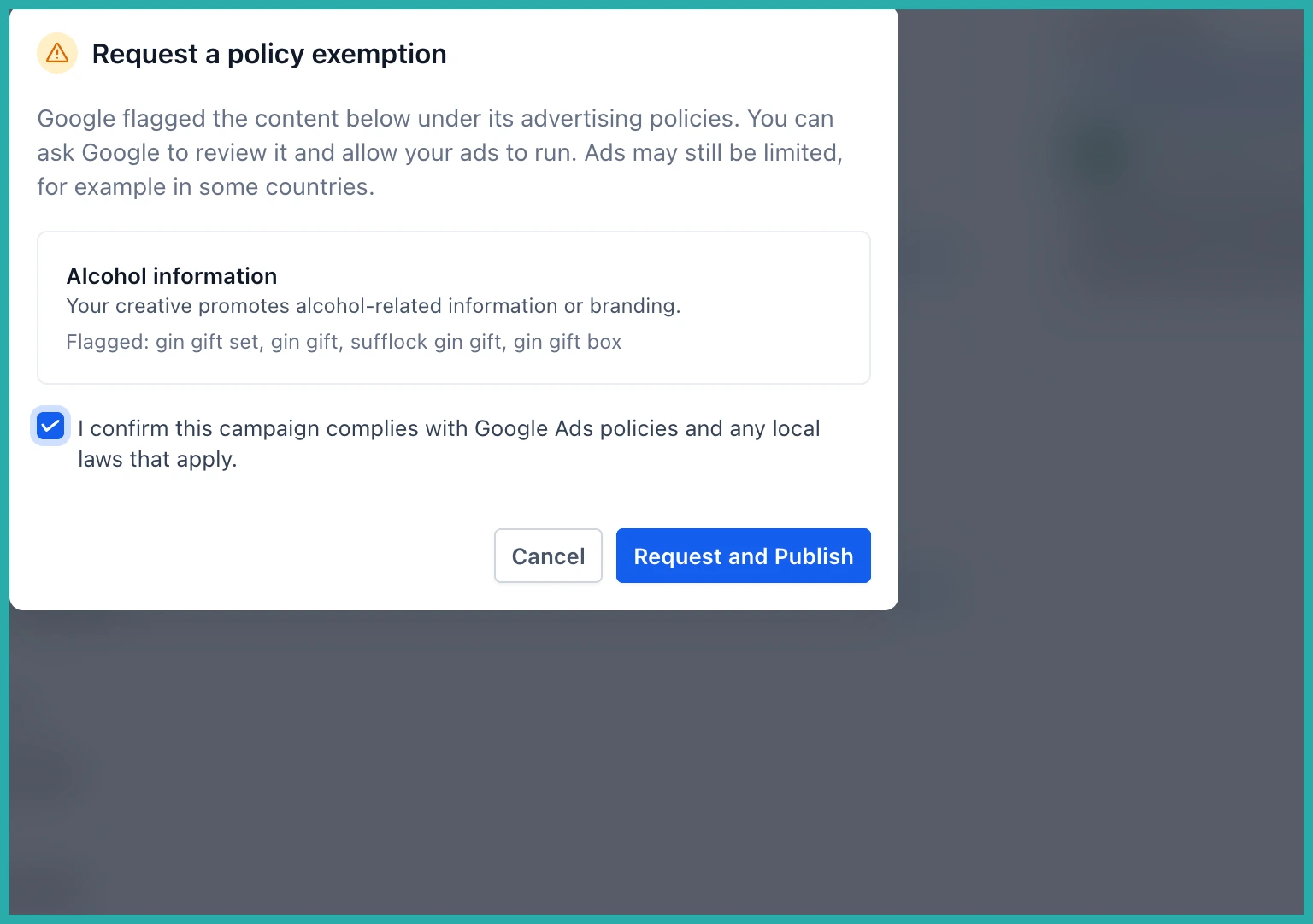
Tick the box, then click Request and Publish. That submits your exemption request and automatically retries publishing your campaign. From there it follows the usual publishing process, with the exemption applied to the eligible violation.
A few honest notes
- This only appears for Google Ads campaigns where Google has marked the violation as eligible for an exemption.
- The option shows up for eligible policy violations only, not for other publishing errors.
- Requesting an exemption won't clear any other validation or publishing errors in your campaign - you'll still need to fix those separately.
- Publishing is still subject to Google's advertising policies and their standard review.
Fewer dead ends, and a clearer picture of what Google flagged and how to move past it. Next time you hit an eligible block, you can handle it in a couple of clicks and keep going.
