
Reorder and Rename Your Community Tabs to Match How You Work
Your community came with a set of tabs in a fixed order, using labels the system picked. Discussion, Learning, Events, Leaderboards, Members, About. Fine, but not always how your community actually talks about itself.
Now you can shape that navigation yourself. Reorder the tabs, rename them to fit your language, and switch off the ones you don't use.
What you can now do
Three things, all from one screen:
- Reorder - drag tabs into whatever order makes sense, so your most important section sits front and center.
- Rename - give any tab a label that matches your branding and the words your members already use.
- Show or hide - turn off any tab you don't need, using the toggles.
This is for admins and owners, so only you and your team can make these changes.
How to set it up
Head into your community and go to Settings, then Community Tabs. You'll see all your tabs listed together, ready to adjust.
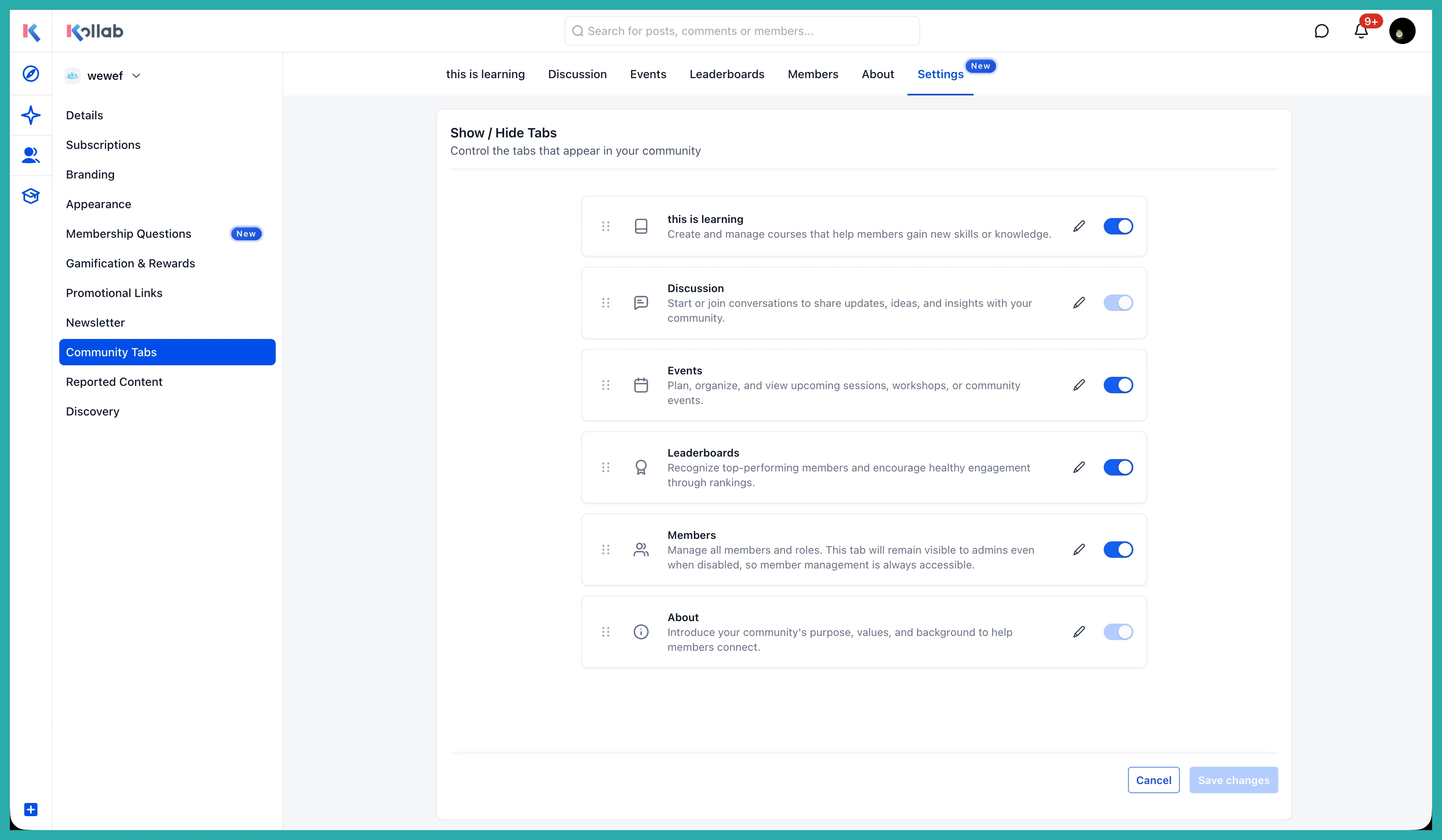
To move a tab, grab the handle on the left and drag it up or down into the position you want. Put your discussion feed or your learning area right at the top if that's what members reach for most.
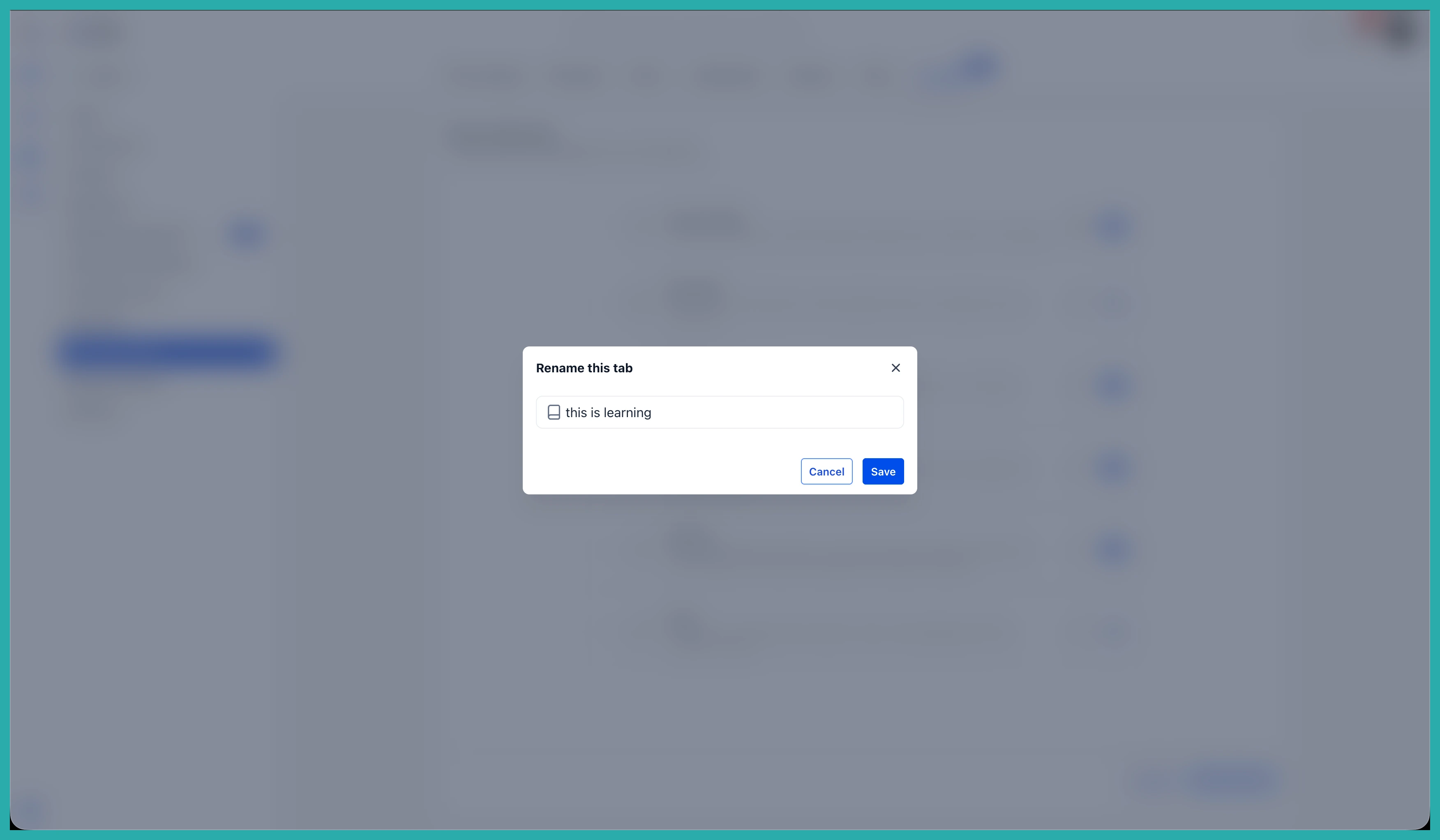
To rename a tab, click the edit icon next to it. A rename box opens, you type your new label, and save it. In the screenshot below, you can see where the edit icon sits and the rename dialog it opens.
To hide a tab, flip its toggle off. When everything looks right, click Save changes. The new layout shows up straight away for every member.
A few things worth knowing
- The Discussion and About tabs can't be switched off, but you can still move and rename them.
- Custom names show exactly as you type them, so they won't be translated for members in other languages.
- Your changes stick across sessions and apply to everyone in the community.
Take five minutes, open your Community Tabs, and set the order and labels to match how you actually run things. Small change, and your community will feel a lot more like yours.
