
Rent Out Your Gear, Spaces and Kit With the New Rentals Tool
If you rent anything out alongside your main experience - extra kit, party spaces, props, vehicles, equipment - you've probably been juggling it in a spreadsheet or a separate tool. That's now sorted.
Rentals is live for everyone. It's built for duration-based, inventory-driven bookings, which is a fancy way of saying it knows how many of a thing you have and won't let you double-book it.
What Rentals actually does
This isn't appointment scheduling dressed up. It's purpose-built for bookable stock. You can:
- Rent by the hour, day, week or month
- Track how many units you have and stop overbooking automatically
- Set up variants like size, type or configuration
- Use flexible pricing - hourly, daily, seasonal, tiered, plus security deposits
- Let customers book several items in one checkout
- Take payments and generate invoices in the same place
Whether you've got one item or a hundred, it models the way your real business works.
Creating your first listing
Head to Calendars, then Calendar Settings, then Rentals. This is where you create a listing for each thing you rent out.
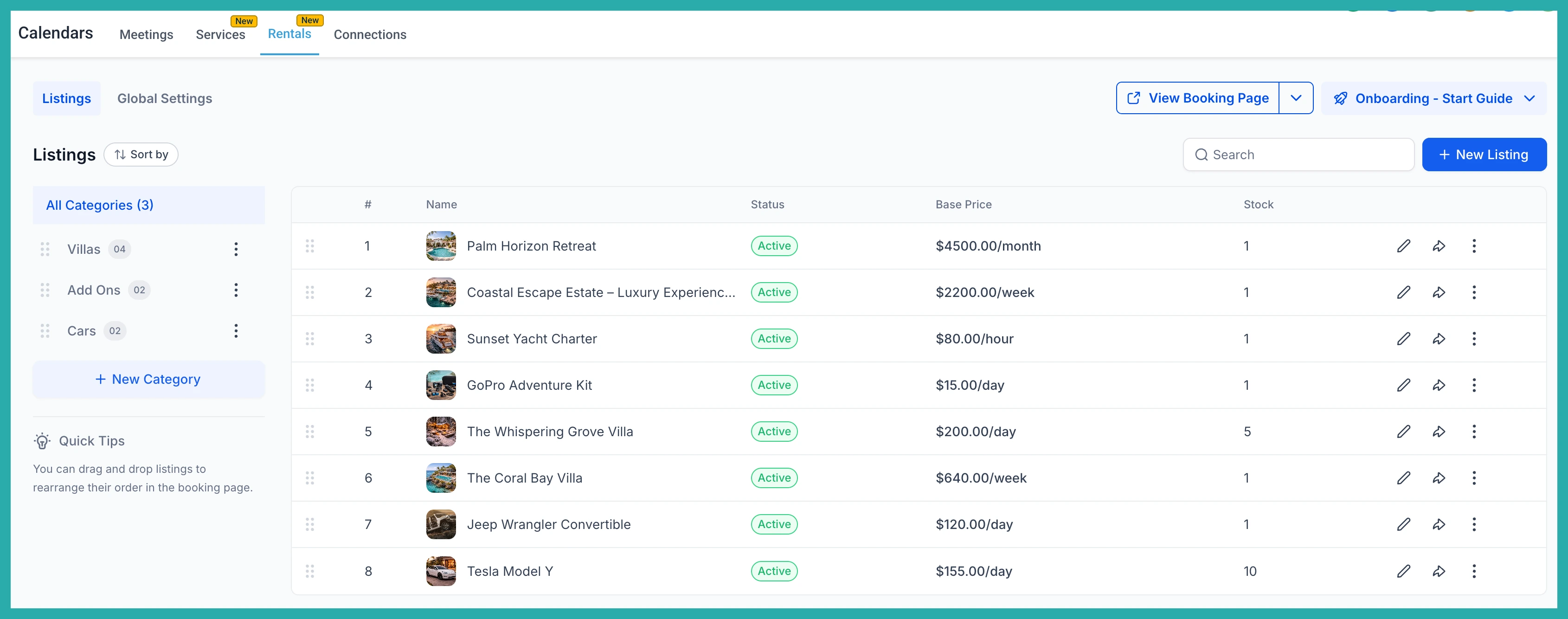
For each listing you set the pricing, the quantity you have, any variants, and your availability rules - lead time, buffer time and how far ahead people can book.
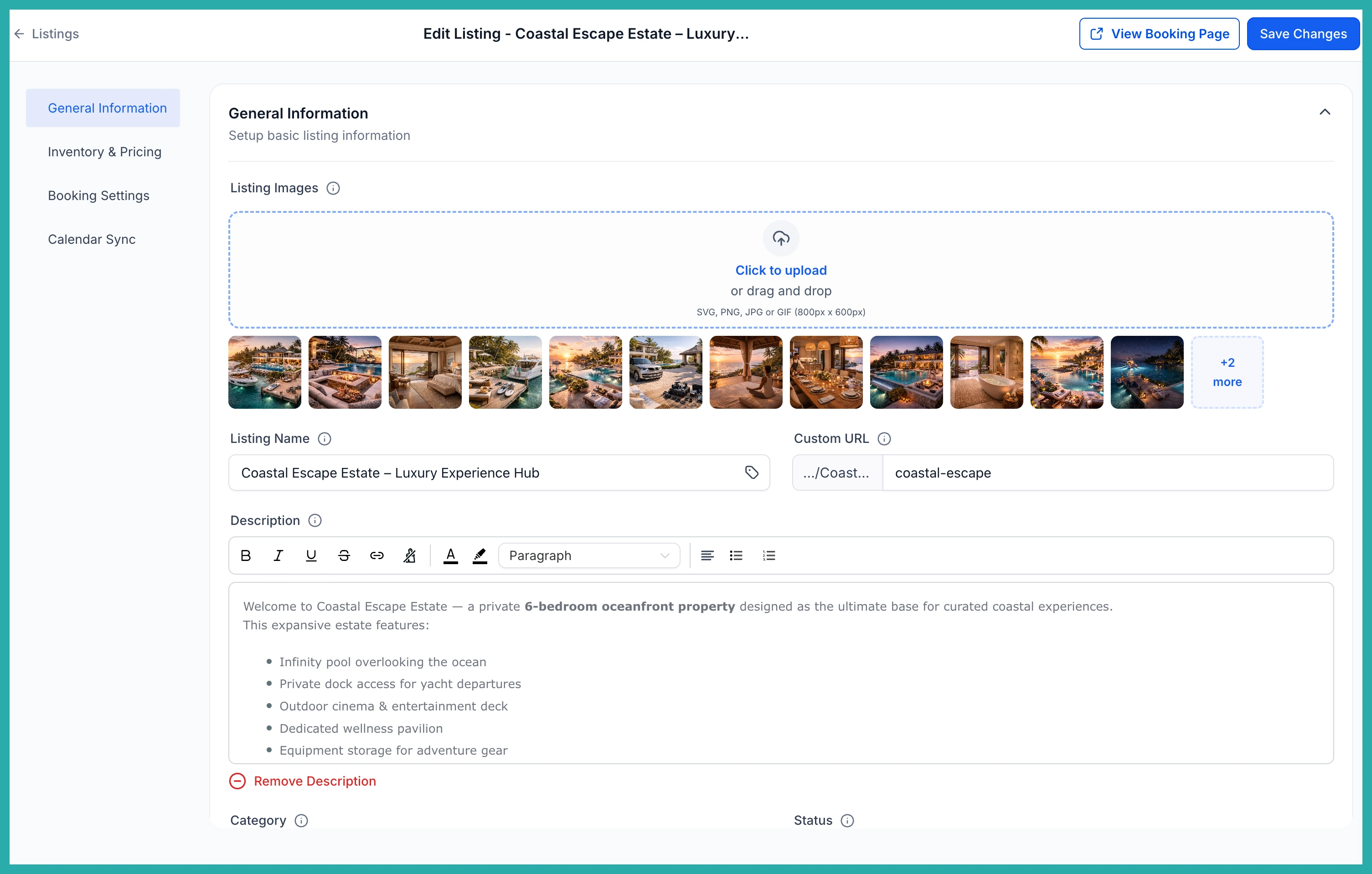
Choosing how customers book
Different items get rented differently, so each listing picks its own booking type:
- Date and Time Selector - best for hourly and short-term rentals
- Date Selector Only - perfect for day or night based rentals
- Fixed Duration - predefined packages like a 4-hour rental or a 3-day bundle
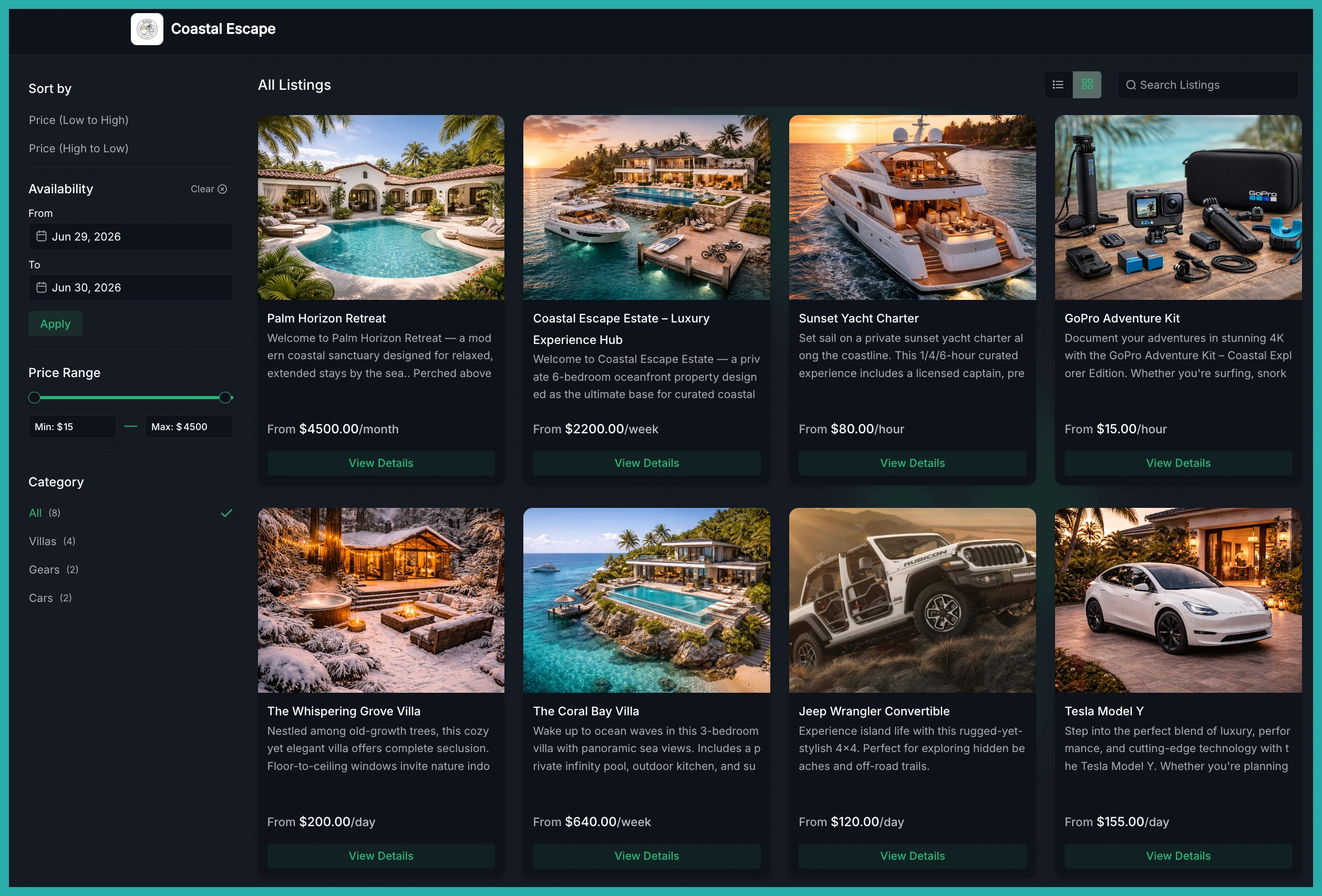
Your public booking page
Rentals gives you a dedicated booking page customers can use to browse your listings and categories, see what's actually available in real time, and book without back-and-forth.
Preview it before you share it so it looks the way you want.
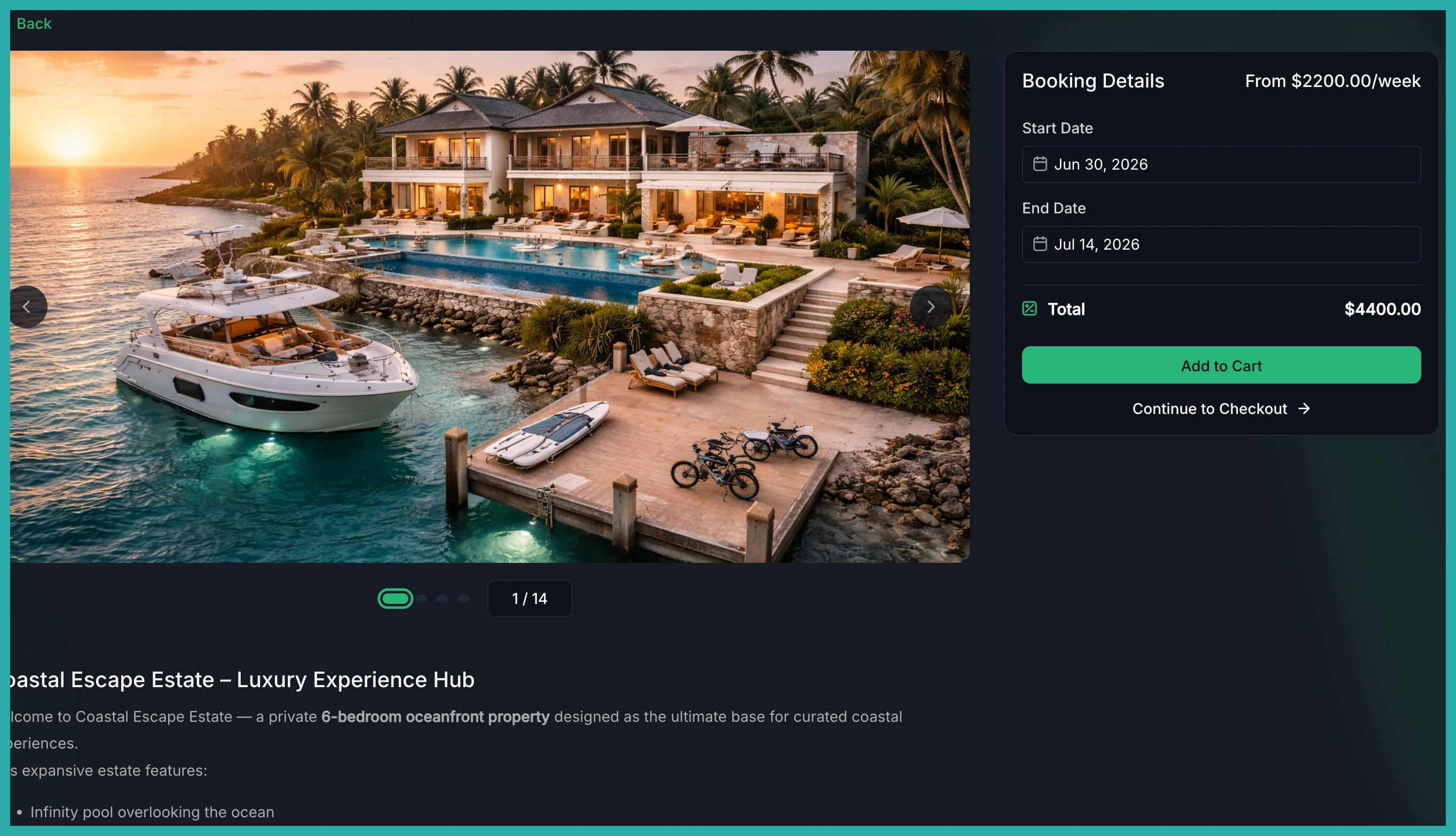
Managing it all in one view
Behind the scenes you get a proper booking management system. You can create bookings or block out slots by hand, add several listings to one booking, adjust dates, quantity or pricing, and collect payment in-app.
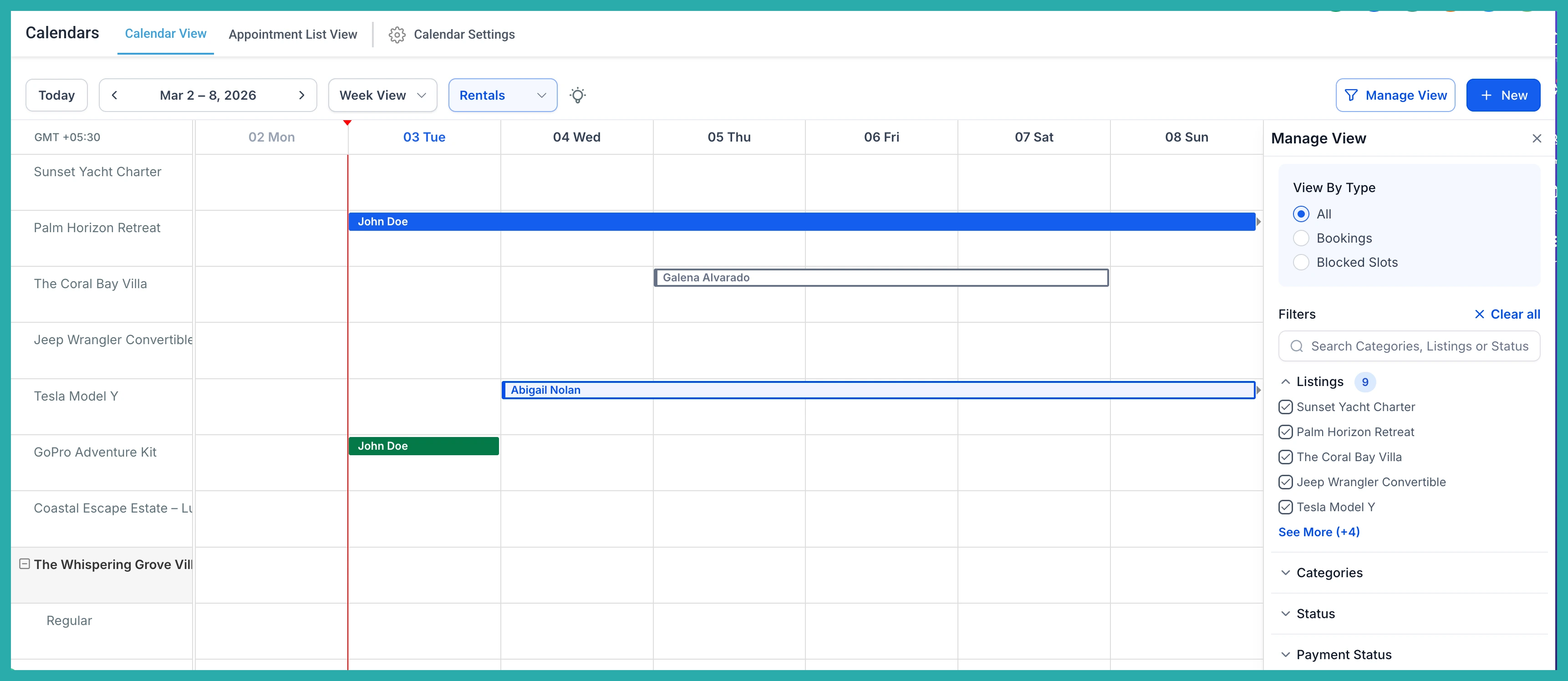
The dedicated Rentals calendar shows every booking across all your listings in one grid, color-coded by status. Filter by listing, category, booking status or payment status, and open any booking right from the calendar.
If renting things out has always lived outside your main system, this brings it home.
