
Redeem a Customer's Gift Card When You Take the Payment Yourself
Until now, gift cards could only be redeemed by customers themselves, at your customer-facing checkout. If you were taking a payment on someone's behalf, the gift card sat there unused.
That gap is closed. You can now apply a customer's gift card balance when you record a payment, charge a card, or set up a subscription from inside your account.
What this lets you do
Whenever you collect a payment for a customer, you can enter their gift card code, validate it, and redeem the balance before charging anything to their saved card.
It's now supported across the payment flows you actually use day to day:
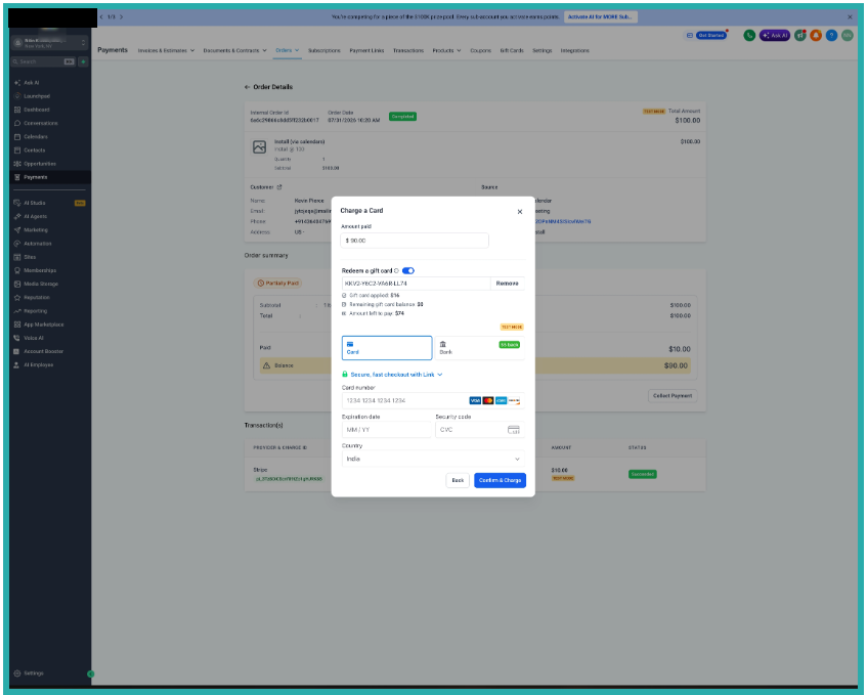
- Orders, then Record Payment, then Charge a Card
- Invoices, then Record Payment, then Charge a Card
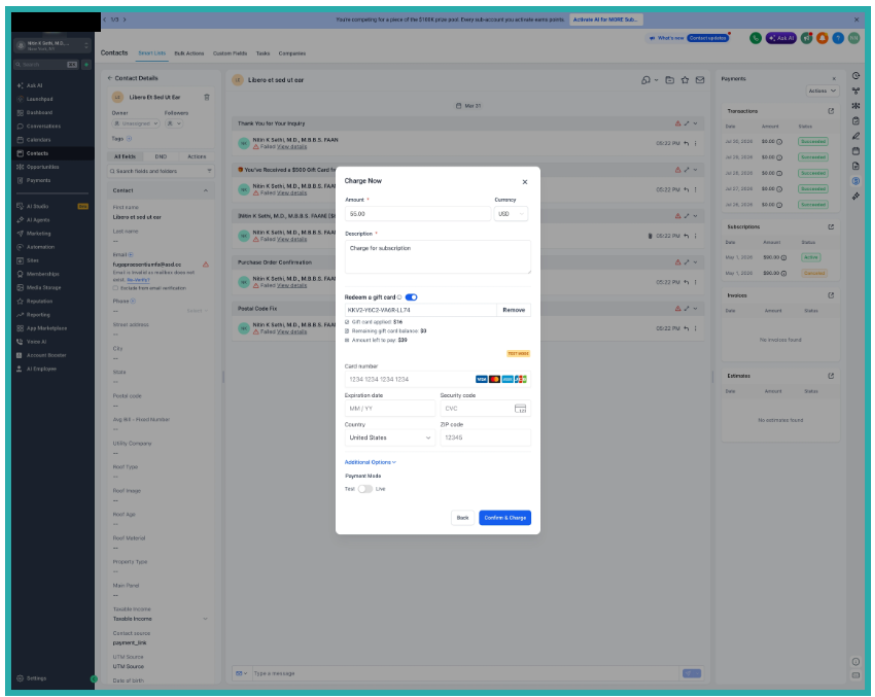
- Contacts, then Charge Now
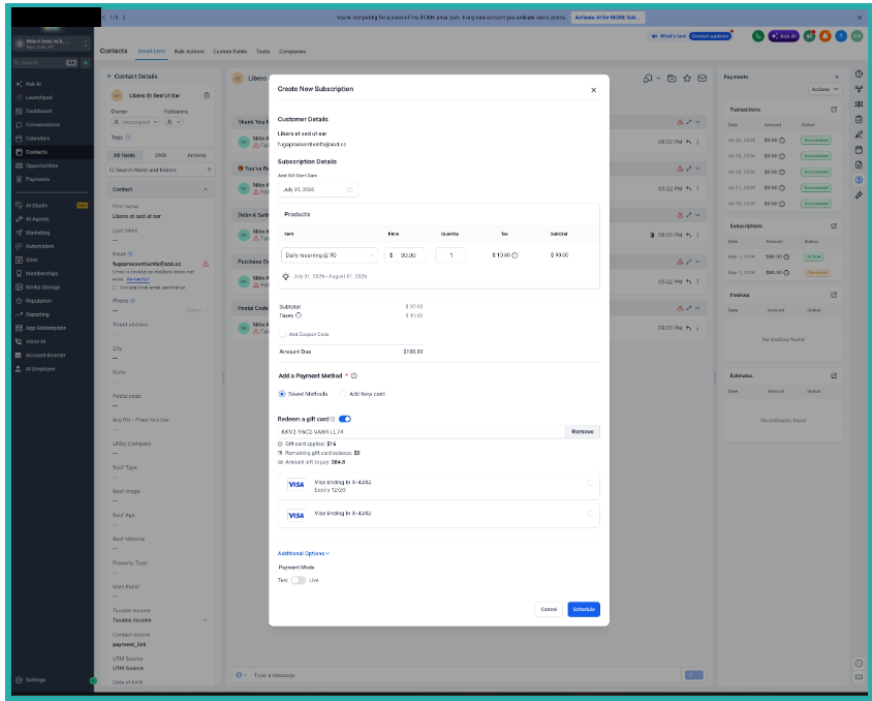
- Contacts, then Create Subscription
- Subscriptions, then Create Subscription
So whether the customer pays at checkout or you take the payment for them, the gift card works the same way.
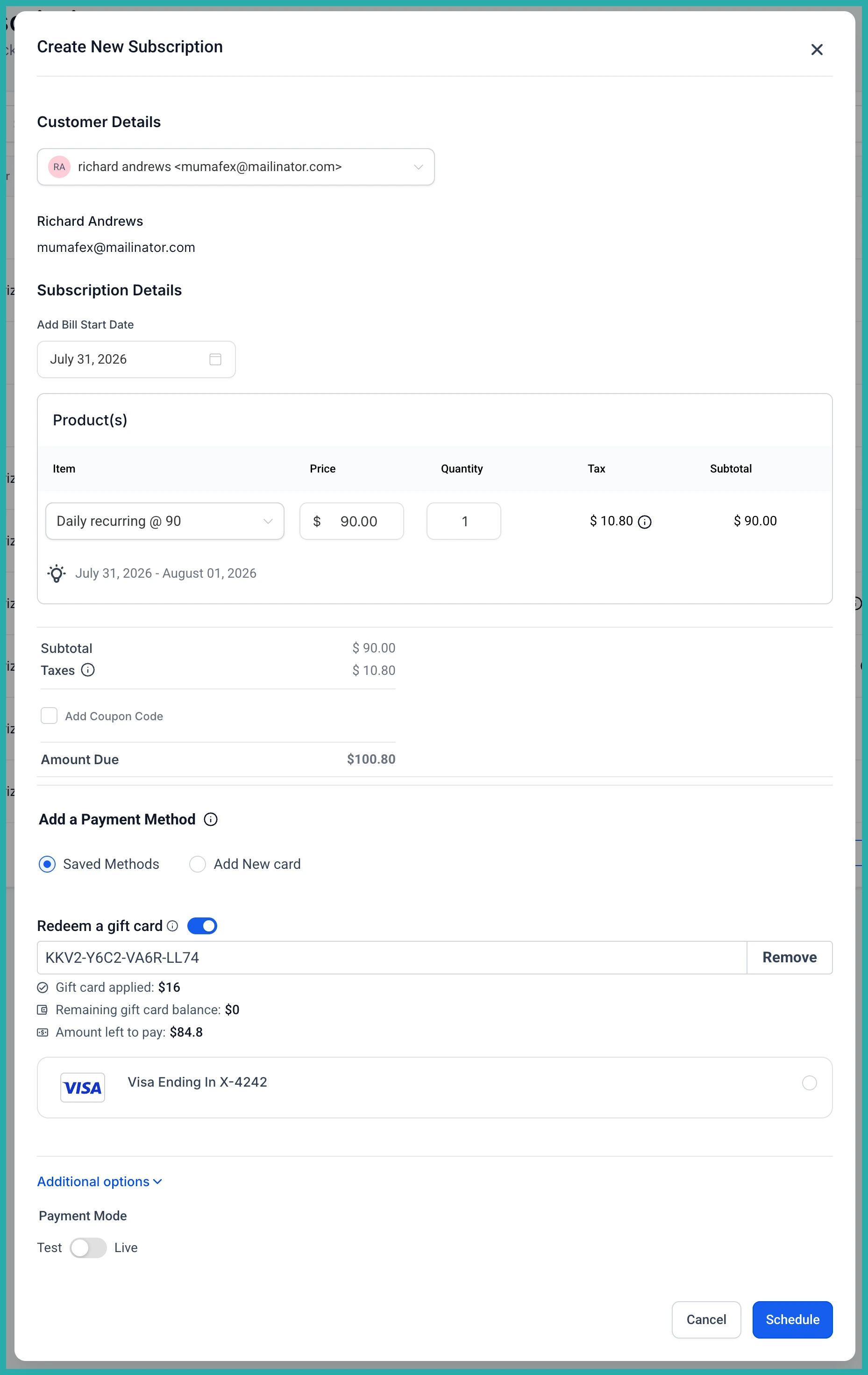
How to apply a gift card
When you're on the payment screen, you'll see a field to enter the customer's gift card code. Pop it in and click Apply.
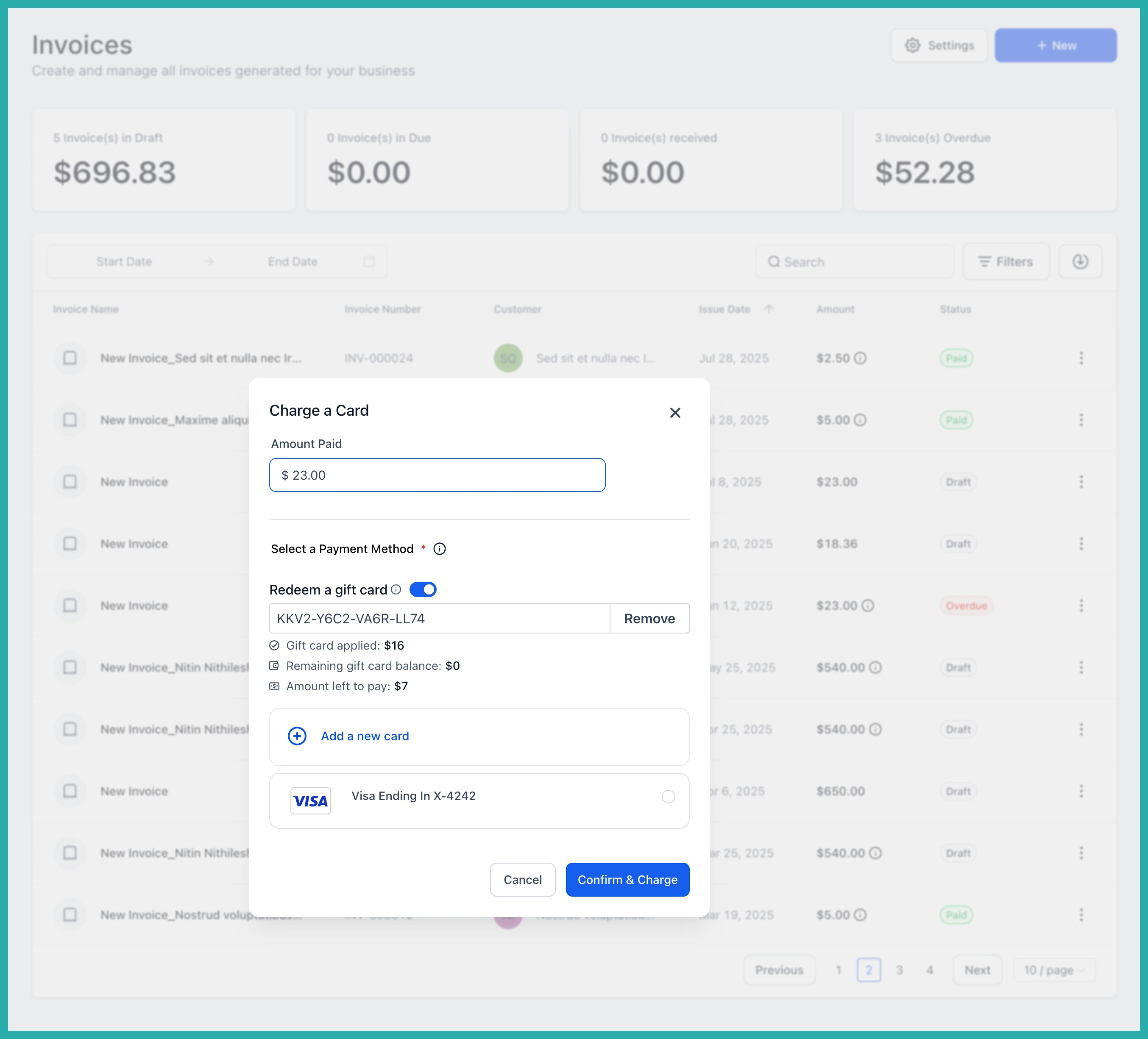
The system validates the card straight away. If it's invalid, expired, or has a zero balance, you'll get a clear message telling you so, so there are no nasty surprises mid-payment.
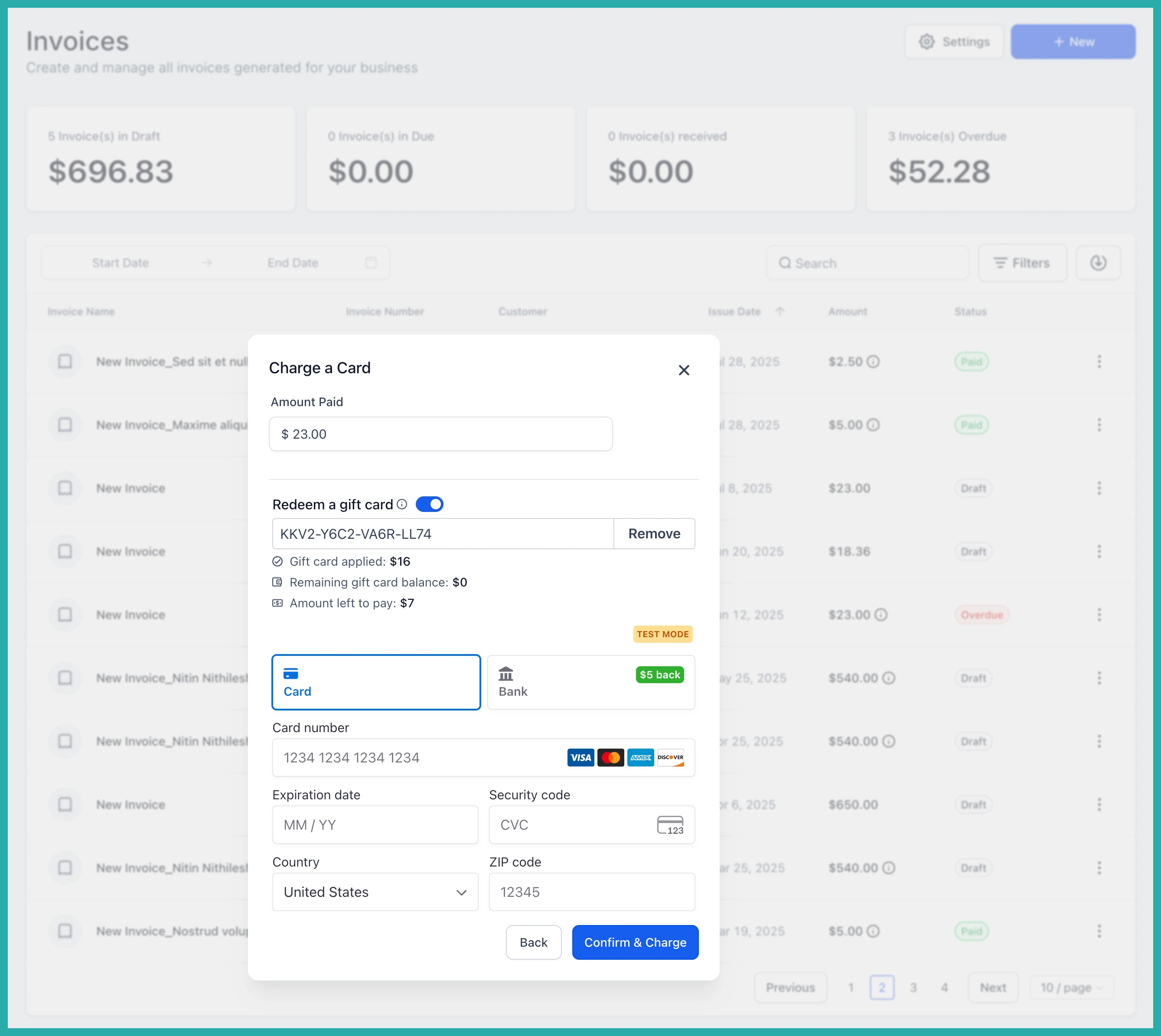
Once it's valid, the available balance is redeemed against the amount due.
What happens with the balance
It behaves exactly like it does on a customer-facing checkout.
- If the gift card covers the full amount, the payment is completed entirely with the gift card. Nothing goes to their card.
- If the balance is lower than what's owed, the gift card is used first and the remaining amount is charged automatically to their saved payment method.
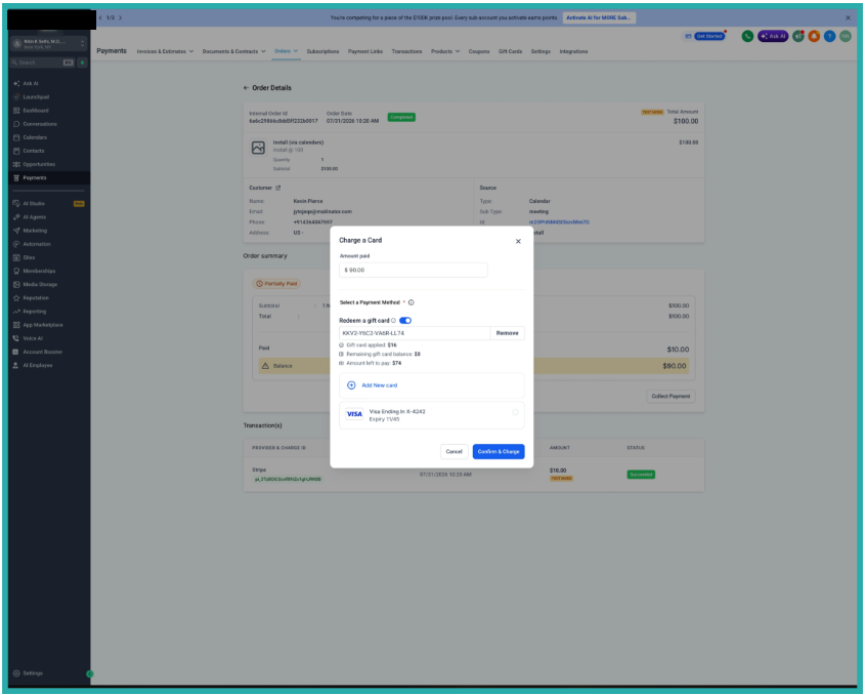
You can see the split clearly, so you always know how much came from the gift card and how much came from the card.
Clear records after every payment
Once a gift card is redeemed, the Transaction Details show exactly how much came off the gift card.
Split payments list the gift card amount separately from the rest, and the customer's gift card order is updated with its remaining balance automatically. No manual tracking on your part.
One thing to know
For now, gift cards can't be applied to future-dated or scheduled subscriptions. That's on the way, along with gift card redemption through Calendars and point of sale. For today, it works on payments you're taking now.
Next time a customer wants to use their gift card and you're the one running the payment, you're covered. Enter the code, hit Apply, and finish the payment as usual.
