
Apply a Customer's Gift Card When You Take Their Appointment Payment
A customer books an appointment, they've got a gift card balance sitting there, and you're the one taking the payment. Until now, that gift card could only be used if the customer paid through checkout themselves.
That's changed. You can now apply a customer's gift card balance while you collect the payment yourself, across your Meetings, Services and Rentals calendars.
What you get
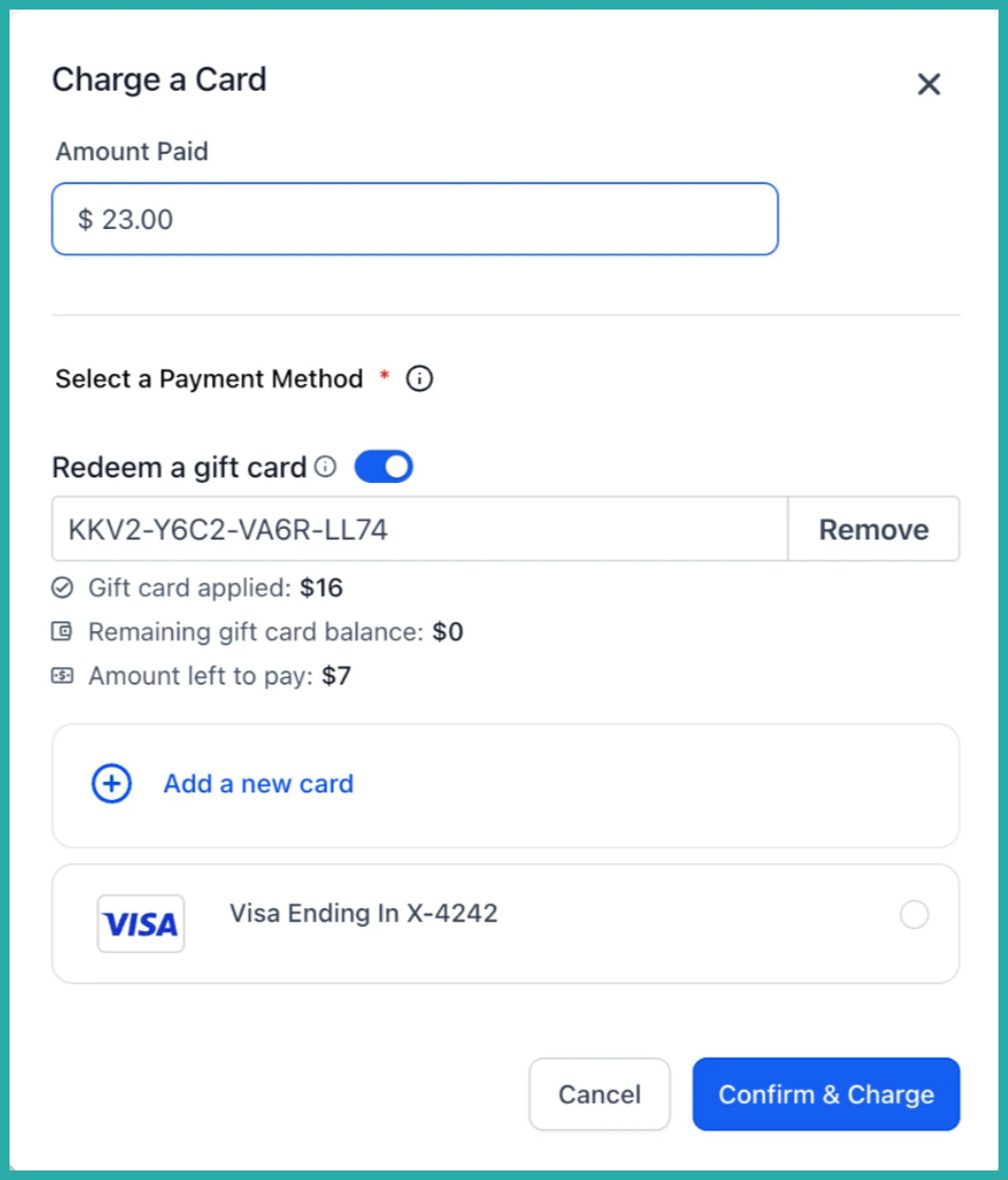
When you collect a payment on a customer's behalf, you can redeem their available gift card balance first, then charge whatever's left to a saved card or a new one.
It works the same way it always has for customers at checkout, so the experience is consistent no matter who starts the payment.
- Full balance covers it: if the gift card covers the whole amount, nothing else gets charged.
- Partial balance: the gift card is used first, then the remaining amount goes to the saved payment method automatically.
- No valid balance: you'll see a clear message if the card is expired, invalid or has a zero balance, so there's no guessing.
How to do it
It lives inside the appointment itself. Here's the run-through:
- Open the Appointment.
- Go to the Payments tab.
- Click Collect Payment.
- Select Charge a Card.
- Choose Redeem a Gift Card and apply the customer's available balance.
In the screenshot below, you'll see where the gift card option sits in the collect payment flow.
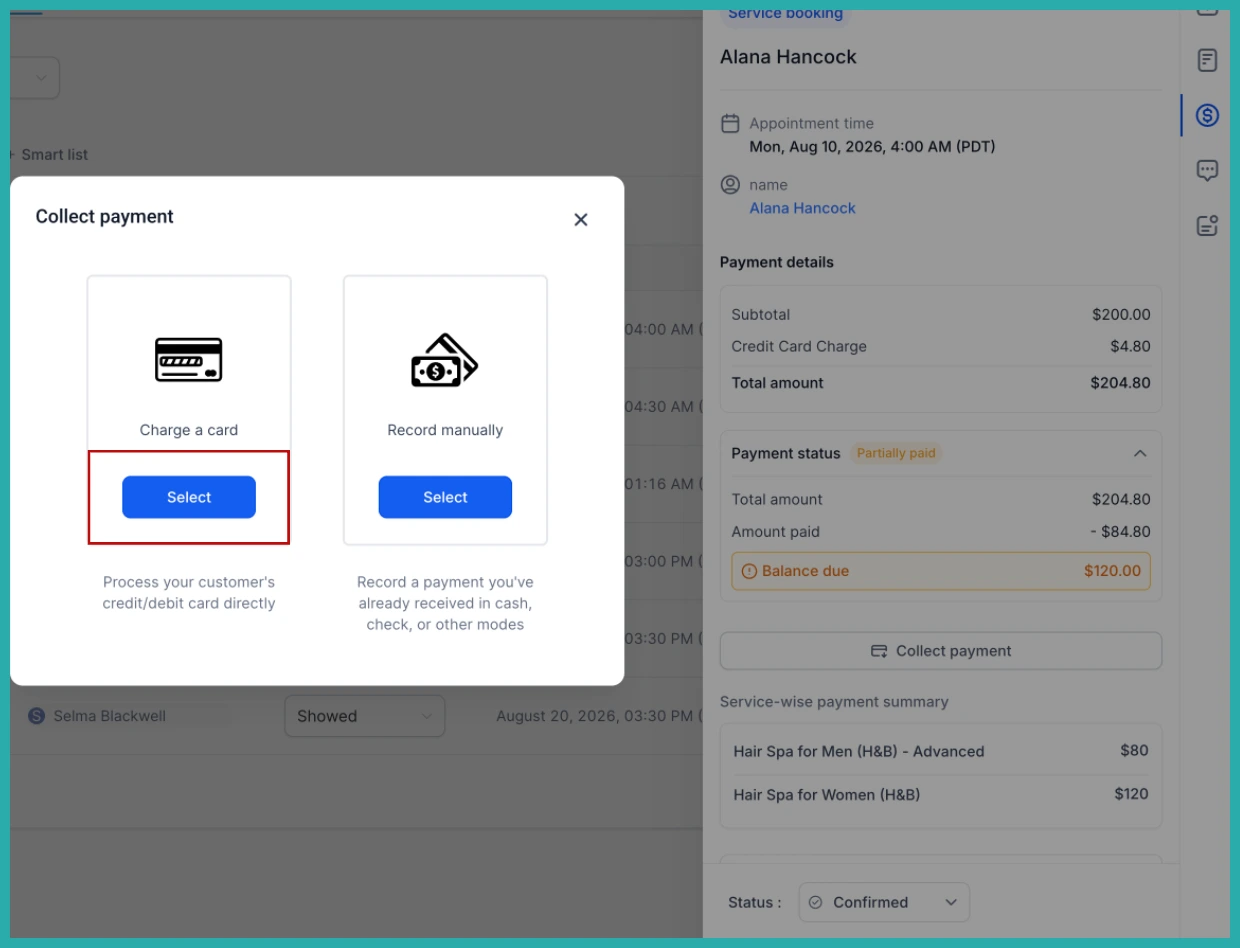
The gift card balance is applied before any remaining amount hits the customer's card, so you don't have to work out the split yourself.
You can see exactly what happened
Once a gift card is redeemed, the Transaction Details show the amount taken from the gift card. If it was a split payment, you'll see the gift card portion and the amount collected on the card listed separately.
The gift card order updates with its remaining balance after every successful redemption, so the numbers always stay in step.
That's the whole thing. Next time a customer has a gift card and you're taking the payment, you can put it to use right there in the appointment.
