
Prospecting Now Builds Cleaner, Ready-to-Use Contacts in Your CRM
You find a promising business through Prospecting, add it to your account, and then... you're left with a bare-bones record. A name, maybe. Not much to actually work with.
That's changed. Prospecting now creates fuller, cleaner contacts that are ready for outreach and automation the moment they land in your CRM.
What landed
Prospects aren't just basic business records anymore. When you pull a business in, the system now goes further to build a complete contact for you.
Instead of stopping at the Google Business Profile, Prospecting will scrape a prospect's website for phone numbers and emails where it can find them. So you start with real, usable details instead of gaps you have to chase down later.
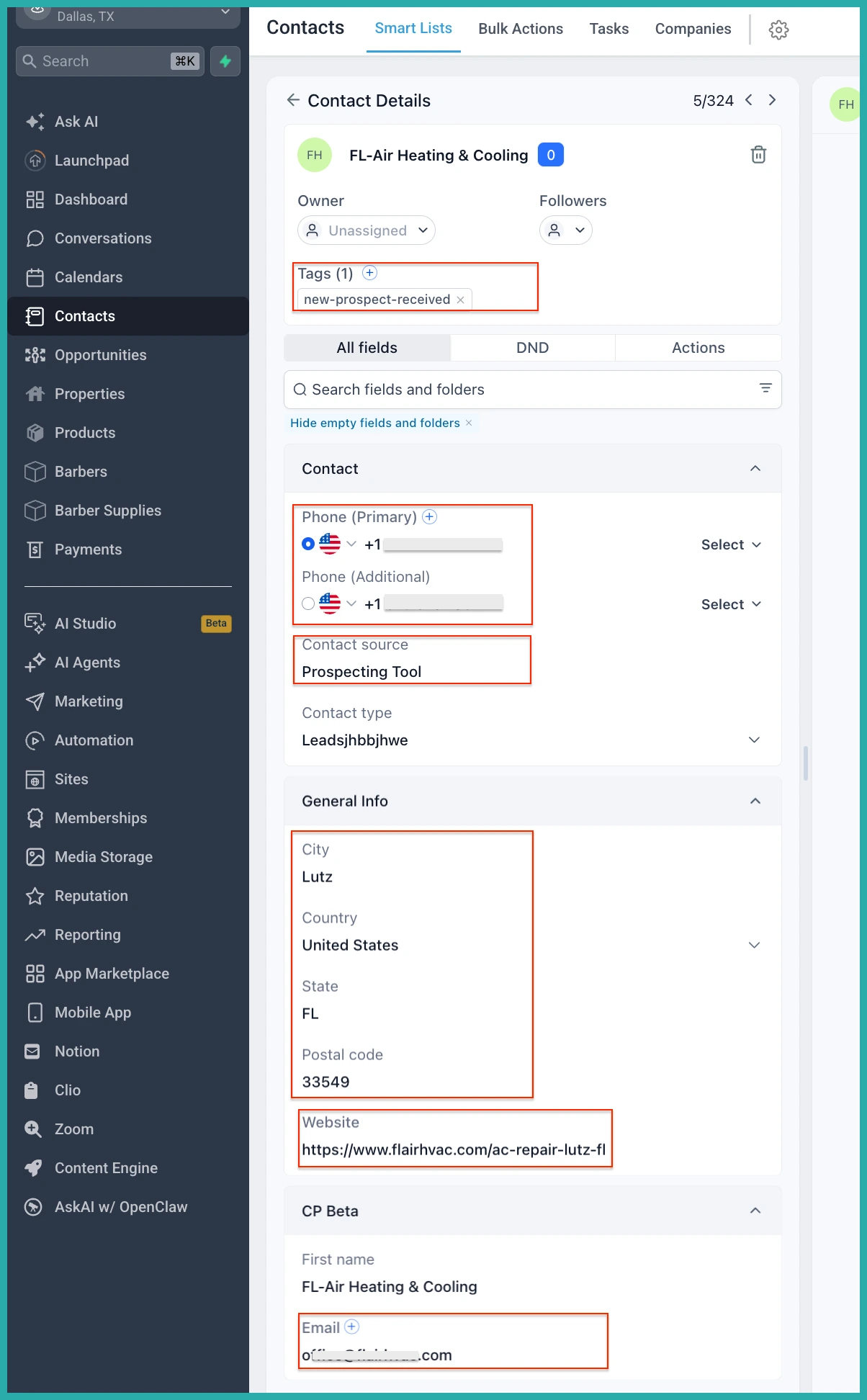
Every new contact created this way also comes stocked with the useful bits automatically:
- Contact source set to Prospecting Tool
- Prospect tags for workflows and segmentation
- Phone number, plus any additional phone found
- Email, plus any additional emails found
- The prospect's website URL
- Address and location details - city, state, ZIP
- Business information gathered during creation
All of which makes it far easier to build automations, trigger workflows, and filter your prospecting contacts without cleaning up first.
You decide how deep it goes
Not everyone wants extra contacts, so there's now a setting that puts you in charge.
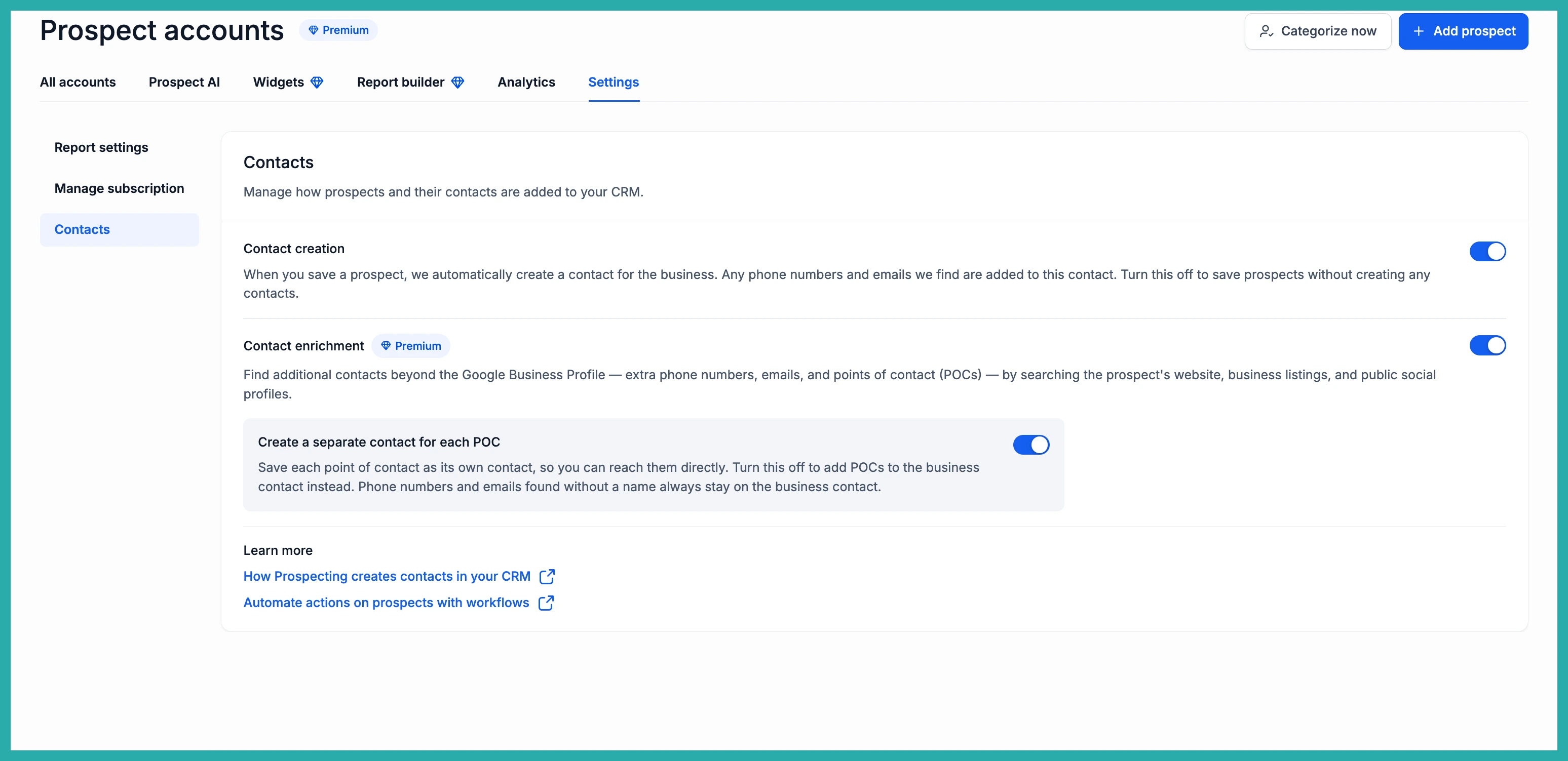
Turn on the enrichment setting and Prospecting will hunt for additional Points of Contact - owners, managers, decision-makers - along with extra emails and phones from the website and listings. Each Point of Contact found is created as its own contact, so you can reach the right person directly.
Leave it off and you get just the primary business contact from the Google Business Profile. That's the faster option, ideal when you only need the business itself and don't want the extra records.
No more duplicate business records
Here's the fix a lot of you have been wanting. Before, one business could end up as several contacts simply because different emails or phone numbers turned up.
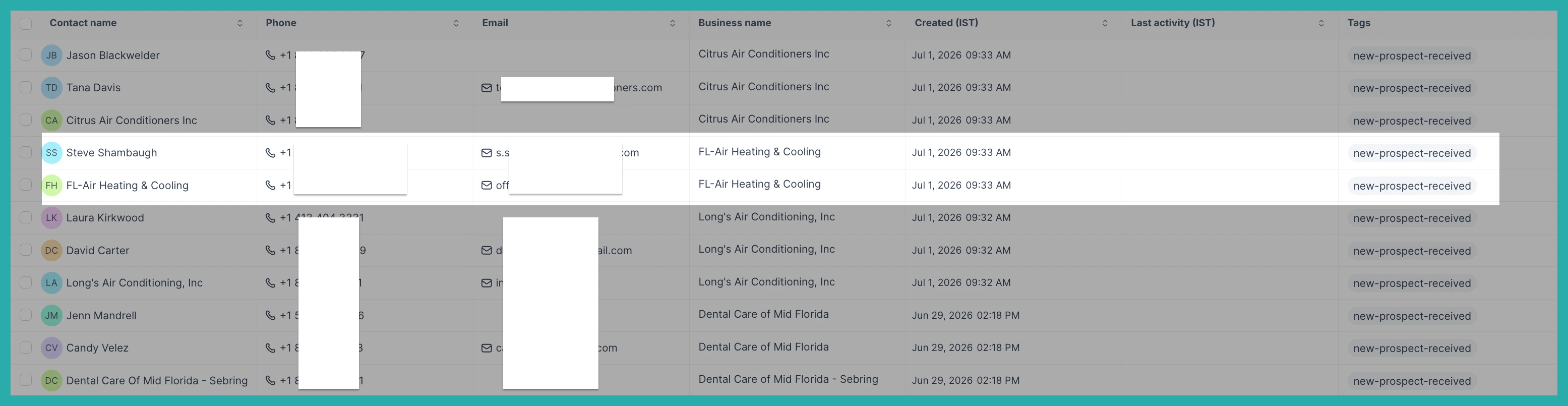
Now one primary business contact is created, and any extra phone numbers and emails get added to that same record. Individual Points of Contact are still created on their own when found, so you keep everything valuable without the mess.
The result is a tidier CRM, better enrichment, more automation-ready data, and a lot less cleanup after the fact.
Where to find it
Open Prospecting in your account, then check your contact enrichment setting to choose whether it should search for extra Points of Contact. Set it once to match how you like to work, and every prospect you pull in from then on follows your choice.
Whether you're adding one business or a few hundred, your records come out ready to work. Go set your enrichment preference and let the next batch do the heavy lifting for you.
