
Price Every Menu Item in the Currency Your Guests Actually Pay In
If you run a restaurant that sells in more than one market, pricing has always been a bit of a fudge. One currency for the whole menu, and everyone else just has to work it out.
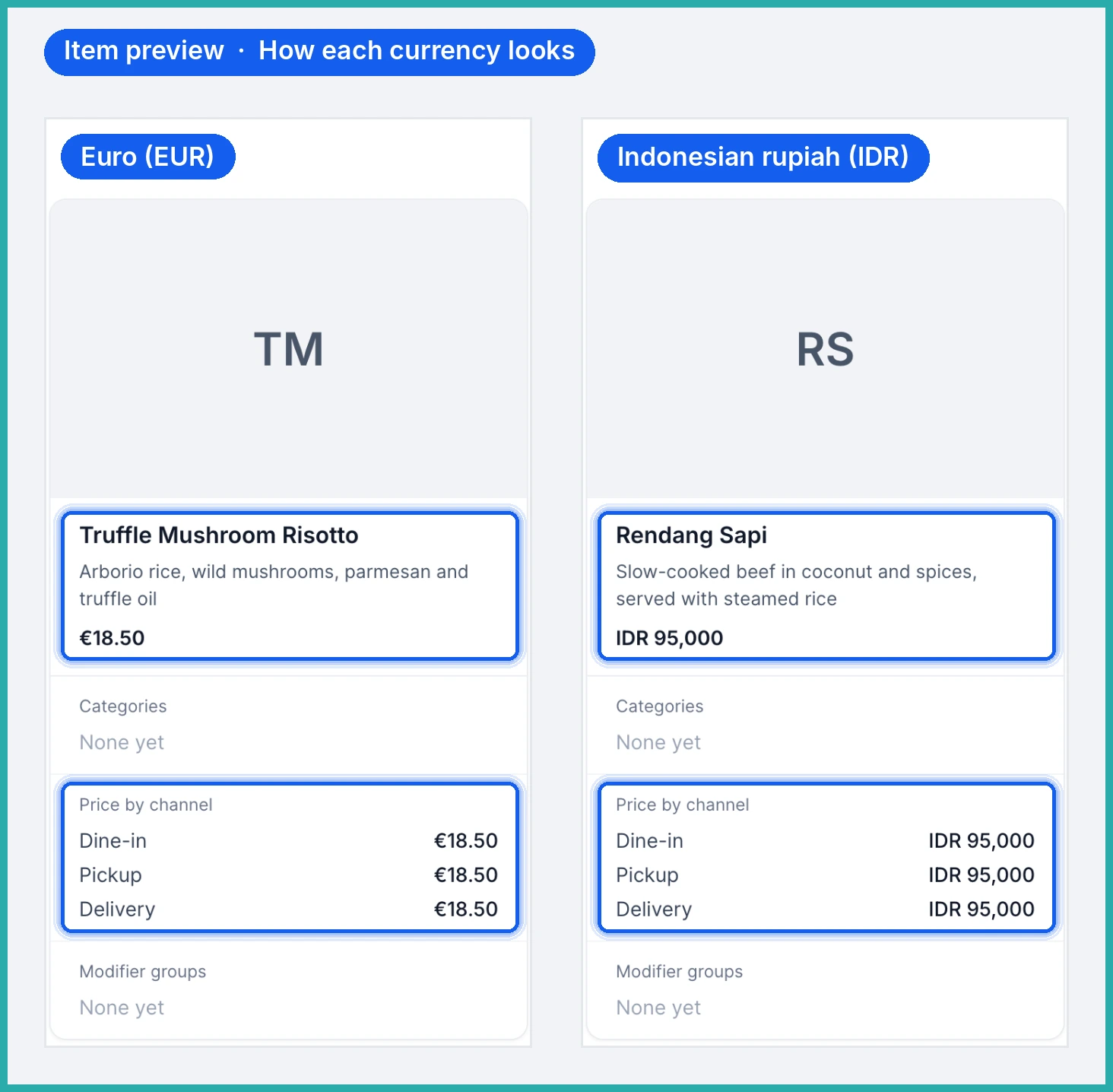
That is sorted now. You can set the currency for each menu item, right next to the price. A risotto in Europe shows €18.50, and a rendang in Indonesia shows IDR 95,000. Each item, priced the way its guests actually pay.
What you get
When you add an item, the currency sits right beside the price. A few things make it easy to live with:
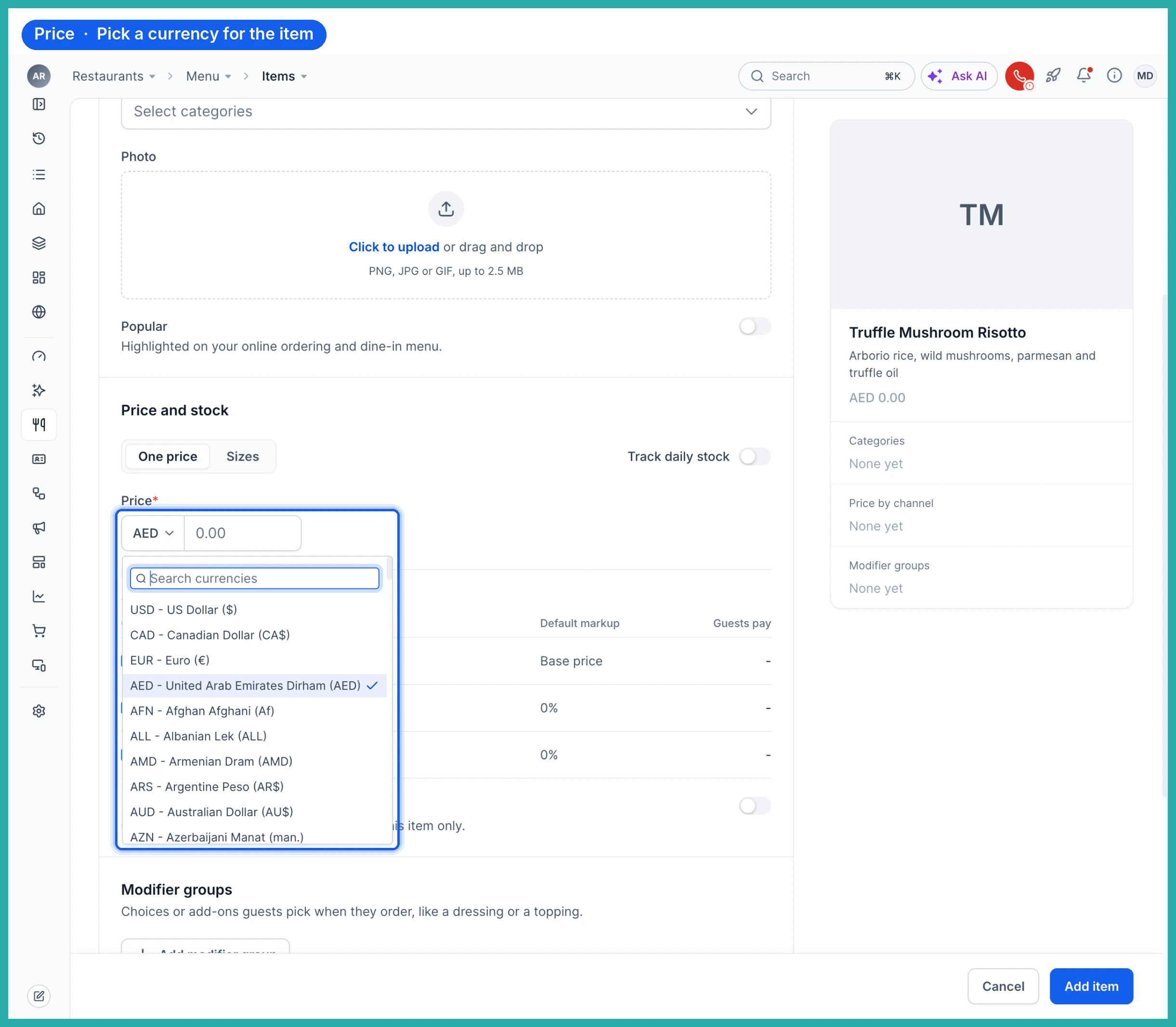
- Search any currency: type a code or a name, like EUR or rupiah, and pick the one you need.
- Live preview: you see the price in the chosen currency as you type, before you save.
- Every channel follows it: dine-in, pickup and delivery all use the same currency for that item.
- Formatted properly: each currency shows in its own style, like €18.50 or IDR 95,000.
- Locked once saved: after you save, the currency is set, so a price can't flip to the wrong currency by mistake.
How to set it
Go to Restaurants, then Menu, then Items, and click Add item.
Under Price, open the currency picker and choose your currency. In the screenshot below, you'll see the picker sitting right next to the price field.
Now enter the price. As you type, the preview shows it in the currency you picked, so you can check it reads the way your guests expect before you commit.
Happy with it? Click Add item and you're done. That item now carries its own currency across every channel.
This one is available to agencies using Restaurants on the Founder's plan.
If you sell across a couple of markets, go set your next item in the right currency - it takes seconds, and your menu finally reads properly wherever your guests are.
