
Turn Private Channels Into Paid, Visible Spaces in Your Community
Up until now, a private channel in your community had two fixed traits: it was always hidden, and it was always free. If you wanted to run an exclusive space, members didn't even know it existed unless you invited them one by one.
That's changed. You can now make a private channel visible, paid, or both. Which means you can show off an exclusive space in the sidebar and let members pay to join it themselves - no manual invites, no back-and-forth.
What you get
Two upgrades sitting side by side.
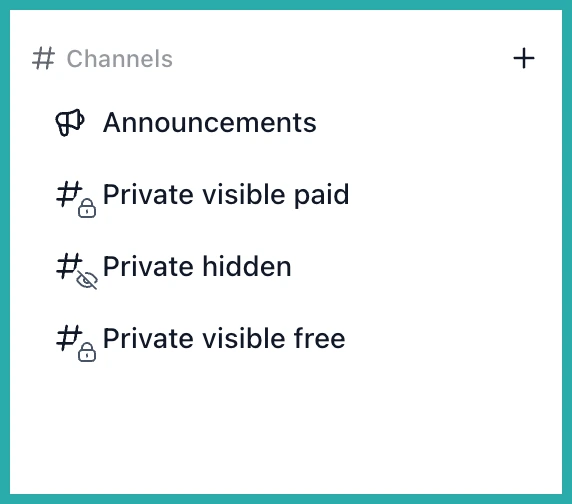
Visible private channels. A private channel no longer has to stay off the list. You can set it to show in the sidebar for everyone, with a lock icon so it's clearly gated but impossible to miss. Non-members see the name and description, which sparks interest, but they can't read the posts until they join. Prefer the old behaviour? Hidden still works exactly as before.
Paid private channels. You can now charge people to join. Pick a one-time payment for permanent access, or a recurring monthly and/or annual subscription. Multiple currencies are supported, and there's a Test Mode toggle so you can check the whole payment flow before any real money moves.
Put those together and an exclusive channel becomes a direct revenue stream that runs itself.
How members join and pay
When someone clicks a visible paid channel, they see the details - the description, member count, and who manages it - along with a prompt to pay.
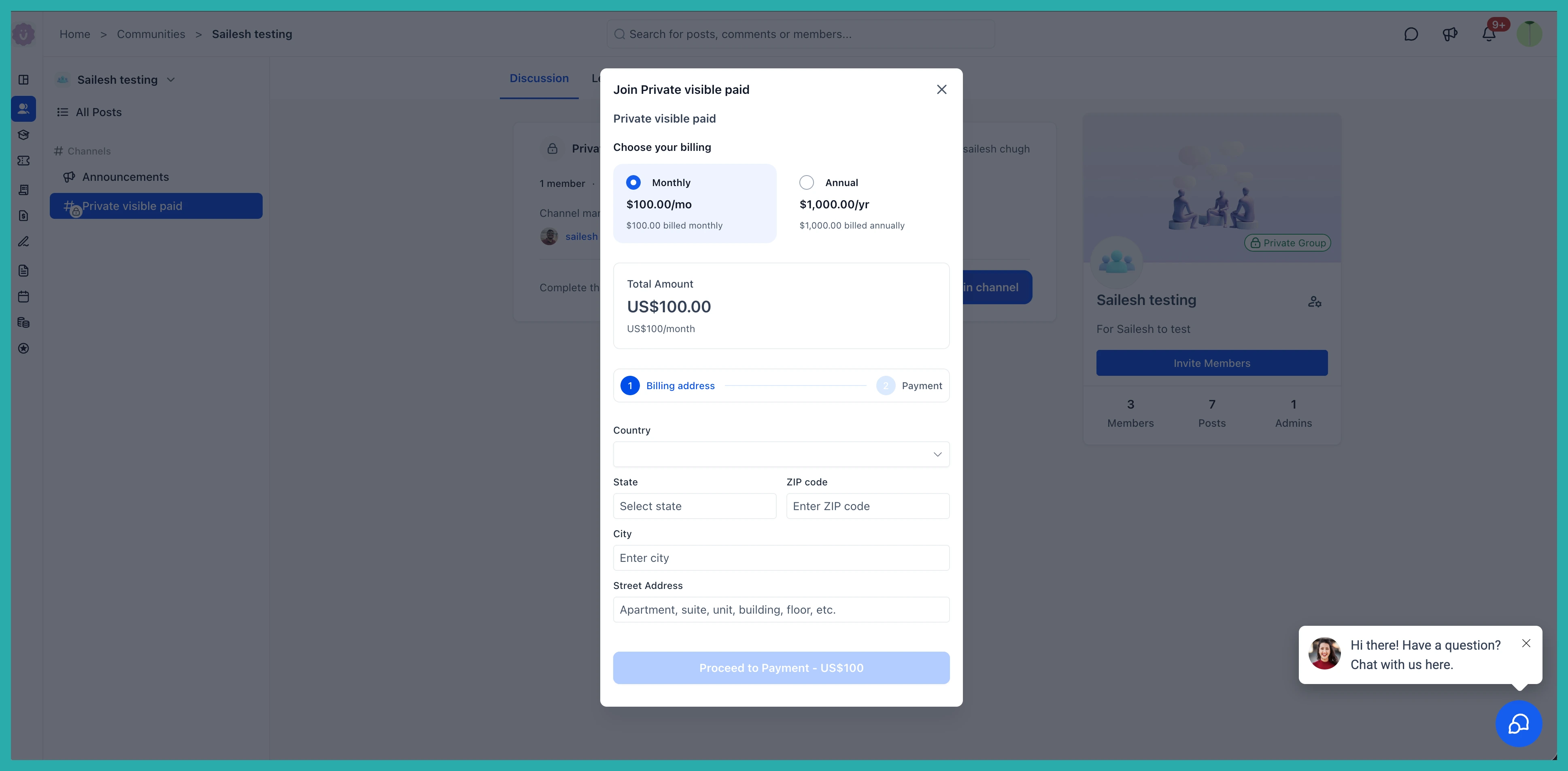
They hit Join channel, choose their billing cycle, enter their billing details, and complete the payment. Once that clears, they're in. You don't lift a finger.
It all works on the mobile app too. Members can view the channel details and tap Enroll now to pay straight from their phone.
How to set one up
Open your community and click the + button next to Channels in the sidebar.
Choose Create a channel for conversations and updates.
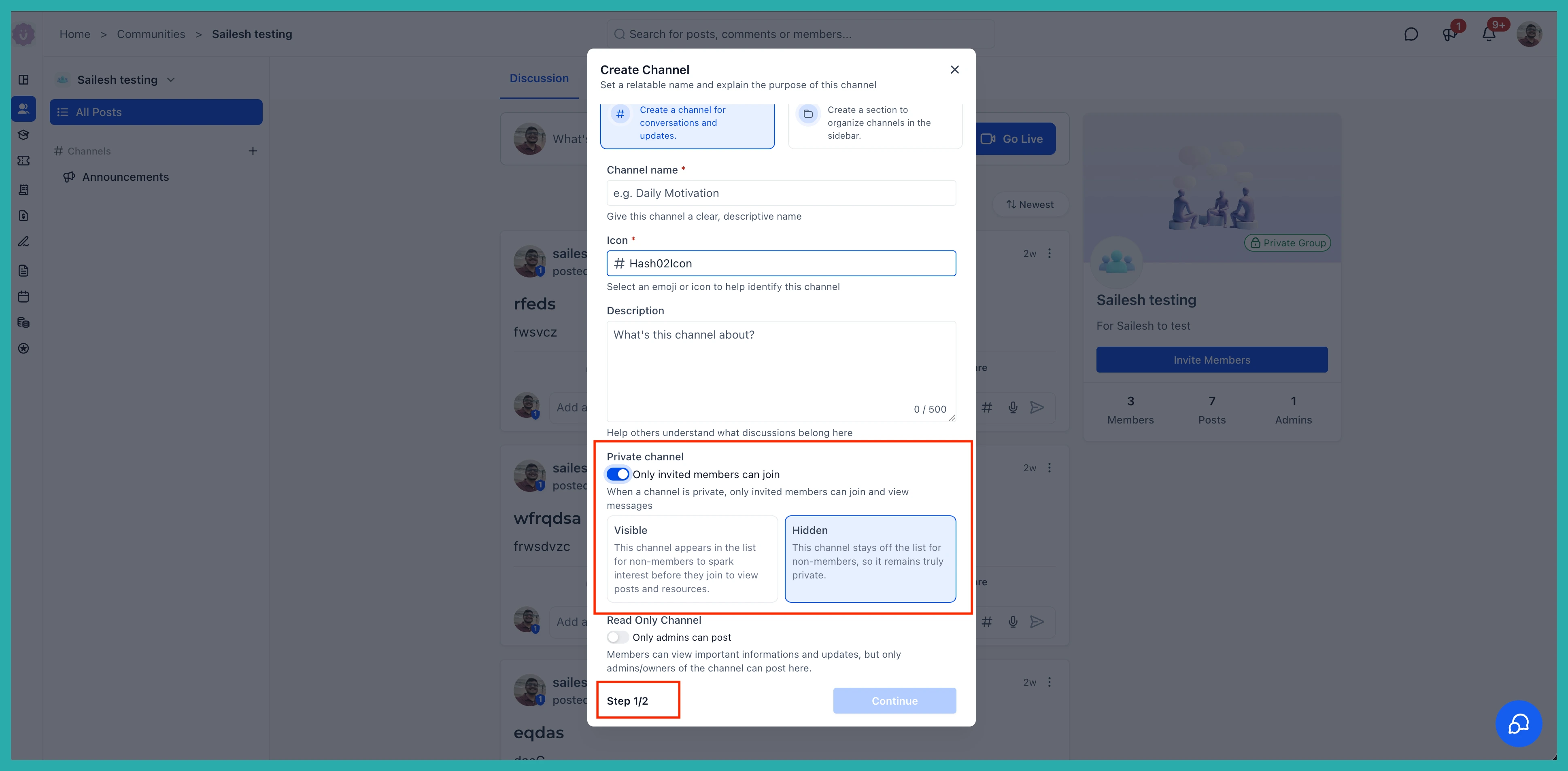
On Step 1 of 2, set the channel name, icon, and description. Toggle Private channel on, then choose Visible or Hidden. If you only want people to read, not post, you can also switch on Read Only Channel here.
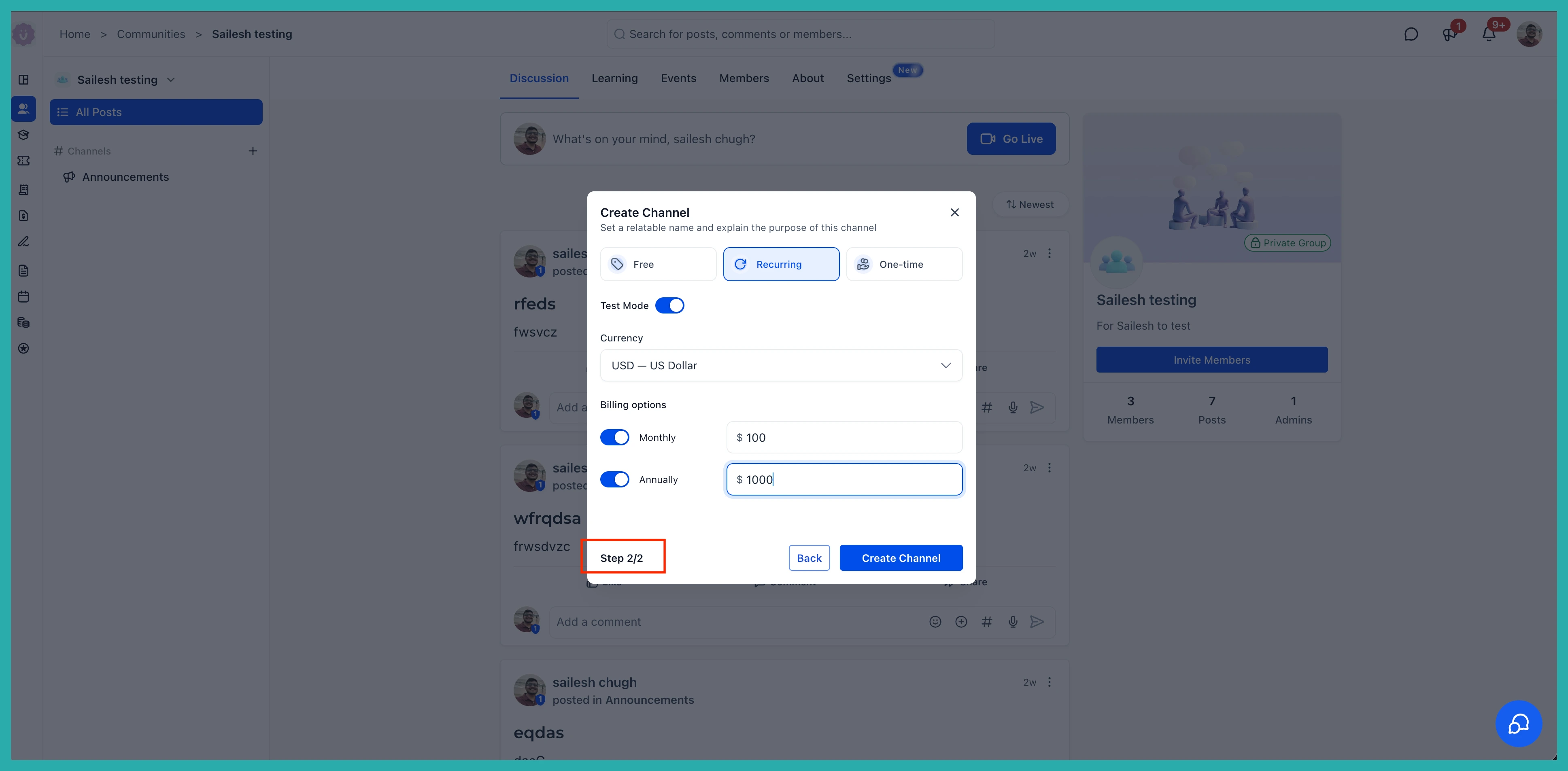
On Step 2 of 2, pick your pricing: Free, Recurring, or One-time. For a paid channel, set your currency, your billing options (monthly, annual, or both), and the price. Flip on Test Mode if you want to run a trial payment first.
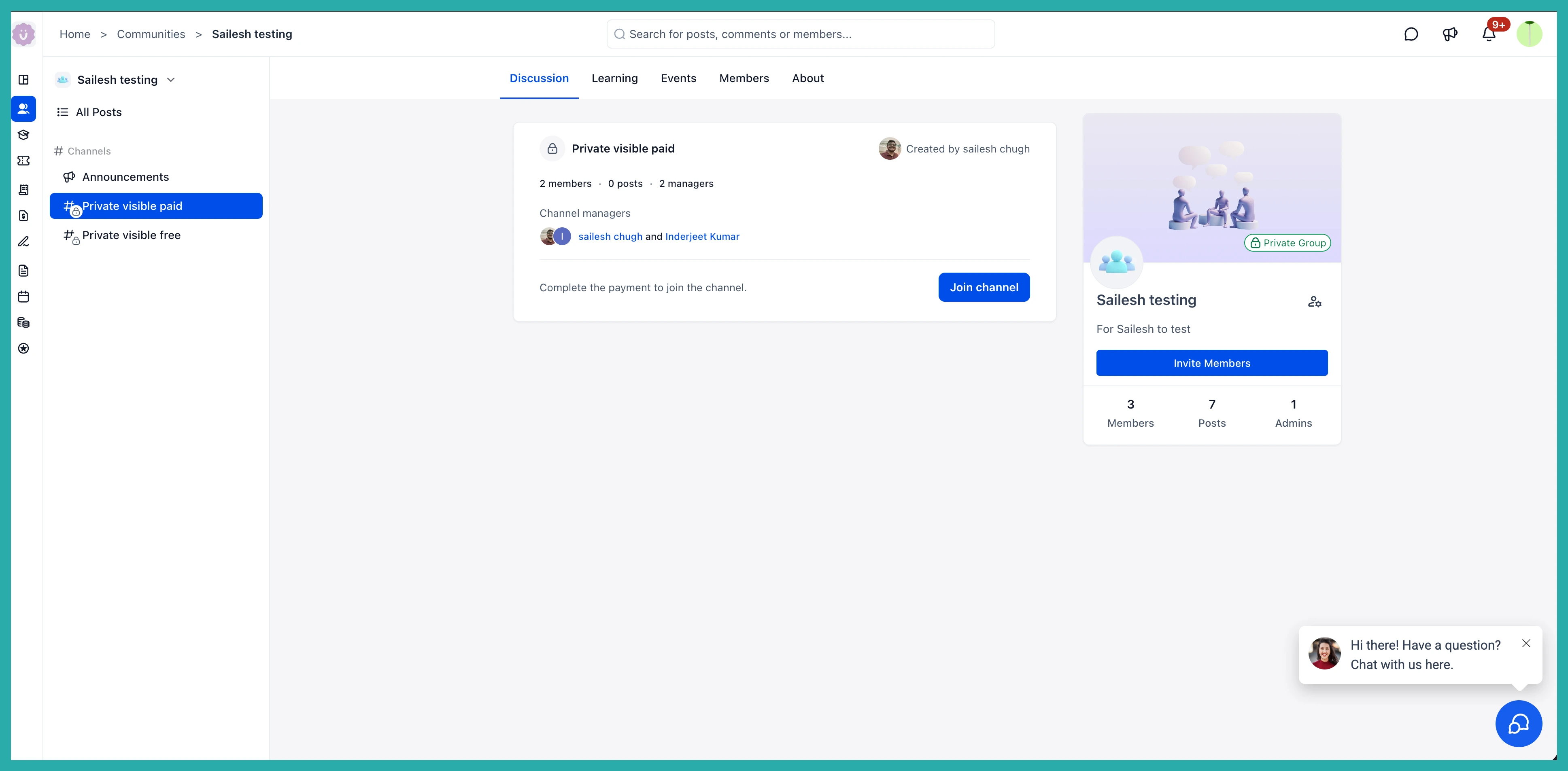
When you're happy, click Create Channel. Your visible paid channels show up with a lock and a hash symbol in the sidebar, so they're easy to tell apart from the free and hidden ones.
A couple of quick notes: read-only channels can be made visible and paid too, and everything here works on both web and mobile.
If you've been sitting on an idea for a paid inner circle or a premium support space, this is the piece that was missing. Go build one and let it run.
