
Offer 15, 30 and 60 Minute Bookings from One Calendar
If you offer more than one length of appointment, you've probably ended up with a pile of calendars. One for a quick 15-minute chat, one for a 30-minute call, another for the full hour. Separate links, separate settings, all to be kept.
Now you don't need to. You can set up to three meeting durations on a single calendar and let the person booking choose the length that suits them.
What you get
One calendar, up to three duration options. You pick which one shows as the default, and you can add or remove options whenever you like.
When someone opens your booking page, they'll see the durations as simple options to tap. Pick a different length and the available slots refresh to match, so they only ever see times that can fit the meeting they chose.
If you only set one duration, nothing changes - the booking page looks exactly as it does now.
How to set it up
Go to your calendar settings and open the calendar you want to change. In the meeting details, you'll find where to set the duration.
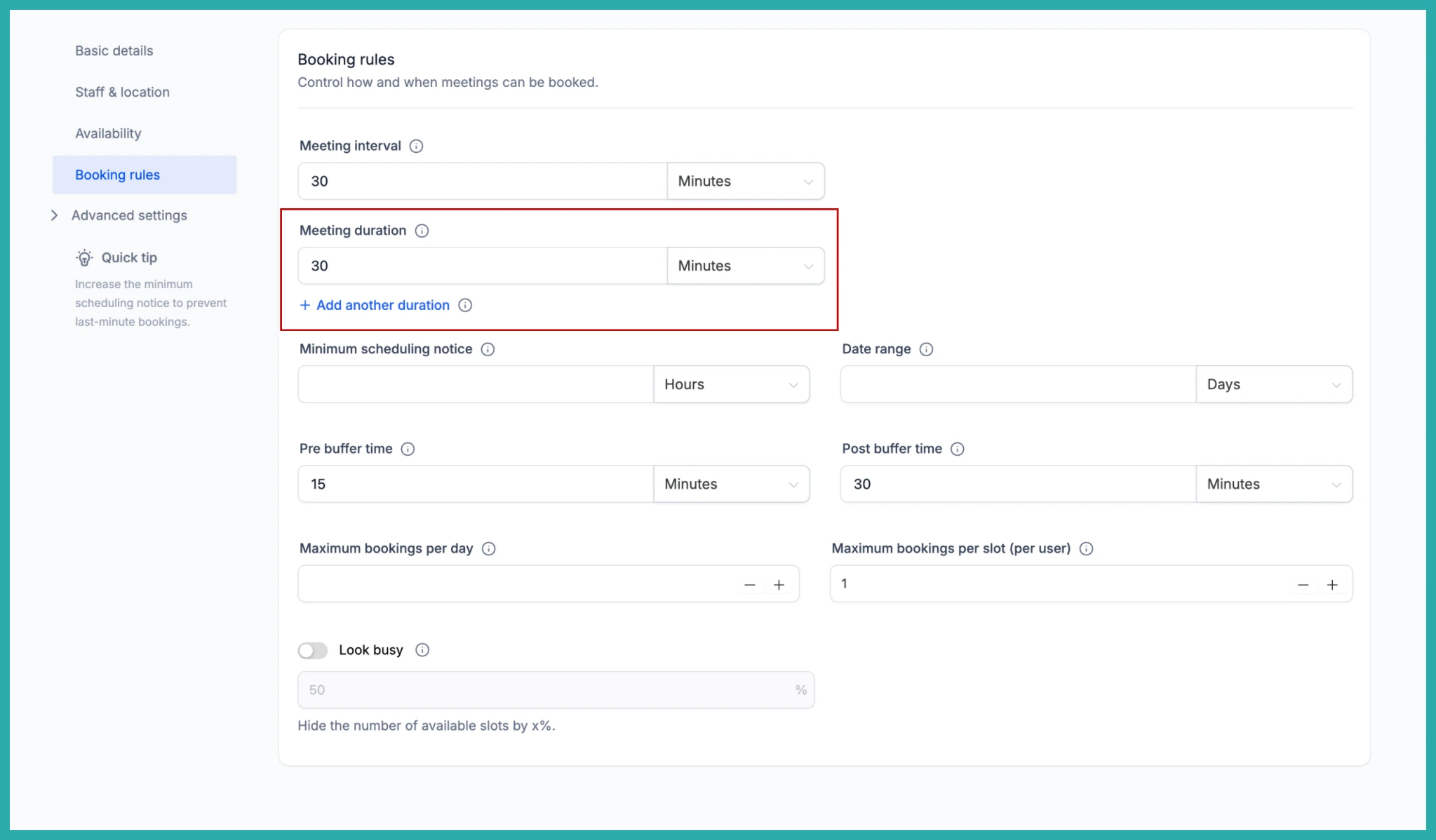
Add your duration options, up to three of them. In the screenshot below you can see how each one sits alongside the others.
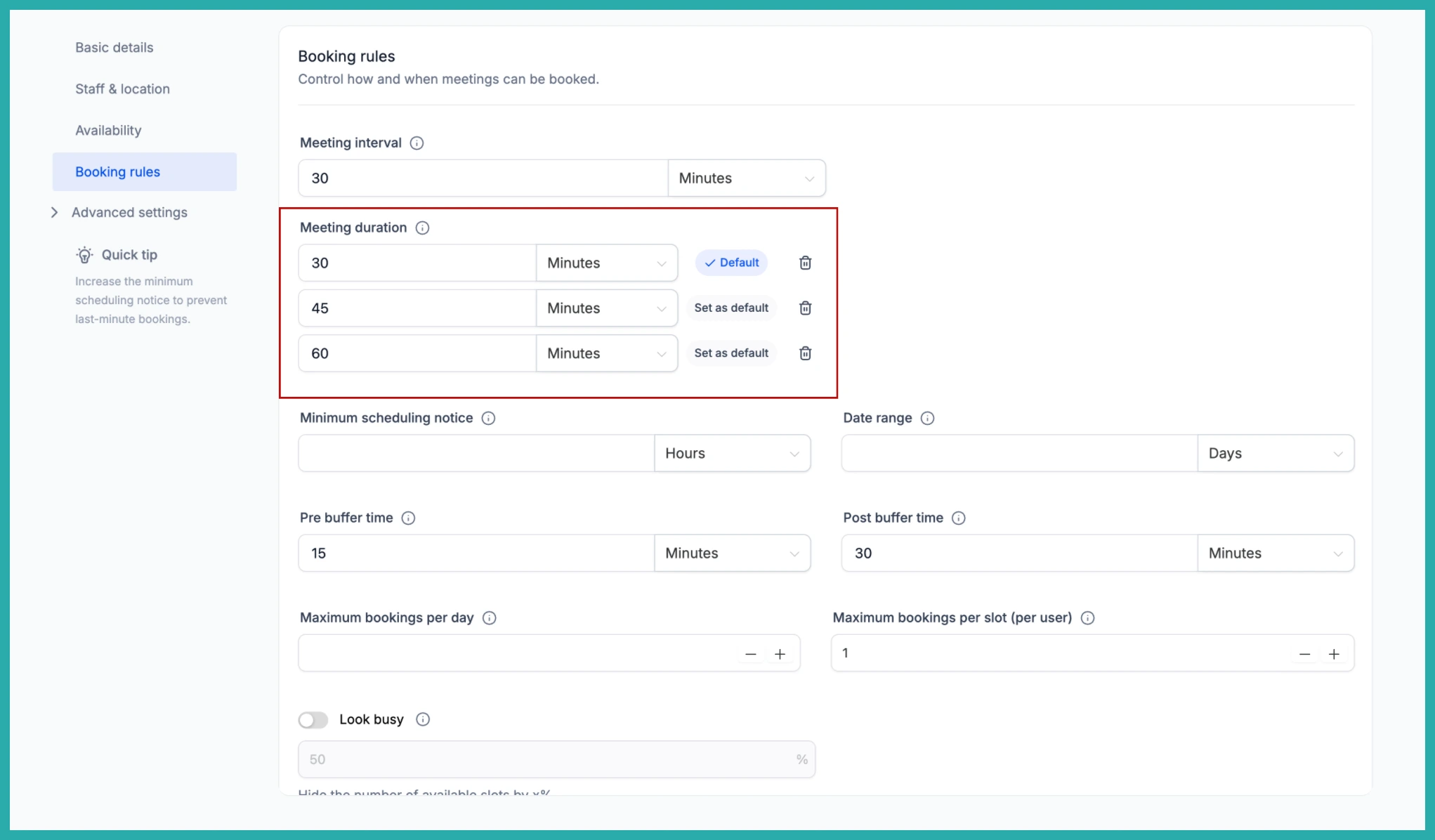
Then choose which duration should be selected by default when someone lands on the page. That's the length most people will book if they don't change anything.
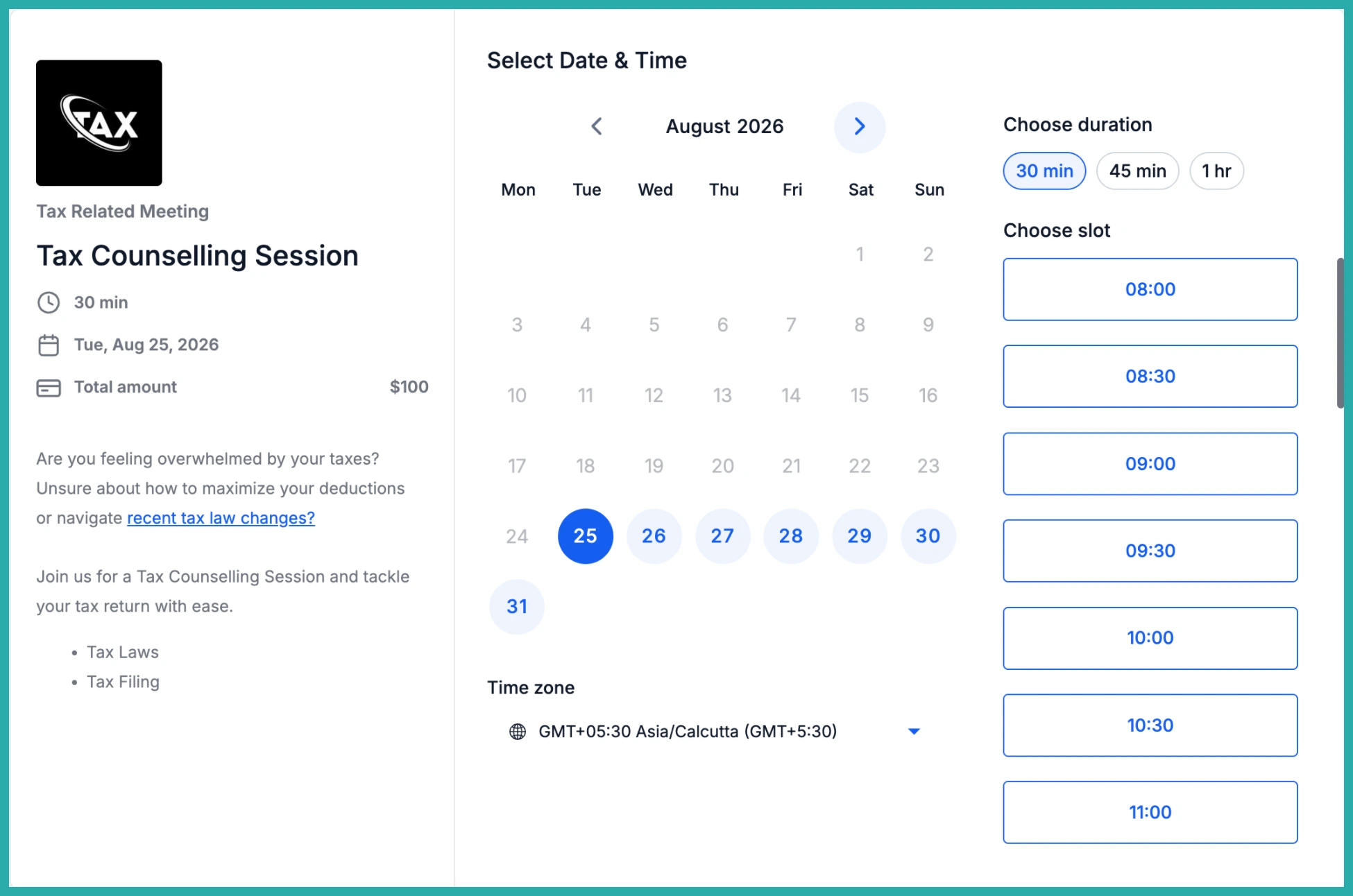
Save, and you're done. Here's what your bookers will see - clear options to pick from before they choose a time.
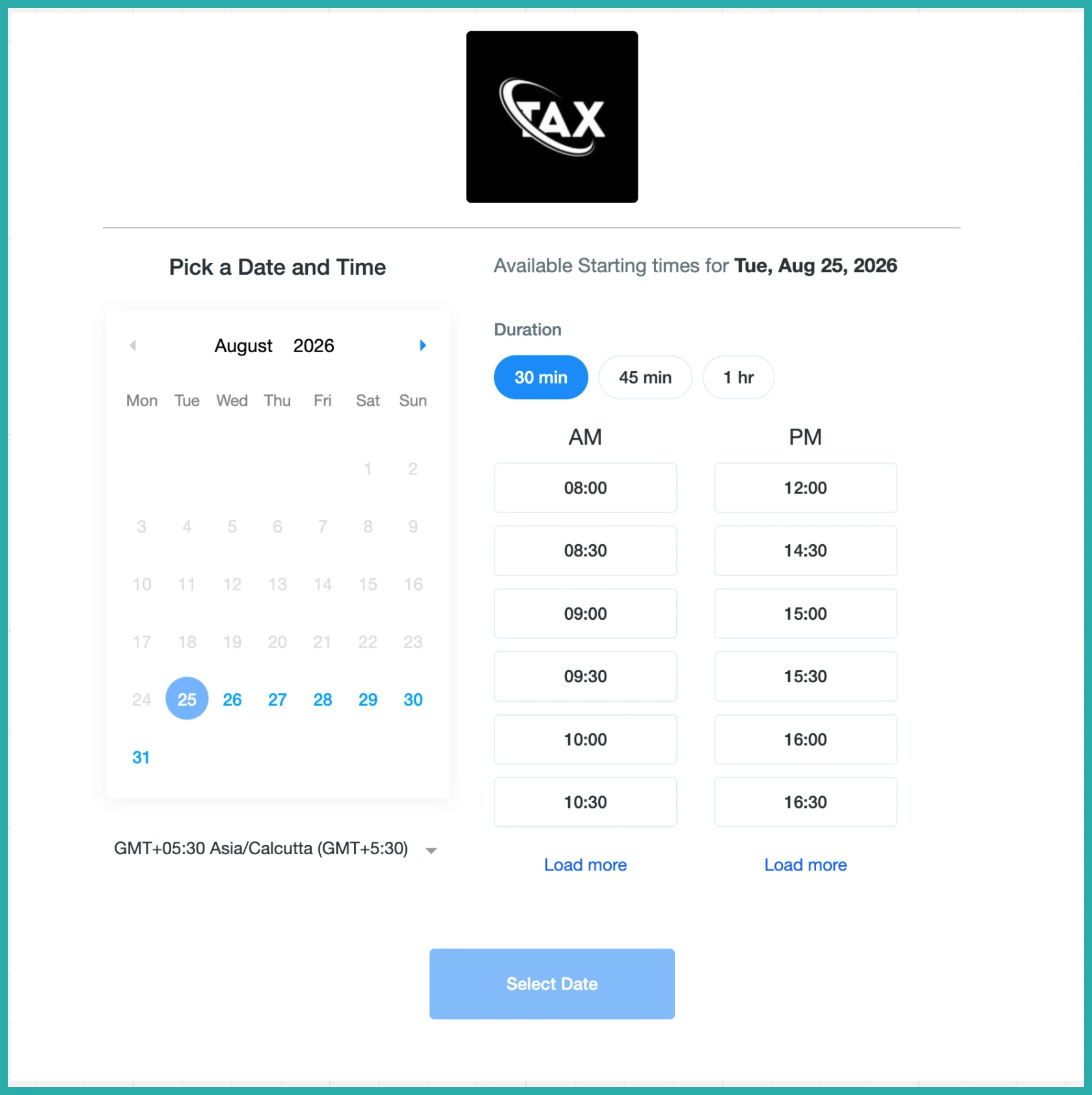
Where it works
Multiple durations show up across your web and mobile booking pages, the Neo and Classic booking widgets, in-app booking on web, and the mobile app. If someone reschedules, they can change the meeting length along with the date and time.
It's available for Personal, Round Robin, Collective and Event calendars.
A note on appointments already booked
Changing your duration options never touches appointments that are already in the diary. If you remove the 30-minute option but you've got 30-minute appointments coming up, those stay exactly as they were - same length, same reminders, same notifications.
New bookings will only use the durations you currently have set. And if someone goes to reschedule an old appointment whose original length you no longer offer, they'll simply be asked to pick a new duration before they finish.
If you've been running two or three calendars just to cover different meeting lengths, this is your cue to tidy up. One calendar, all your options, sorted.
