
Files You Attach to Contact Notes Are Now Private by Default
You jot a note on a contact, attach a document, and move on. Simple. But until now, any file you added that way was public by nature - anyone with the link could open it, with no expiry and no extra protection.
That's changed. From now on, documents you upload through the notes section are private by default, and you decide how each one gets shared.
What landed
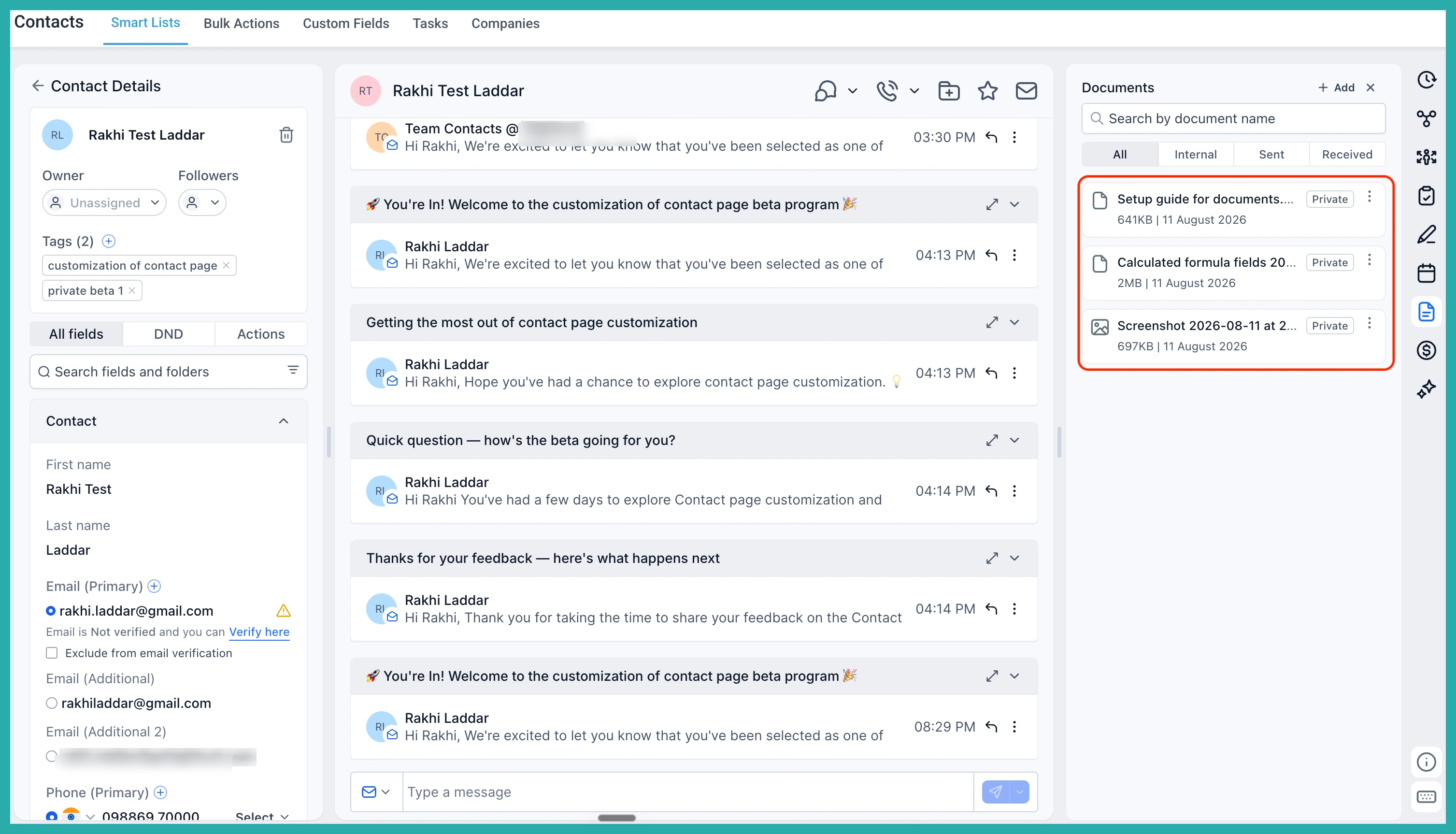
Any new file you attach through a contact's notes is stored in a "Notes attachments" folder under Documents, and it's set to private automatically. No settings to toggle, no boxes to tick. It's just protected from the moment you upload it.
This is part of a wider push to keep sensitive information safe, with HIPAA compliance in mind - handy if you ever handle health, financial, or personal details for your clients.
How to attach a file to a note
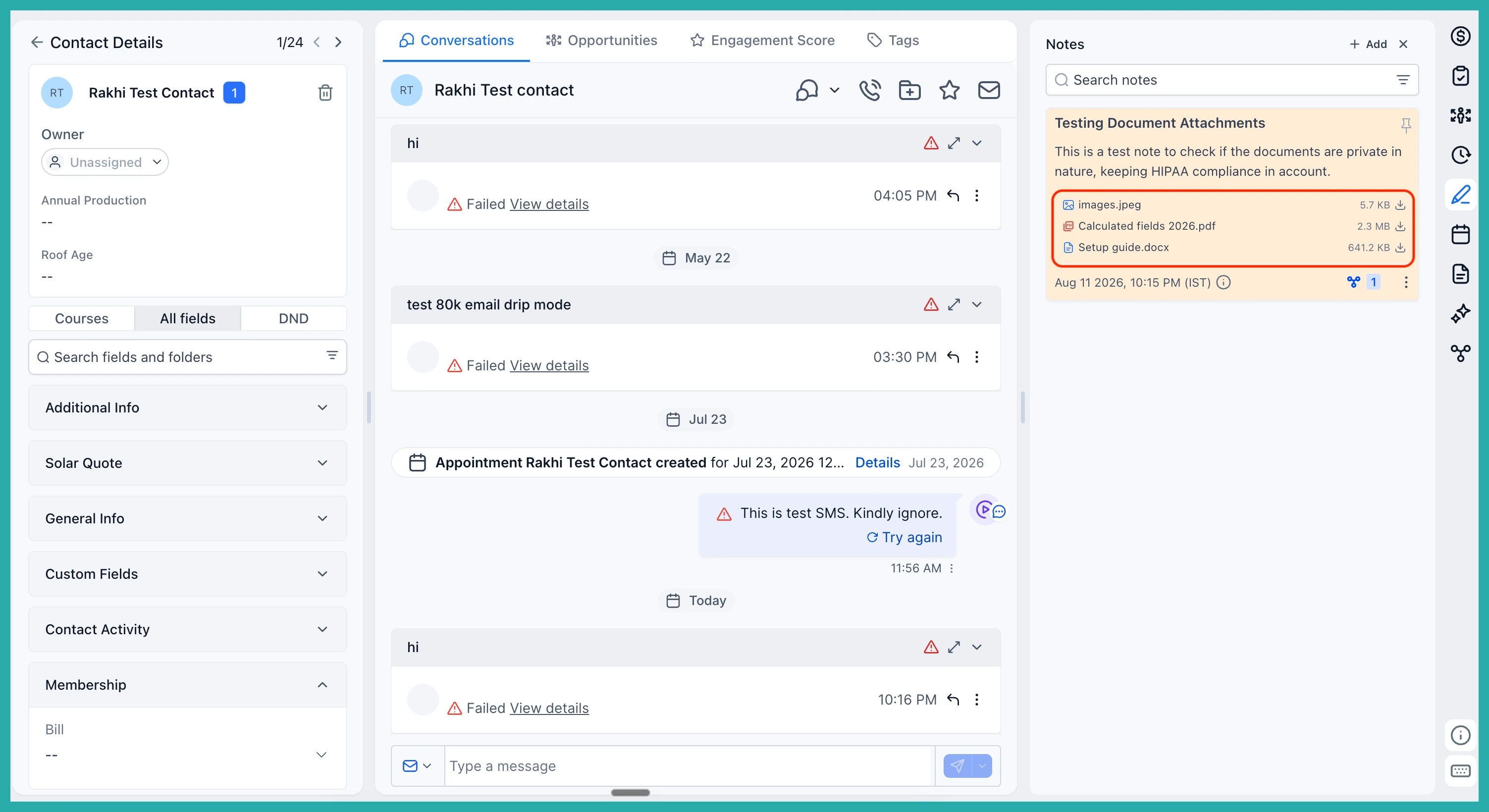
- Open a contact and go to their Notes section.
- Add your note and upload your document as an attachment.
- That's it - the file saves straight into the "Notes attachments" folder as private.
In the screenshot below, you'll see the uploaded document sitting safely in its folder, marked private.
Sharing on your terms
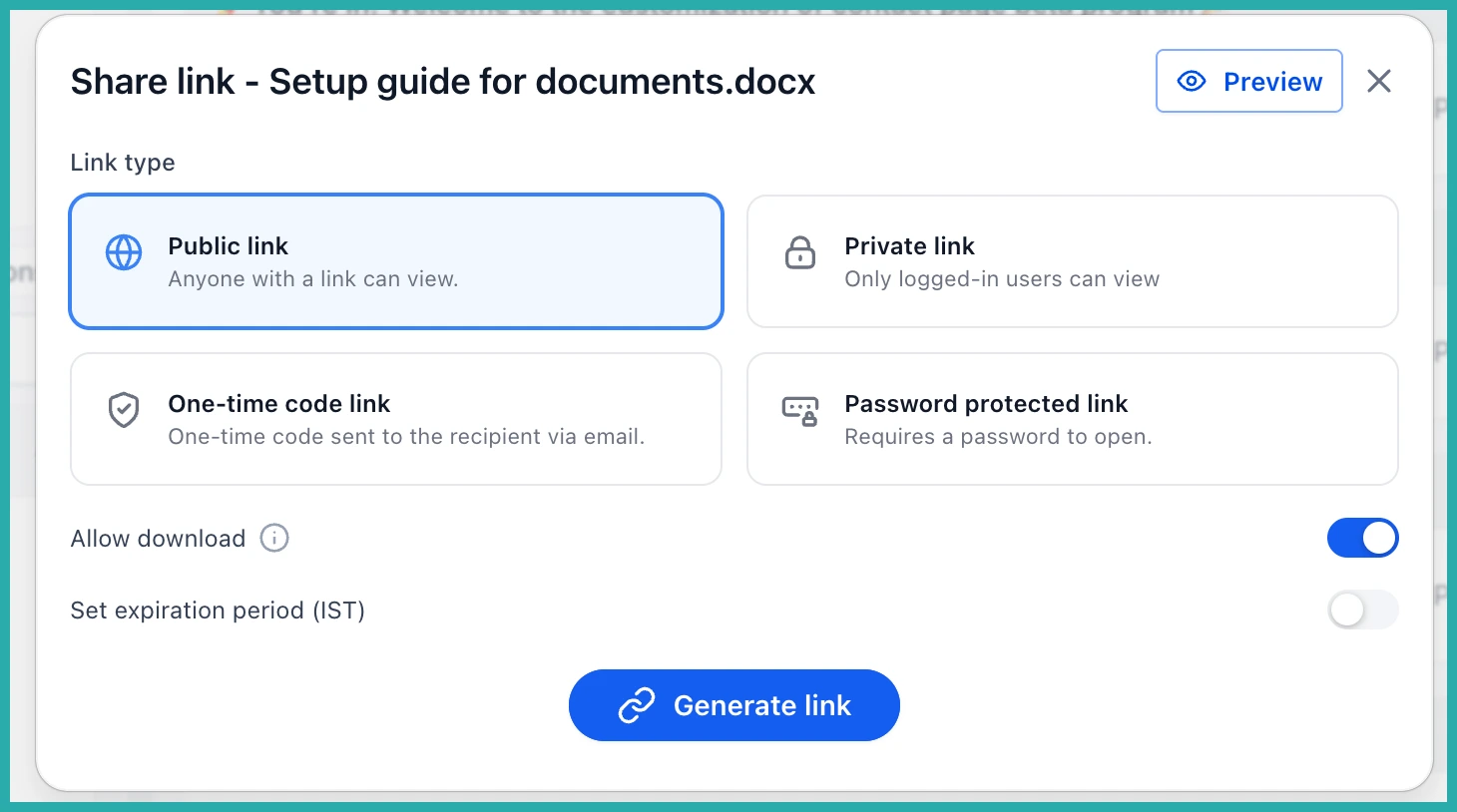
Private by default doesn't mean locked away. When you do want to share a document, you choose the level of access that fits:
- Public link - anyone with the link can view it.
- Private link - restricted access for the people you intend.
- OTP-protected link - the recipient enters a one-time code to open it.
- Password-protected link - the recipient needs a password you set.
In the screenshot below, you'll see these options when you go to share a document.
A note on your existing files
This applies only to documents uploaded through notes from now on. Anything you uploaded before stays as it was - still public. If you'd like to tighten access on an older file, you can still generate a private link for it when you share.
There's more coming on this too. The same privacy controls are set to extend to documents attached through custom fields next, so file sharing stays consistent across your account.
Nothing for you to switch on here - your note attachments are already safer. Next time you upload one, you'll know it's private from the start.
