New Feature: Margin Controls for Columns
Exciting news for our CRM users! We've just implemented a significant upgrade, introducing Margin Options for Column Elements in our website builder. Now, effortlessly enhance your website's layout with precise control over column spacing, providing a streamlined solution to address your design preferences.
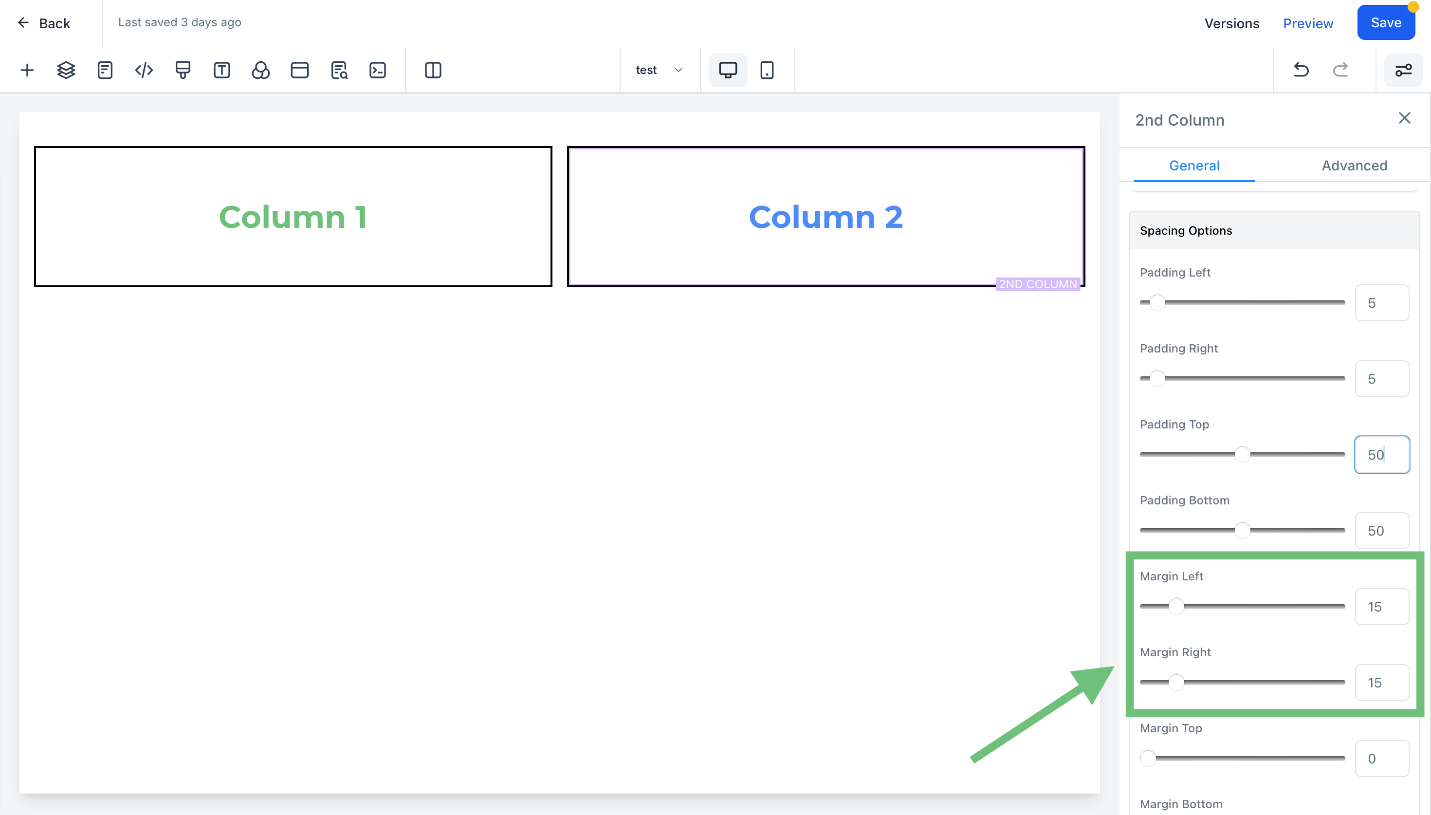
Margin Controls for Columns Added to Funnel & Website Builder: Introducing margin left and margin right options for column elements in our CRM's website builder, allowing users to easily customize spacing between columns.
⭐️ Why Does It Matter To Your Business?
Enhanced Design Control: Take full control of your website layout by adjusting margin left and margin right for column elements.
Solves Column Spacing Concerns: Address user concerns regarding column spacing with the introduction of margin options, providing a straightforward solution.
Streamlined Customization: Effortlessly create the desired spacing and margin between columns to achieve a visually appealing website layout.
⭐️ How To Use Margin Controls For Columns Added To Funnel & Website Builder: To start using this feature, follow these straightforward steps:
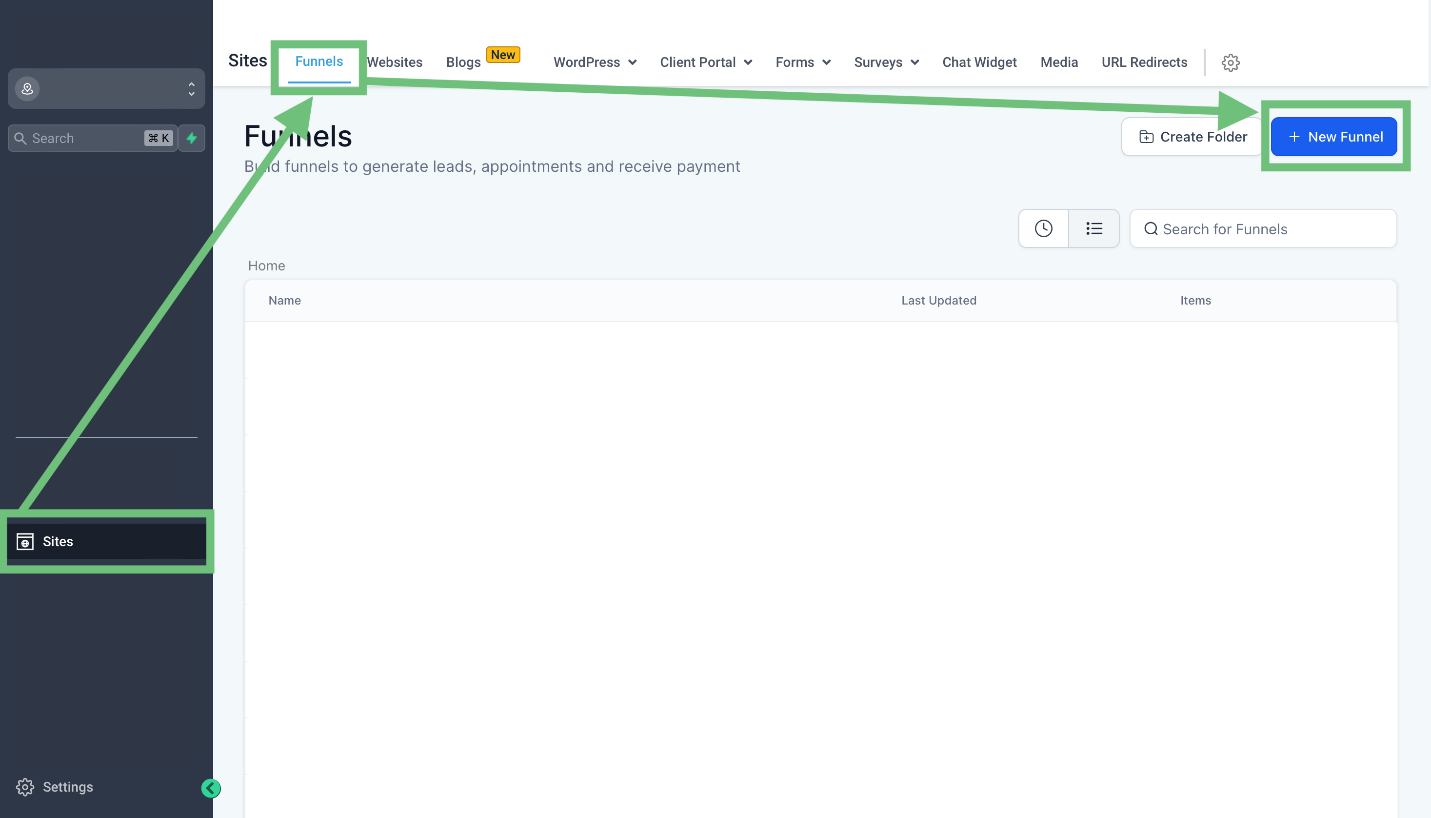
To access the funnel builder, click on the sites tab from the left sidebar menu then go to Funnels and click " +New Funnel". or edit an existing one. While creating the product you will see the newly added feature "Compare- at price”. And keep in mind the compare-at price should be greater than the actual product’s price.
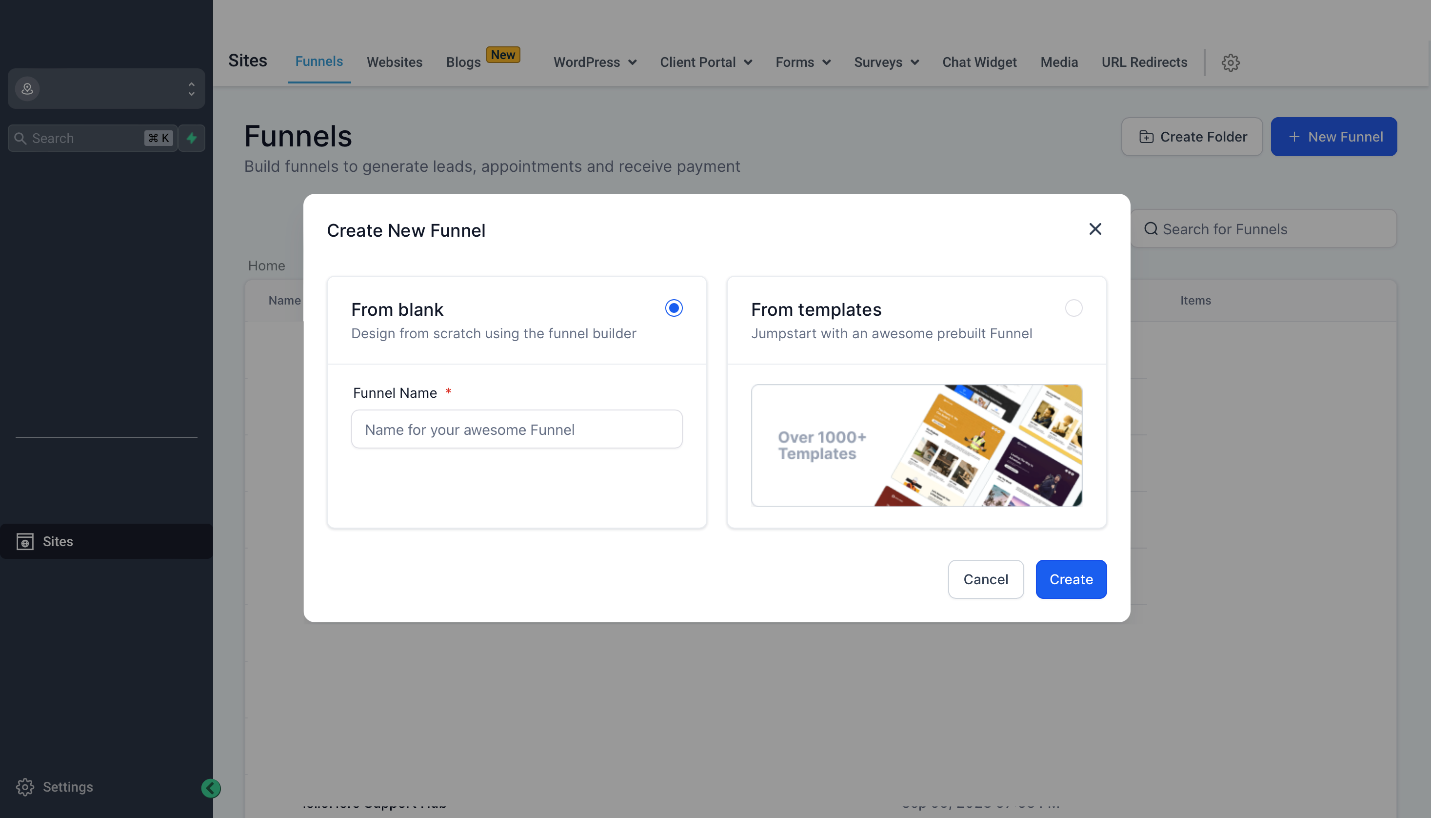
Select From blank or choose a template from the library.
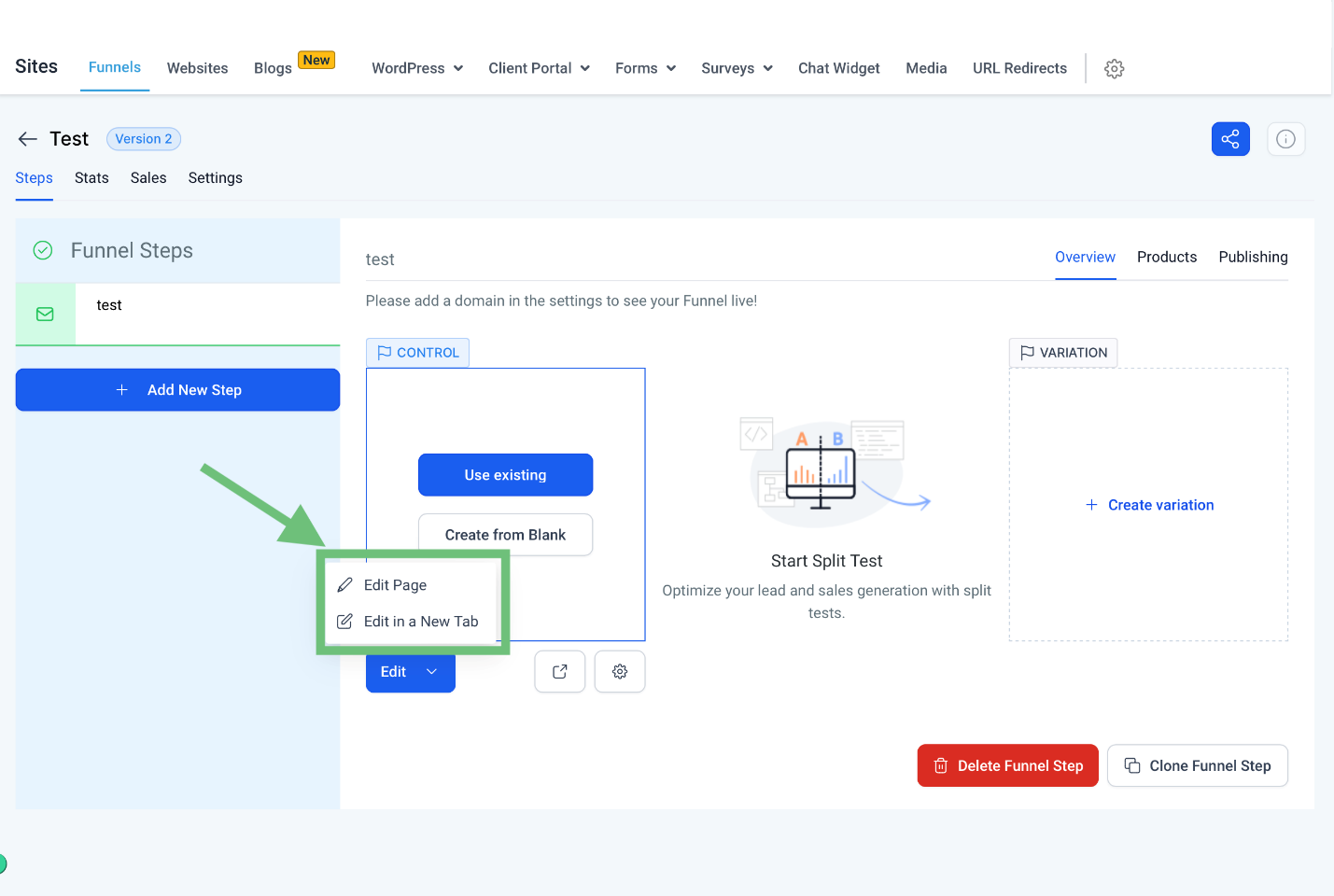
Click on the edit page to access the funnel builder.
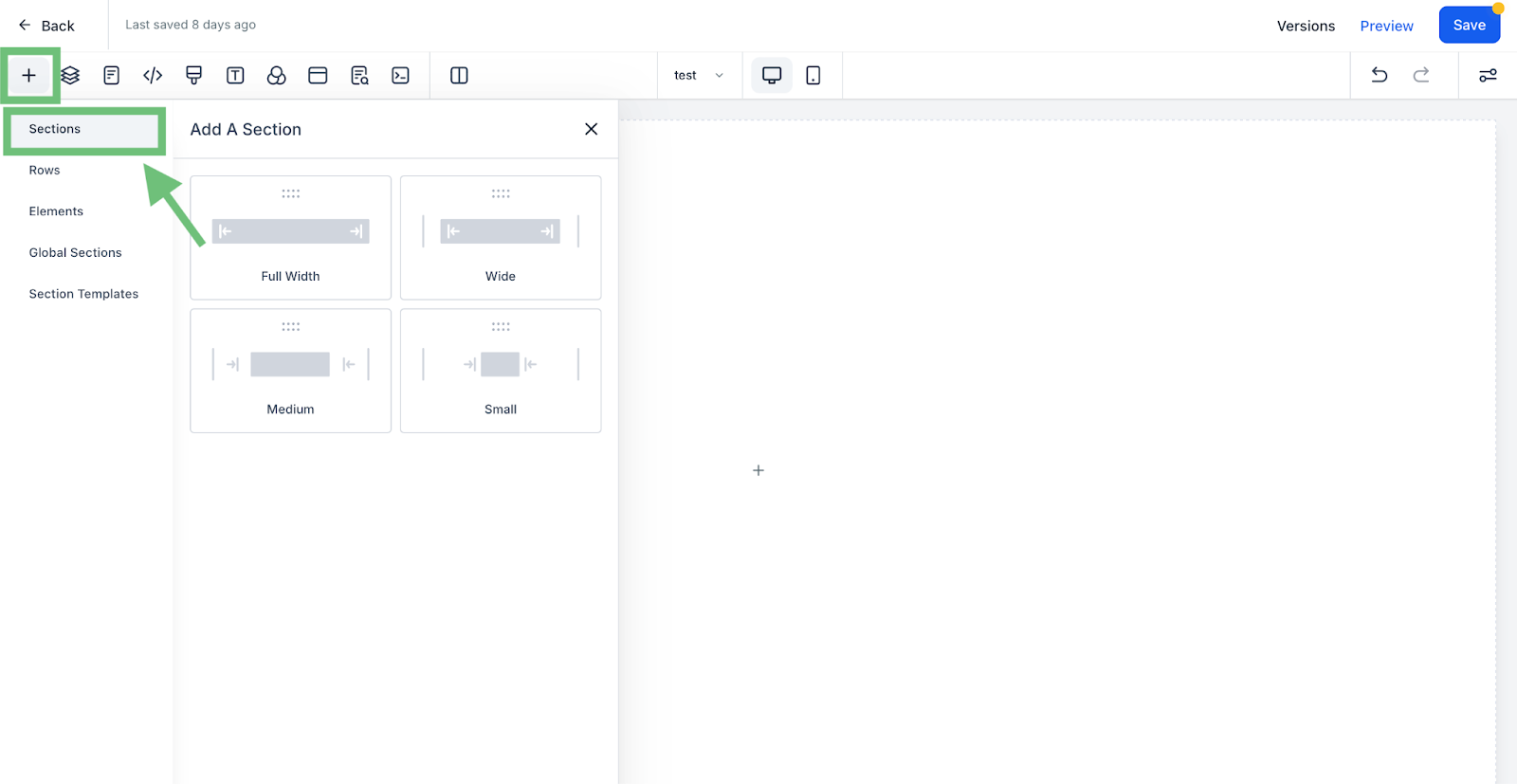
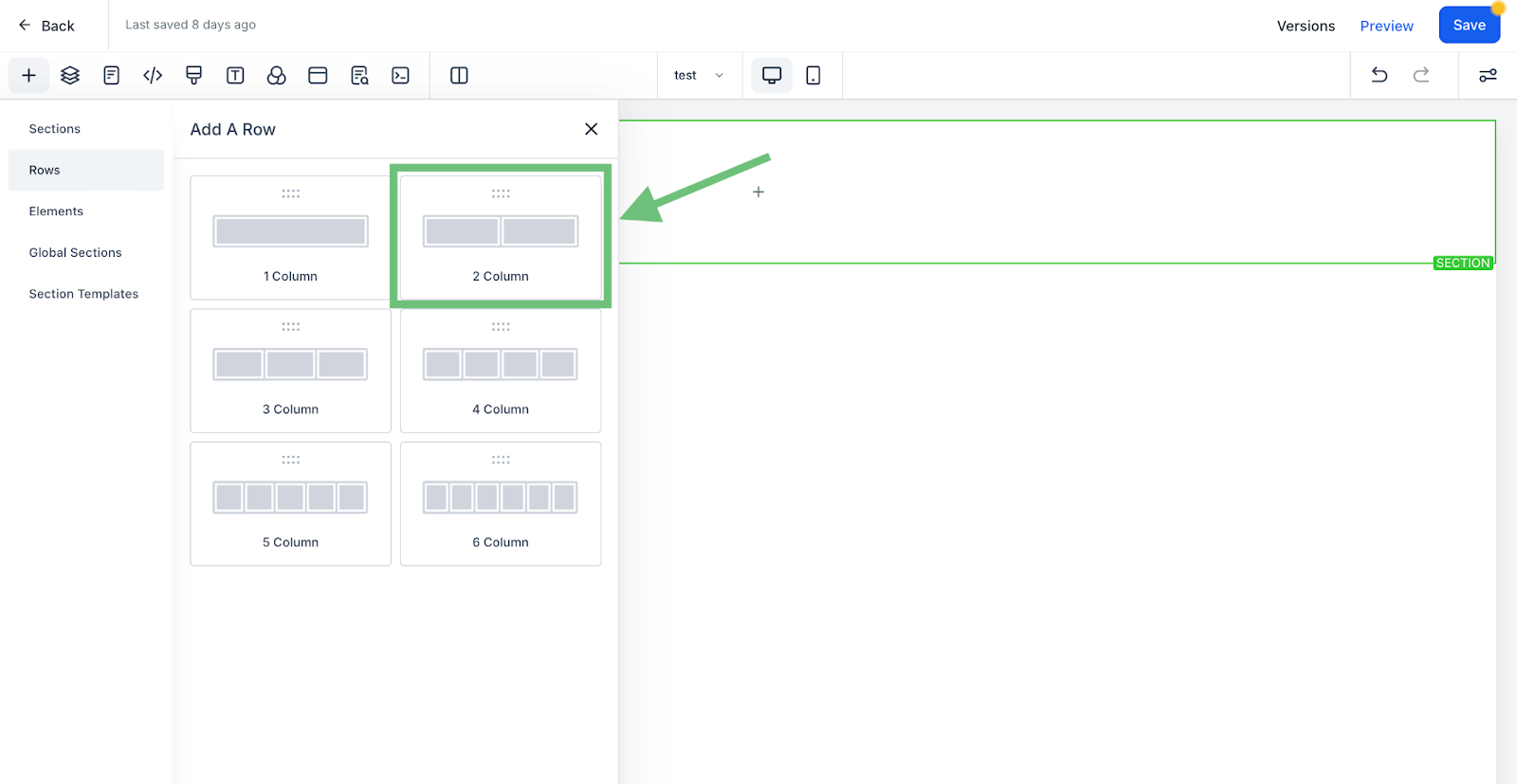
To add the columns first you will have to add a section.Click on the “+” button and select a section of required section.
Now you can add a row with the desired number of columns (e.g. 2 columns)
. In the columns general settings now you can add the left or right margin which will give your funnels a more professional and elegant look.