
New Feature: Multi-File Upload Supported On Forms
Introducing a groundbreaking enhancement to Gold Star Pro: the ability to enable multi-file upload on forms. Now, streamline your file management with the convenience of uploading and organizing multiple files effortlessly, ensuring a more efficient and controlled experience for your small business needs.
Multi-File Upload Supported On Forms: Enable multi-file upload on forms, allowing users to easily upload and manage multiple files on Gold Star Pro.👇🏻
⭐️ Why does it matter to your business?
Efficient File Management: Easily drag and upload multiple files, streamlining the process.
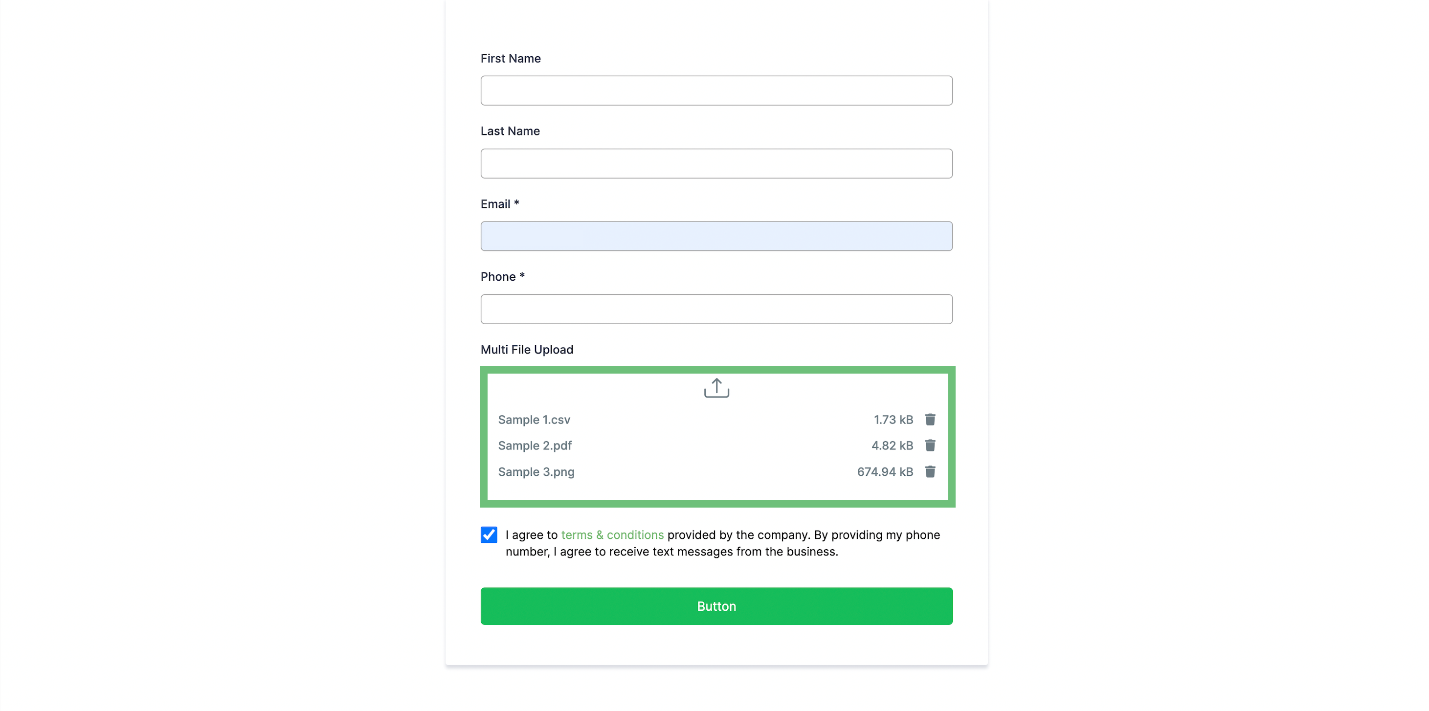
Enhanced Control: Delete incorrect files before finalizing the upload.
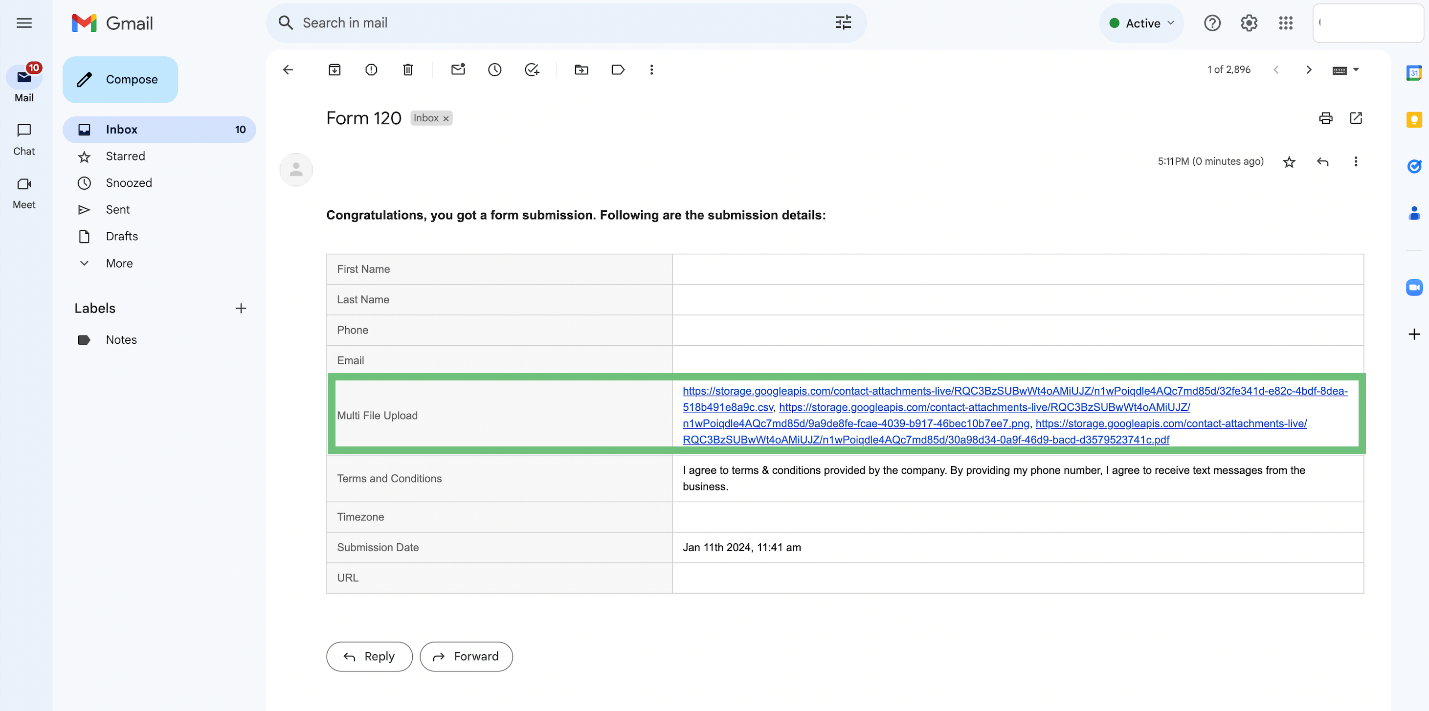
Improved Accessibility: Upgraded handling of file uploads in CSV exports, email notifications, and autoresponders, providing links to individual files for better organization.
⭐️ How To Use Multi-File Upload Supported On Forms:
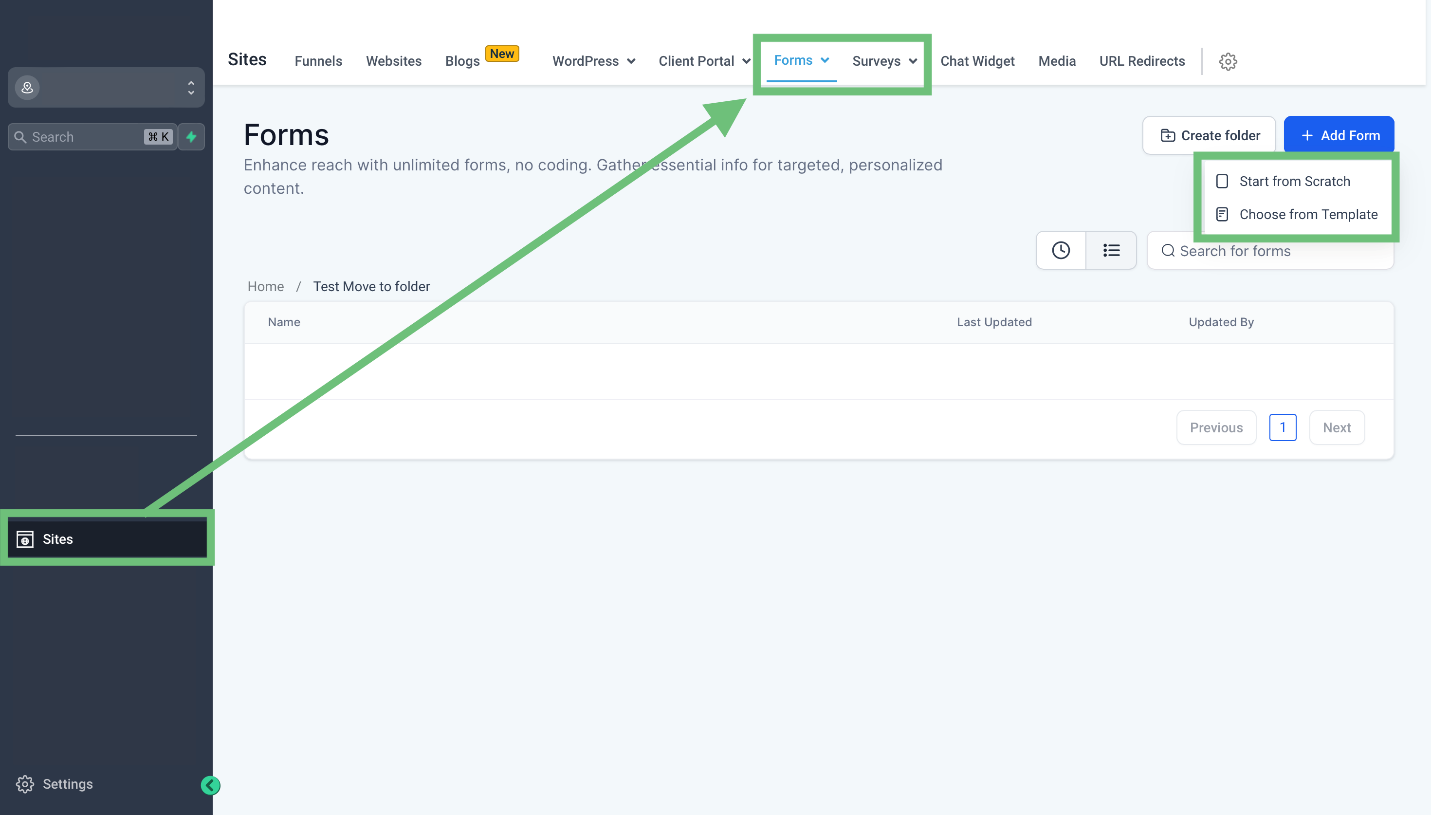
Access the sites tab from the left navigation menu and select Forms/Surveys and choose to start from scratch or use a template.
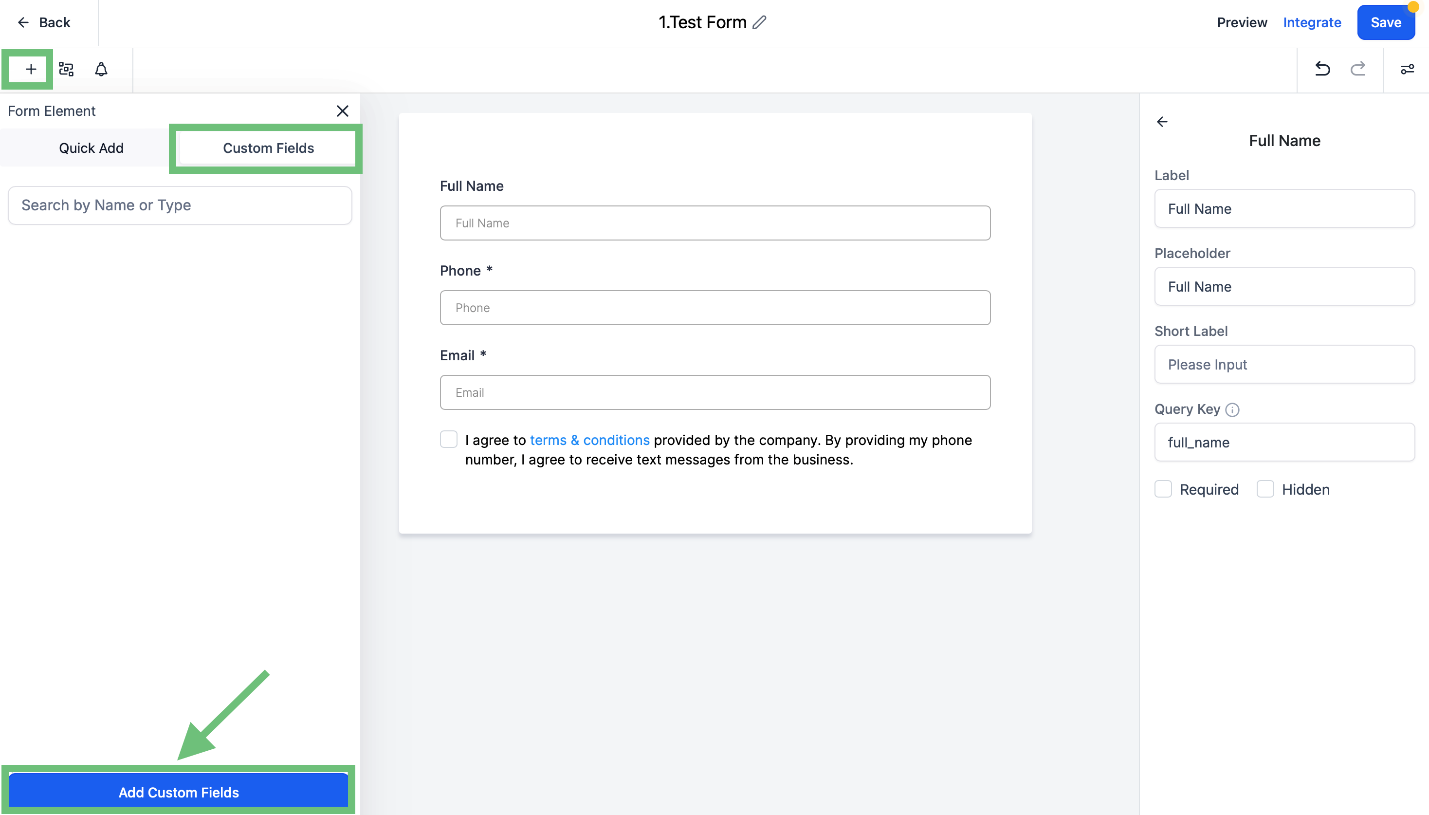
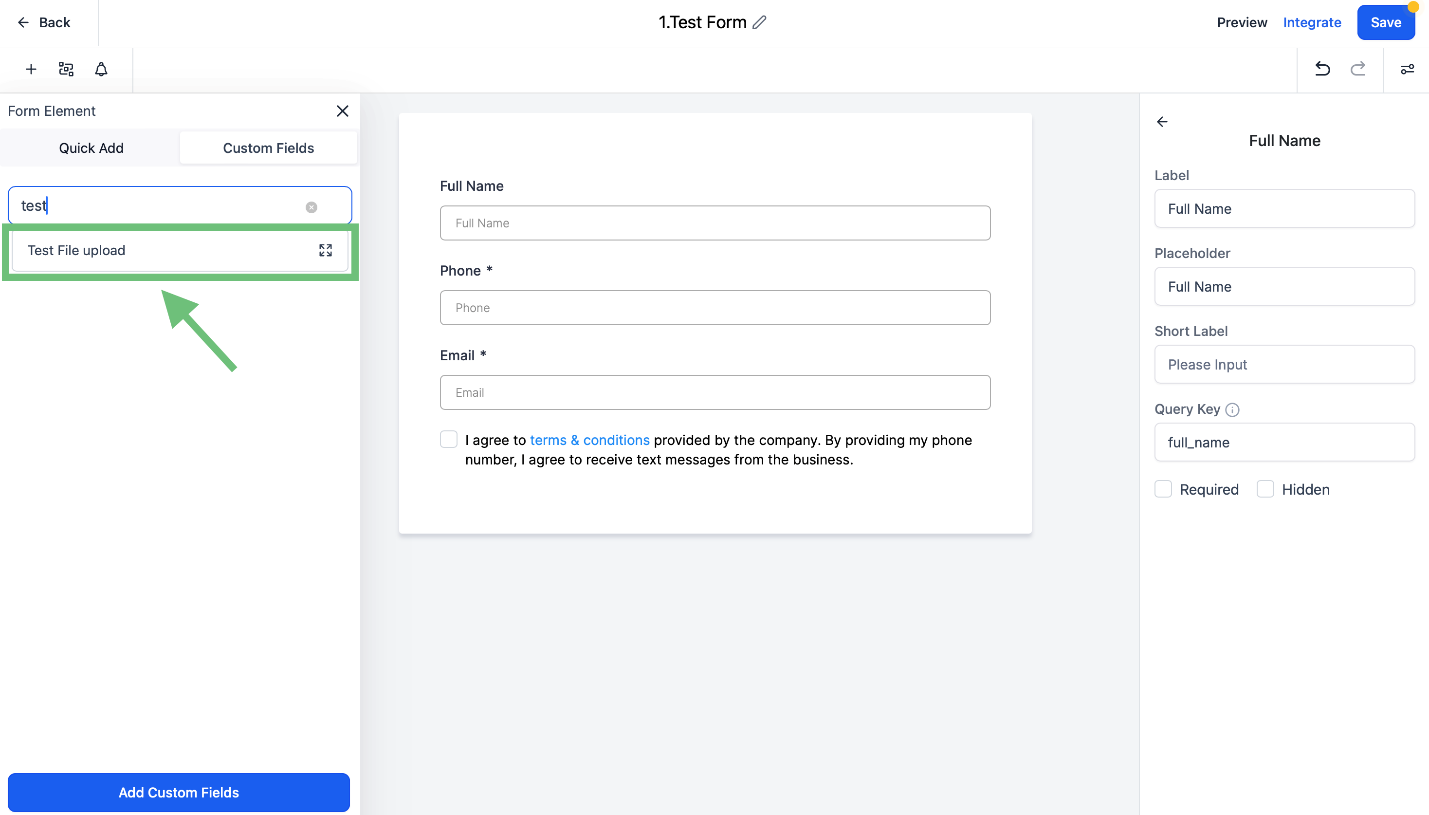
In the Builder click on the “+” button and select the custom field and click on the “Add Custom Fields” button.
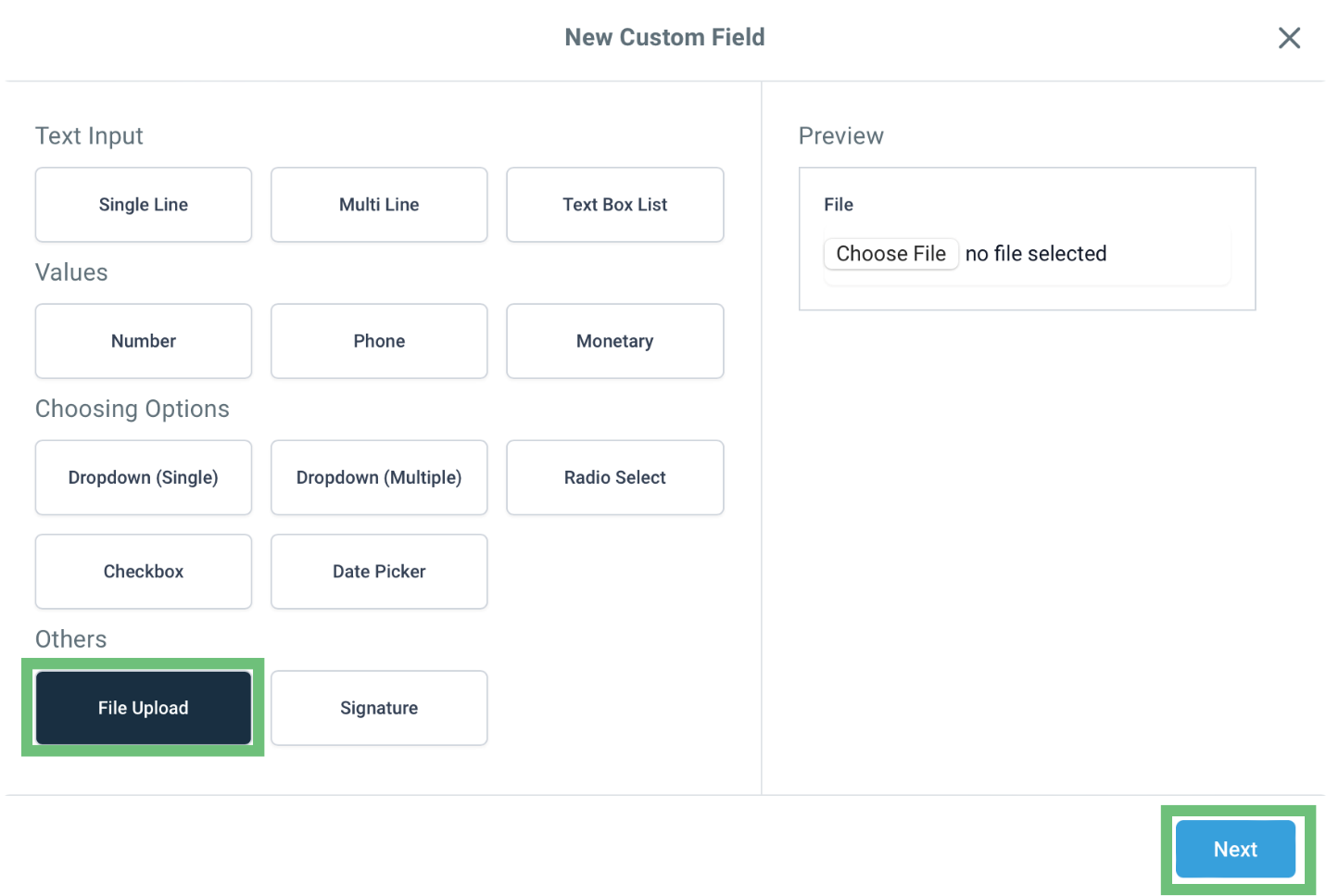
And select “File Upload” and click Next.
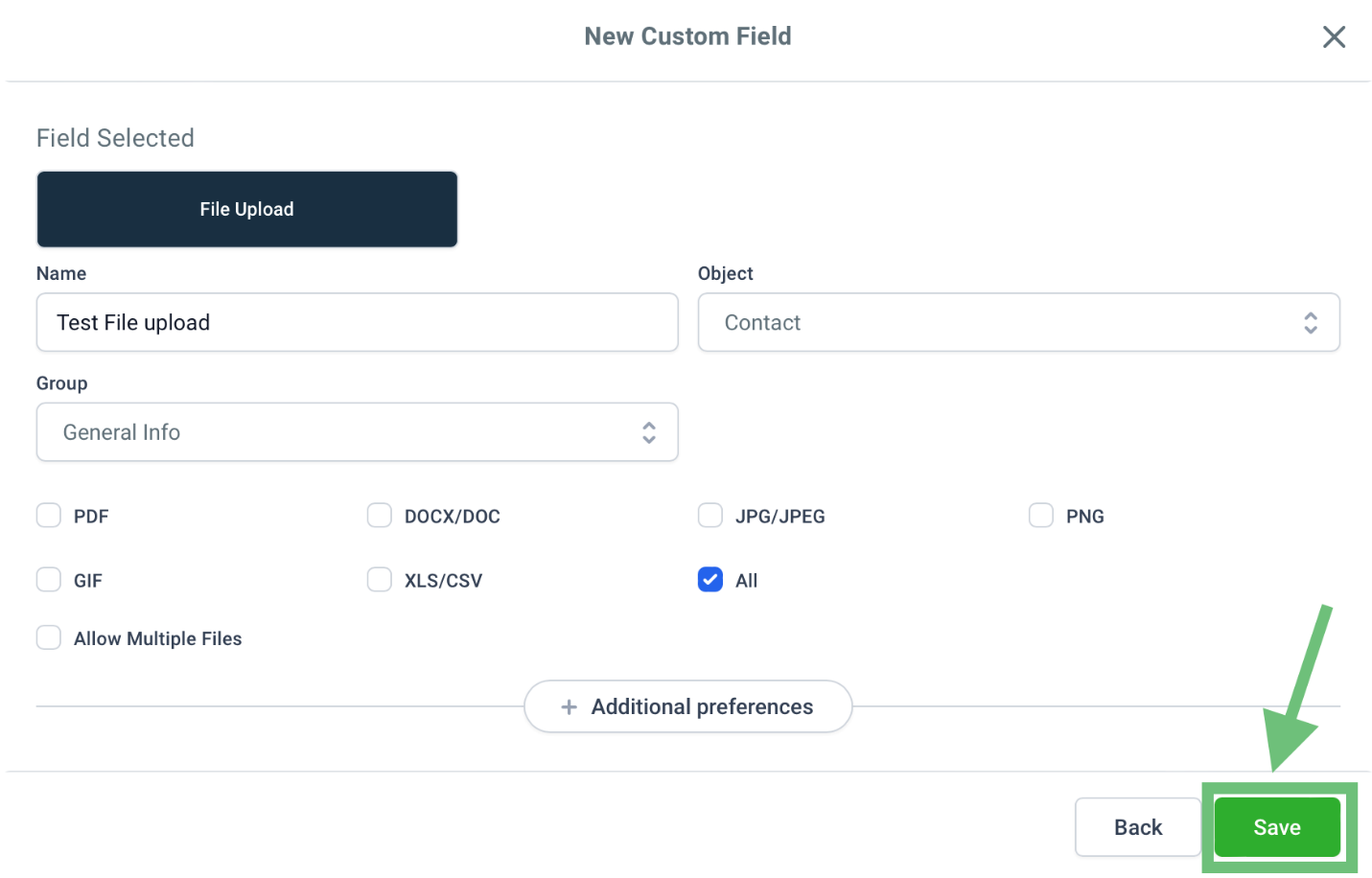
Name the custom field & check the box for all file types and hit the save button.
Now Add the custom field you created in the Form/Survey.
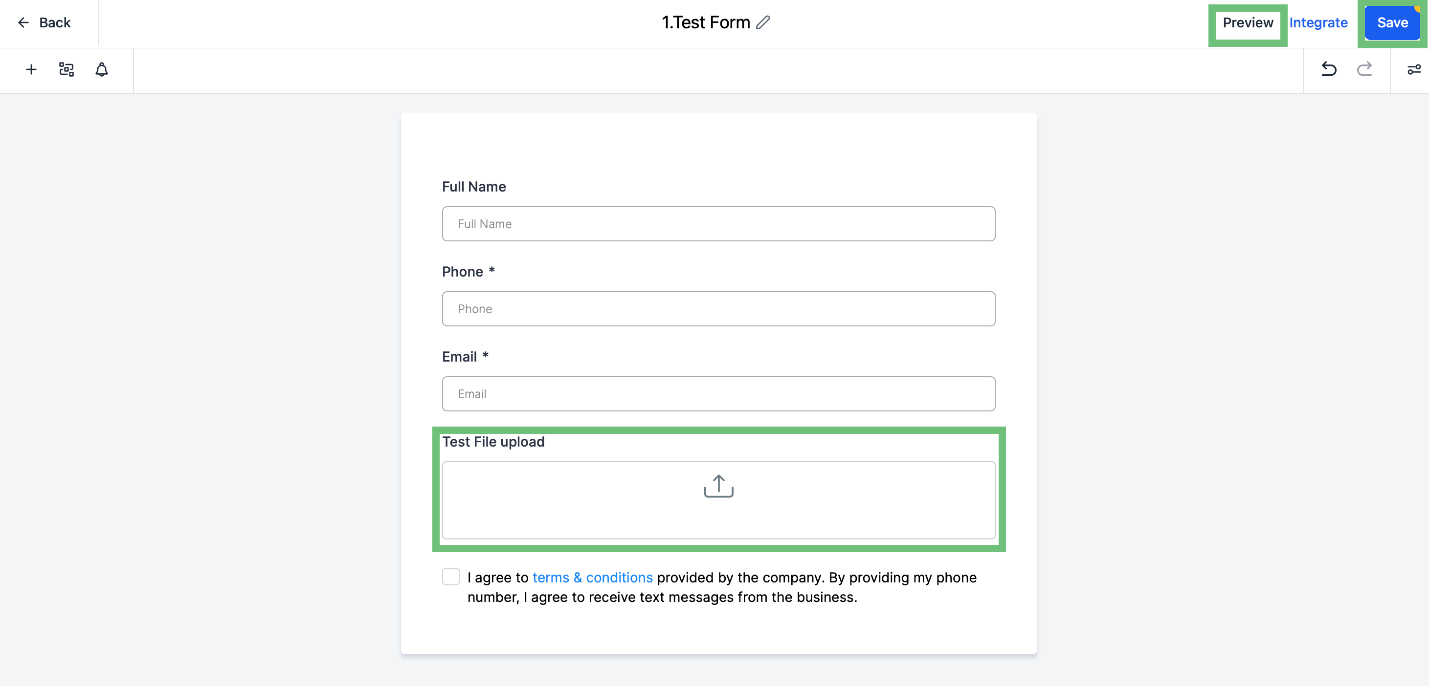
You can see the newly added custom field in the builder. Click the save button and click on preview.
While filling in the form now you can add multiple files.
In the Confirmation email you can see the multiple files field.
Implementing these steps enhances your overall Gold Star Pro experience, providing a more efficient and organized approach to file management.
