
More Control Over Your Meta Ad Budgets in Ad Manager
If you run Meta ads through Ad Manager, you now have a lot more say over how your budget gets spent. You can decide whether Meta manages one pot of money across your whole campaign, or whether you keep tight control at the individual ad set level.
Before this, your budgeting choices were fairly limited. Now you get to pick the setup that suits how you like to work.
Choose where your budget lives
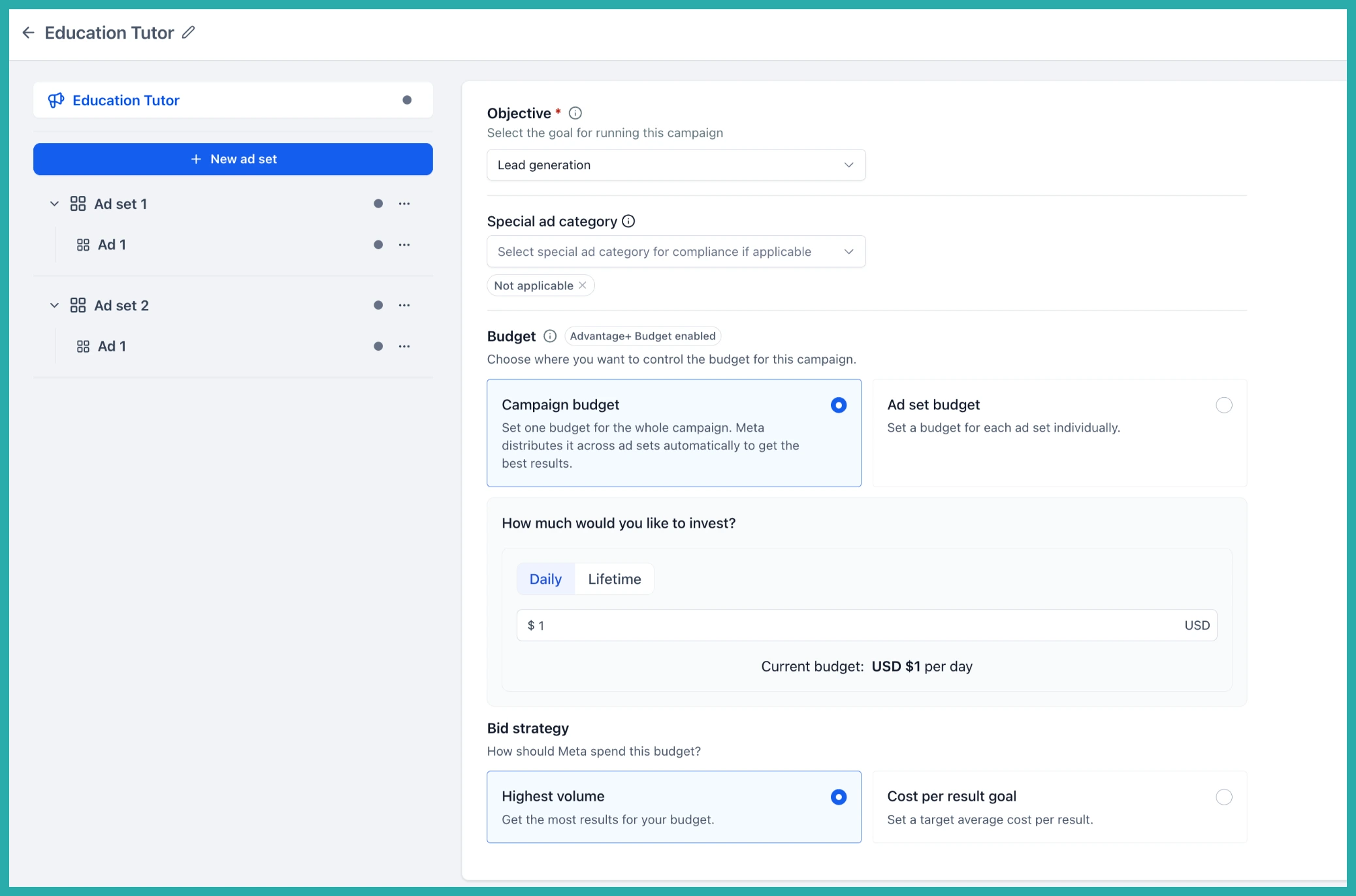
When you create or edit a Meta campaign, you'll find a Budget section with two options.
- Campaign budget - Set one budget for the whole campaign and let Meta spread it across your ad sets automatically, sending more where it's working.
- Ad set budget - Set and manage a separate budget for each ad set yourself, so nothing moves without you saying so.
In the screenshot below, you'll see where this choice sits in the campaign builder.
Let Meta share a little, without losing control
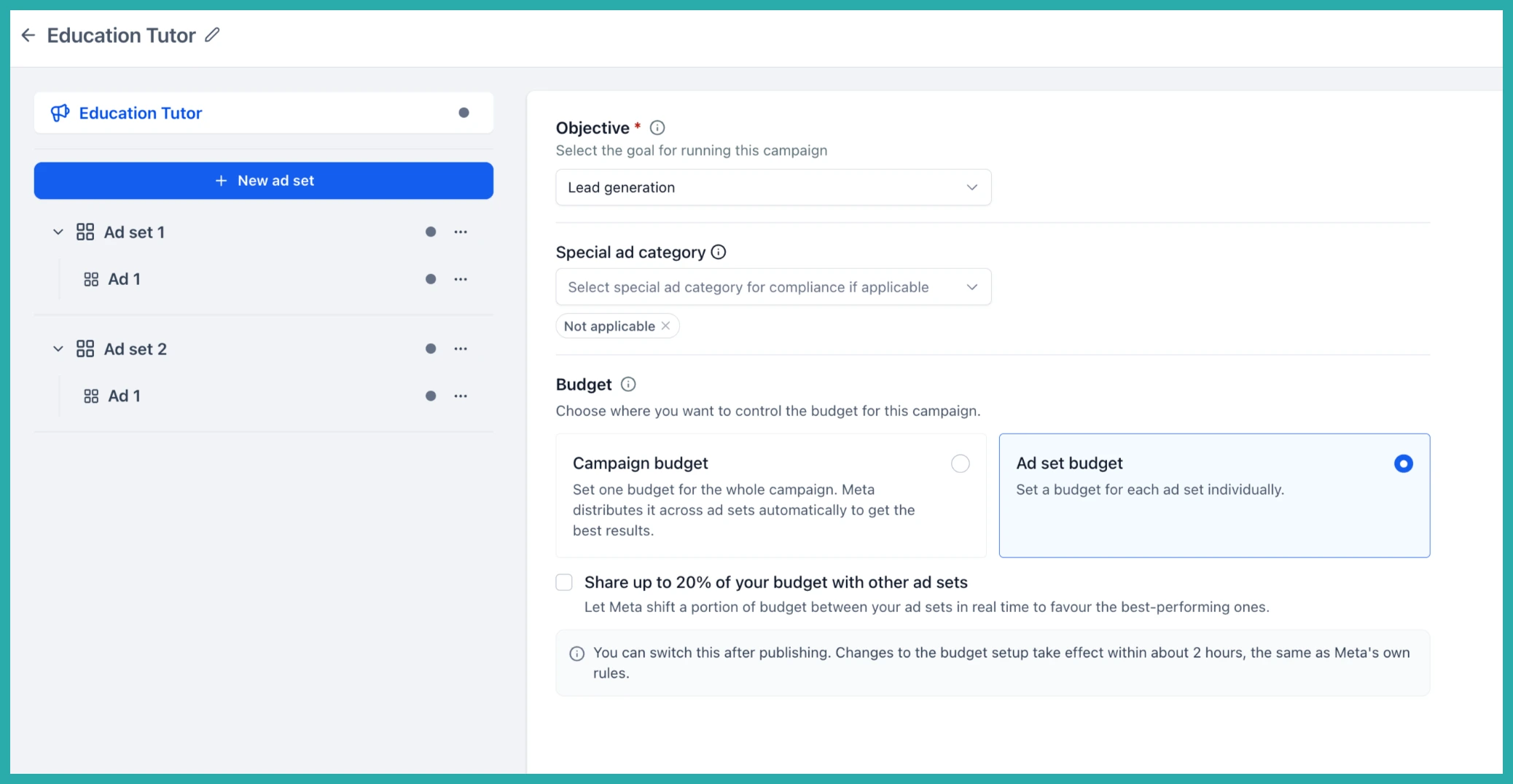
If you go with Ad set budget, there's a nice middle-ground option. You can tick Share up to 20% of your budget with other ad sets.
That lets Meta shift a portion of spend between eligible ad sets based on performance, while your individual ad set budgets stay exactly as you set them. You keep the control, Meta gets a bit of room to chase the better-performing opportunities.
Daily or lifetime, and your bid strategy
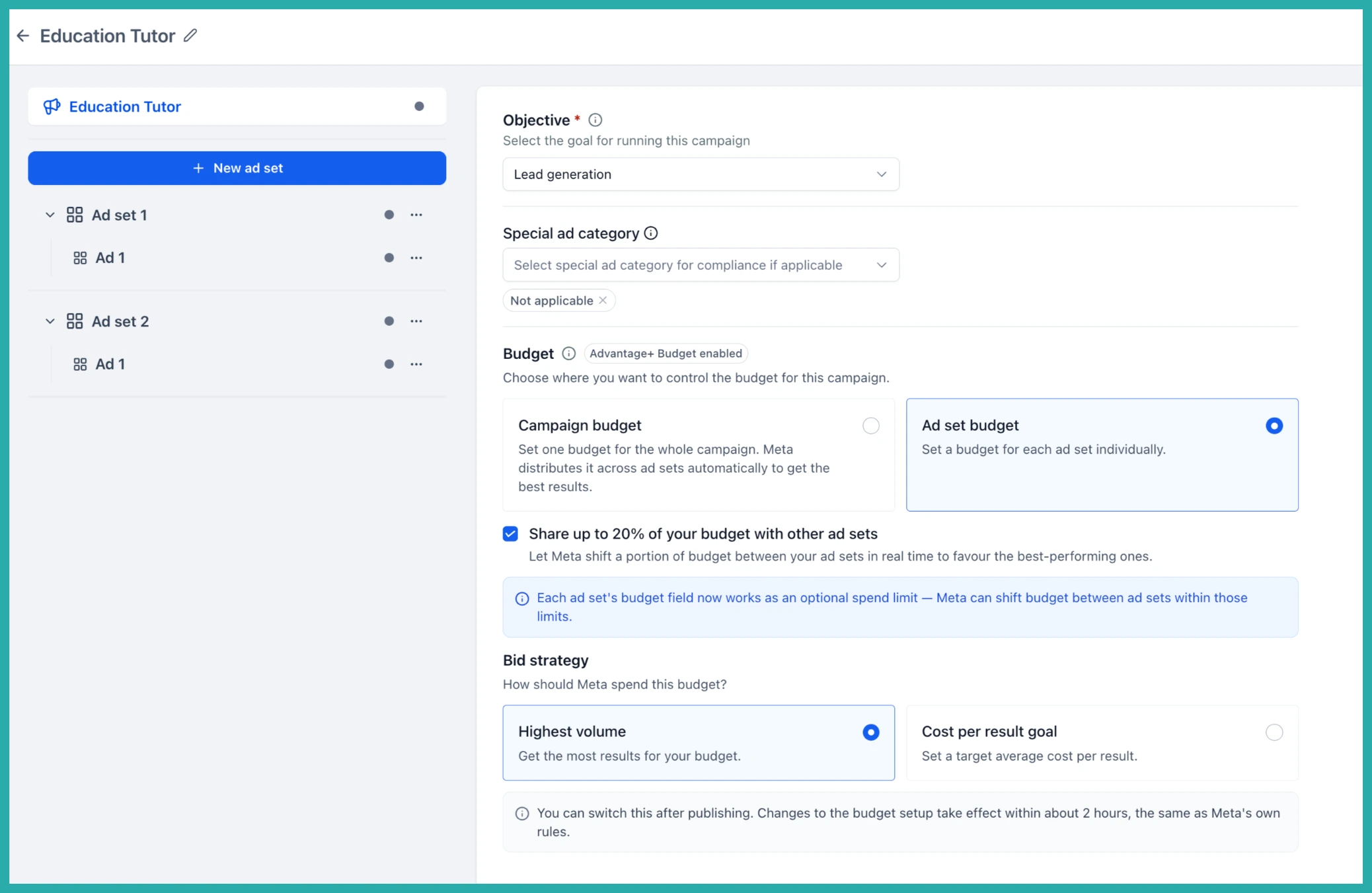
Campaigns support both Daily and Lifetime budgets. If you're budgeting at the ad set level, you set the budget and its schedule inside each ad set.
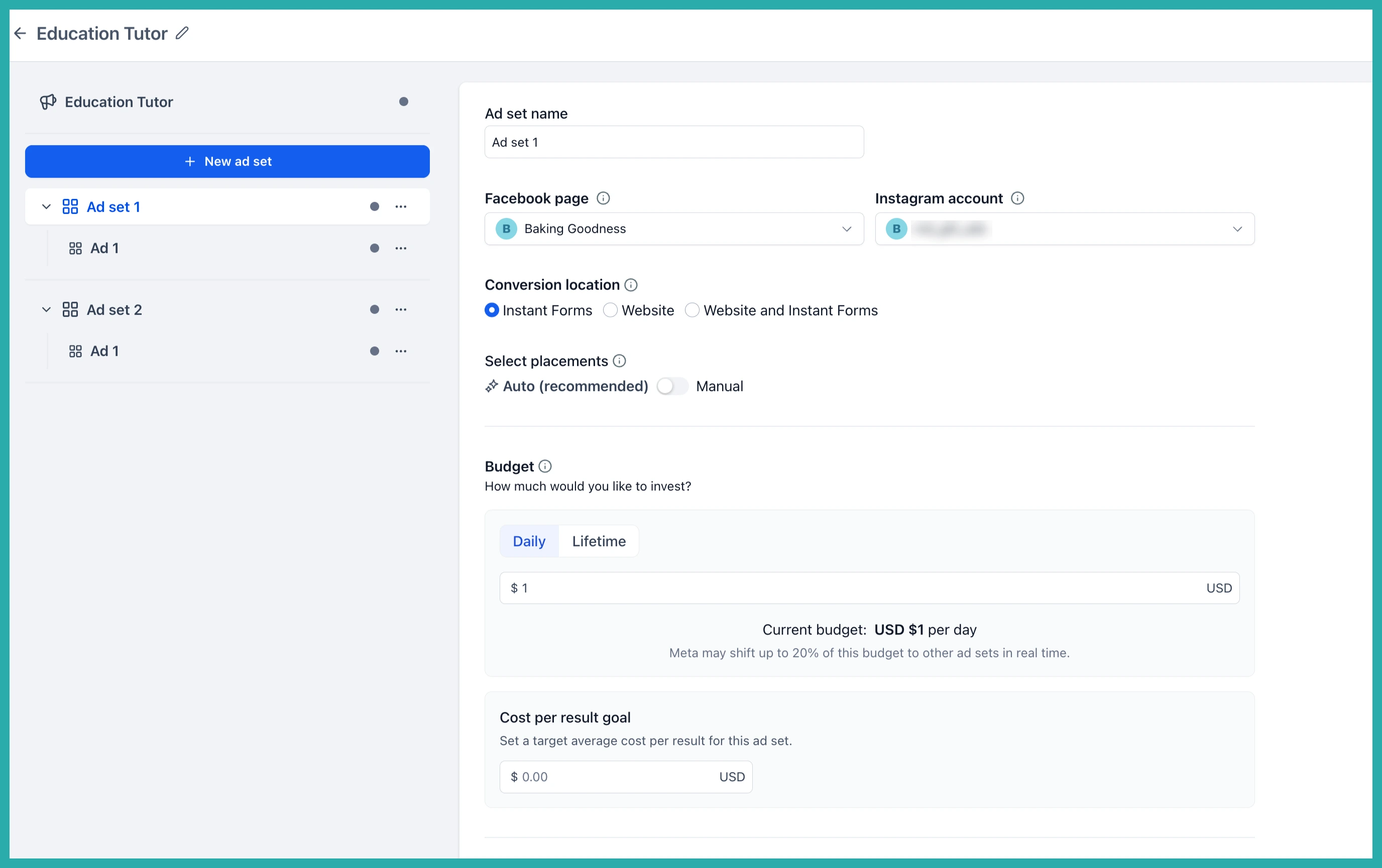
You also choose your bid strategy, such as Highest volume or Cost per result goal. If you pick Cost per result goal, you set the target cost at the ad set level.
Change your mind after publishing
You're not locked in. After a campaign is published, you can update the budget setup and even move between Campaign budget and Ad set budget, adding the budgets needed for the ad sets involved.
One honest note: Meta may temporarily limit further budget changes right after an update, based on its own rules. The builder now explains how each option works as you go, so you're never guessing.
How to use it
- Go to Ad Manager and create or edit a Meta campaign.
- Under Budget, choose Campaign budget or Ad set budget.
- If you pick Ad set budget, optionally tick Share up to 20% of your budget with other ad sets.
- Set your Daily or Lifetime budget.
- Choose your bid strategy.
- For ad set budgets, open each ad set to set its budget, schedule, and cost per result goal.
- Review and publish.
Have a campaign running right now? Open it up and take a look at your budget setup - you might find a tidier way to spend the same money.
