
See Meta's Ad Recommendations Inside Your Campaigns, No Tab-Switching Needed
You publish a Meta campaign, then wonder if it could be doing better. Usually that means logging into Meta Ads Manager, hunting through screens, and trying to make sense of what it's suggesting.
Now those suggestions come to you.
What landed
Once a Meta campaign is published, Ad Manager pulls in Meta's own post-publish recommendations and shows them right on your campaign Review screen. No second tab, no jumping between tools.
For each recommendation you'll see the suggested change, which part of the campaign it affects, and the expected improvement when Meta provides one. Each one is tagged High, Medium, or Low impact, so you can tell at a glance what's worth acting on first.
And if Meta has nothing to suggest? You get a clear "No recommendations right now" message, so you're never left guessing whether it loaded.
How to use it
- Open a published Meta campaign in Ad Manager.
- Go to the Review screen.
- Select Meta recommendations from the button in the top left to see what's available.
In the screenshot below, you'll see the recommendations listed out, each with its impact level and the change Meta is suggesting.
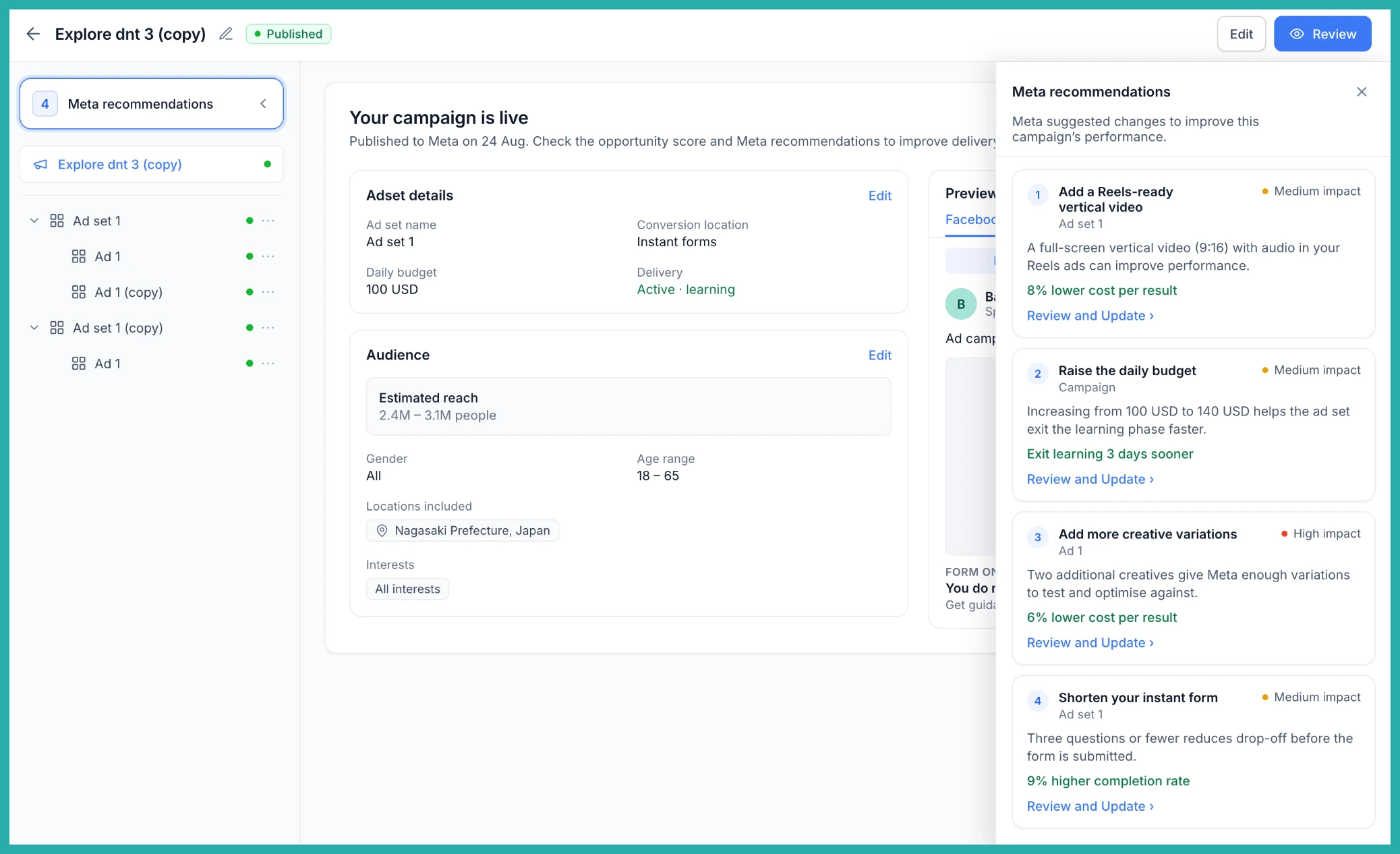
When one looks worth doing, click Review and Update. It takes you straight to the right section of the campaign so you can make the change there and then.
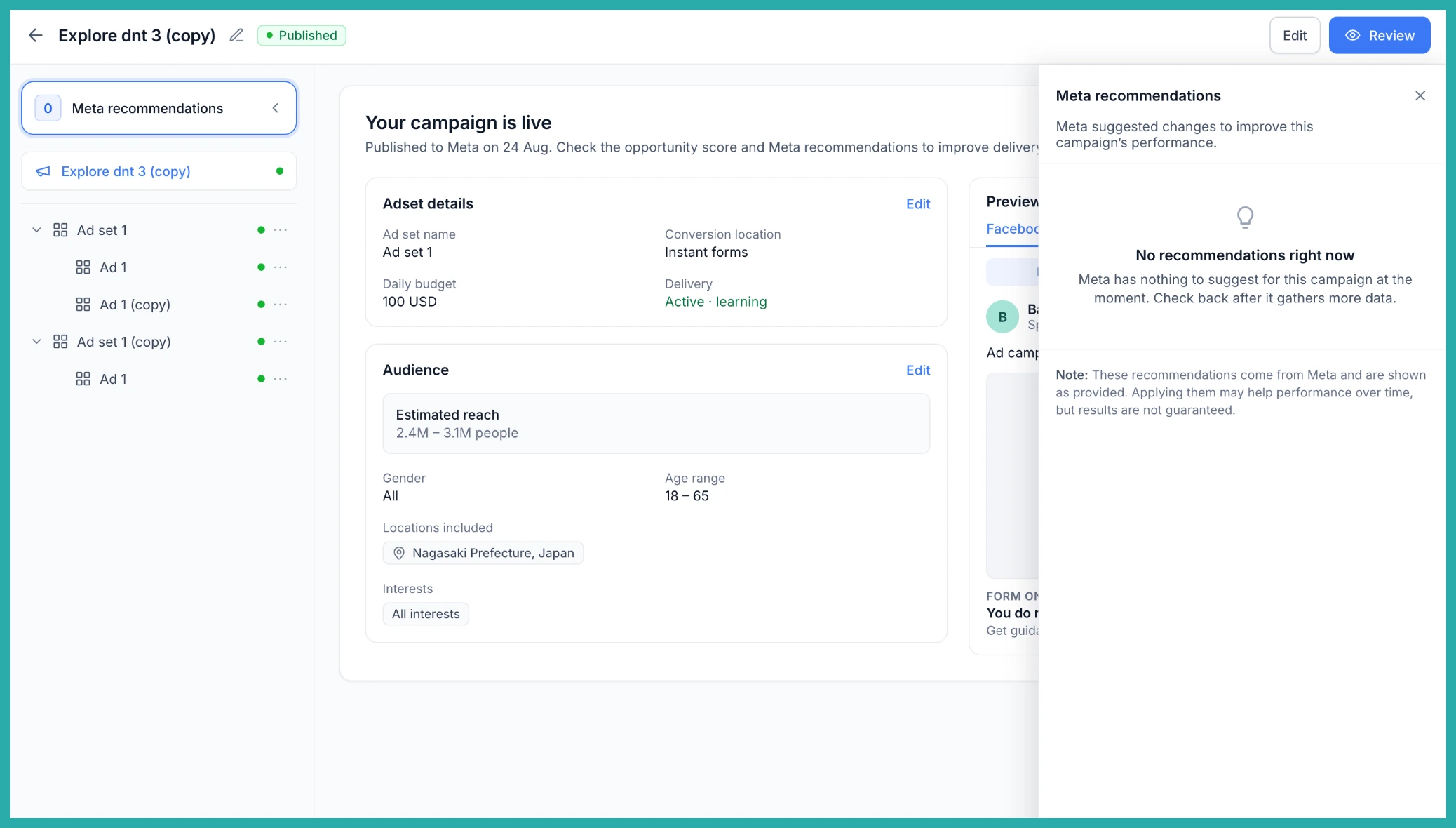
No copying details back and forth, no losing your place. The suggestion and the setting live in the same spot.
A couple of honest notes
The recommendations and expected outcomes come from Meta, and they can shift as your campaign gathers more data. Applying one doesn't guarantee better results - it's a suggestion, not a promise.
You'll also only see recommendations you can actually act on inside Ad Manager, so nothing sends you off elsewhere to finish the job.
Optimising your ads doesn't stop the moment you hit publish. Now the guidance you need is right where you're already working, so go take a look at your live campaigns and see what Meta suggests.
