
Your AI Agent Can Now Prep Before Meetings and Follow Up After
You book the meeting, then spend the hours around it doing the admin by hand. A reminder before so they actually show up. A follow-up after so the next step doesn't slip. Updating the contact record once it's done.
Your Managed Agent can now do all of that for you, triggered by the meeting itself.
What landed
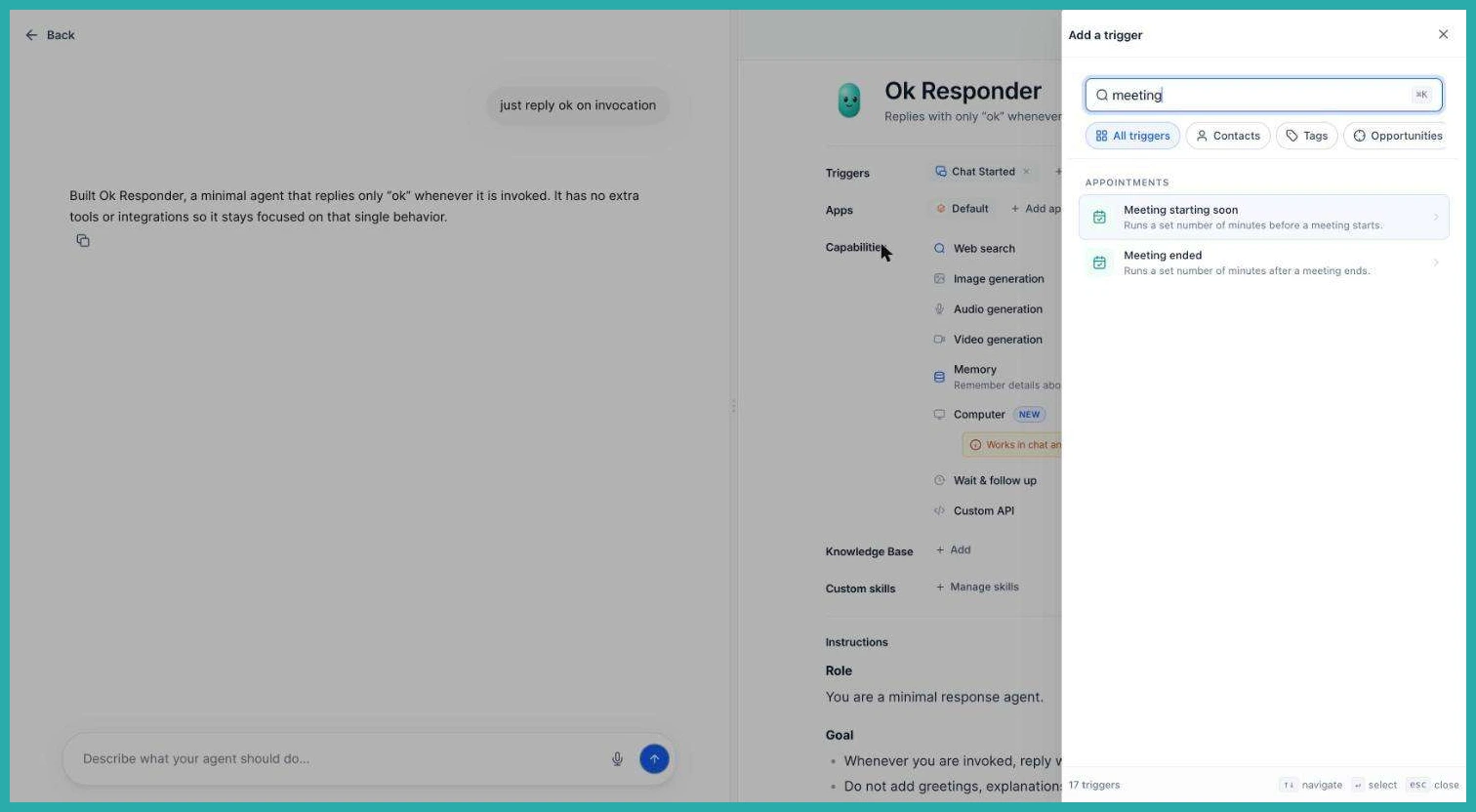
There are two new triggers you can add to a Managed Agent, and they do exactly what they say.
- Meeting Starting Soon fires anywhere from 5 minutes to 24 hours before a meeting. Use it to send a reminder, prepare a short brief, or pull together customer details so you walk in ready.
- Meeting Ended fires immediately, or up to 24 hours after the scheduled end time. Use it to send a follow-up message, lay out next steps, or update the contact record.
The agent gets the meeting details to work with - title, time, who it's with, and the meeting link when there is one.
It only fires on the meetings you choose
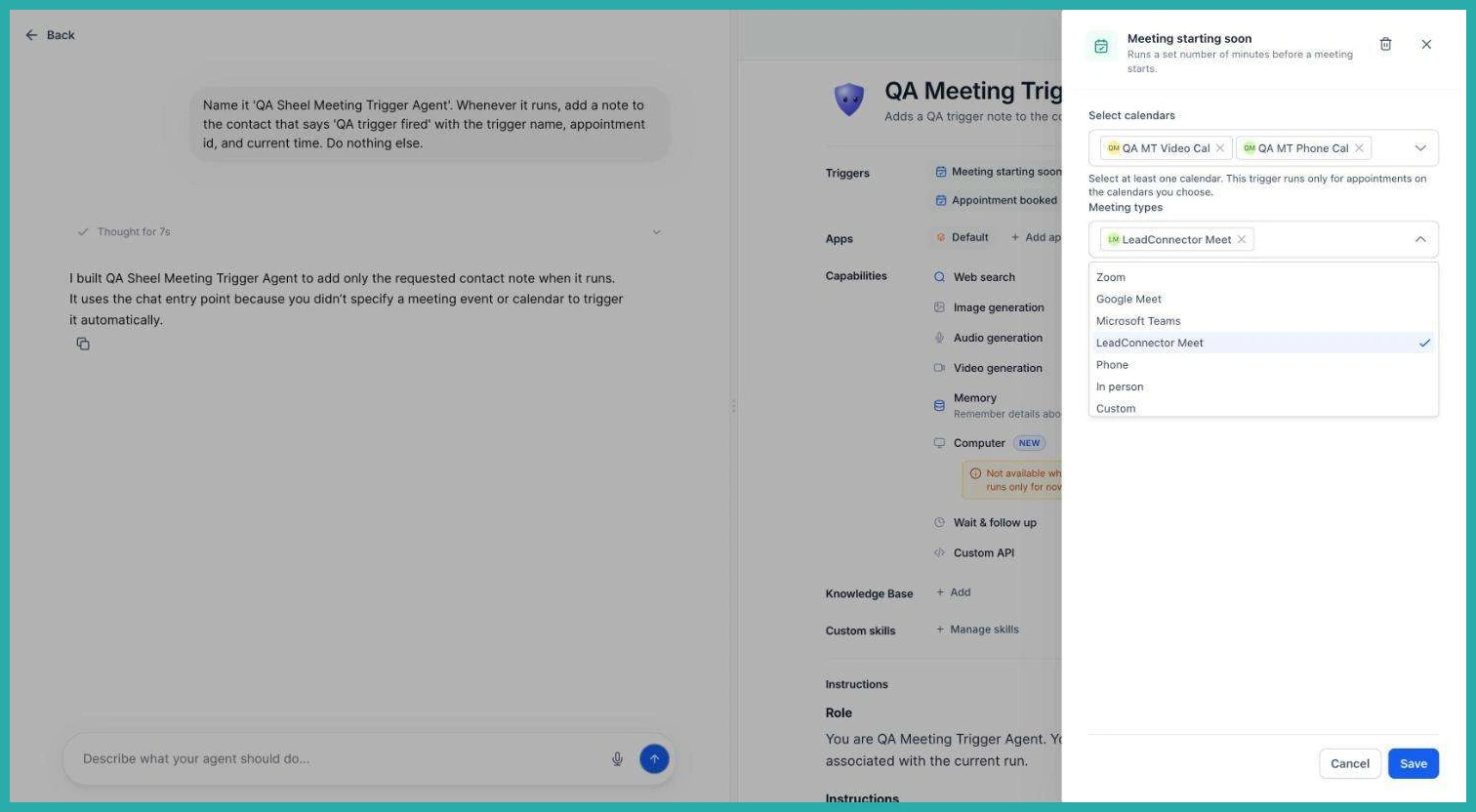
You're not stuck sending the same thing for every booking. You can point each trigger at specific calendars and specific meeting types, so a discovery call and a paid session can be handled completely differently.
It works across Zoom, Google Meet, Microsoft Teams, phone, and in-person meetings, plus the built-in video option in your account. And that same meeting-type filter is now available on the Appointment Booked trigger too.
It keeps up when plans change
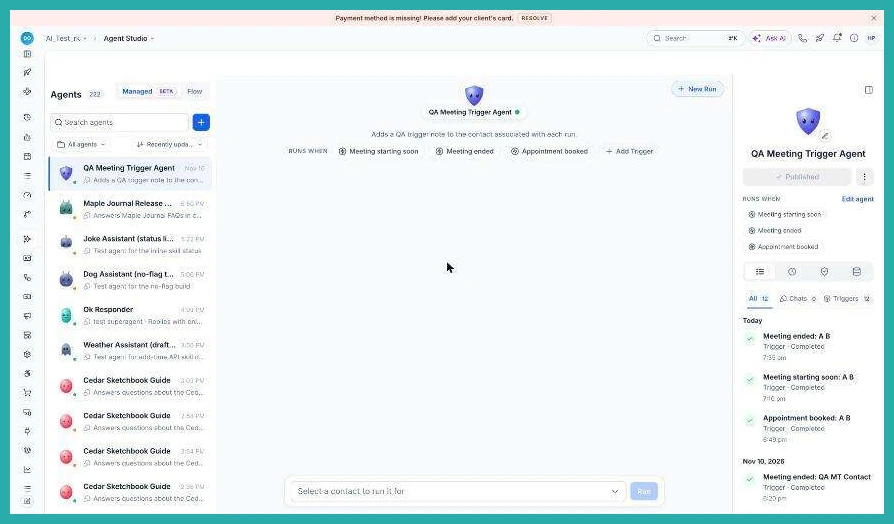
This is the part that saves you babysitting it. If someone reschedules, the trigger timing updates itself to match the new time. If they cancel, nothing fires. Meetings that are already on the books are supported too, so you're covered from the moment you switch it on.
You set it once and it handles the moving parts for you.
How to set it up
- Go to AI Agents, then Agent Studio, then Managed Agents.
- Open your agent and click + Add Trigger.
- Search for Meeting Starting Soon or Meeting Ended.
- Choose your calendars, your meeting types, and your timing.
- Publish the agent to switch the triggers on.
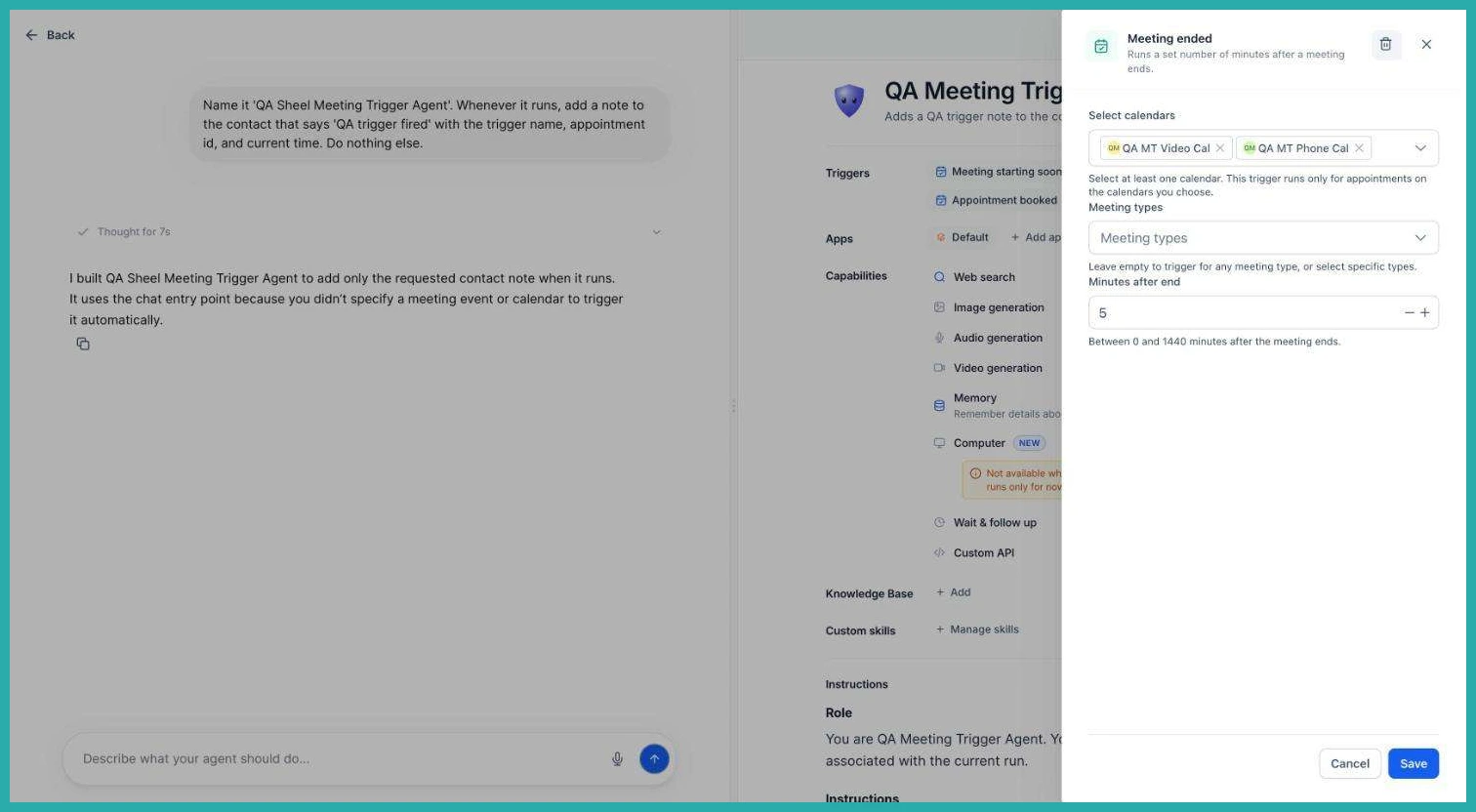
One honest note: Meeting Ended runs off the scheduled end time, not when the call actually wraps, and it doesn't include recordings or transcripts.
Pick one meeting type you run often and set up a simple before-and-after flow. Once you see it handle the first one on its own, you'll want it on everything.
