
Meeting Room Now Plays Sound Alerts So You Never Miss a Guest Waiting
You're mid-meeting, sharing your screen, deep in conversation, and someone's been sitting in the lobby for three minutes with no idea you've forgotten them. Or a guest raises their hand with a question and you sail right past it.
Your Meeting Room now speaks up. It plays sound alerts for the moments that actually matter, so you can keep your eyes on the conversation and still catch what's happening around the edges.
What you get
There are now sound alerts for the things that used to slip past you:
- Someone joining or leaving
- A guest waiting in the lobby
- A raised hand
- Recording starting and stopping
And the best part: each person picks their own sounds. What you hear is up to you, and it doesn't change what anyone else hears.
A few sensible defaults are built in. Join and leave sounds start off, so you're not hearing a chime every time someone pops in and out. The rest start on. Waiting room and raised hand alerts are host-only, so only you and your co-hosts hear them, not every guest on the call.
Recording is the one exception. It's always announced, it can't be turned off, and anyone who joins late hears it once too. Everyone knows when they're being recorded, as it should be.
Your choices stick
Set your sounds the way you like them once, and they carry over to every meeting after that. No resetting your preferences every single call.
There's a small nicety for your guests too. Returning guests get their name pre-filled, so they skip retyping it every time they join.
How to set your sounds
It takes about thirty seconds. In a meeting, open the More menu, then Settings, then the Alerts tab.
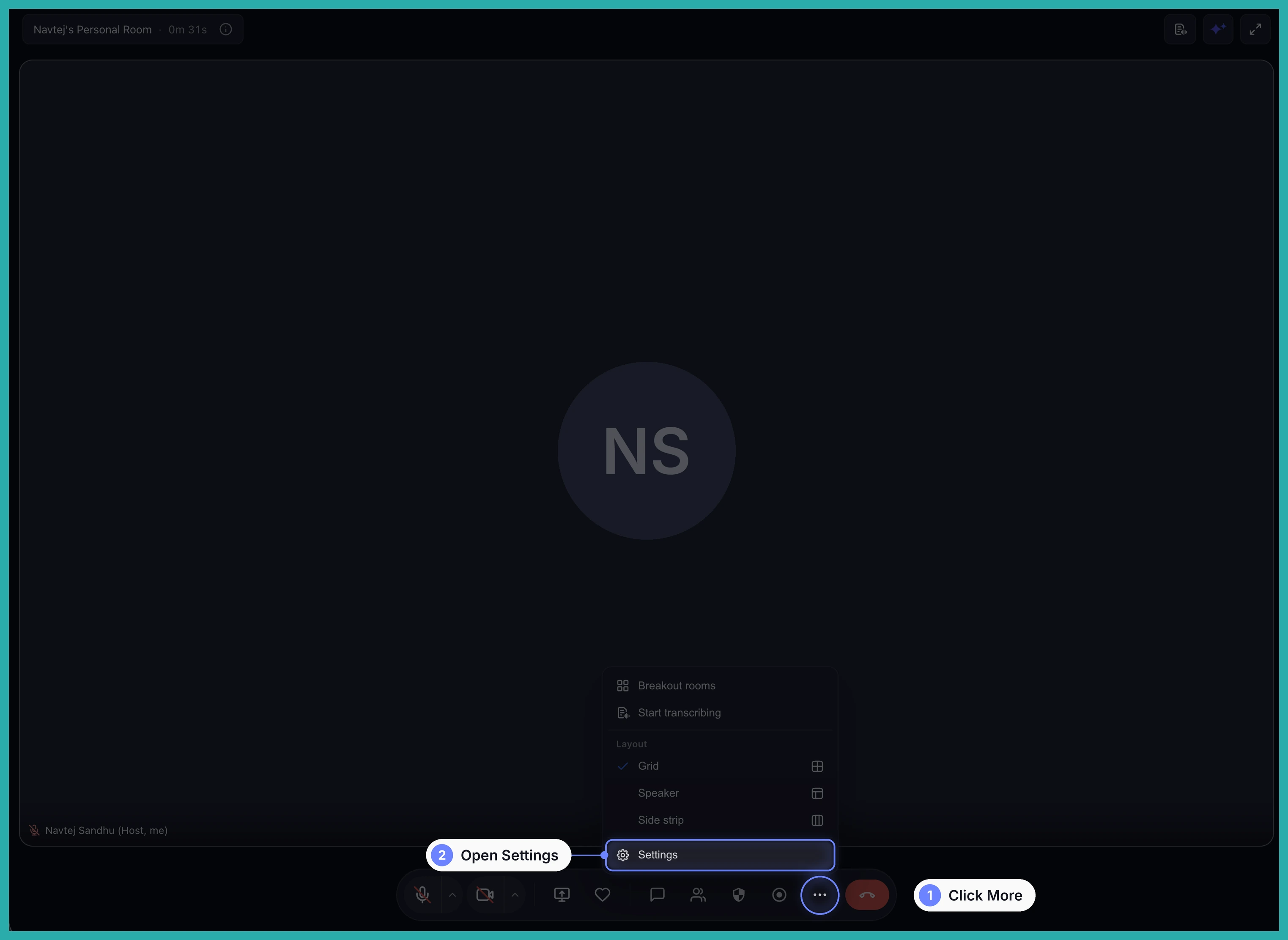
You'll see one switch per sound. Turn each one on or off to suit how you run your meetings. In the screenshot below, you'll see each alert laid out with its own toggle, so you can be as noisy or as calm as you like.
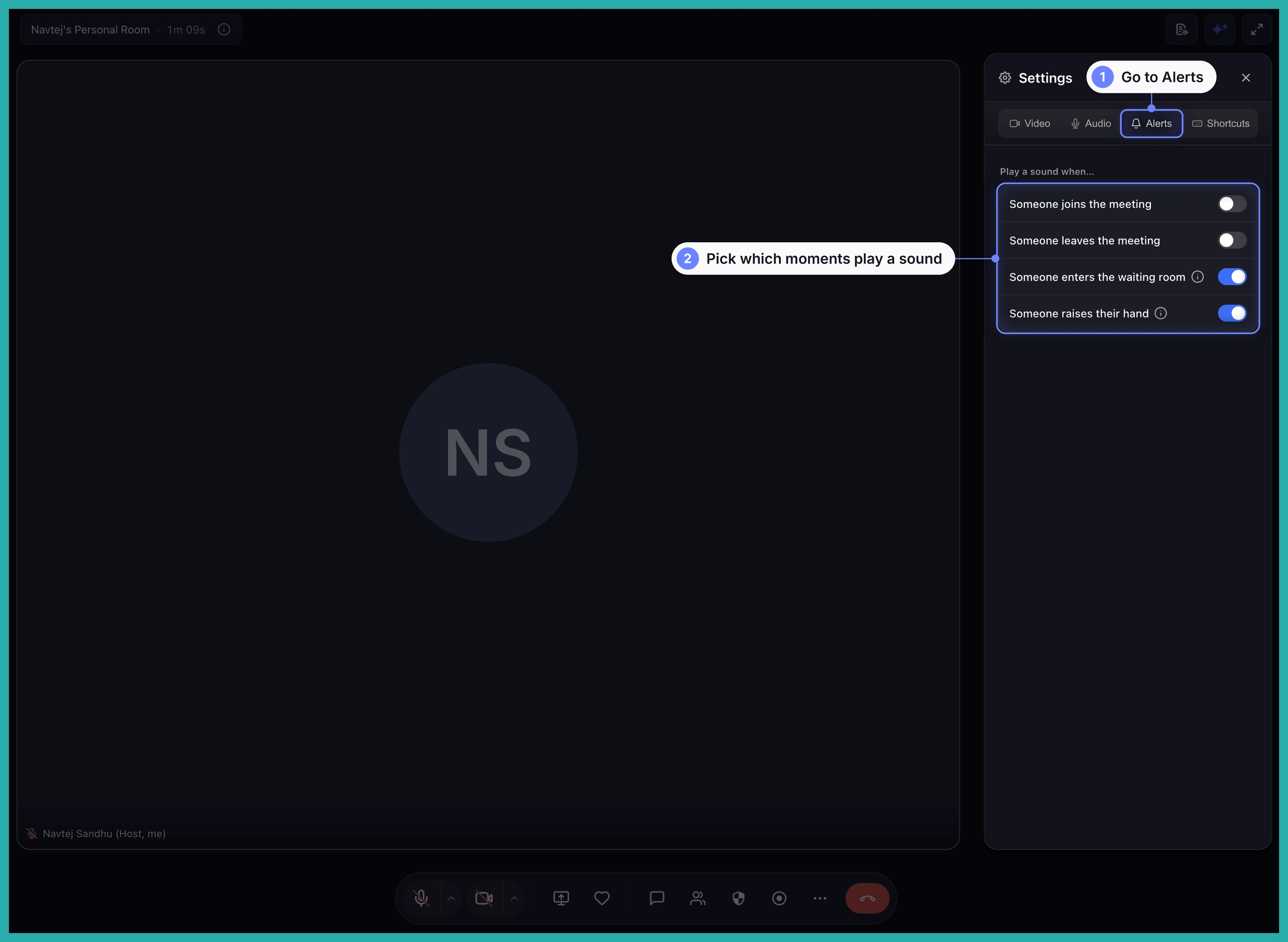
As soon as you make a change, you'll see Saved appear. That's it, nothing else to do.
Next time you host, give the alerts a minute to set up the way you work. Then you can stop watching the lobby and the hand icons, and just be present in the conversation.
Host alerts are a small part of running calls in Meeting Room. If you're weighing up what to use instead of Zoom, we've laid out the full comparison.
