
Recover Failed Subscription Payments Yourself, Right From the Subscription Page
A subscriber's card fails. The system tries again automatically a few times, and then it stops. Until now, that was the end of the road inside your account - you'd have to chase the payment some other way, or write it off.
Now you can pick it back up yourself, straight from the subscription.
What you get
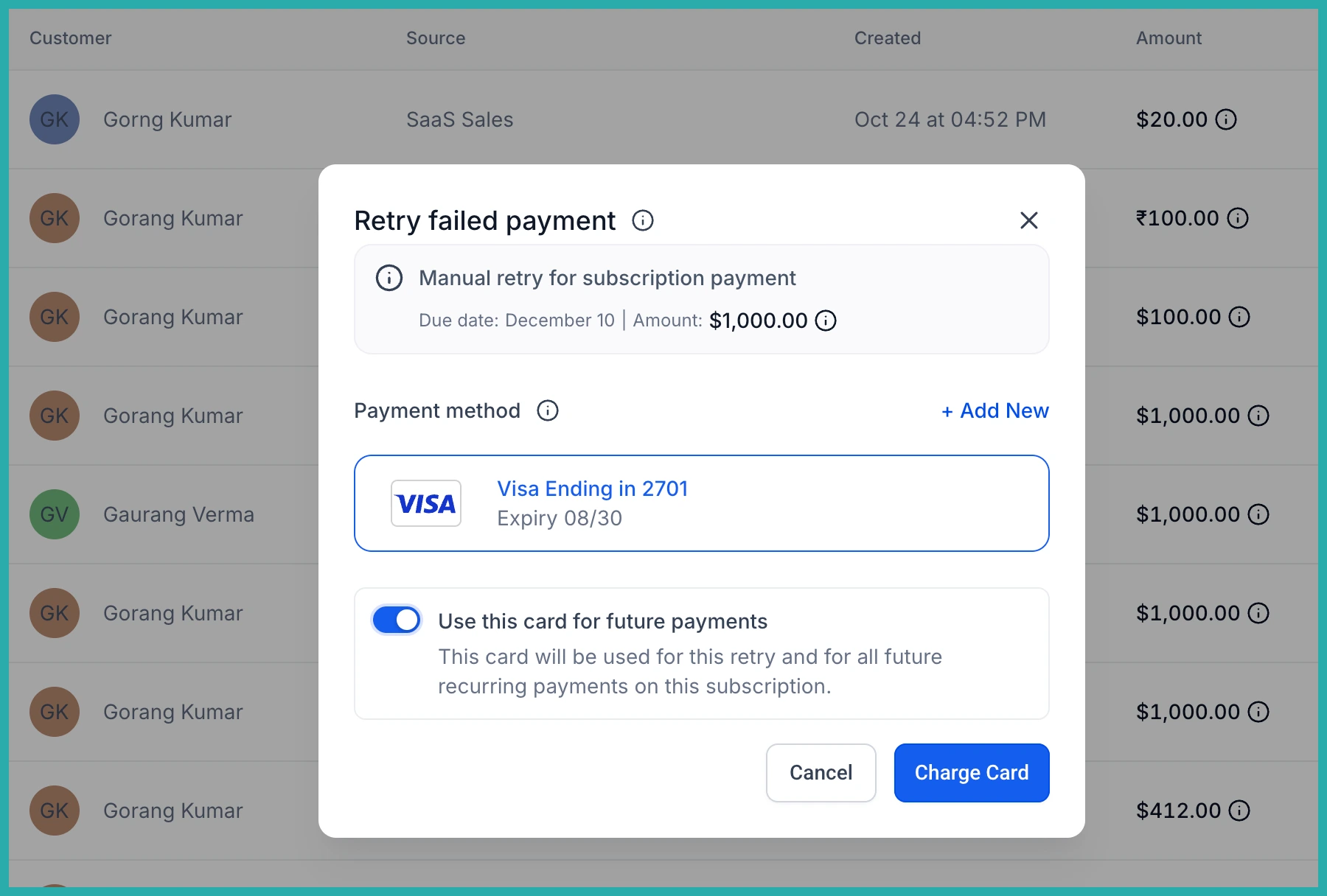
When automatic retries have run out, you can manually retry a failed subscription payment right from the Subscription Details page. You can charge the card already on file, or add a brand new card and collect from that instead. You can even set the new card as the default for future payments.
This works for NMI, Authorize.Net, Square, and Mercado Pago.
It gives you a real shot at recovering that recurring revenue without leaving your account, and it cuts down on subscribers dropping off just because a card had a bad day.
How to use it
Go to Payments, then Subscriptions, and open any subscription showing an 'Unpaid' or 'Past due' status.
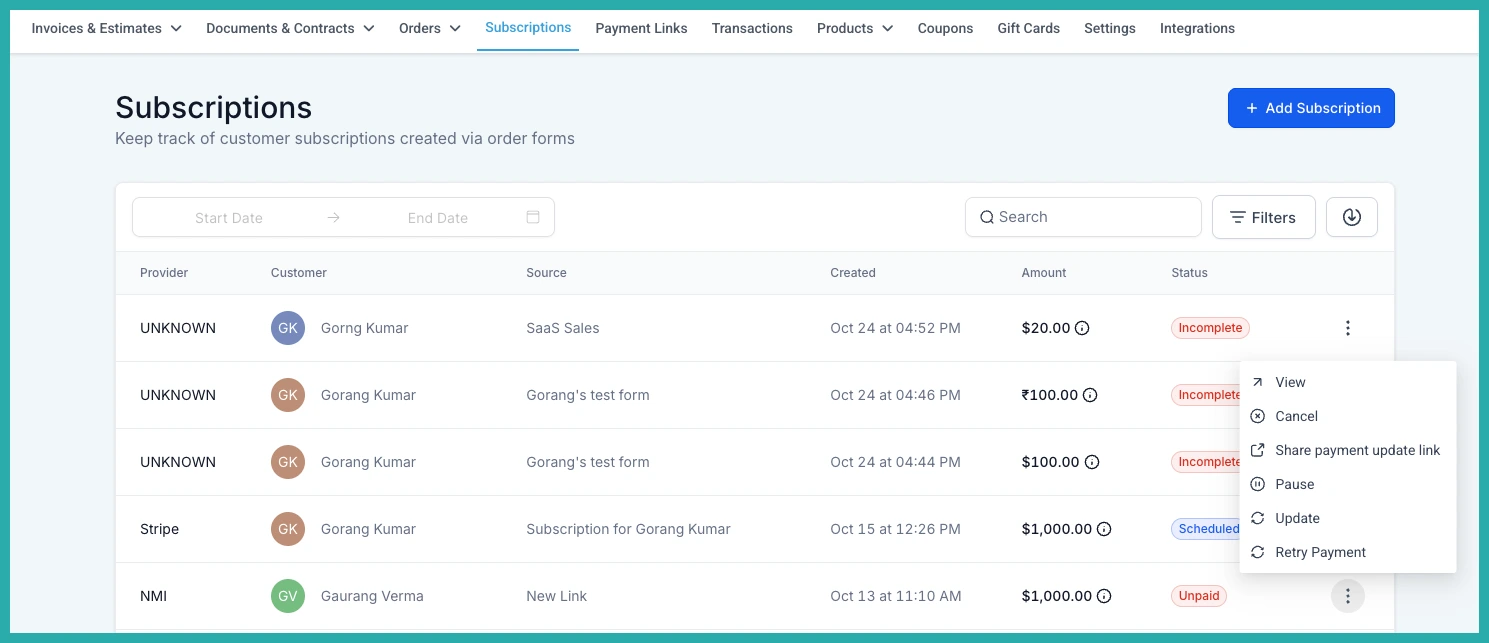
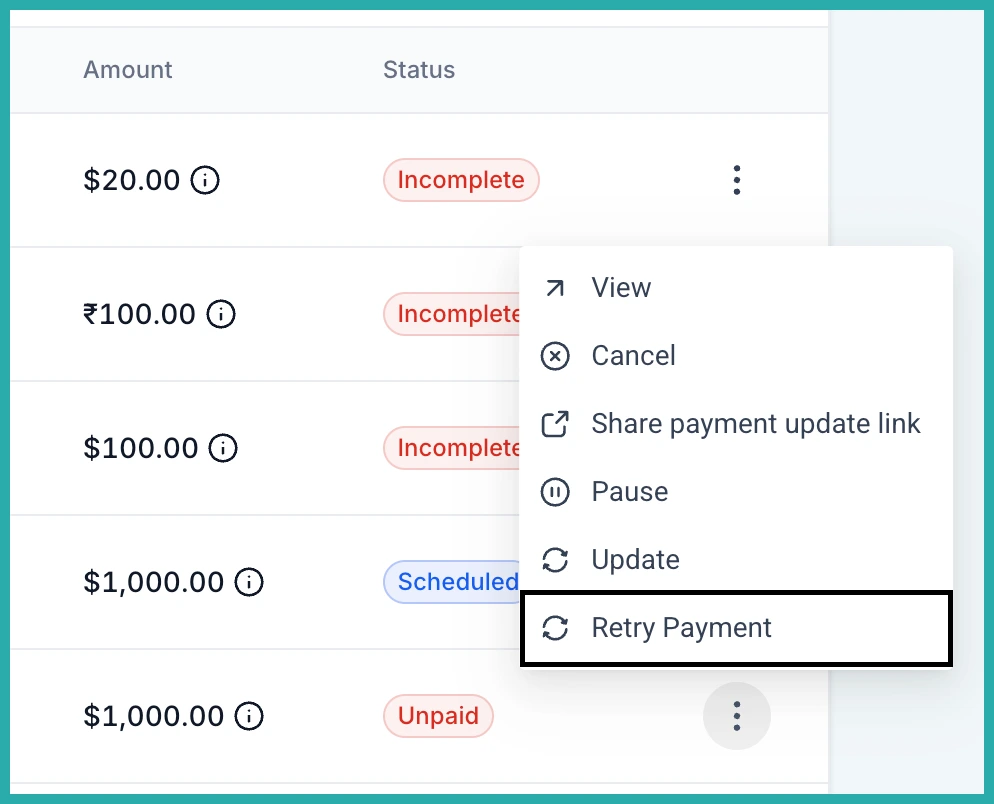
Once the automatic retries are exhausted, you'll see the option to retry the oldest unpaid payment. You can use the saved card, or add a new one.
If you're adding a new payment method, you can tick to make it the subscription's default going forward, so future charges use the better card automatically.
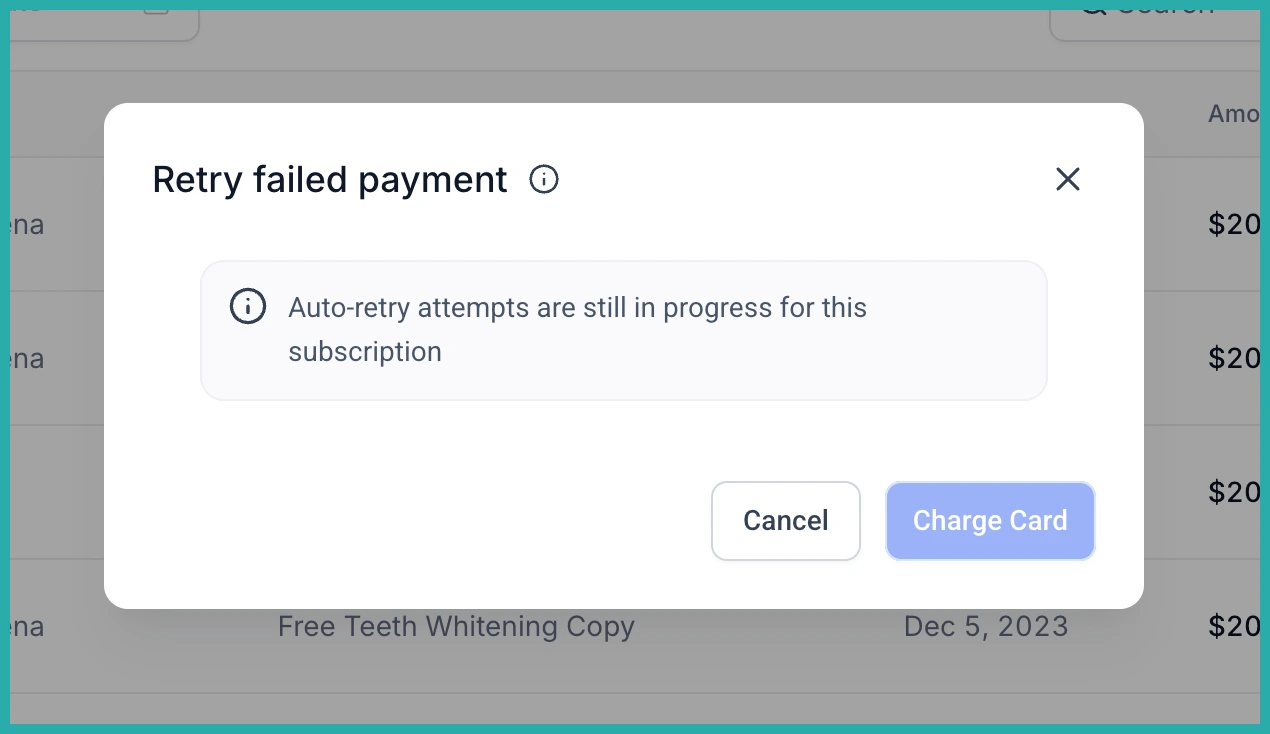
Confirm, and the system attempts the payment. If it goes through, you're done.
A few honest limits
- You can retry with the same card up to three times.
- After three unsuccessful attempts on one card, there's a 24 hour cool-down before you can try that card again.
- If a retry isn't available yet, a clear on-screen message will tell you why.
Have a subscription sitting in 'Past due' right now? Open it up and give the payment another go. It might be the easiest bit of revenue you recover all week.
