
Show a business exactly where it ranks locally, across up to three keywords in one report
A business almost never ranks the same for everything it does. A plumber might show up beautifully for "emergency plumber" and be nowhere for "drain cleaning." One heatmap could never tell that whole story.
Now it can. The Local SEO heatmaps inside your Marketing Audit reports just got a real upgrade, and it gives you far more control over what you map and what a prospect sees when you share it.
What landed
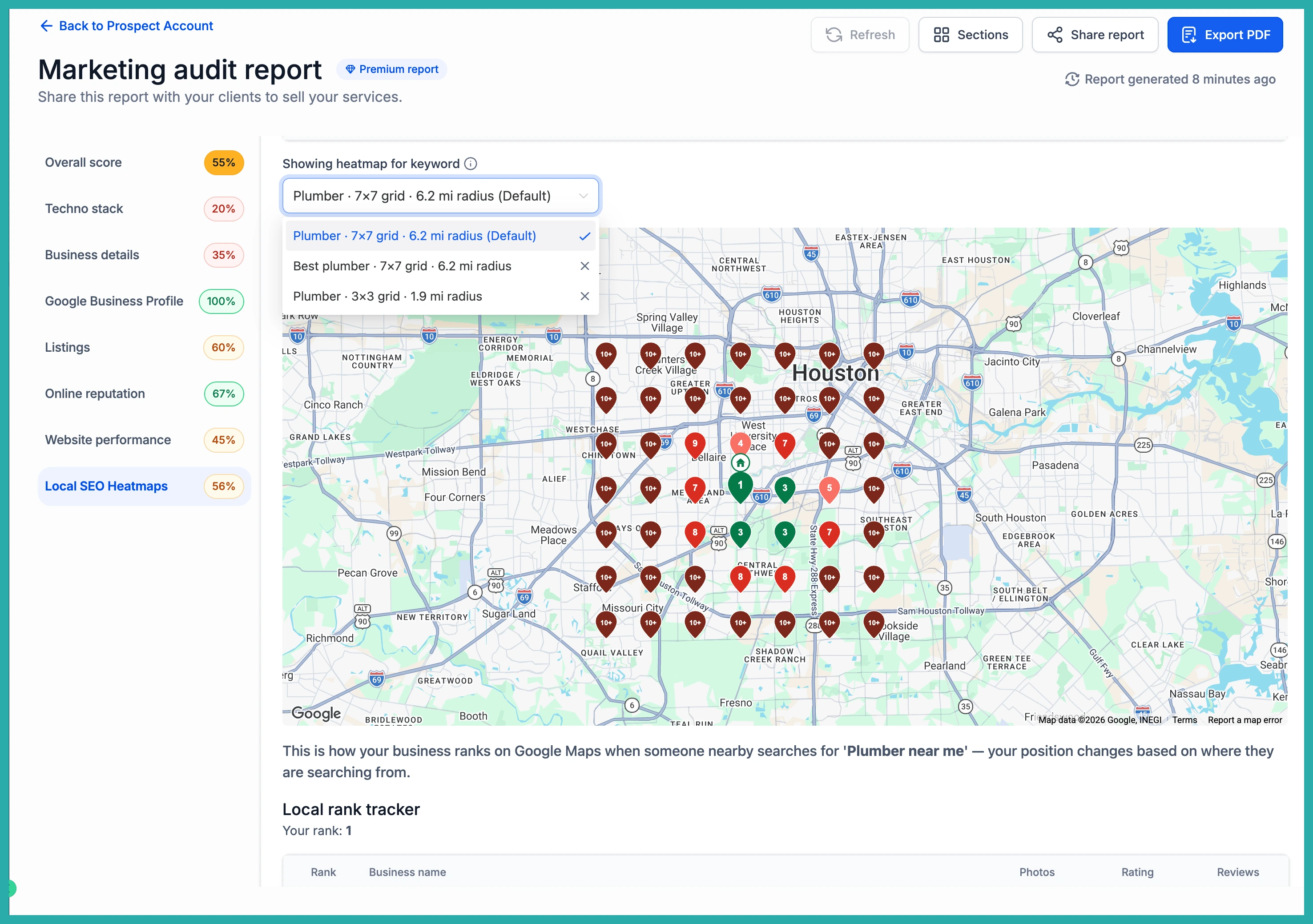
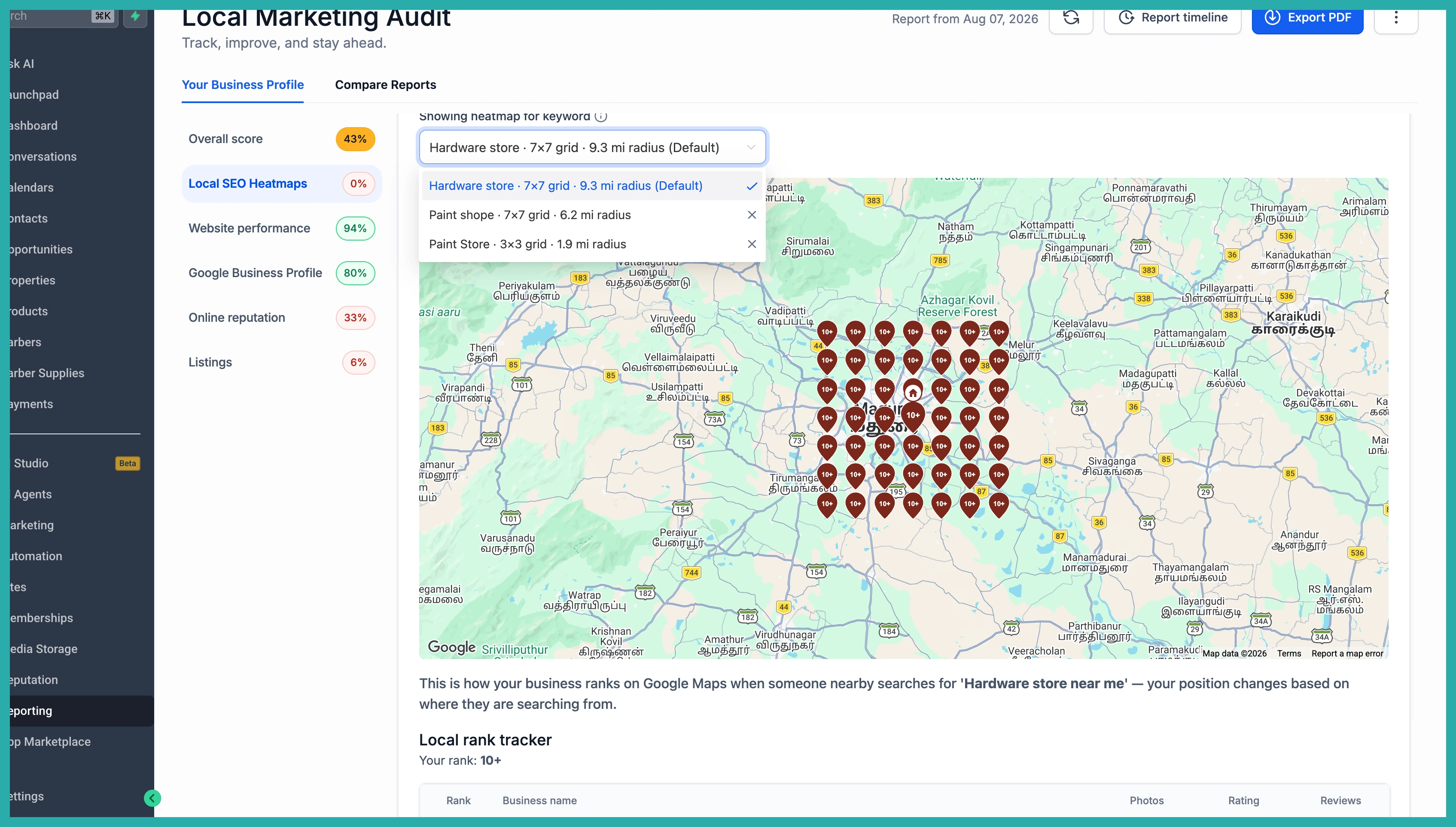
You can now build up to three separate heatmaps for the same business in one report, each with its own keyword, grid size, and search radius. You can set a default grid and radius so you're not resetting them every time. You can remove the keyword the system picks automatically and choose your own. And when you share the report, your prospect can flick between all the heatmaps themselves.
In short, you can show where a business is winning, where it's losing, and across which services, all in a single report.
Building your heatmaps
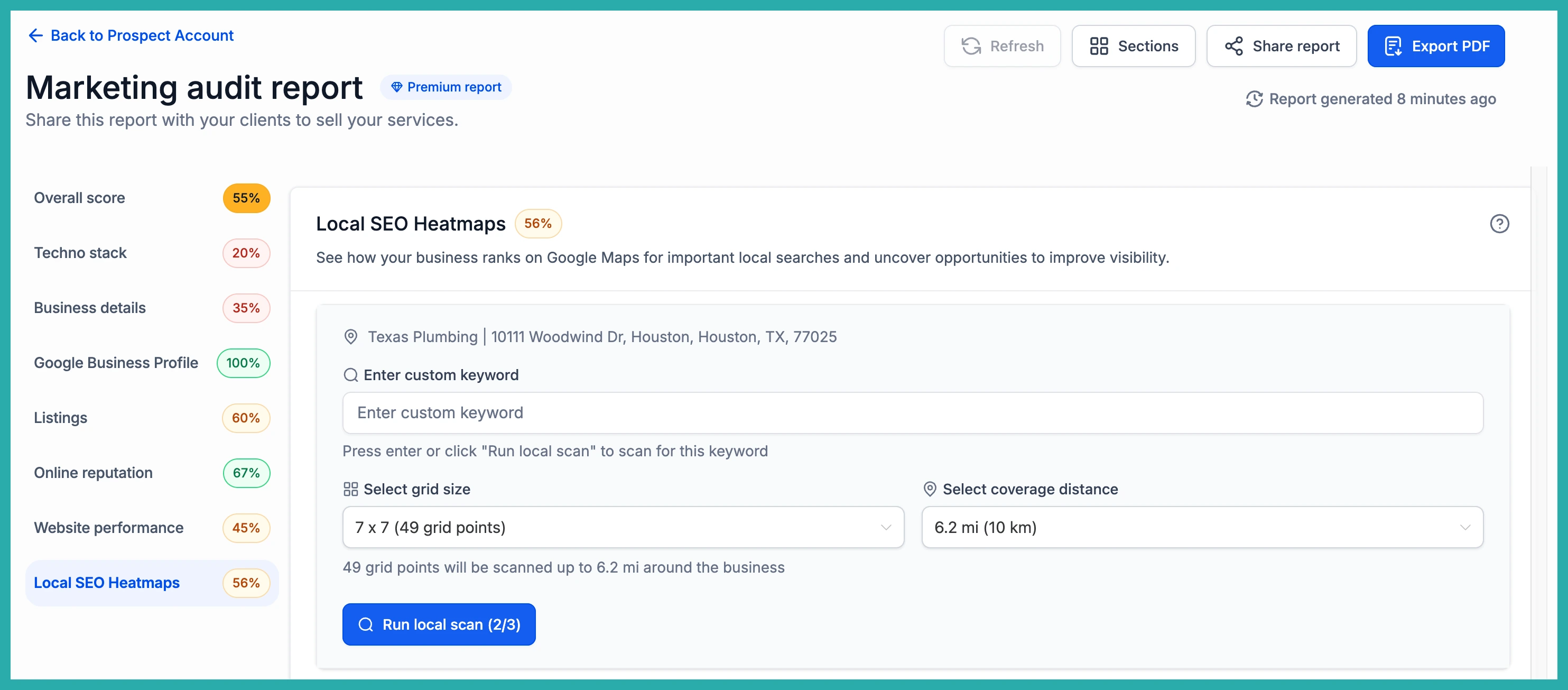
Head into your Marketing Audit report for the business and open the Local SEO section. You'll now see the option to add more than one heatmap.
For each one, you set three things:
- The keyword you want to check, like "emergency plumber" or "water heater repair"
- The grid size
- The search radius
Add a second and a third for different services, and you've got a clear side-by-side picture of where visibility is strong and where there's ground to make up.
Set your defaults once
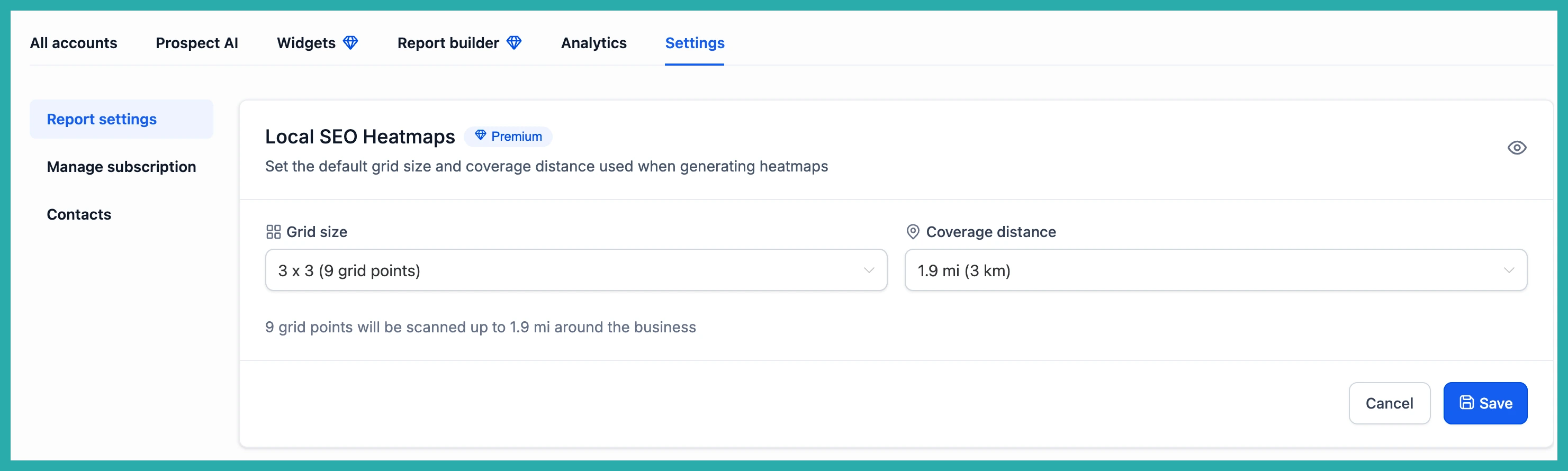
If you tend to use the same grid size and radius for most audits, you can now save those as your defaults. Every new report starts with your preferred settings already in place.
Less fiddly setup, and your audits stay consistent from one business to the next.
Drop the auto keyword if it's not right
The report still suggests a keyword to get you going, but you're no longer stuck with it. If it doesn't match what the business actually sells, remove it and put your own keywords in their place.
That keeps your analysis focused on the services that matter for the conversation you're about to have.
Sharing it with the business
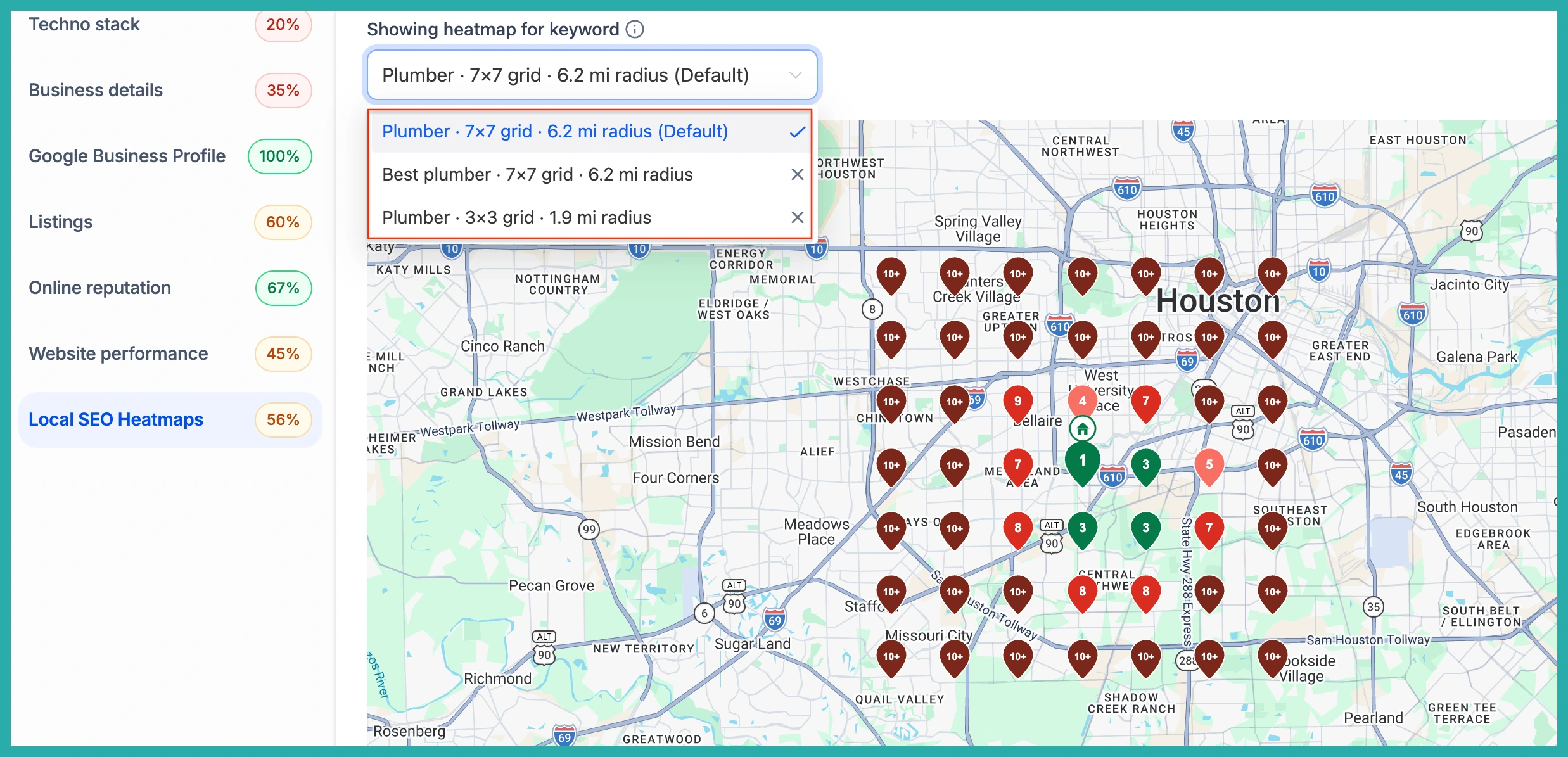
When you share the Marketing Audit report by web link, your prospect can now switch between the heatmaps you built and watch their local visibility change from one keyword to the next.
It's a much easier way to show them, in their own words, where the opportunities are - without them having to take your word for it.
Where to find it
To find new opportunities, go to Agency, then Prospecting, search for a business, and add it as a prospect. Generate its Marketing Audit report, build your heatmaps, and share it to open a more informed conversation.
For a business you already work with, go to their account, then Reporting, then Local Marketing Audit, and set up their report there. You can track local performance over time and have reports generate automatically each month, which makes showing progress simple.
If you've got a business sitting in your prospect list, this is a good day to open its report and map a couple of services. You'll see the fuller picture in a few minutes.
