
List All Your Events on One Page, No Manual Editing
A quick heads-up: this one's in Labs
It's an early feature you turn on yourself in Settings > Labs inside your account. It works, but it's still in development - the documentation and support is limited and not everything will behave perfectly yet.
If you like getting your hands on new things early, switch it on and have a play. If you'd rather wait for the finished, fully-supported version, leave it off and we'll let you know when it lands.
Up until now, every time you added a new event you had to go back into your website and edit it by hand. Add the event, remember to update the page, hope you didn't miss anything.
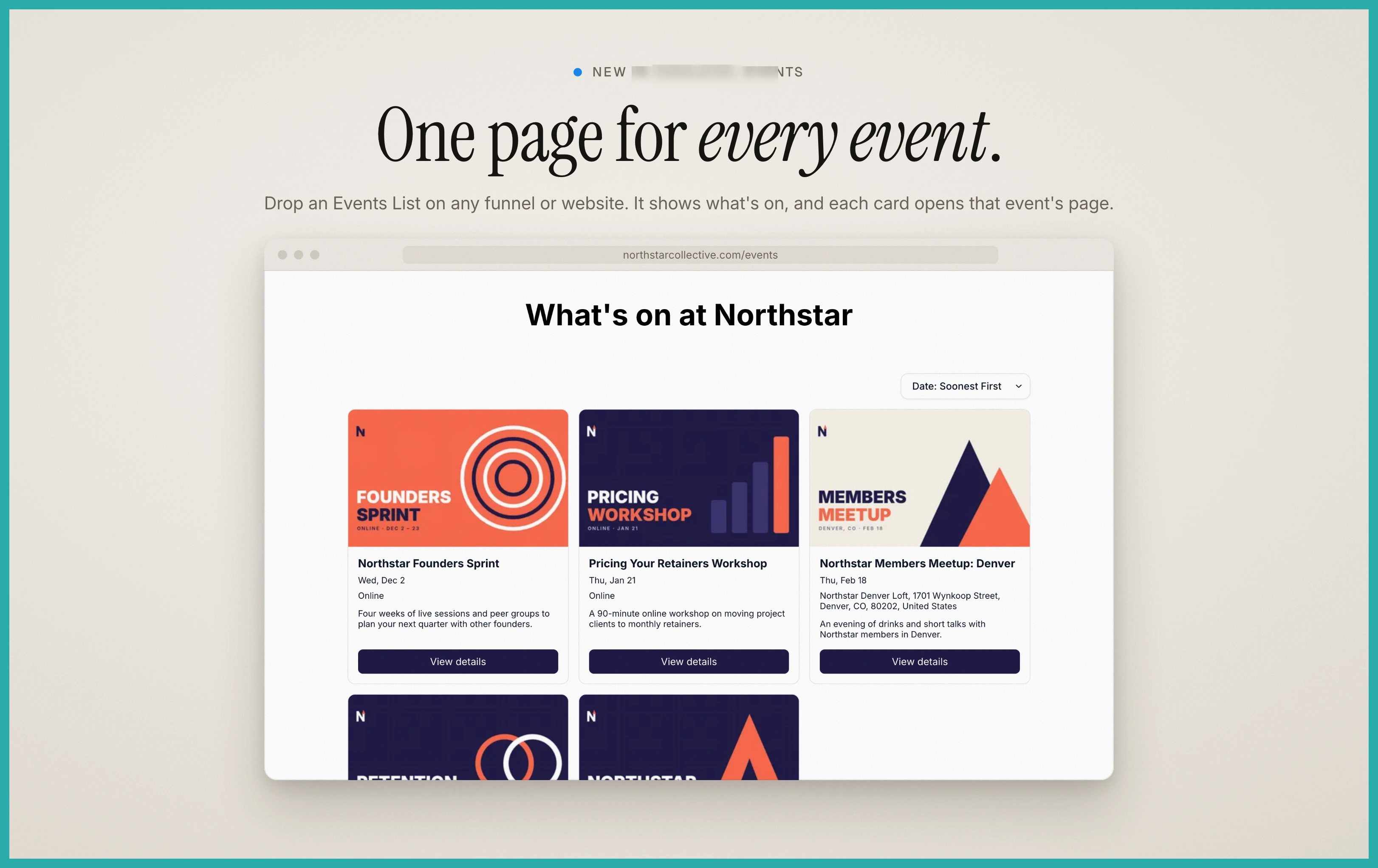
That job is gone. Events now has its own element in the funnel and website builder, so a single page can list every published event for you and keep itself current.
One element, three pages
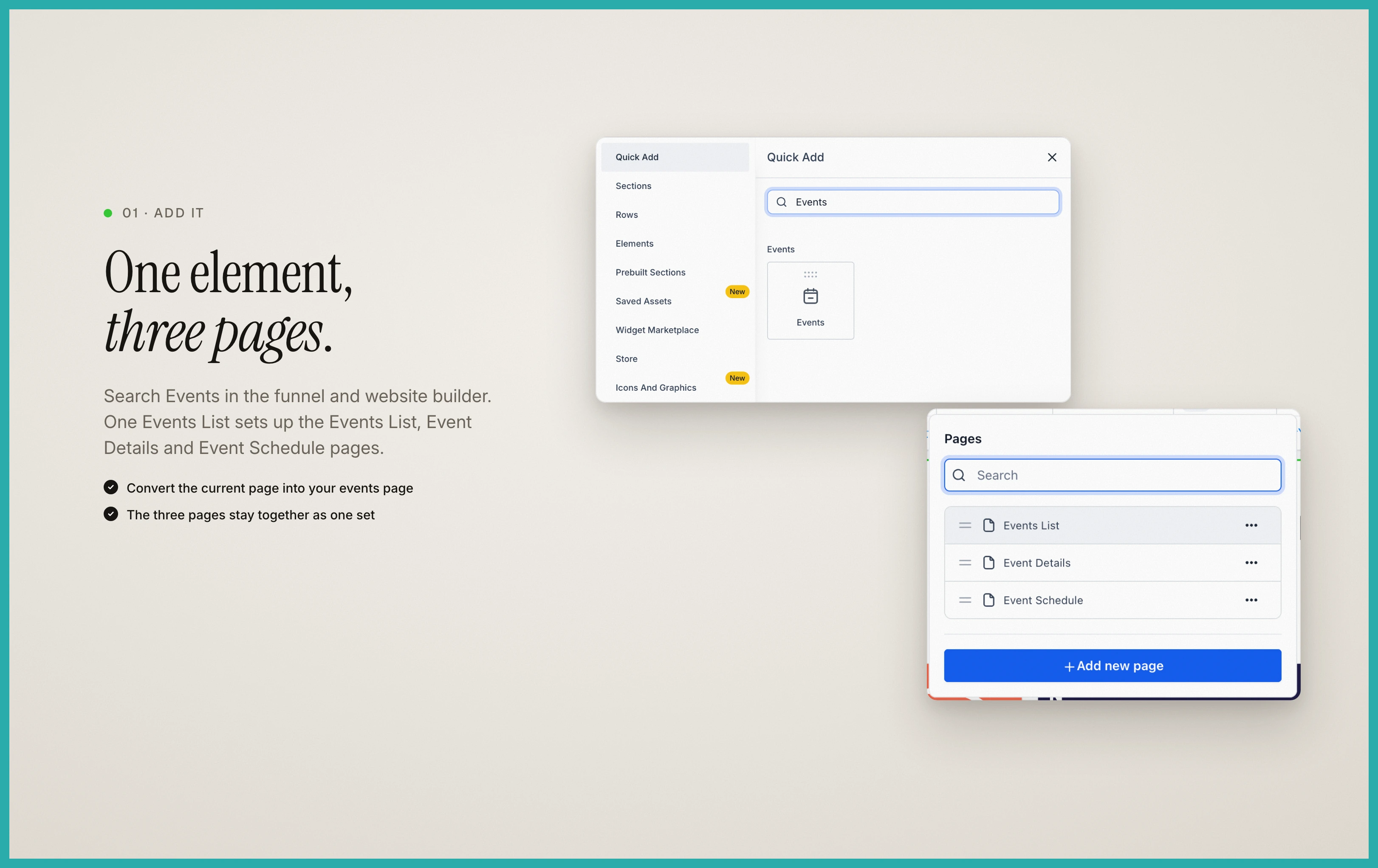
Open a funnel or website page, click the + to add an element, and search Events in Quick Add. Drop it onto your page.
When you add it, choose Convert this page. The builder sets up a matching set of pages for you: an Events List, an Event Details page and an Event Schedule page. One drop, and the whole structure is built.
Show live, upcoming or past events
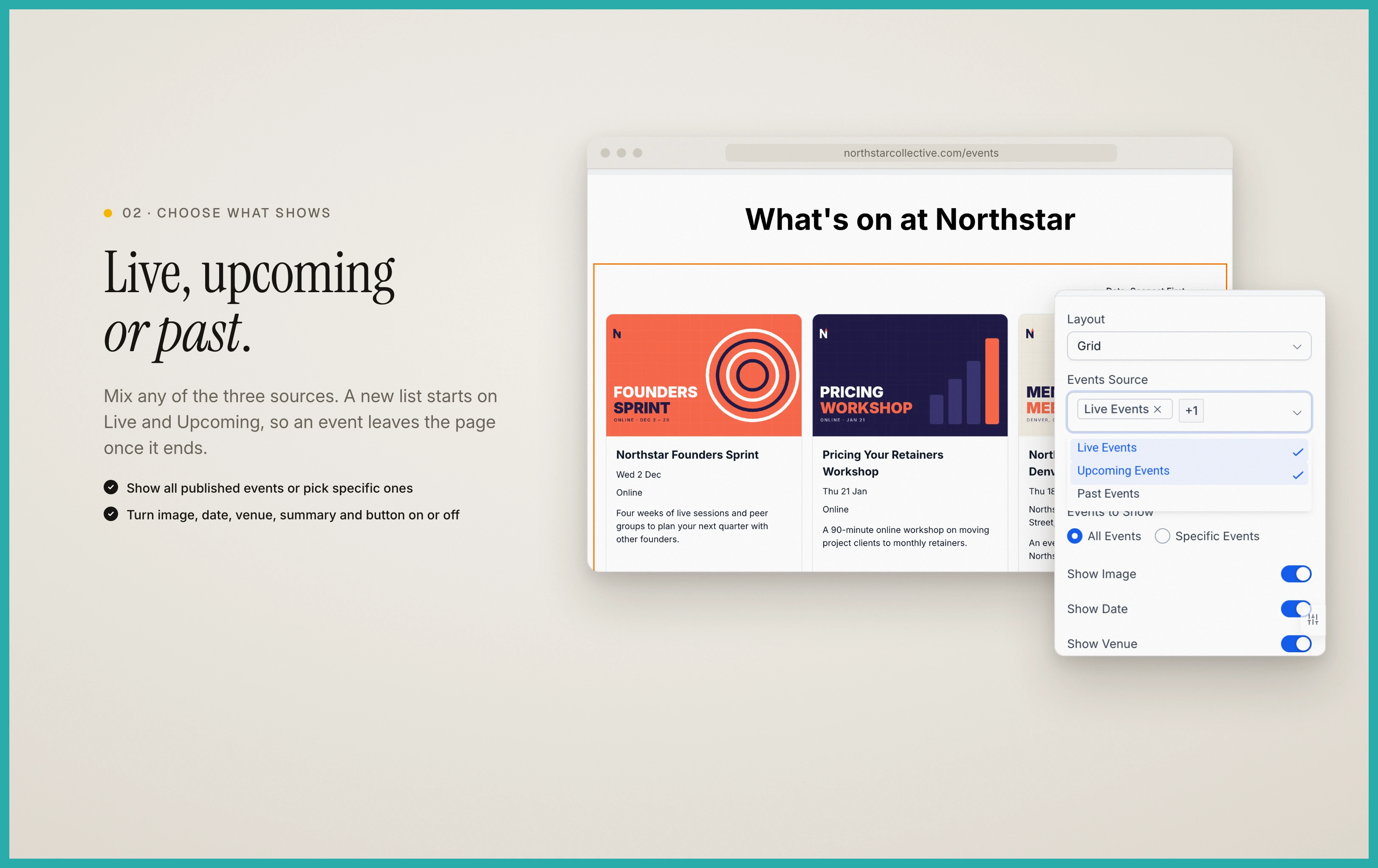
You decide what appears. Show live, upcoming and past events in any mix, every event or only the ones you hand-pick, with an optional featured event sitting up top.
New lists start with Live and Upcoming, so an event drops off the page on its own once it has finished. Nothing stale left hanging around.
Your layout, your colours
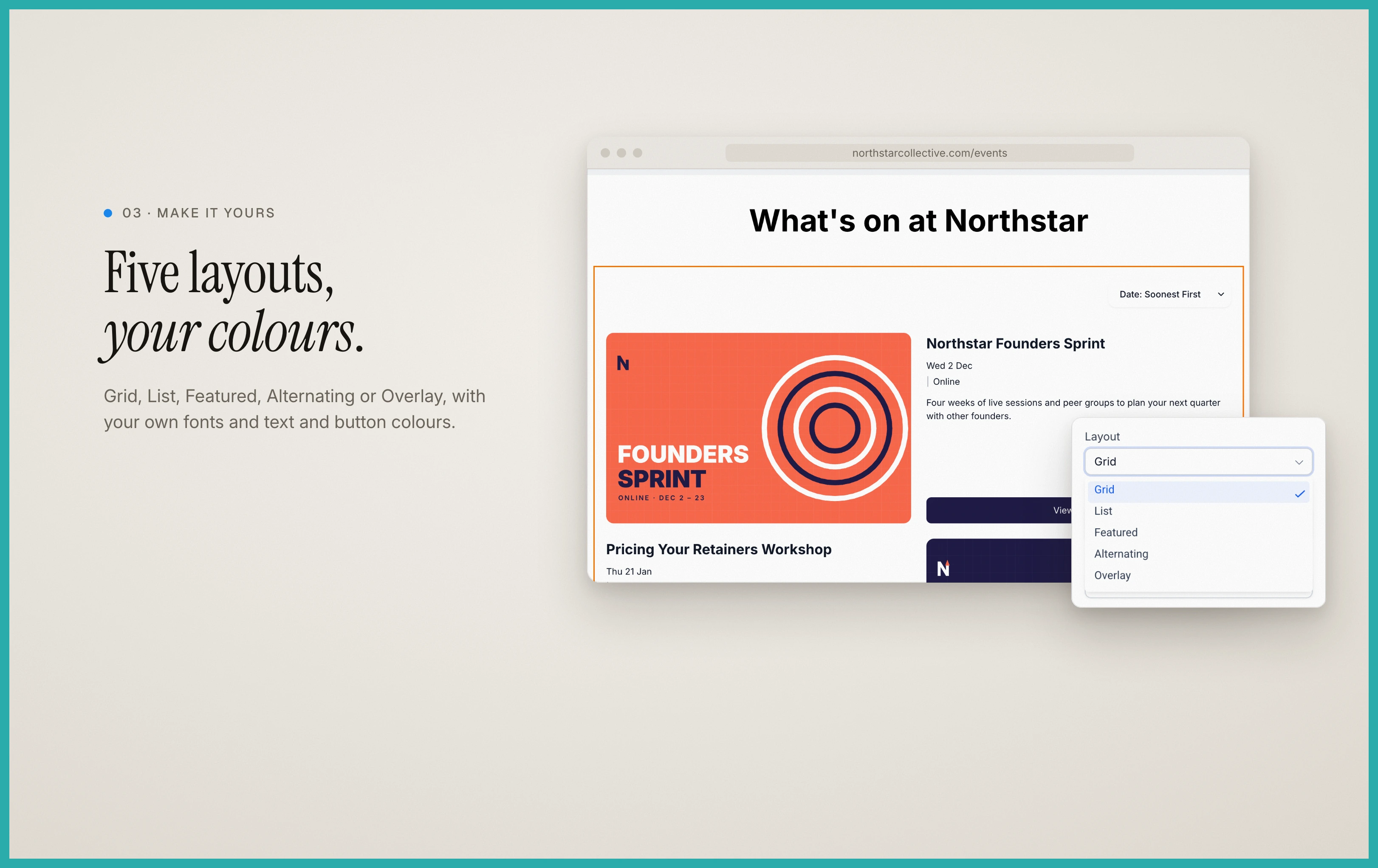
Pick the look that suits your page: Grid, List, Featured, Alternating or Overlay. Set your own fonts, text and button colours, and show or hide the image, date, venue, summary and button on each card.
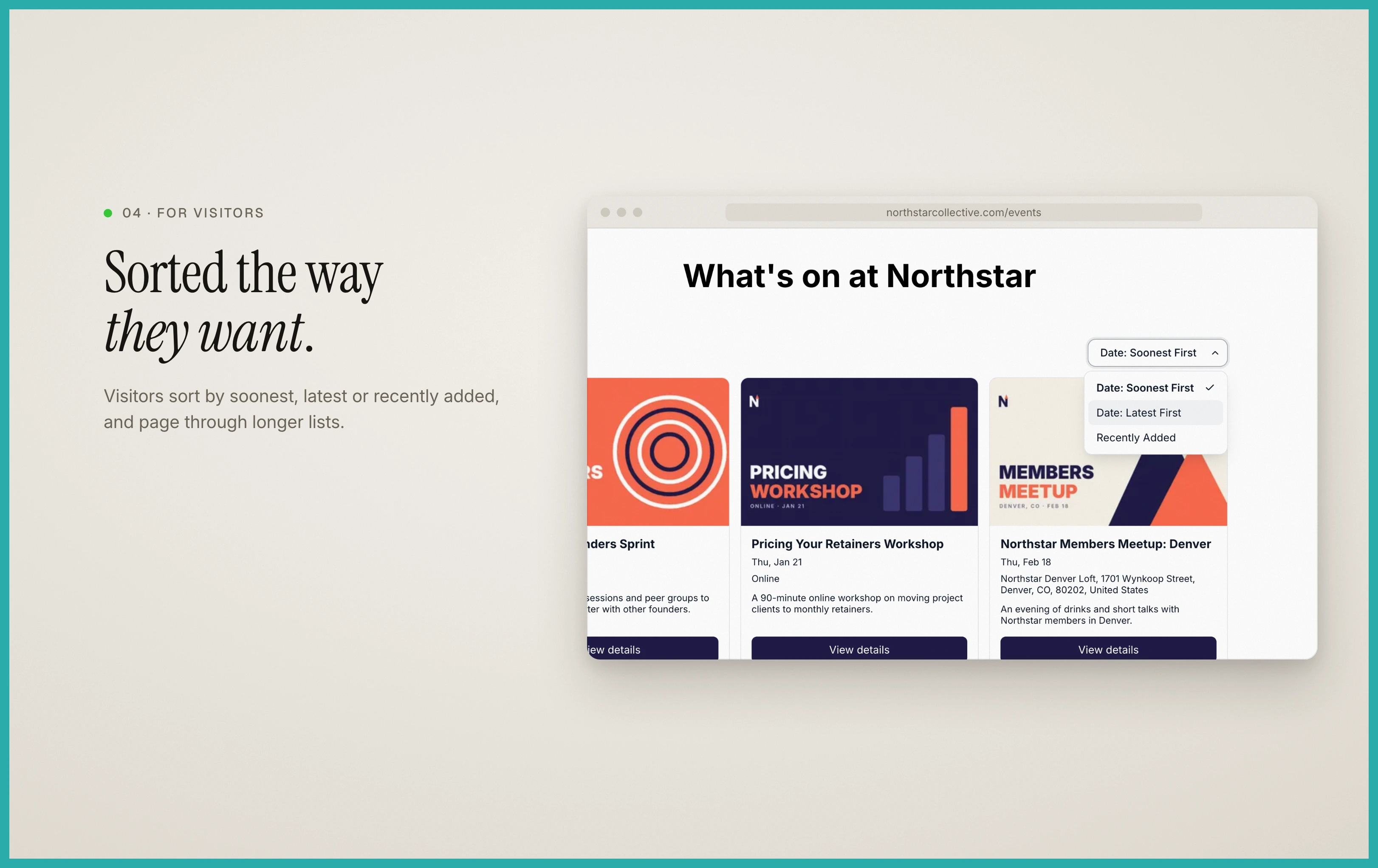
You also set the default order events appear in. Your visitors can then switch between soonest first, latest first and recently added, and page through if the list runs long.
Details and tickets without leaving your site
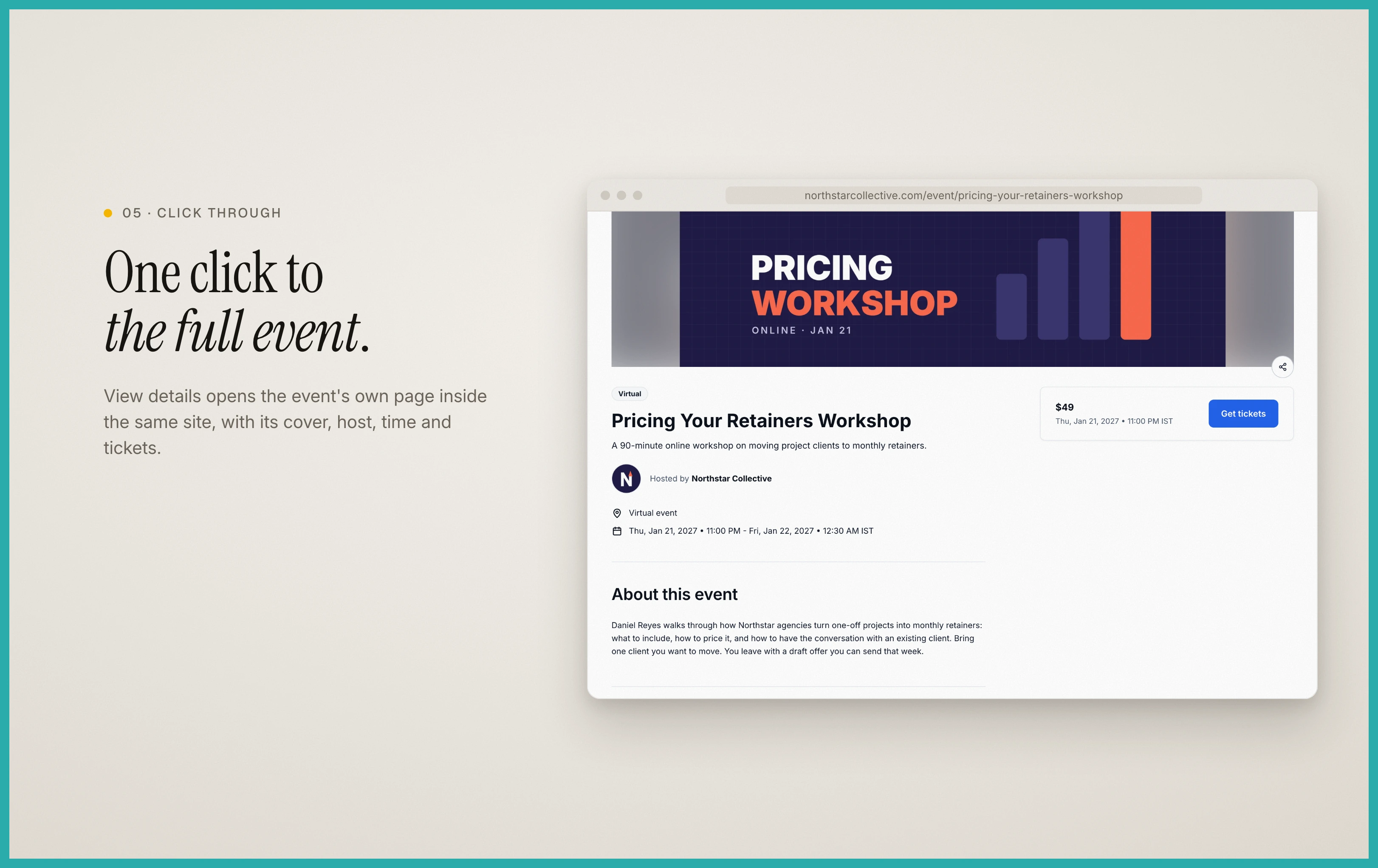
When someone clicks View details, the event's own page opens on the same site. No new tabs, no bouncing them off somewhere else.
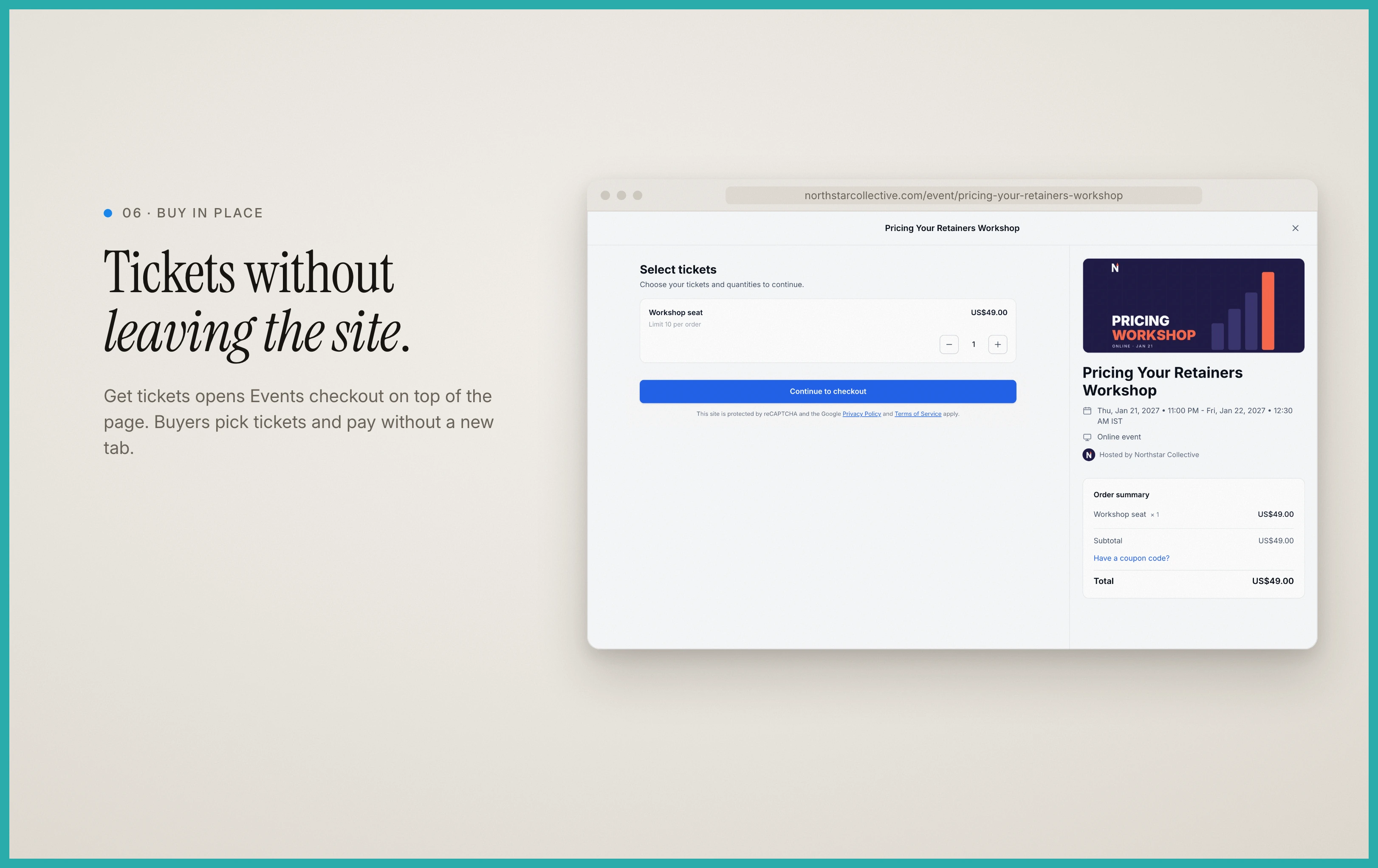
And Get tickets opens checkout right over the page. Buyers choose their tickets, apply a coupon and pay without ever opening a new tab.
The quick version
- Open a funnel or website page and click +
- Search Events and drag it onto the page
- Choose Convert this page
- Pick a layout and your events source
- Publish
Set it up once and your events page keeps itself up to date from there. Add an event, and it simply shows up where it should.
