
Keep Your Campaigns and Templates Organised With Nested Folders
If you've been in ESC Hub for a while, chances are your Campaigns, Templates, and Sequences folders have grown. Finding what you need means scrolling through a flat list - and the longer you've been building, the messier that gets.
Nested folders fix that.
You can now create subfolders inside your existing folders, giving you a proper hierarchical structure across Campaigns, Templates, and Sequences. Group by client, by campaign type, by content category - however your brain works, you can now build a folder structure that matches it.
What's Changed
You can now create subfolders within any existing folder across Campaigns, Templates, and Sequences. The same folder logic applies consistently across all three areas, so once you get the hang of it in one place it works exactly the same everywhere else.
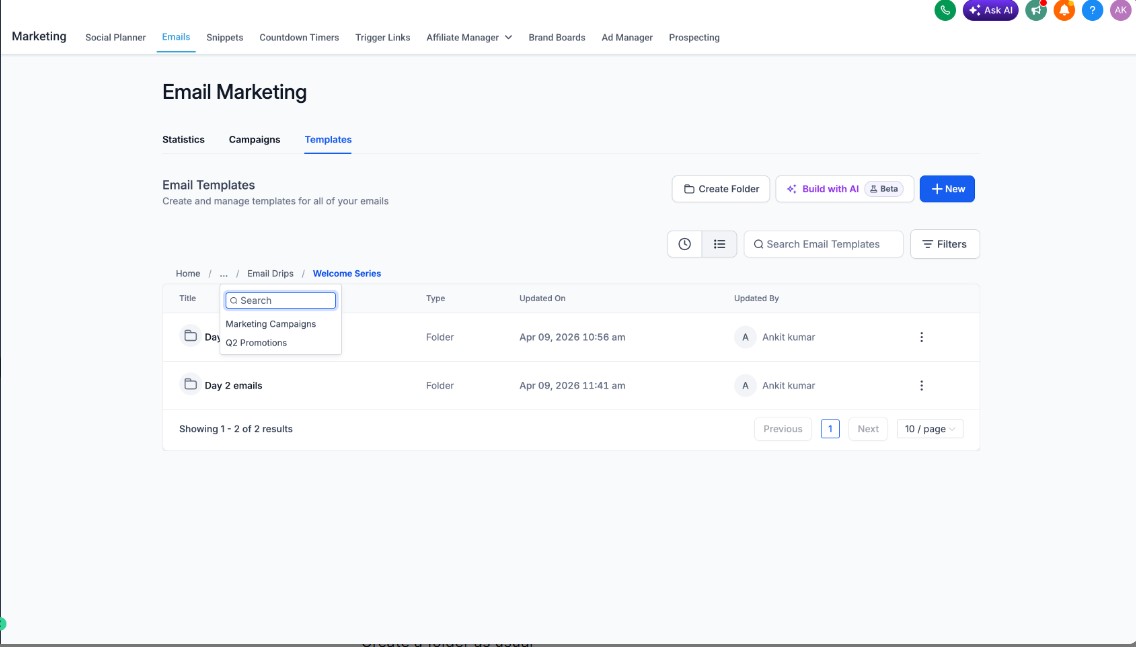
The folder path at the top of the screen confirms your nesting structure so you always know where you are. And for larger accounts, this release supports more than five layers of nesting - plenty of room to build a system that actually scales.
How to Set It Up
Create a folder as usual
Open that folder and click New Folder to create a subfolder inside it
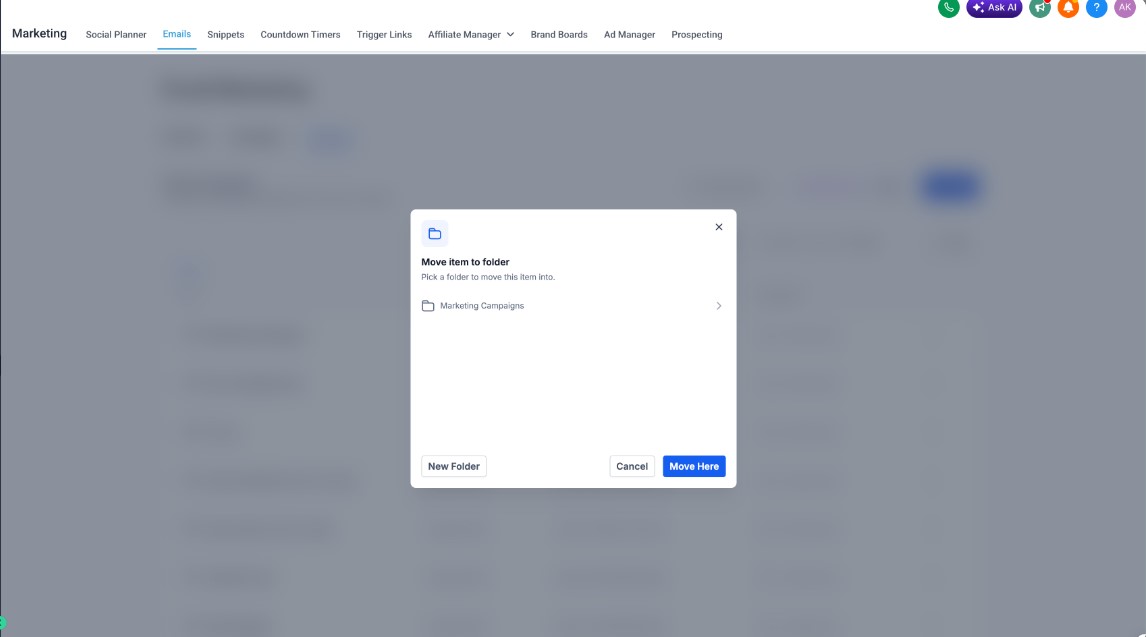
Move your existing items into the nested folder
That's all there is to it. No complicated setup - just a cleaner, more organised account from here on.
Why It Matters
The bigger your business gets, the more assets you accumulate. Flat folder structures work fine when you're starting out - but they become a real time-drain as things grow. Nested folders mean less scrolling, faster navigation, and a structure you can actually maintain long-term.
If you have any questions about organising your account, the support team is here every day. Drop a message inside Escapepreneur Central.
