
Guest Checkout for Your Restaurant: Decide When Diners Have to Sign In
Every extra step between a full cart and a placed order is a chance for a hungry customer to drift off. Making someone create an account before they can order is one of the biggest ones.
Now you get to decide whether that step exists at all.
What landed
Your restaurant can now choose how diners sign in when they order online or book a table. You pick from three options:
- Never ask - diners order and book without an account. Checkout only asks for their mobile number, name and email.
- Offer it - diners can sign in for a faster checkout, or just carry on as a guest.
- Require it - diners sign in before they can order or book.
Signing in is painless too. Diners get a one-time code by email, or use a password if they have one. And once they're signed in, their details are filled in for them next time, so a repeat order takes seconds.
The best part is that one setting covers both your online orders and your table bookings. You set it once and you're done.
How to set it up
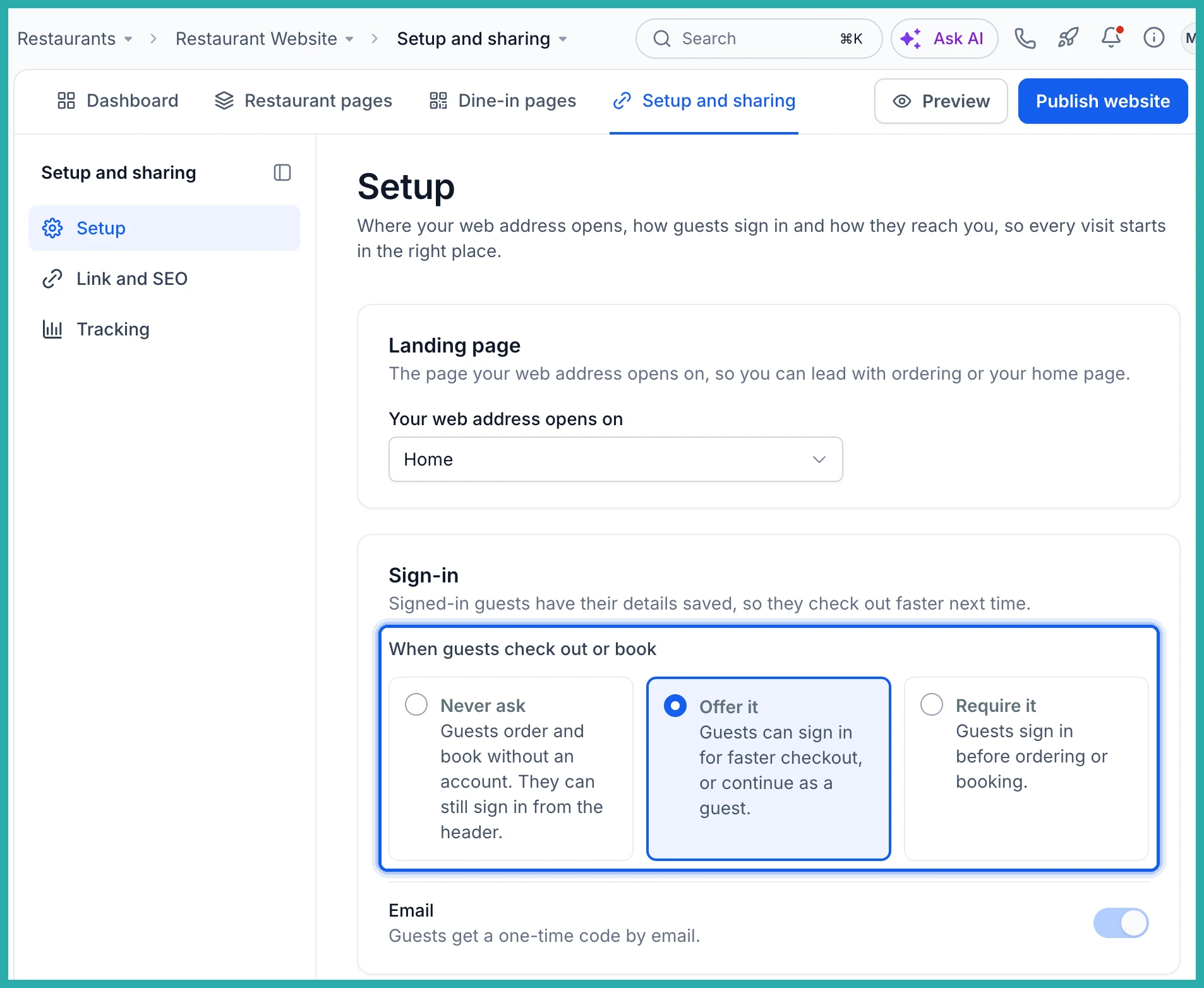
Go to Restaurants, then Restaurant Website, then Setup and sharing, and open Setup.
Find the Sign-in section and look for When guests check out or book. In the screenshot below, you'll see the three choices waiting for you - Never ask, Offer it or Require it. Pick the one that suits how you run your place.
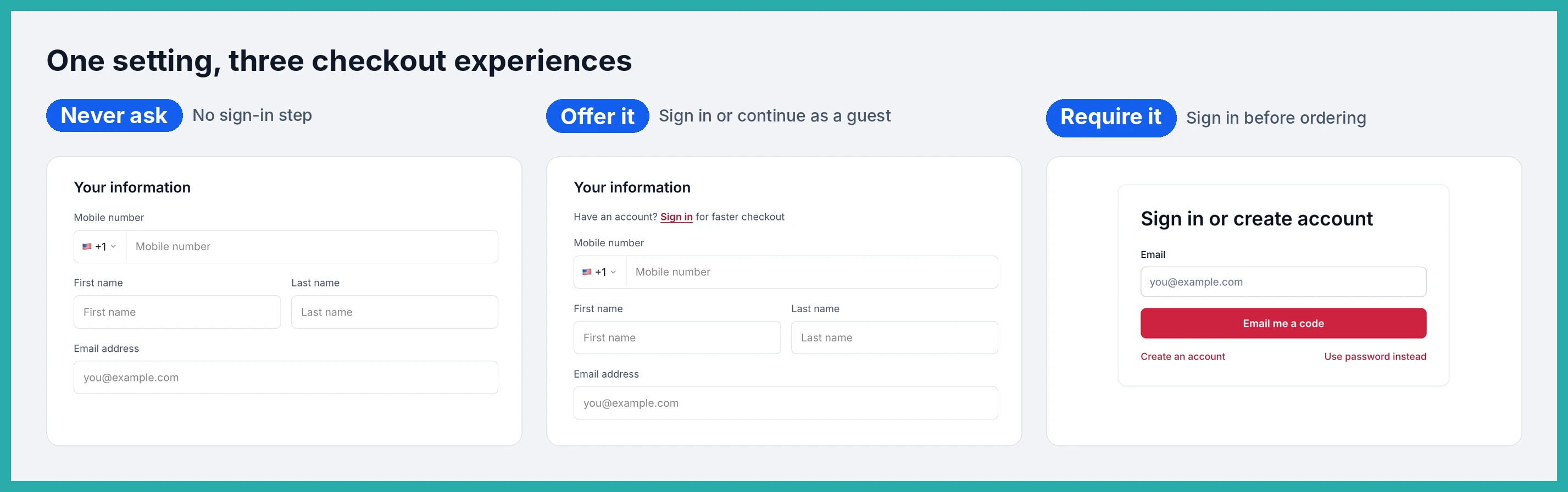
A quick-service spot that wants orders flowing with no friction might choose Never ask. Somewhere that values repeat diners and saved details might offer it or require it. It's your call.
Once you've chosen, click Save changes, then hit Preview to walk through checkout exactly as a diner would and make sure it feels right.
A quick note on who gets this
Guest checkout is available for Restaurants on the Founder's plan. If that's you, it's worth taking two minutes to set this today.
Have a look at how your checkout flows right now, picture a brand-new diner hitting it for the first time, and decide which option gets them from cart to order with the least fuss. That's the one to choose.
