
Gift Card Emails and Texts Now Speak Your Customer's Language
If you sell gift cards, you've probably had that small worry at the back of your mind: is this confirmation going to land in a language your customer actually reads?
That's sorted now. Gift card communications support translations on the back end, so the message a customer receives matches the locale you've selected.
What landed
Three things now follow the locale you choose:
- Purchase confirmations go out in the selected language.
- Recipient emails and SMS notifications are translated to match.
- Previews in the send flow and in email previews show the translated content before anything is sent.
You don't have to flip any switches or copy-paste translations yourself. Pick the locale and the system handles the rest.
How it works when you send a gift card
Start the gift card send flow as you normally would. When you set the locale, the preview updates to reflect it straight away.
In the screenshot below, you'll see the send flow with the selected locale driving the preview.
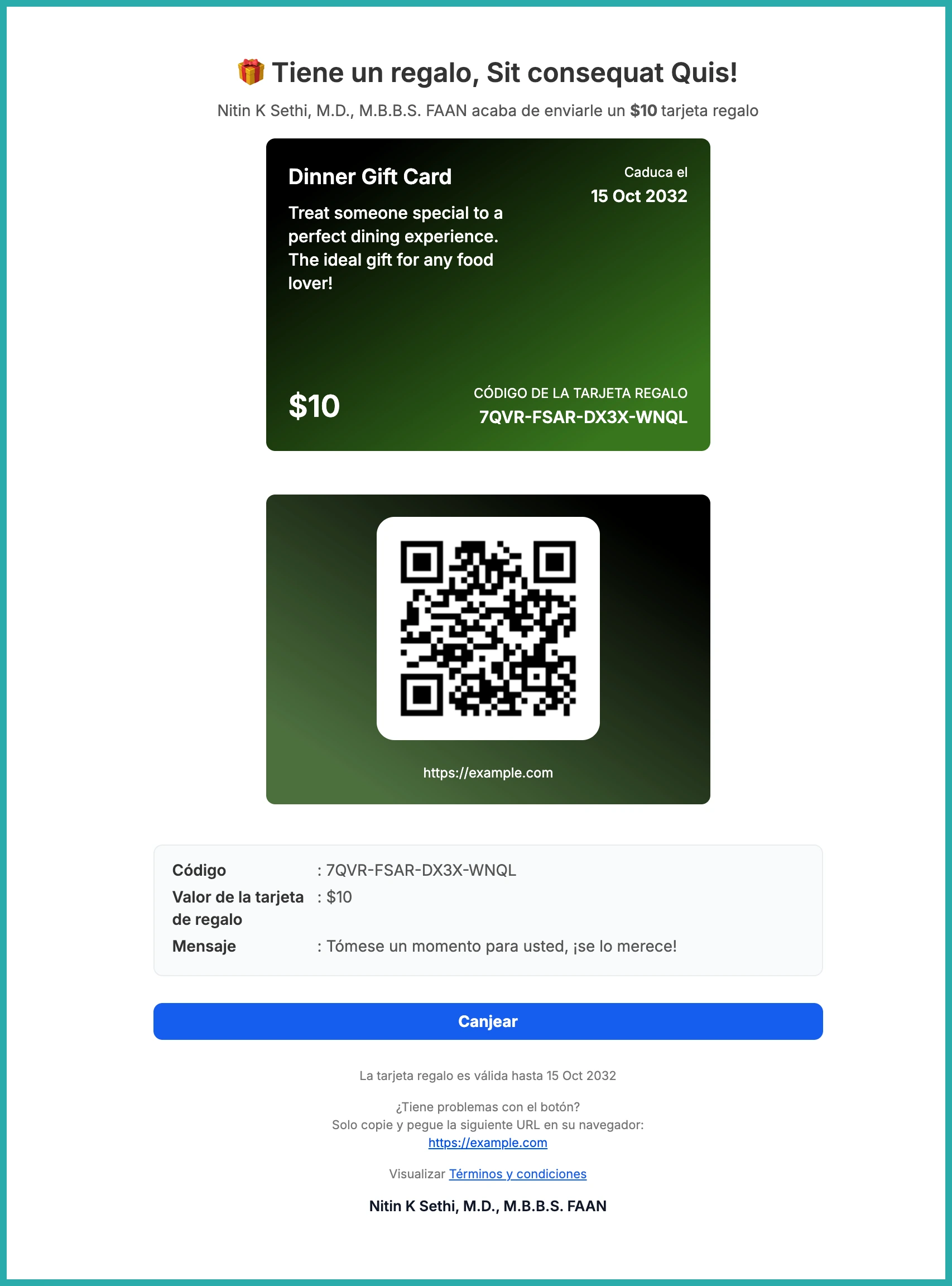
The preview reflects locale changes across every delivery method you're using, so whether it's an email, an SMS, or both, what you see is what your customer gets.
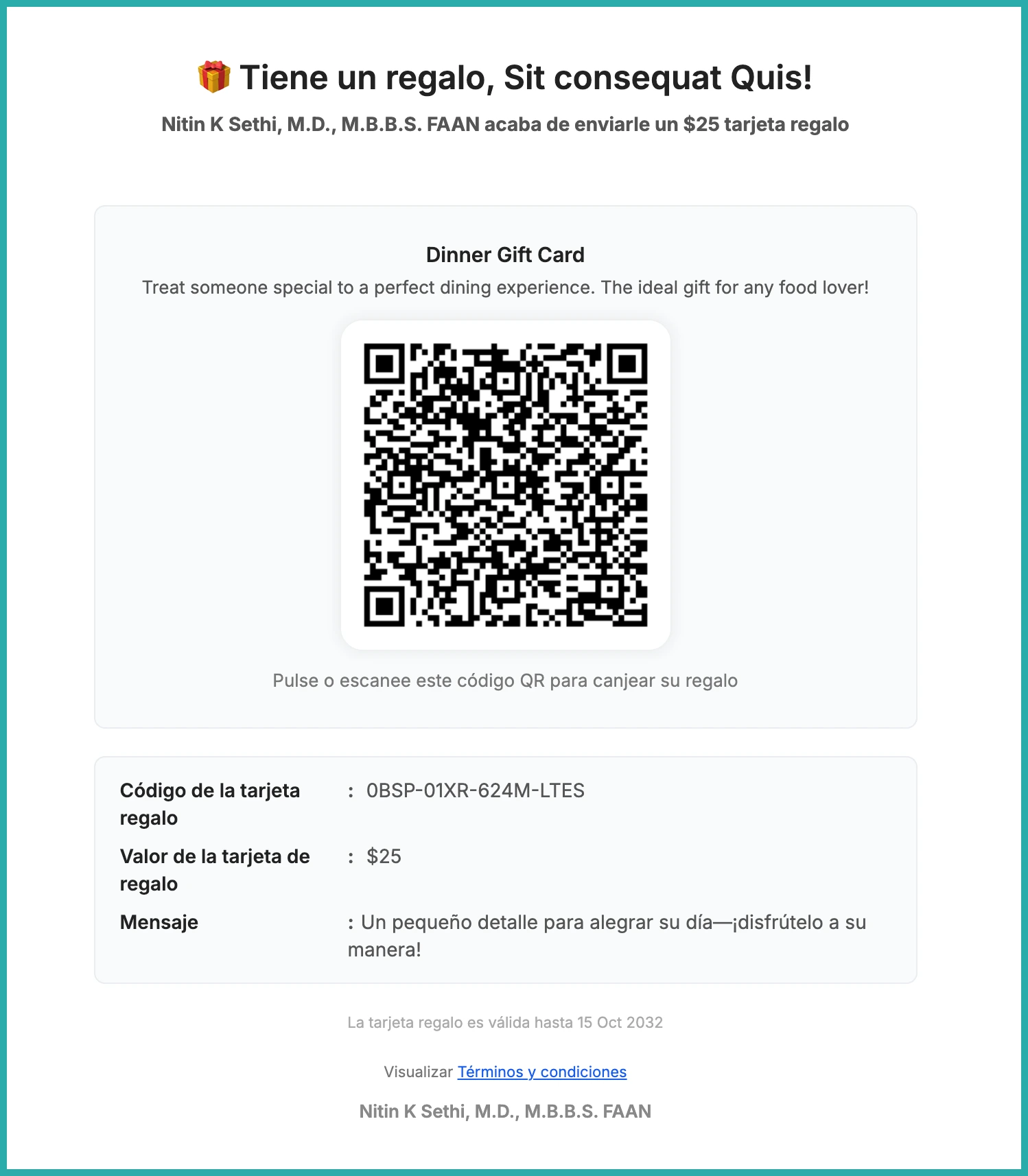
Email previews show the real thing
Email previews now display translated content using both sample data and the actual gift card details. That means you can check the wording reads correctly before it ever leaves your account.
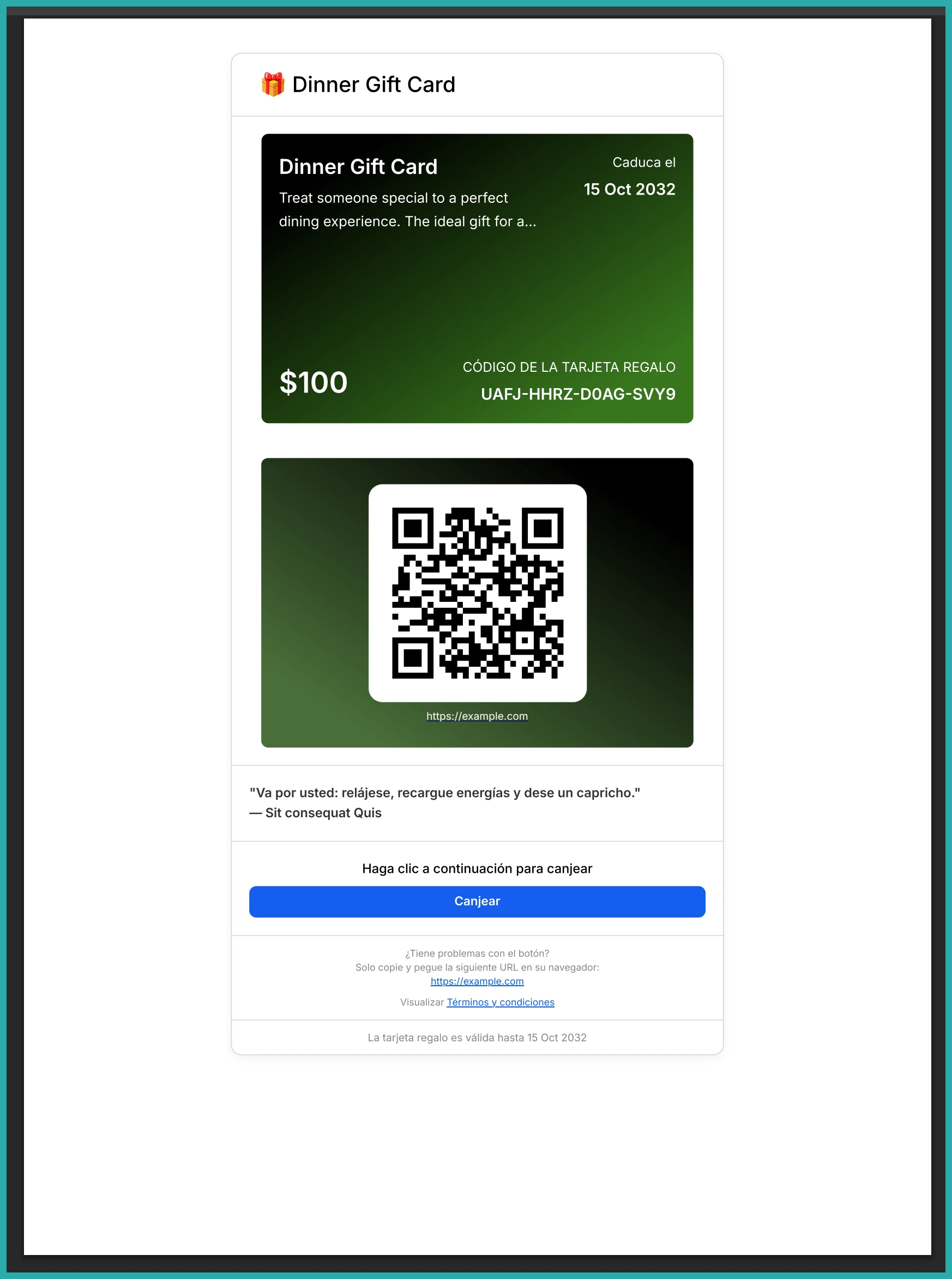
No more guessing whether the final email will match the preview. The language you picked shows up in both.
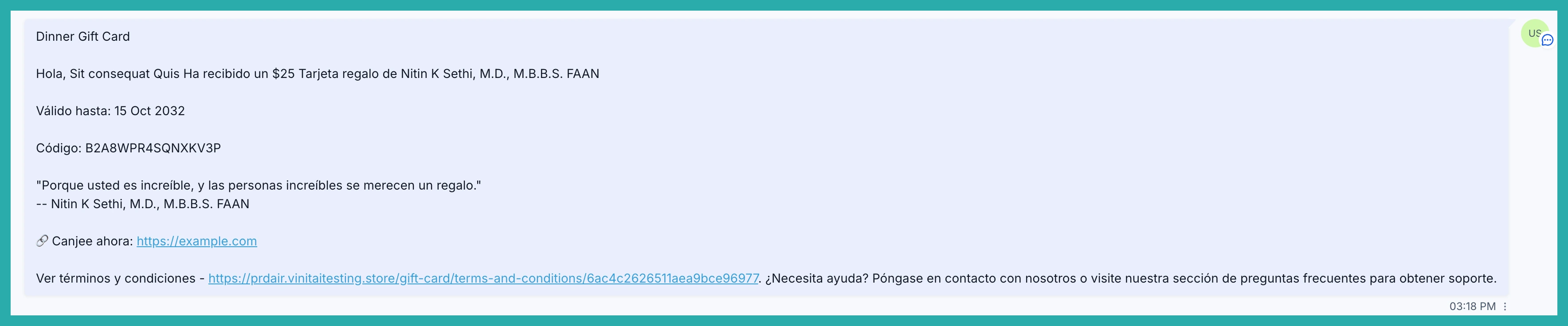
A couple of things to keep in mind
- Translations happen automatically based on the locale you select.
- Both the previews and the customer-facing messages reflect that same language.
If you've got customers in more than one language, this takes a small bit of stress off every gift card you send. Pick the locale, check the preview, and send with confidence.
