
Turn Every Form, Survey and Quiz Submission Into a Printable PDF Automatically
You collect responses through a form, survey or quiz, and then someone asks for a copy. A proper record. Something you can print, email, or drop into a file.
Until now that meant screenshots or copying details across by hand. There is a simpler way now.
What landed
There is a new Generate submission document setting for your Forms, Surveys and Quizzes. Switch it on, and every new submission is turned into a neatly formatted PDF and filed against the contact who sent it.
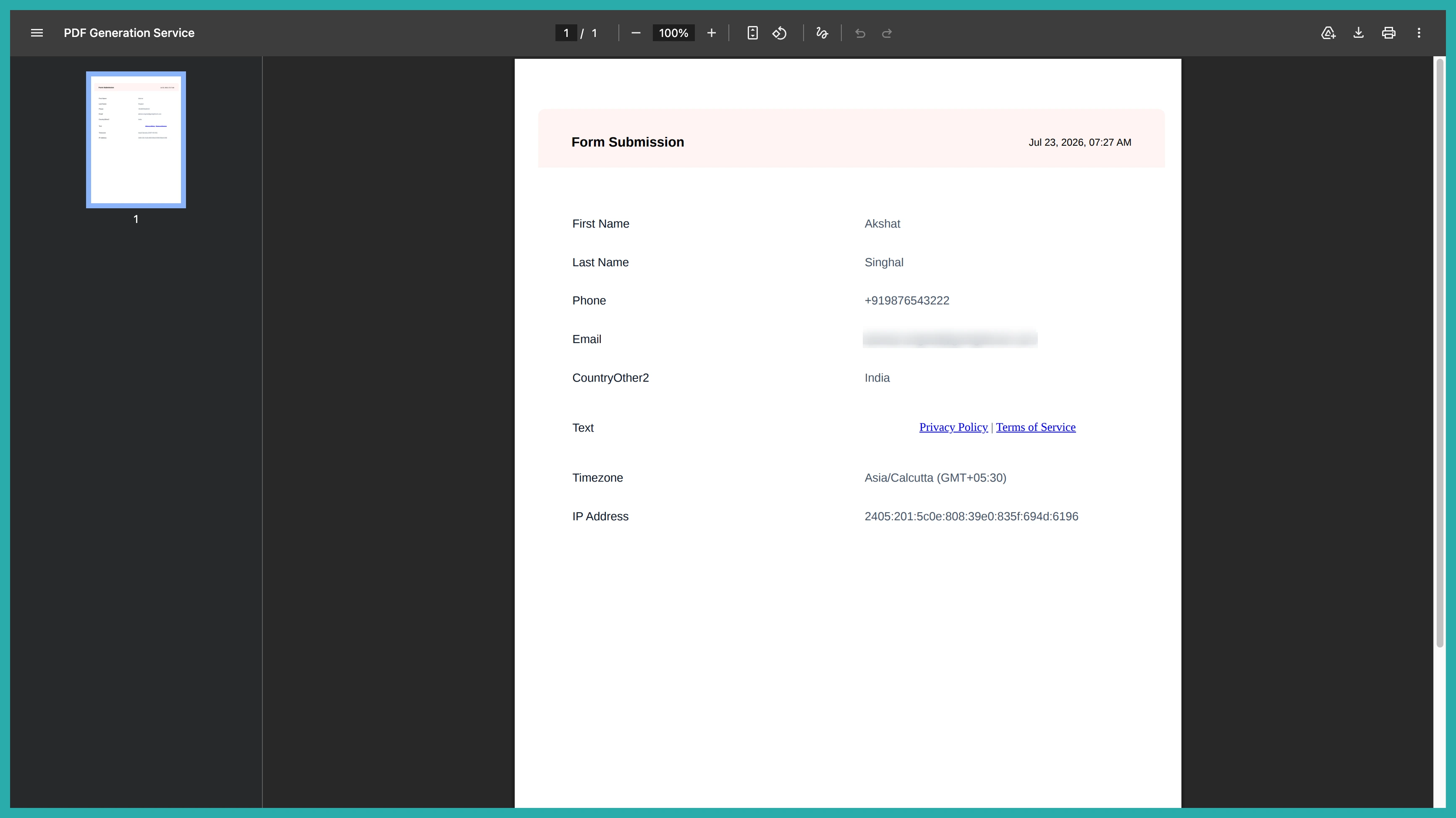
Each document includes all the questions, the answers given, plus the submission date and time and the contact's details. No formatting, no fiddling. It just appears, ready to view, download, or use elsewhere in your account.
How to turn it on
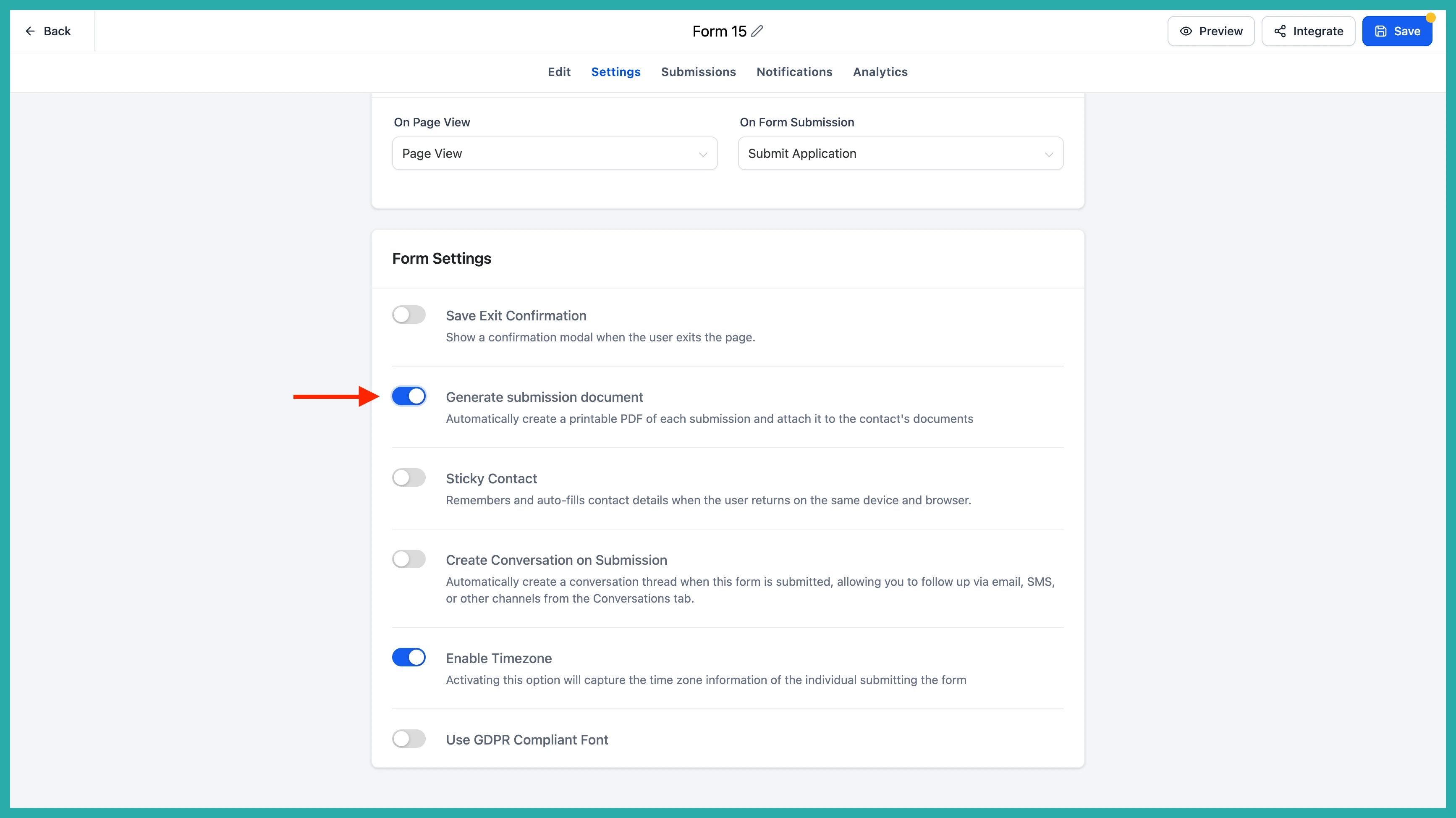
Open the settings for the form, survey or quiz you want. In the Settings panel you'll find the Generate submission document toggle. Flip it on.
That's the whole setup. From that point, every new submission generates and stores its own PDF automatically. If you leave the toggle off, nothing is generated, so you're in control per form.
One thing worth knowing: this only affects submissions that come in after you switch it on. Older submissions won't be backfilled.
Where your documents live
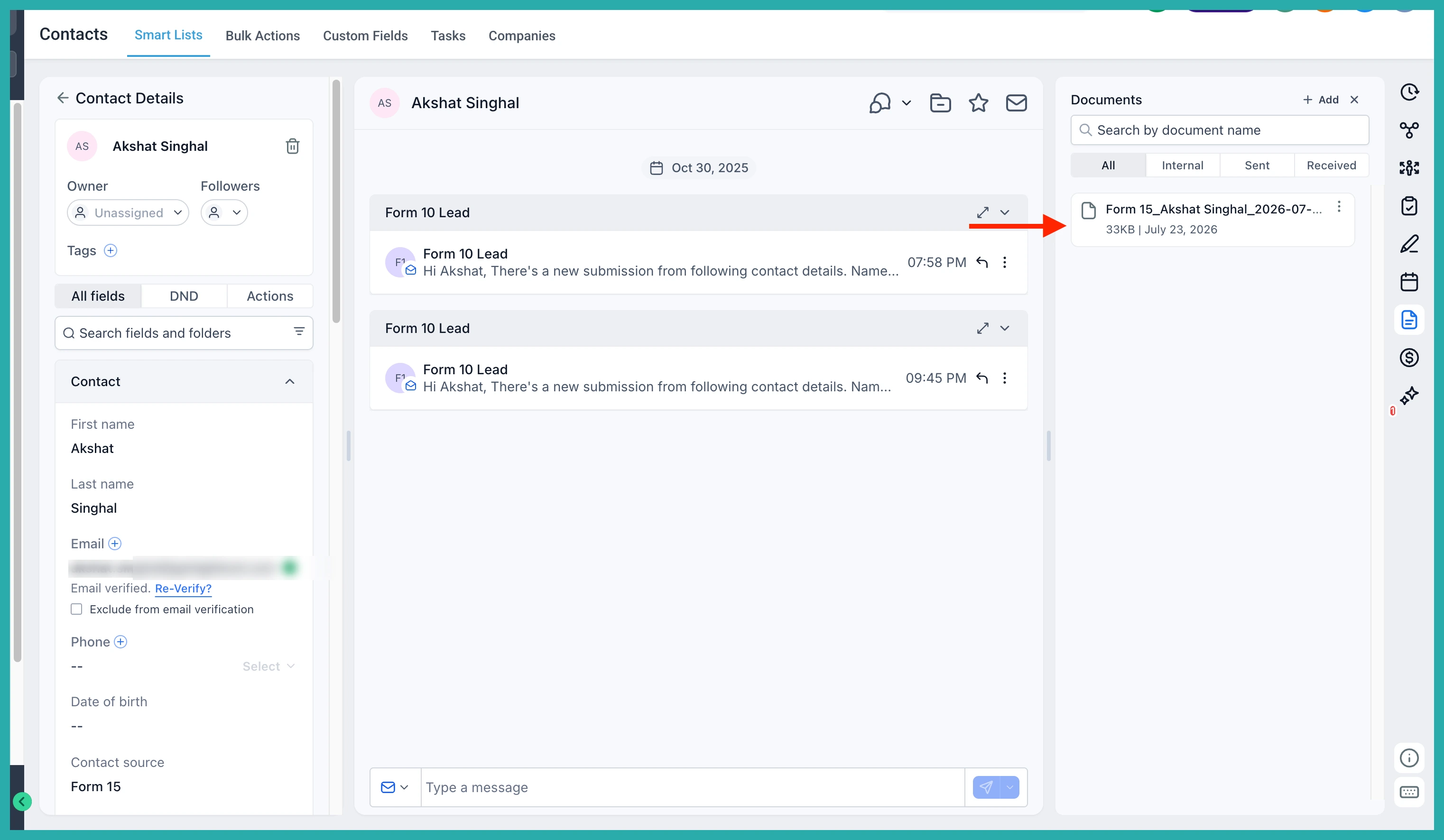
Each PDF is filed under the contact who submitted, in their Documents section, sorted into its own folder:
- Contacts, then Documents, then Forms
- Contacts, then Documents, then Surveys
- Contacts, then Documents, then Quizzes
In the screenshot below you'll see how they sit neatly under the contact, ready to open.
The files are named consistently too, so they're easy to find at a glance. Forms and surveys follow the pattern FormName, ContactName, then the date and time. Quiz results start with Result so you can spot them straight away.
It all works across desktop and mobile, so your records are there wherever you're working.
Go and switch it on for one form you use often. From the next submission, you'll have a clean PDF waiting without lifting a finger.
