
Your Forms Now Catch Their Own Mistakes Before They Go Live
You build a form, hit save, and something goes wrong. The old version just told you there was an error somewhere, and left you hunting for it field by field. Frustrating when you only have twenty minutes to get the thing live.
That guessing game is over. Your forms, surveys and quizzes now point you straight to what's wrong, suggest small improvements you might have missed, and show you your whole setup at a glance.
Error detection: find it, fix it, done
When you save a form, survey or quiz, the system now checks it for you automatically. If anything's off, you get a clear list in a pop-up, with each problem spelled out and tied to the exact field causing it.
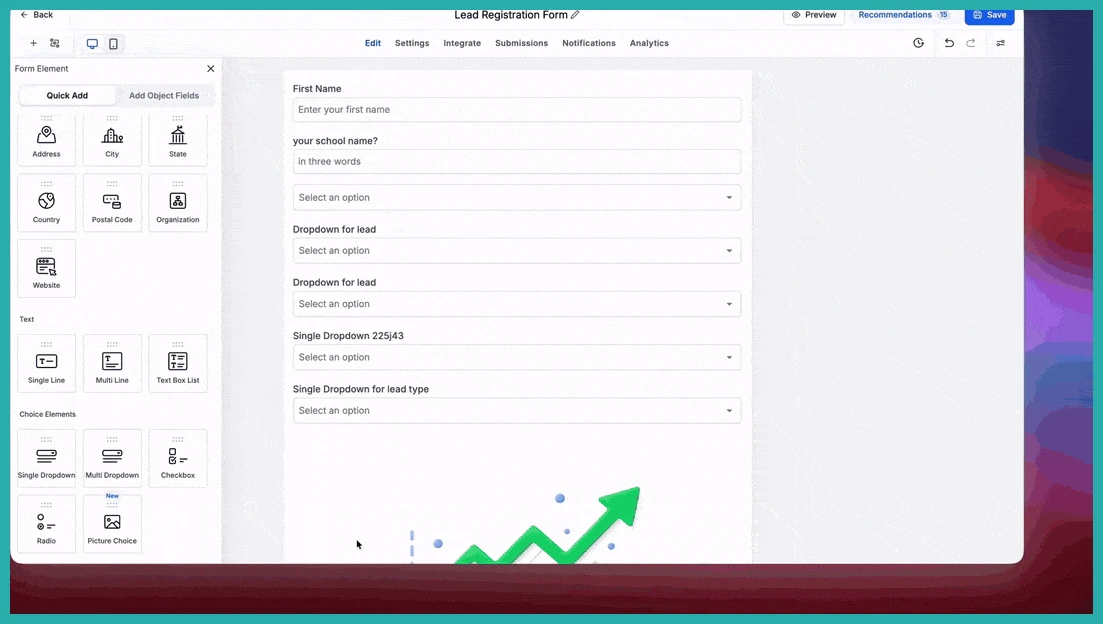
No more scrolling through every element wondering which one broke. Click on any error in the list and you're taken straight to the field that needs attention.
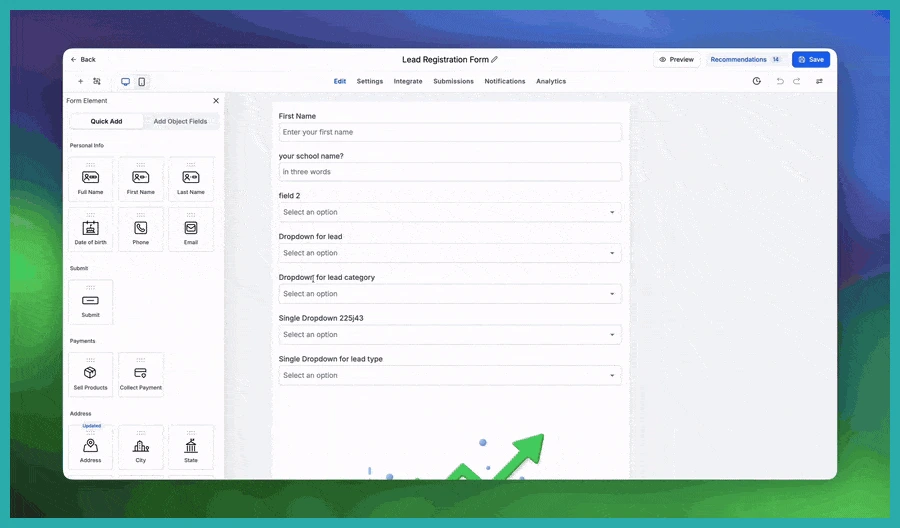
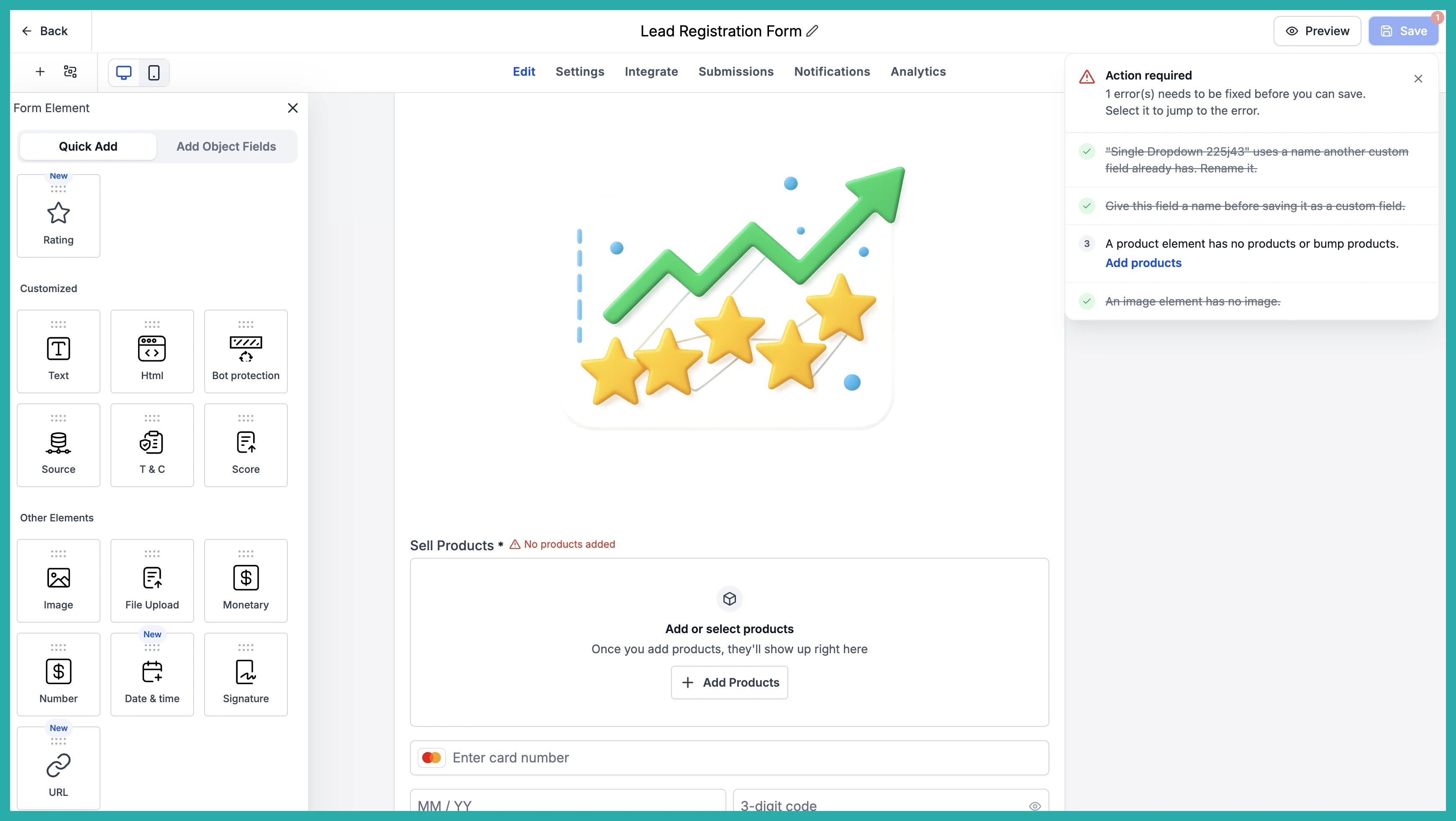
Fix the issue and watch it get crossed off the list on its own. You don't have to re-save or track anything by hand - once it's sorted, it's gone from the list.
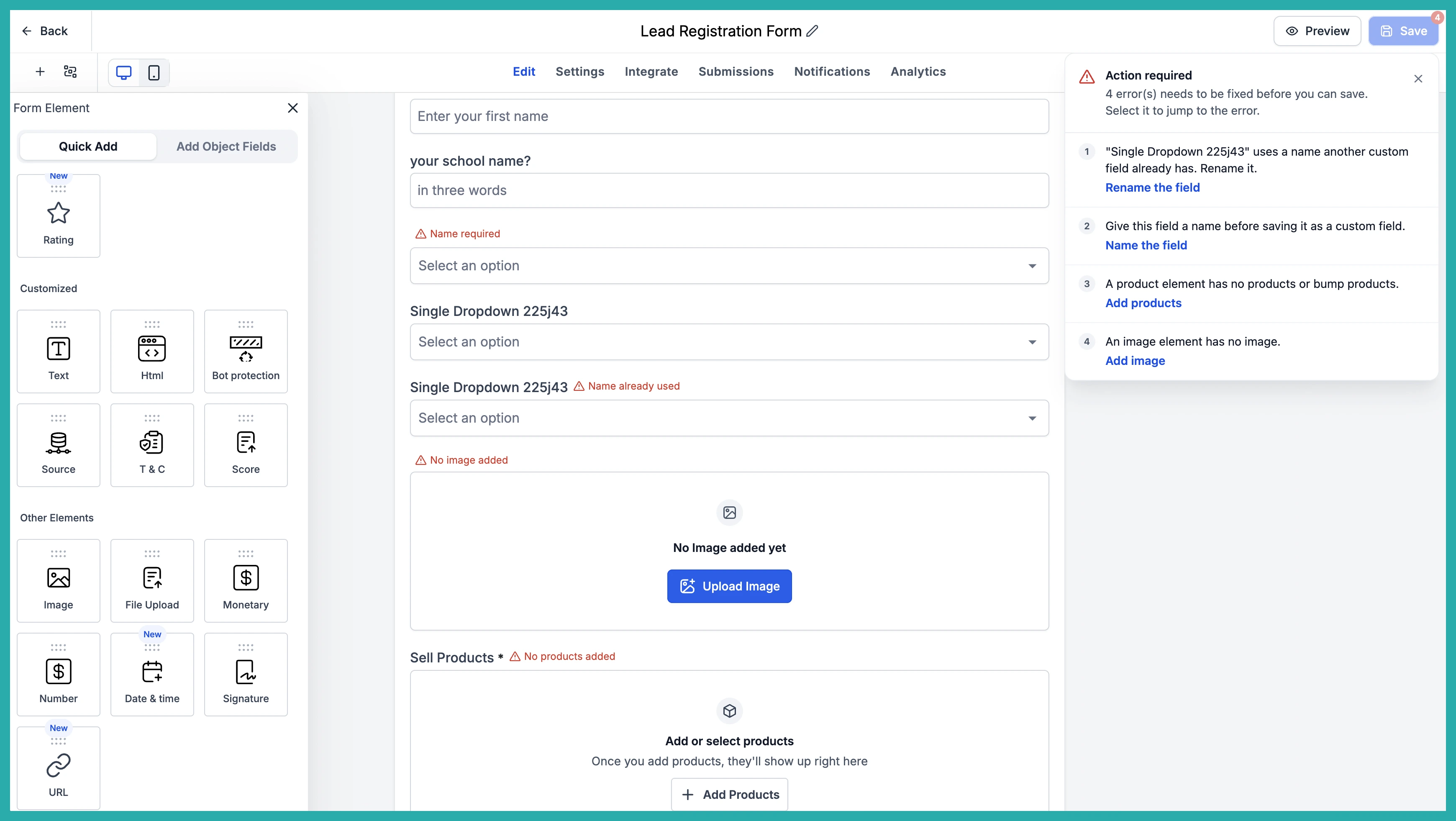
For now this covers the errors you already run into: custom field creation, duplicate custom fields, and your form, survey and quiz elements. Nothing new to trip over. The same errors, just finally easy to understand and sort out yourself.
Recommendations: catch the small things before they bite
Ever published a form only to realise you left a placeholder URL in, or your payment element was still in Test Mode? Recommendations gently flag those easy-to-miss things before they cause you trouble.
A few of the things it'll point out:
- Placeholder URLs like example.com that you meant to swap for your real destination
- Custom fields still carrying their default placeholder name, so you can rename them and keep things tidy
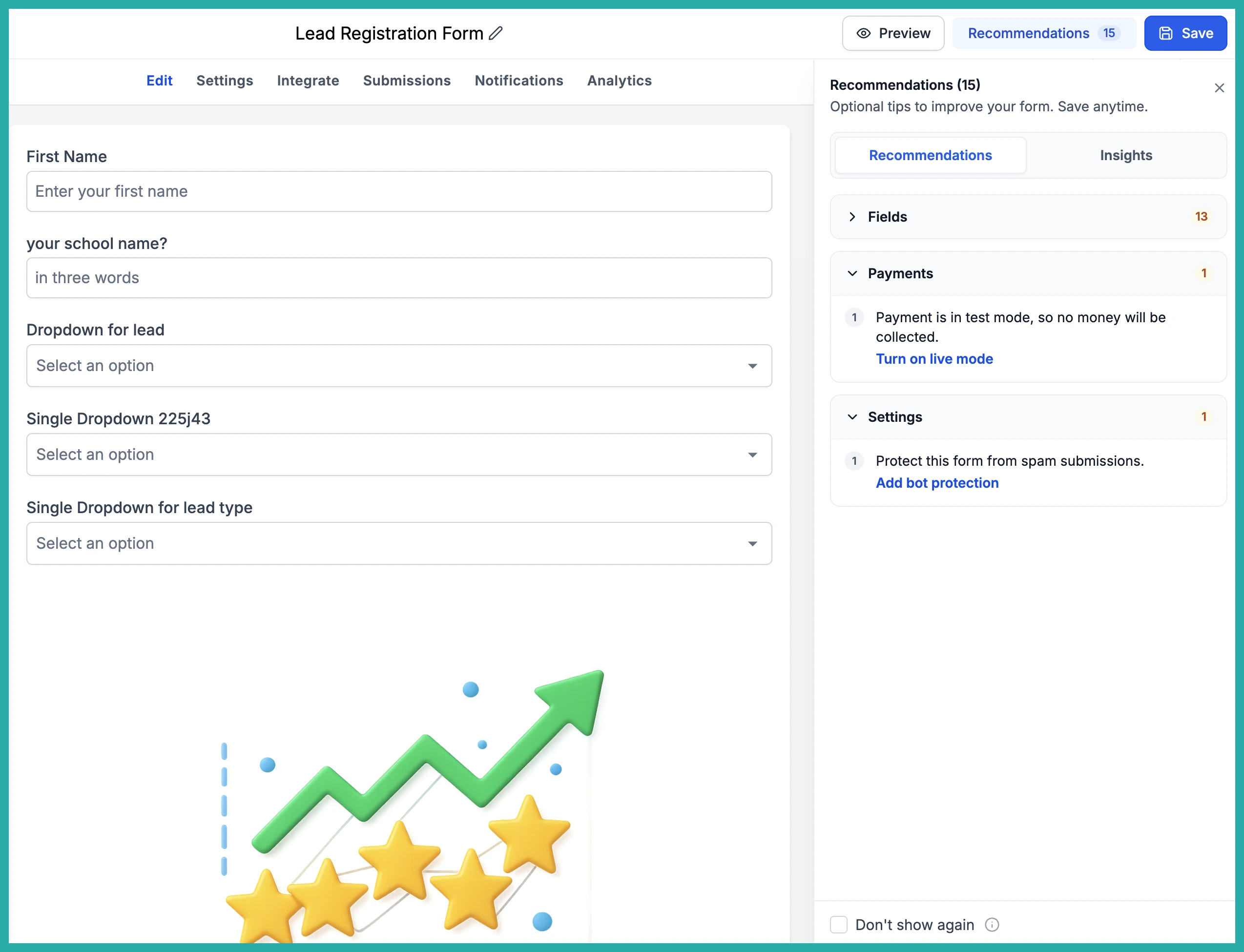
- Payment mode alerts when your Sell Products element is still in Test Mode instead of Live
- Bot protection suggestions to cut down on spam submissions
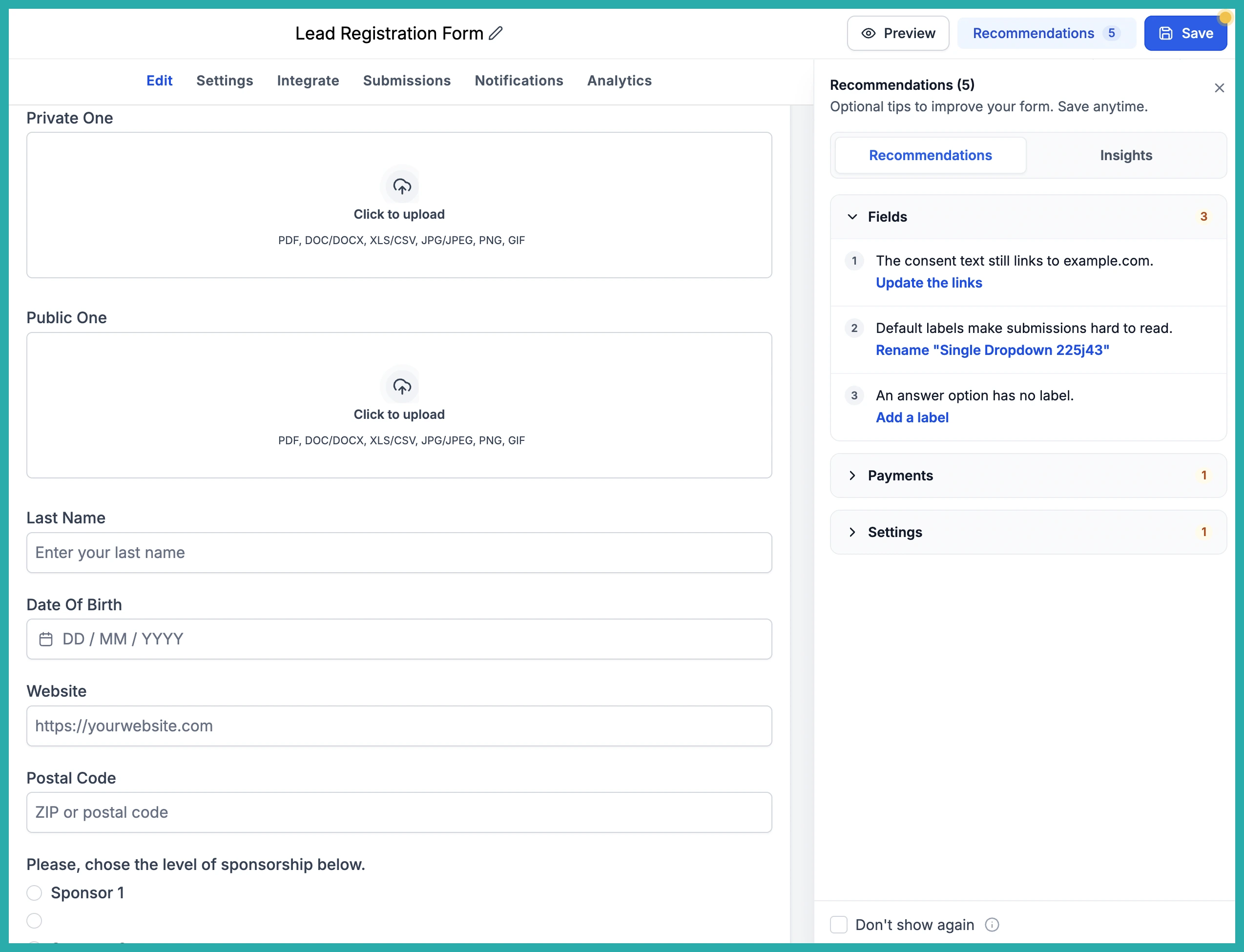
These are the little oversights that are easy to make and annoying to discover after the fact. Now you catch them while you're still building.
Insights: your whole setup at a glance
There's also a new Insights tab that gives you a quick read on how your form is configured, all in one place.
At a glance you can see how many conditional logic rules you've set, how many custom fields you're using, whether your auto responder and email notifications are switched on, and whether your payment element is in Test or Live Mode.
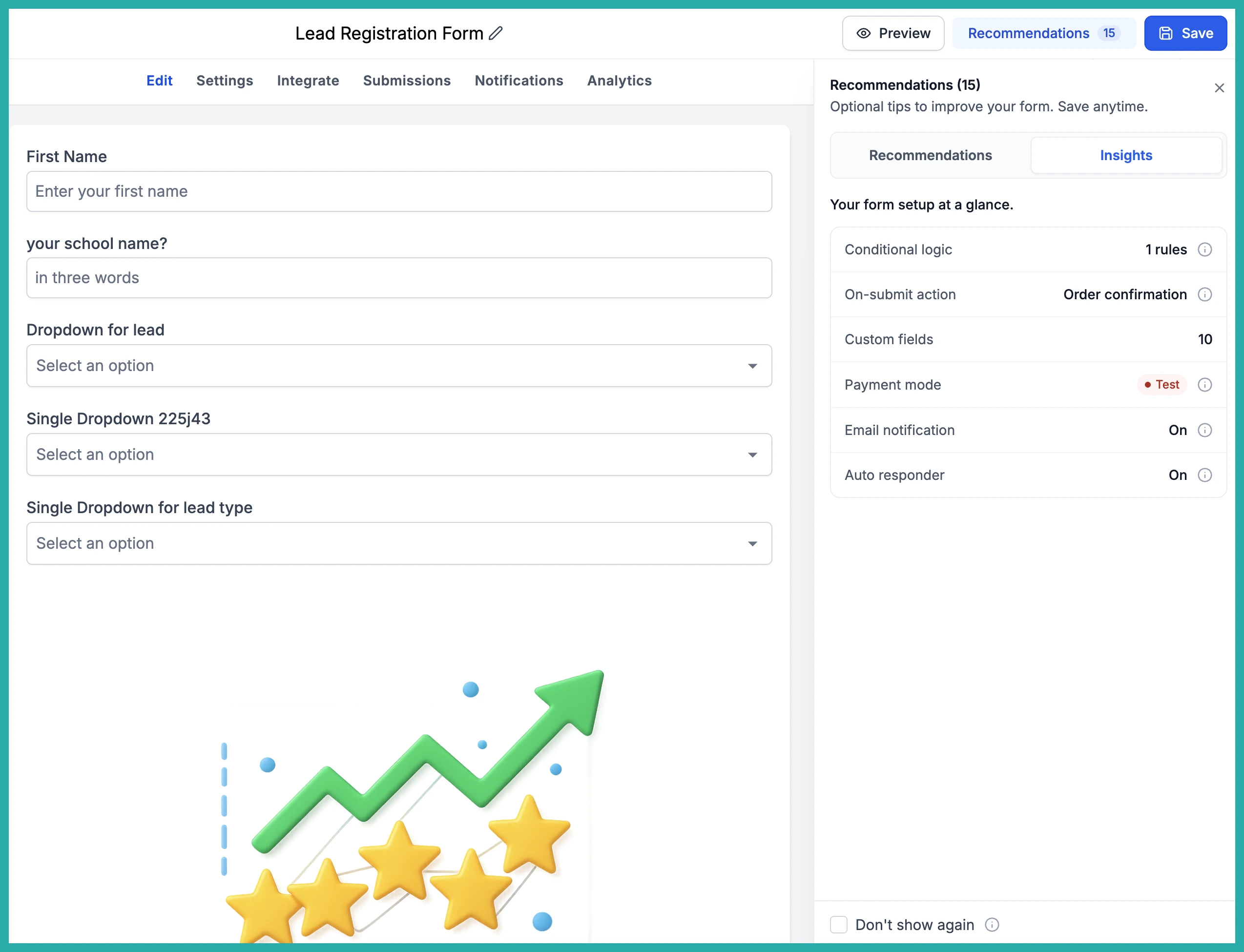
It's a handy final check before you share your form with the world.
How to use it
- Build or edit your form, survey or quiz as usual.
- When you save, any existing errors show up automatically in a pop-up.
- Click an error to jump to the field, fix it, and watch it get crossed off.
- Check Recommendations for common mistakes and easy improvements.
- Open the Insights tab to review your setup at a glance.
A couple of notes: this works for both your existing forms and any new ones you create, and you can turn Recommendations on or off in your Settings if you'd rather not see them.
Next time you build something, let it check your work. It's one less thing to worry about before you go live.
