
Your Marketing Audit Reports Now Find the Right Facebook Profile (and Let You Fix It)
If you run marketing audit reports on prospects, you know the report is only as good as the data behind it. And Facebook profile detection was the weak spot.
The old approach leaned on public information alone. So sometimes the wrong Facebook profile showed up, or none at all, and there was nothing you could do about it. That made the whole audit look shaky.
Two things just changed, and both make your reports more accurate.
Better detection, from more than one source
Instead of relying on a single public lookup, the system now pulls Facebook profile information from several places at once:
- The prospect's own website
- Their local listing profiles
- Trusted internal data sources
Put together, that gives you far better coverage and far fewer wrong or missing profiles across your Prospecting and Marketing Audit Reports.
Add or fix a profile yourself, anytime
Public data still isn't perfect, so you're no longer stuck when it gets something wrong. You can now update a prospect's Facebook profile by hand whenever you need to.
Here's how:
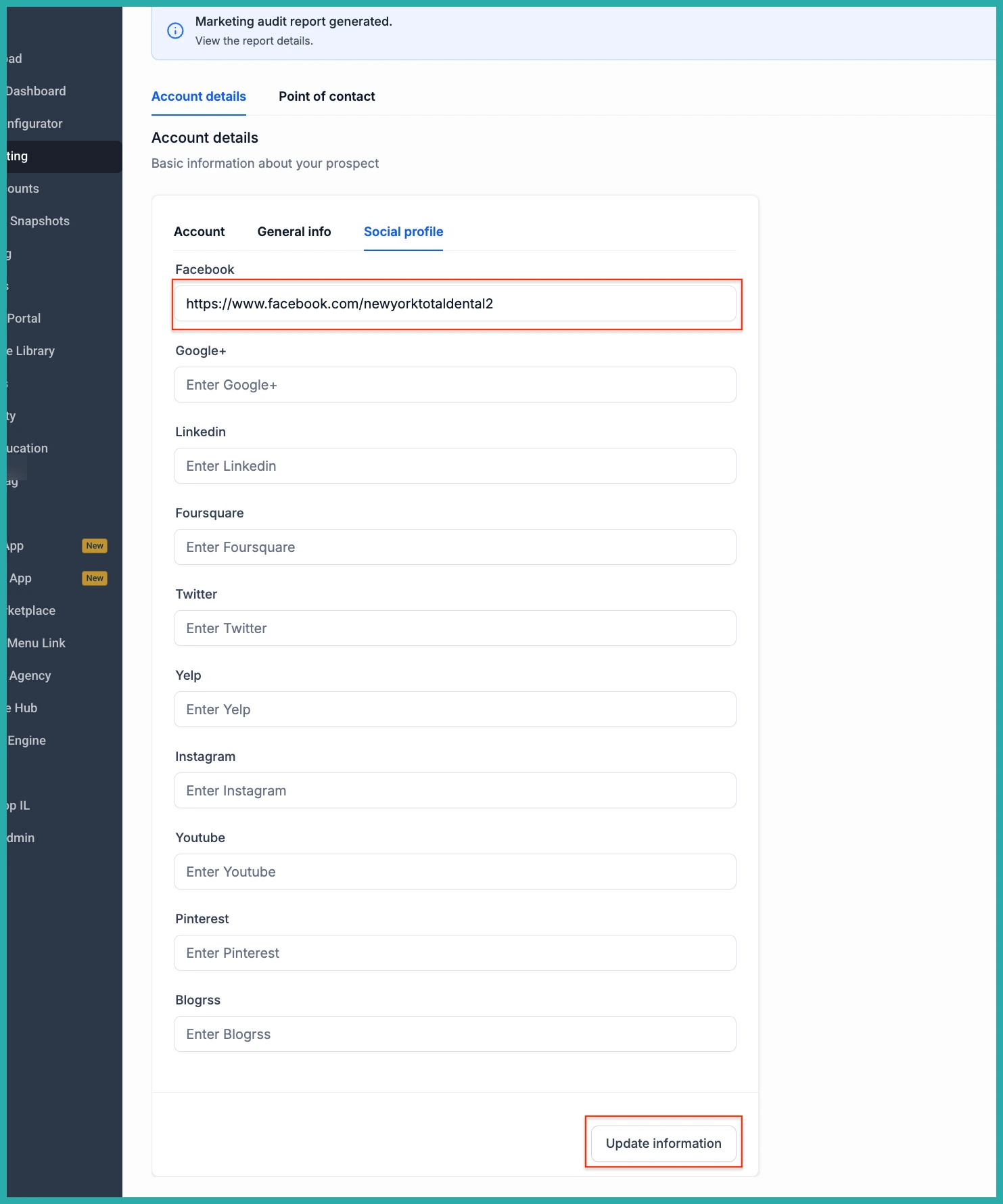
- Open a prospect inside the Prospecting Tool.
- Go to the Social Profiles tab.
- Add or update the Facebook profile URL.
- Click the Update Information button at the bottom to save.
In the screenshot below, you'll see the Social Profiles tab where you drop in the correct Facebook URL.
Once you save, the report starts rebuilding around the new URL. Give it a minute or two to catch up.
The result is a report you can hand over with confidence, built on the most accurate Facebook profile available, and one you can correct in seconds if it isn't. Next time a profile looks off, you're two clicks from fixing it.
