
New Feature: Email Support For Multiple Smartlists & Tags
Introducing a powerful upgrade to Gold Star Pro's bulk email sender, revolutionizing your email marketing strategy. Now, effortlessly include multiple smart lists and tags in a single campaign batch, saving time and enhancing segmentation for a more efficient and intuitive marketing experience.
Email Support For Multiple Smartlists & Tags: Enhancing Gold Star Pro's bulk email sender, you can now effortlessly include multiple smart lists and tags in a single campaign batch, simplifying the targeting process and making email marketing even more efficient.👇🏻
⭐️ Why does it matter to your business?
Effortless Segmentation: Select and send to multiple smart lists or tags in one batch, eliminating the need to create new groups or schedule separate campaigns.
Time Savings: Streamline your email marketing efforts by directly choosing multiple segments, enhancing efficiency without the hassle of combining different groups manually.
Intuitive Campaign Execution: Empower your marketing strategy with an enhanced tool for efficient and intuitive audience segmentation, setting the stage for further advancements in campaign execution.
⭐️ How To Use Email Support For Multiple Smartlists & Tags:
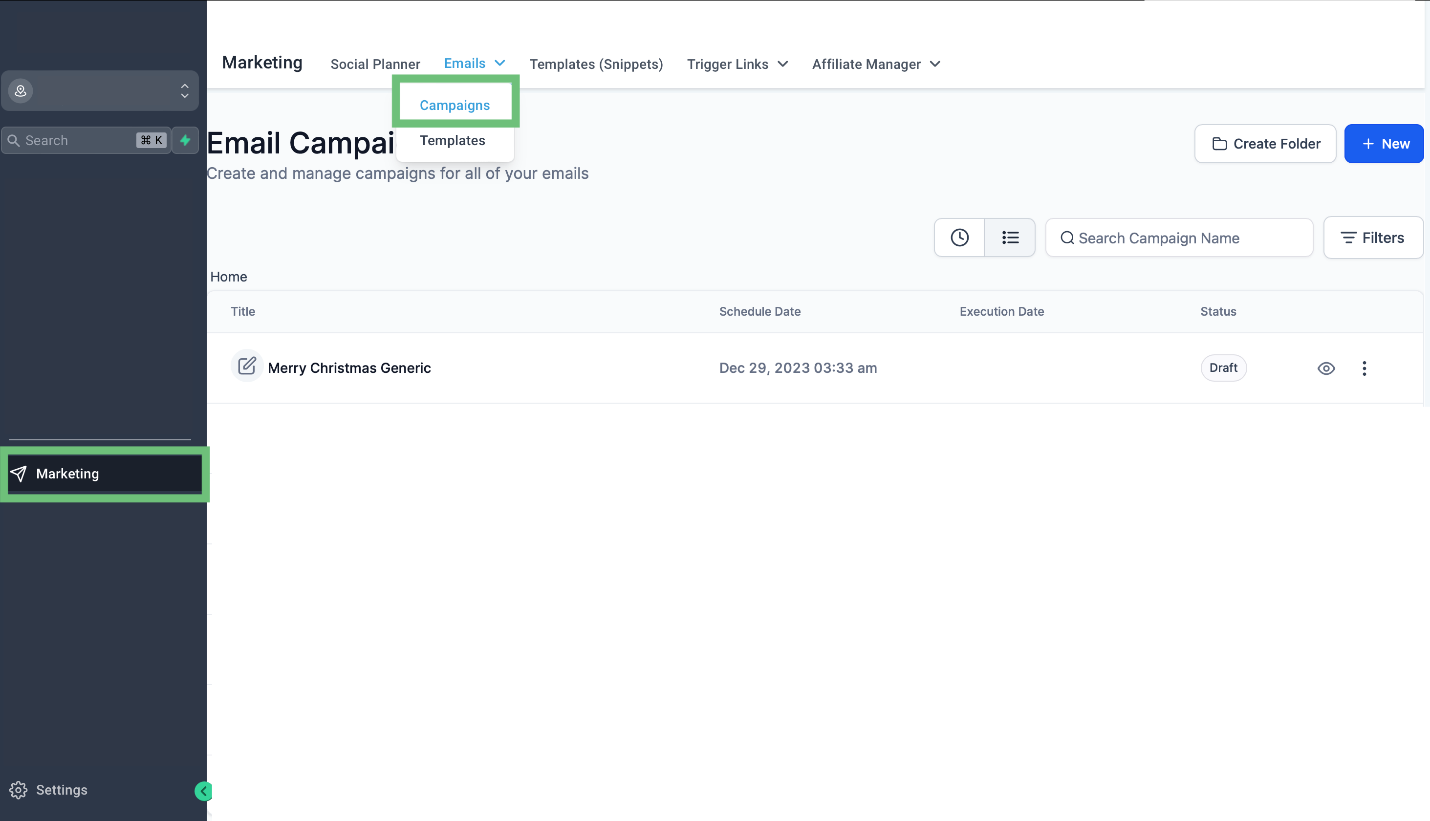
Access the marketing tab from the left navigation menu then go to email > Campaigns then create a new campaign or edit an existing one. we will edit an existing one.
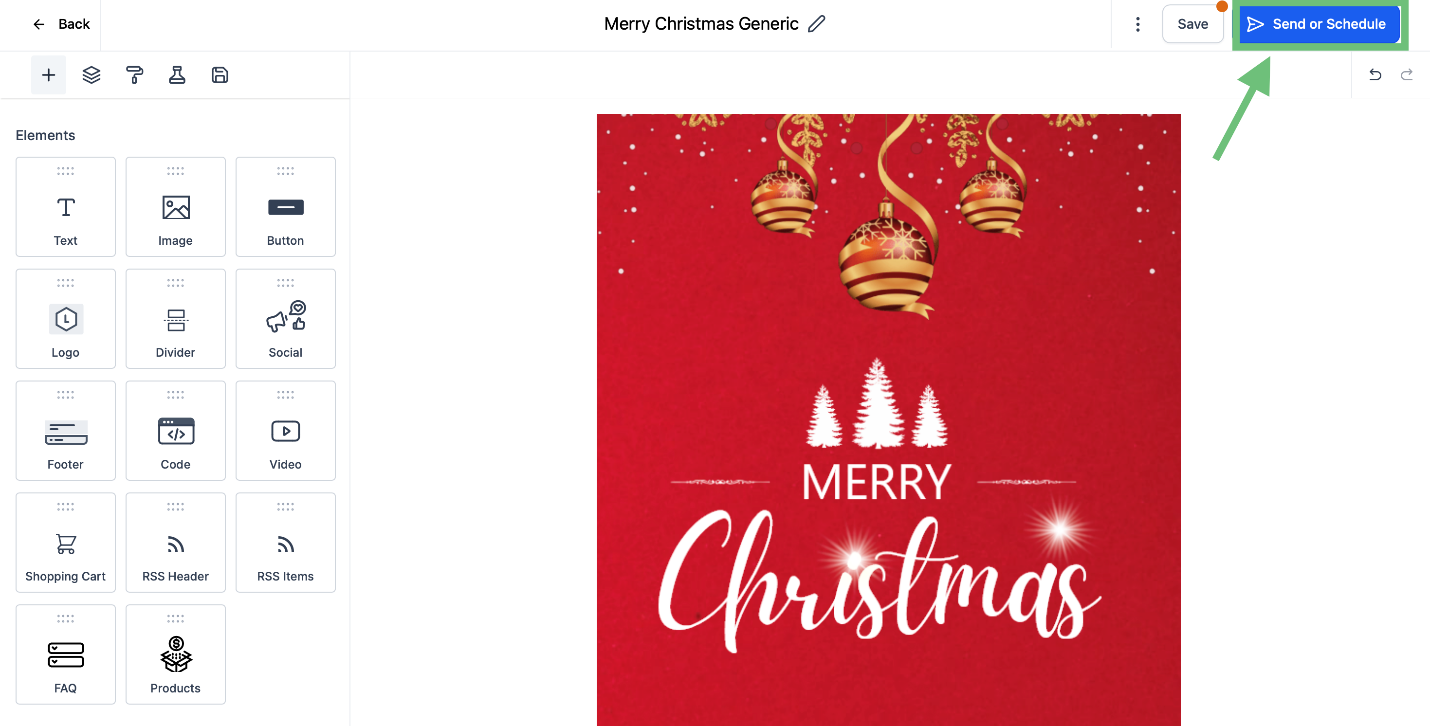
After creating your campaign click on the “Send or Schedule” button.
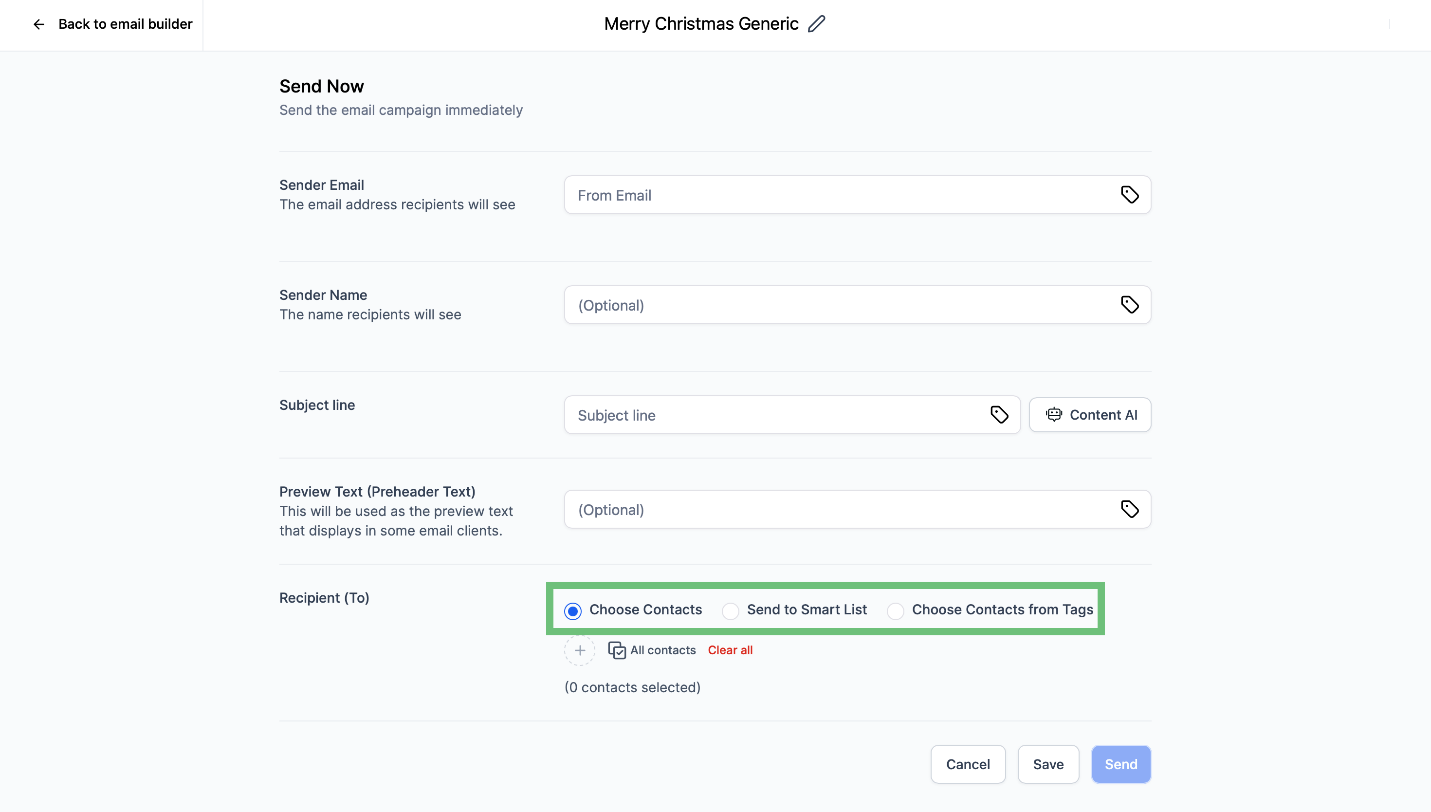
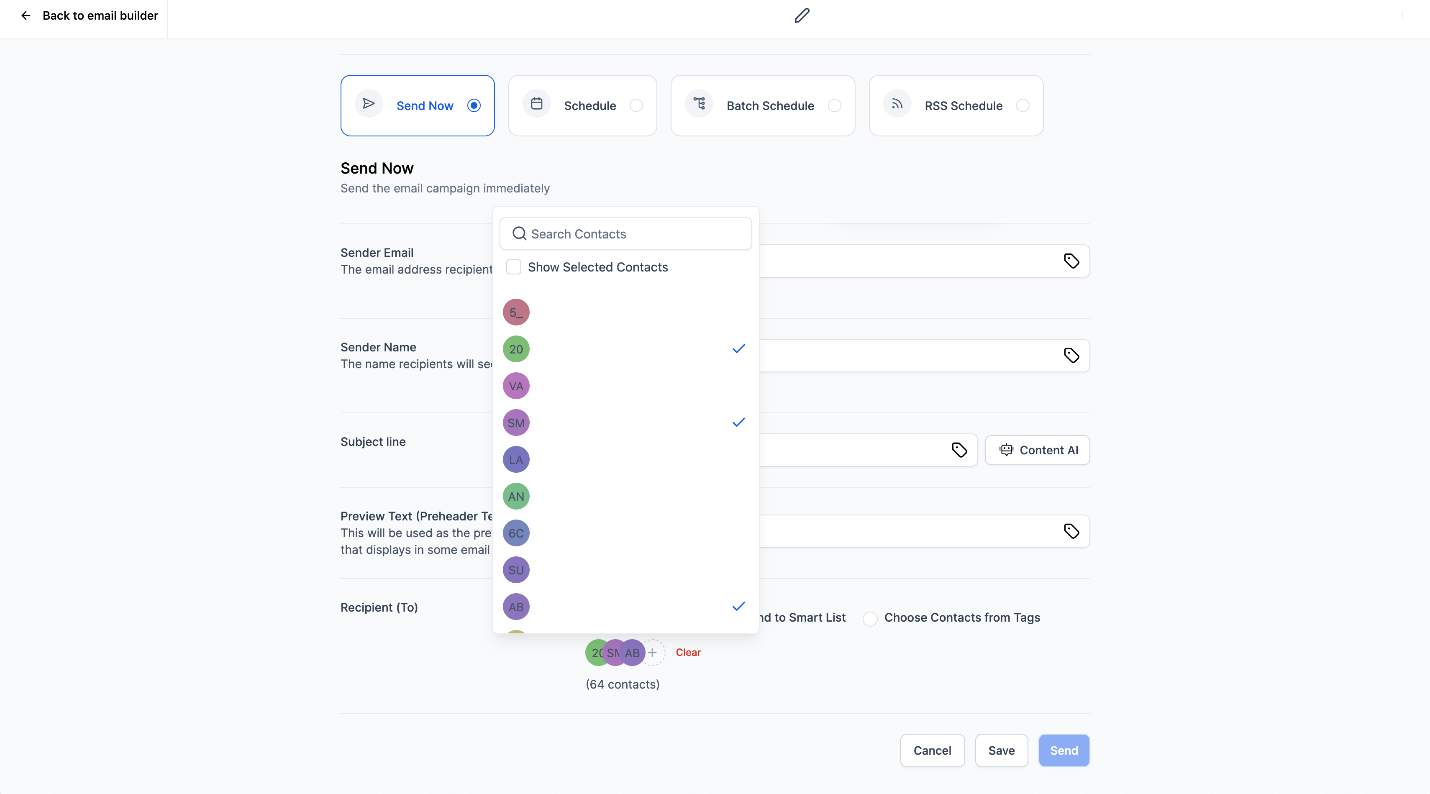
After clicking on the button you can see the newly added options “Send to Smart List” & “Choose Contacts from Tags” in recipients (To) section.
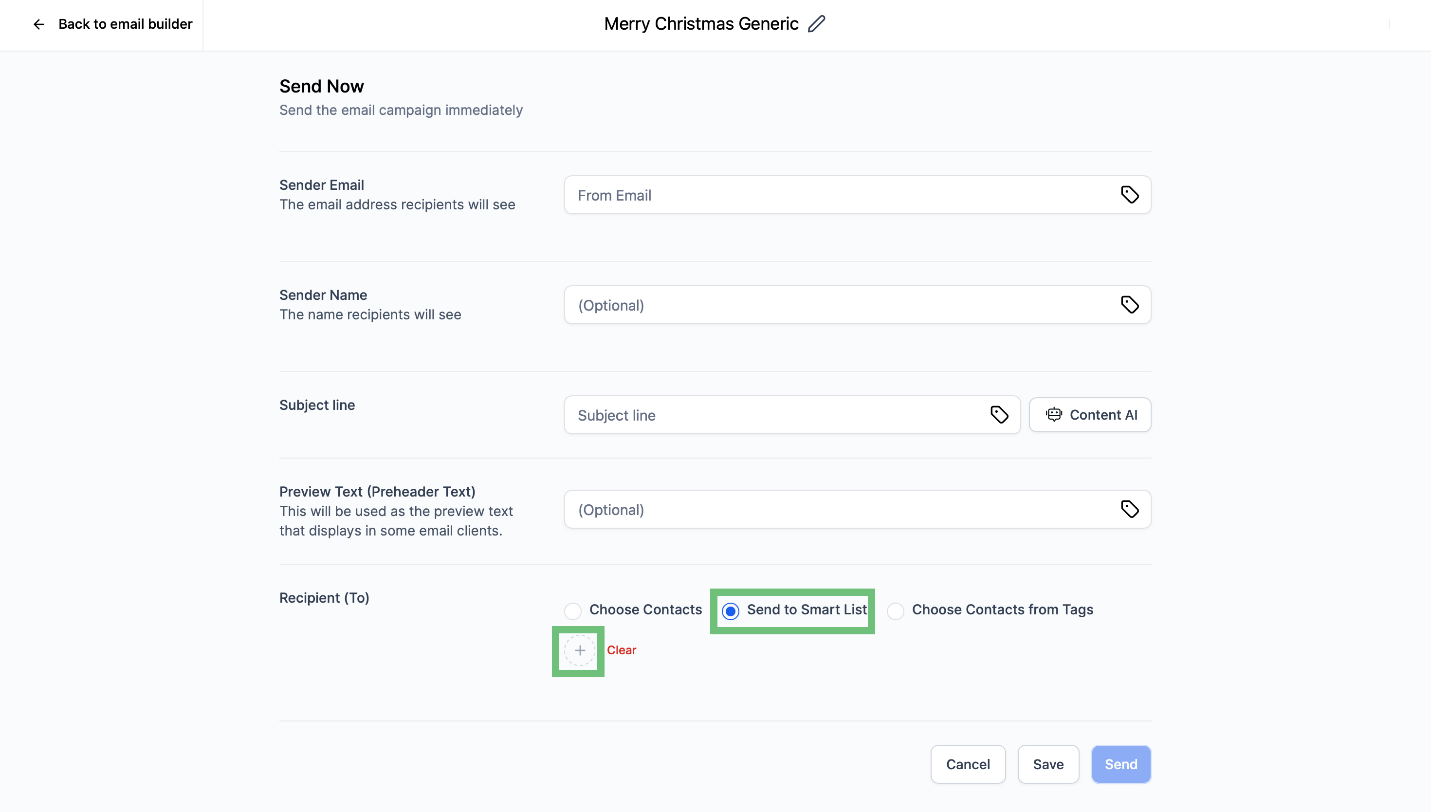
Click on Send To Smart list and then “+” button.
You can select the required contacts from the smart list here.
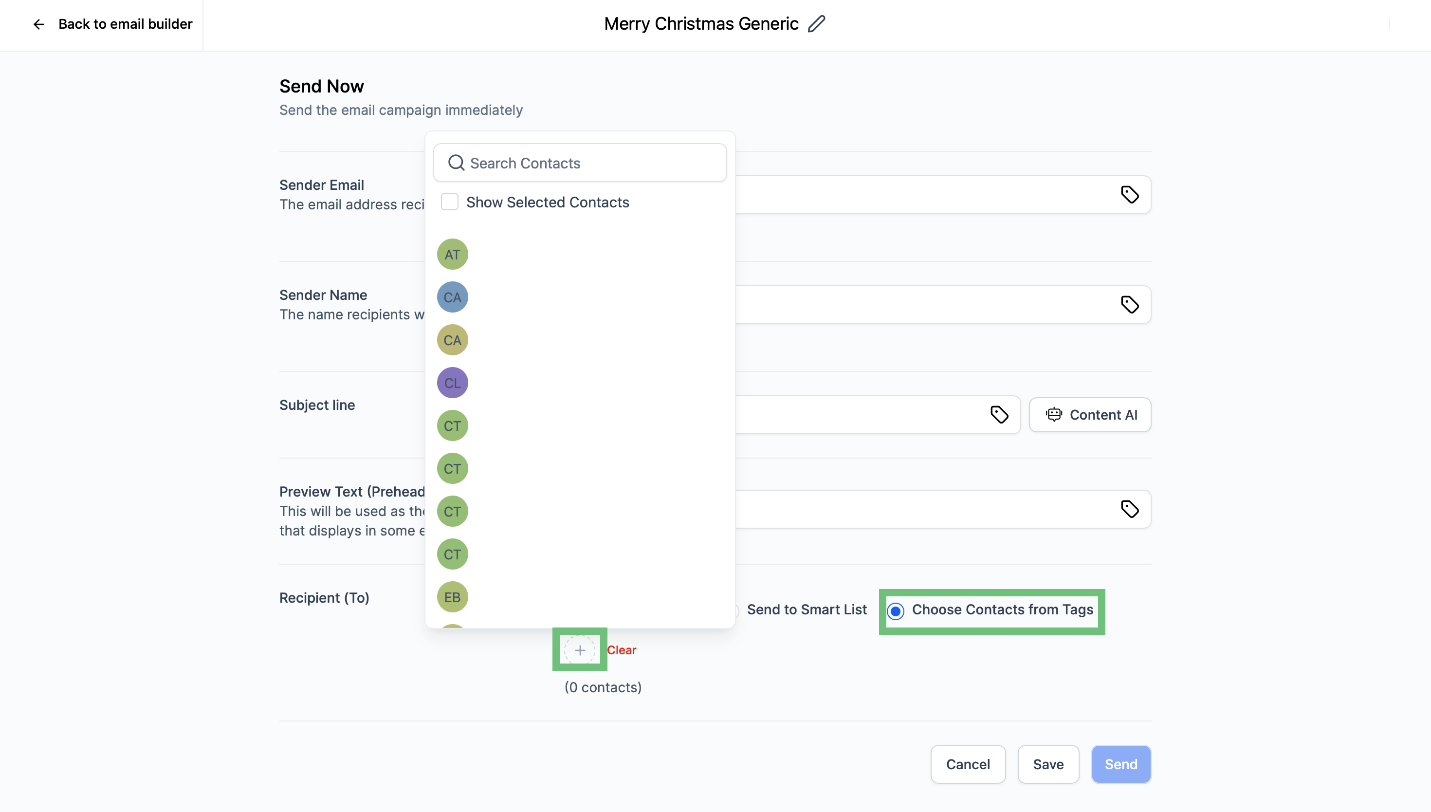
Now select Choose Contacts from Tags and click on “+” button.
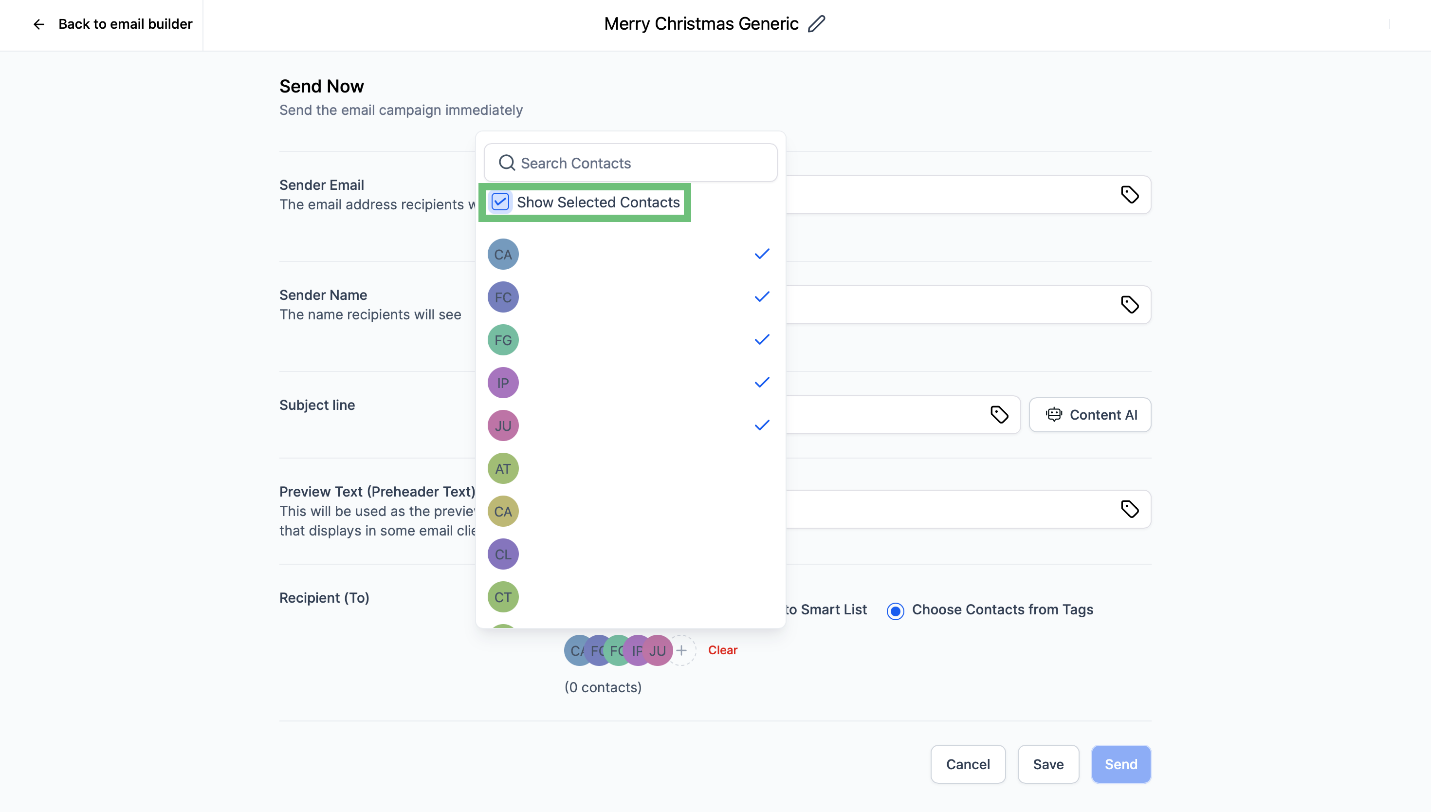
After selecting the contacts click on the checkbox to view all the selected contacts.
Optimize your email marketing strategy with Gold Star Pro's upgraded bulk email sender, allowing you to effortlessly include multiple smart lists and tags in a single campaign batch. Experience improved segmentation, time savings, and an intuitive approach to campaign execution.
